
Microsoft’s August 27 support bulletin says KB5124890 replaces KB5103205, the June Phi Silica J32 release carrying version 1.2605.856.0. Microsoft does not identify a bug fixed, a performance metric, a security issue, a changed Windows feature, or a change to the developer API surface. On the published record, organizations should treat it as a model refresh worth installing and validating—not as evidence of a newly announced Copilot+ capability.
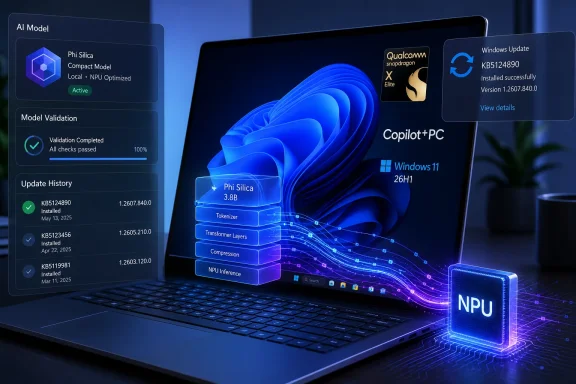 KB5124890 targets a much smaller device group than its title suggests
The scope is unusually constrained. Microsoft lists KB5124890 as applying to all editions of Windows 11 version 26H1, but explicitly limits it to Copilot+ PCs with Qualcomm processors. It is not a general Phi Silica update for every Snapdragon X-series PC running Windows 11, nor does it cover Intel- or AMD-powered Copilot+ PCs.
That distinction matters especially because Windows 11 26H1 itself is not part of Microsoft’s usual annual feature-update path. Microsoft’s Windows 11 documentation describes 26H1 as a specialized release preinstalled on select new systems, initially tied to Qualcomm Snapdragon X2-series hardware. It is not offered as an in-place Windows Update upgrade for existing 24H2 or 25H2 installations.
For most enterprise fleets, then, KB5124890 will not suddenly appear because a machine has a Qualcomm processor or because it supports Copilot+ experiences. A device must be in the much narrower overlap of three categories:
- It must be a Qualcomm-powered Copilot+ PC.
- It must already be running the OEM-preinstalled Windows 11 version 26H1 release.
- It must have the current 26H1 cumulative update installed so that the model component is eligible to download.
Microsoft says Windows 11 24H2 and 25H2 remain its recommended enterprise releases, while 26H1 is meant for selective adoption alongside new hardware. That makes KB5124890 primarily a servicing item for early deployments of this platform rather than a broad Windows AI rollout.
Phi Silica J32 is the local language model, not an app update
Phi Silica is Microsoft’s compact on-device language model for Windows. It supports text generation, summarization, rewriting, and other language-processing tasks through Windows AI APIs, with work executed locally rather than submitted to a cloud model. On Copilot+ hardware it is intended to use the Neural Processing Unit, or NPU, for lower-latency and more power-efficient inference.
The J32 designation in KB5124890 is specific to the Qualcomm-serviced component. Microsoft’s AI-component catalog separates model packages by processor family, and the company delivers them independently from the monthly operating-system patch. That architecture lets Microsoft update a local model without asking customers to wait for a feature update or a new application build.
It also means version inventory can become more complicated than a simple check of the Windows build number. A 26H1 PC can be fully patched at the OS level while still awaiting a model-component download, and a desktop-management report focused only on quality updates may miss the distinction.
For developers, the update does not change the documented reality that Phi Silica integration depends on Windows AI APIs and the Windows App SDK. Microsoft’s current developer guidance also warns that some Phi Silica API access can be governed by Limited Access Feature requirements, while experimental SDK releases can have separate support and deployment restrictions. Installing KB5124890 does not grant API access, replace application testing, or turn an experimental API into a supported production dependency.
Microsoft’s documentation leaves the actual changes undisclosed
The most significant fact about KB5124890 is what Microsoft did not publish. The support article says only that the package contains “improvements” to the Phi Silica AI component. There are no release notes describing quality fixes, updated safety behavior, latency gains, compatibility changes, model-size changes, or known issues.
That absence matters more for a model update than it would for a conventional inbox component. Phi Silica can affect the behavior of Windows experiences and third-party software that call the local language APIs. Even if the interfaces stay the same, a refreshed model can alter generated wording, summary quality, task completion, filtering behavior, or performance characteristics. Microsoft’s Phi Silica platform documentation acknowledges that output quality depends on prompt clarity, that long inputs can slow response time, and that content moderation can block some requests.
None of that proves KB5124890 changes those behaviors. Microsoft has provided no evidence that it does. But the lack of a changelog means IT teams using local AI workflows cannot infer what should be retested from the KB article alone.
The public component history also illustrates why administrators should not use a static catalog as their only inventory source. Microsoft’s AI update-history page was last stamped July 28, 2026 and shows KB5103205, version 1.2605.856.0, as the latest Qualcomm Phi Silica J32 item for 26H1 at that time. KB5124890 was published on August 27, one month later. The dedicated history page had not yet caught up to the newly released package when checked.
In this case, the device’s own update record is the more current operational source. After installation, Settings > Windows Update > Update history should list “2026-08 Phi Silica J32 version 1.2607.840.0 for Qualcomm-powered systems (KB5124890).”
What should be validated before broad deployment
There is no manual installer or optional download path in Microsoft’s bulletin: KB5124890 is designed to arrive automatically through Windows Update. That does not remove the need for controlled rollout checks in organizations that have deployed 26H1 devices for a defined purpose.
First, confirm that affected devices have received the latest 26H1 cumulative update. Microsoft makes that a prerequisite, so an absent Phi Silica J32 package may indicate ordinary update sequencing rather than a model-delivery failure. Then verify the component by its full KB number and version in Update history, rather than assuming that a successful cumulative-update scan installed every AI component.
Second, test the workloads that actually depend on Phi Silica. For an internally developed Windows application, that means representative prompt sets for summarization, rewriting, text generation, and any tuned content-moderation settings. Compare output quality, latency, first-load behavior, and failures against the prior validated build. Microsoft says the model can be unloaded under memory pressure to preserve system stability, increasing the time to first token when an application loads it again; a validation run should include a normal user workload rather than an empty test device.
Third, separate a component issue from an API entitlement or packaging problem. Microsoft’s troubleshooting material says an app can fail to use Phi Silica because of Limited Access Feature status, package identity, a missing systemAIModels capability, or an incompatible Windows App SDK version. Those failures are not automatically evidence that KB5124890 failed. Conversely, a device showing the new model version does not establish that every app is correctly configured to call it.
The immediate consequence is a new baseline, not a new feature
KB5124890 advances the Qualcomm Phi Silica J32 baseline from the June 2026 release to version 1.2607.840.0, following a period in which Microsoft’s public 26H1 component history showed no July refresh for this model. It is part of the ongoing servicing cadence for a Windows release Microsoft has intentionally confined to select new Qualcomm systems.
Users should generally let the update install. Administrators with Phi Silica-dependent software should record version 1.2607.840.0 as the new validated baseline, check Update history rather than relying solely on the lagging component-history page, and retain output and performance comparisons from the earlier KB5103205 build. Until Microsoft publishes actual release notes, claims of improved speed, better summaries, changed safeguards, or new end-user features would be speculation.
