

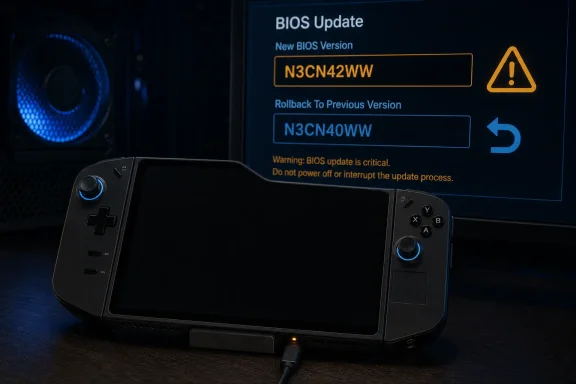
Windows Central first highlighted the growing owner reports this week, while PC Gamer independently identified the affected package as N3CN42WW for the original Legion Go. The reports do not establish how many units are affected, and multiple owners say their updates completed normally. But the evidence now goes beyond a single bad flash or an interrupted update: a repair shop documented one Legion Go that failed repeatedly after the same official firmware was installed under controlled conditions, then worked again after being restored to the prior N3CN40WW BIOS.
Lenovo’s own driver page still describes N3CN42WW as a “Recommended” Windows 11 update for the Legion Go 8APU1. Its release notes list one fix: correcting a problem entering or exiting Modern Standby with the physical power button after an AMD Platform Initialization update. Lenovo has not published a public advisory acknowledging the boot failures, a withdrawal notice, an affected serial-number range, or a recovery procedure for systems that fail after installation.
That gap changes the risk calculation. This is a firmware update with a narrowly described sleep-and-wake fix, not a documented security emergency, and the reported worst case is a device that cannot boot without motherboard service or specialist-level SPI flash work.
The affected device is the original Legion Go
The reports concern Lenovo’s 2023 Legion Go, model family Legion Go 8APU1, sold with AMD Ryzen Z1 or Ryzen Z1 Extreme processors. Owners and the moderators of the Legion Go subreddit have specifically called out both processor versions.
They do not describe an issue with the newer Legion Go S or Legion Go 2, which use different firmware packages. That distinction matters because discussion threads have already mixed the product lines together; installing or avoiding a BIOS by name rather than matching it to the machine’s exact model is how handheld owners get into trouble in the first place.
N3CN42WW is a Windows 11 BIOS package, normally installed from Lenovo’s support site. It is not the same thing as a Radeon graphics driver, Legion Space update, Windows cumulative update, or controller firmware update. A user can continue taking ordinary Windows and game-driver updates without installing this particular BIOS package.
Lenovo’s listing identifies the download as n3cn42ww.exe, 14.42 MB, and marks it “Recommended.” The official release date is June 17, 2026. That is significant because community posts suggesting Lenovo had removed the package conflict with the current support listing: as of August 6, Lenovo’s support catalog still presents N3CN42WW as the current recommended BIOS for the 8APU1.
This is more than a normal black-screen interval
A blank display during a firmware flash is not automatically evidence of a bricked handheld. Lenovo has an older Legion Go support article warning that the screen can remain black for about two minutes during a BIOS update. Interrupting power during an ordinary flash remains dangerous, and Lenovo’s own package warns against powering off or restarting the system while firmware is being written.
The current reports describe a different endpoint. Affected owners say the device never returns to a Lenovo splash screen after the restart, even after extended waits. Some report the fan, controller lighting, or power LED remains active, but the device produces no display output internally or through an external monitor. Others say power-cycle attempts and USB-based recovery attempts have not restored booting.
That distinction is important for anyone who has already started N3CN42WW. Do not conclude the handheld is dead at the first black screen and immediately force it off. Give the update reasonable uninterrupted time on AC power. But if the unit remains unable to POST long after the normal update window, produces no BIOS screen, and will not output to an external display, it has moved beyond the two-minute behavior Lenovo documented.
The subreddit moderators’ warning asks affected owners to identify themselves, but it is not a census and cannot show a failure rate. Successful installations reported in the same discussion also mean this is not established as a universal failure. What is established is more limited and more actionable: failures have occurred after the official N3CN42WW update, on both Z1 and Z1 Extreme Legion Go units, often with the same black-screen/no-POST symptom.
A repair shop reproduced the failure three times
The strongest evidence so far comes from PitStop Computers, a Romanian repair shop that published a detailed account of servicing one Legion Go 8APU1. The shop received a unit that had stopped POSTing after an update from N3CN40WW to N3CN42WW.
According to the shop, it recovered the system using older firmware, then deliberately installed Lenovo’s official N3CN42WW Windows package with the AC adapter connected and battery fully charged. The handheld again rebooted into a black-screen, no-POST state. The shop says it then repeated the work at the firmware-chip level using the N3CN42WW image and saw the same failure, before restoring operation with N3CN40WW.
One repair case cannot prove every N3CN42WW package or every Legion Go is defective. It does, however, undercut the convenient explanation that these are all reports of owners pulling power, using the wrong charger, or panicking during the normal blank-screen interval. The shop says it reproduced the fault after both a standard official installation and direct programming of the image, then returned the same handheld to working order with the previous BIOS.
There is another practical complication: its recovery was not a simple rollback from Windows. It required direct programming of the firmware chip and preservation of machine-specific data. A Reddit user who described a similar recovery also said they used a CH341A programmer, a 1.8V adapter, and soldered directly to the flash chip after clip-based access proved unreliable.
That is not a consumer support path. It is board-level repair work with a real risk of doing further damage, losing device-specific data, or voiding remaining coverage. A bootable Legion Go should not be opened to prepare for a BIOS update whose benefit is limited to a Modern Standby power-button fix.
The warranty problem is the part Lenovo has not answered
Windows Central reported that one owner was quoted €237.16 for an out-of-warranty repair after the N3CN42WW update left their Legion Go unusable. PC Gamer separately reported the same account and noted that in-warranty units have reportedly been repaired or replaced at no charge.
That quoted price is one customer’s case, not Lenovo’s published repair tariff or a guarantee that every out-of-warranty owner will face the same bill. Still, it exposes the problem with Lenovo’s silence: an update offered as a recommended official package may be treated as a paid hardware repair once the standard warranty ends, unless Lenovo chooses to recognize the firmware failure as the cause.
Lenovo has not said whether it will cover affected out-of-warranty systems, whether service centers have been instructed to replace motherboards, or whether a software recovery will be issued. It also has not stated whether N3CN42WW is being delivered through Legion Space or Windows Update. Community reports suggest it is a manual installation rather than an automatic Windows Update payload, but Lenovo has not clearly documented its delivery scope.
Owners should retain useful evidence before sending in a device: the support-page version number, installation date, screenshots or photographs of any post-update behavior, service ticket correspondence, and proof the official Lenovo package was used. That will not guarantee free repair, but it is considerably better than presenting the case as an unexplained black-screen failure.
What Legion Go owners should do now
For a working original Legion Go, the safe course is straightforward: stay on the installed BIOS and skip N3CN42WW until Lenovo publishes either a fixed replacement or a specific statement addressing the reports. There is no published indication that N3CN42WW closes a critical security vulnerability that would justify taking this risk immediately.
For a system that has already updated successfully, there is no evidence that an automatic downgrade is necessary or that every successful installation will fail later. Back up important data, avoid changing firmware settings without a reason, and watch for an official Lenovo advisory. The anecdotal reports of worsening controller behavior over time are too vague and poorly separated from ordinary Windows, driver, and Legion Space problems to pin on this BIOS release.
For a device that is currently stuck at a black screen after the update, leave it connected to reliable AC power long enough to rule out Lenovo’s known short blank-screen phase. If it remains unable to POST, do not treat community SPI-flashing guides as routine troubleshooting. Contact Lenovo support first, document that the failure followed N3CN42WW, and ask the support representative to record the BIOS version in the case notes.
Until Lenovo changes its own support page or issues a recovery plan, N3CN42WW remains the unusual case of a “Recommended” BIOS update whose documented benefit is modest while the reported failure mode can turn a functioning handheld into a board-repair job.