
This is a narrow but serious firmware incident. The problematic package was intended only for the first-generation Legion Go 8APU1, the 8.8-inch Ryzen Z1 and Ryzen Z1 Extreme handheld, and Lenovo says it was never sent through Windows Update or its Legion Space companion software. Anyone exposed to the risk had to manually download and run the BIOS installer from Lenovo’s support site.
That distinction limits the number of potential victims, but it does not lessen Lenovo’s responsibility. The update was an official, recommended support download, released on June 17, 2026, for a routine power-management fix. Windows Central and Hardware Busters documented user reports weeks before Lenovo’s formal confirmation, including devices that powered LEDs and fans but produced no display output after the flash.
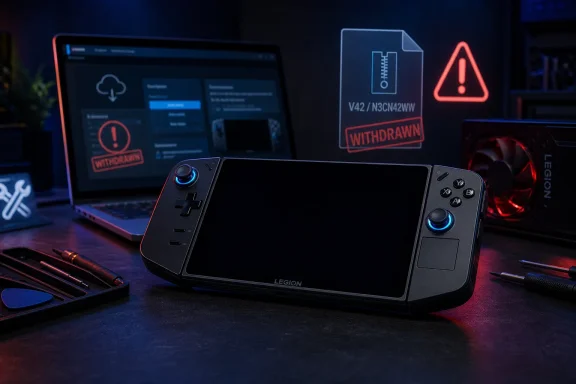 A one-line Modern Standby fix became a no-boot failure
Lenovo’s own release notes identify one change in N3CN42WW: a fix for a Legion Go that could not enter or exit Modern Standby with the power button after an AMD Platform Initialization update. It was not billed as a broad platform rewrite, controller upgrade, or security remediation. It was a targeted correction to a standby-and-power-button behavior issue.
The practical failure has been considerably larger than the update’s stated purpose. Reports collected by Windows Central and Hardware Busters described systems that appeared powered on but could not complete the normal boot sequence: the power light and fans might operate, yet the internal display stayed dark and external video did not restore access. That is particularly problematic on a handheld, where normal recovery options depend on the firmware reaching enough of the boot path to present an image.
Lenovo has not published a root cause, affected serial-number range, motherboard revision list, or failure rate. In comments reported by The Verge, a Lenovo forum account said a European laboratory reproduced the condition on three of three test devices, while other teams could install the firmware without reproducing it. The same post speculated that a component used on certain mainboard batches, or a particular set of installation conditions, may be involved.
That is evidence of a real hardware-configuration or update-path variable, not proof of what it is. Until Lenovo identifies it, owners cannot use processor model, purchase date, or a seemingly successful prior BIOS flash to determine whether their unit was susceptible.
Lenovo’s removal notice is clearer than its repair commitment
Lenovo’s statement to The Verge says the company has removed V42 from its support site while it continues validation work. It also gives the only endorsed recovery procedure: hold the power button for roughly 10 seconds, wait about one minute, then power the Legion Go back on. If that does not restore operation, Lenovo directs customers to support.
That sequence is worth trying once because it is non-invasive and may clear an abnormal power state. It should not be mistaken for a general BIOS recovery method or evidence that a device with a persistent black screen is fixed. Lenovo has not released a public recovery image, a USB-flash procedure, a rollback package, or a diagnostic checklist for owners who receive no display after the forced shutdown.
The official statement also does not promise blanket free repair coverage for affected units, especially those outside their original warranty. That omission matters because early reports included an out-of-warranty repair quote of €237.16, documented by Windows Central, for a machine that reportedly failed after installing Lenovo’s own package.
A Lenovo forum account cited by The Verge wrote that in-warranty systems should be repaired free of charge and that out-of-warranty devices also “should” receive free repairs subject to local law. But Lenovo’s media statement uses different language: it tells customers to contact support for assistance, without defining eligibility, regions, repair authorization, or reimbursement for anyone already charged.
Owners should therefore treat no-cost repair as a request to press with support, not as a published global entitlement. Keep the service case tied explicitly to “BIOS V42” or “N3CN42WW,” retain proof that the firmware came from Lenovo, and save screenshots or copies of repair estimates, depot findings, and the original support ticket. Those records may be important if an initial support agent categorizes the issue as generic physical or mainboard failure.
The file’s disappearance is not as clean as Lenovo’s statement suggests
There is another operational wrinkle: Lenovo says V42 has been removed, but a Lenovo support page for the Legion Go 8APU1 remained indexed with N3CN42WW listed as a recommended Windows 11 BIOS update, including the June 17 release date, file name, checksum, and the same Modern Standby changelog. That page may be a cached or regional support mirror rather than an actively usable download, and its presence does not mean owners should install the firmware.
Still, it exposes a gap in the withdrawal process. Firmware recalls need more than removal from a primary landing page. Support portals are geographically distributed, search engines retain old entries, and direct-file links can persist after the product page changes. Lenovo has not published a visible advisory on the original Legion Go’s main support record explaining that V42 was withdrawn, naming the symptom, and warning users away from residual copies.
That makes the safest advice unusually simple: do not install N3CN42WW from an archive, forum attachment, cached download page, or direct file link. A BIOS package is not comparable to an optional graphics driver that can be uninstalled from Windows. It writes low-level firmware, and a failed flash can eliminate the normal paths used to repair a software problem.
Owners currently running the older N3CN40WW BIOS should leave it in place unless Lenovo releases a replacement package with explicit remediation notes. Owners who successfully installed N3CN42WW should likewise avoid reflashing merely to roll back; Lenovo says successful installations require no action, and another firmware write introduces a new opportunity for disruption without a published indication that it reduces risk.
What IT-minded Legion Go owners should document now
This incident is centered on a consumer handheld, but the response is familiar to anyone managing endpoint firmware: preserve evidence, avoid unapproved recovery tools, and establish the exact state of the machine before changing it again. Community members have discussed external SPI programming as a way to restore affected hardware, but that requires opening the device and writing directly to its firmware chip. It is not Lenovo’s supported procedure and can complicate warranty or repair handling.
For an original Legion Go that still boots, capture the installed BIOS version in the firmware setup screen or Lenovo’s system information before making any changes. For a black-screen system, record the symptoms in detail: whether the fan spins, whether controller and power LEDs illuminate, whether an external monitor detects a signal, when the update was installed, and whether the 10-second power-button reset was attempted.
- Owners should tell Lenovo Support that the failure followed the official N3CN42WW or BIOS V42 installation, rather than describing it only as a black-screen or boot problem.
- Owners should avoid repeated forced restarts, random BIOS files, and unofficial flash tools before Lenovo assesses the unit, unless they have consciously decided to forgo manufacturer-led repair.
- Organizations or repair shops maintaining Legion Go fleets should remove N3CN42WW from internal firmware repositories and check any deployment documentation that might point users to Lenovo’s former download.
A long support promise now carries a higher standard
In February, Lenovo told PCWorld it would continue driver and BIOS support for the first-generation Legion Go through October 2029. That commitment remains significant: the device is not at the end of its planned maintenance life, and its users should expect further firmware work rather than abandonment.
But ongoing firmware support only builds confidence when a vendor handles the exceptional failure case as deliberately as it handles the release. Lenovo has acknowledged the blank-screen problem and stopped recommending the package. It has not yet provided the information administrators and affected owners need most: a confirmed cause, an affected-batch scope, a public repair policy for out-of-warranty units, and a replacement BIOS with a clear account of what changed in validation.
For now, original Legion Go owners should treat N3CN42WW as withdrawn firmware, retain their current working BIOS, and open a Lenovo case promptly if the handheld went dark during the V42 installation.
