
The price picture is also less tidy than Lenovo’s launch messaging. Windows Central reported a $1,949 starting price when Lenovo announced the Gen 11 model in March 2026. Lenovo’s current U.S. configurator lists the 32GB/1TB Core Ultra 7 355 configuration, while Best Buy’s matching U.S. retail model is listed at $2,349.99. That is roughly $400 above the launch starting point and, depending on the remaining Lunar Lake inventory in a given market, enough to make a discounted 2025 Yoga 9i the more rational purchase.
 The chassis refresh fixes small problems, not the large one
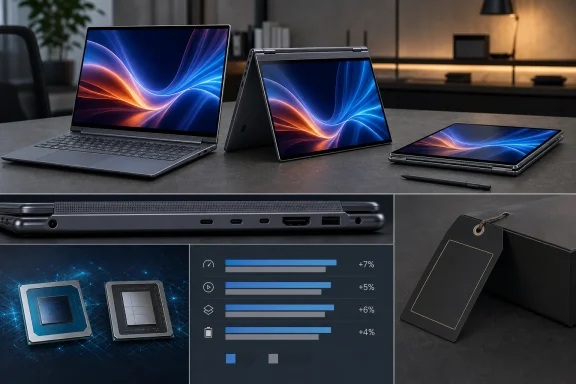
The Yoga 9i’s physical changes are practical. Lenovo removed the awkward right-side column of special keys, leaving a conventional keyboard layout with less risk of reaching for the wrong key near Enter or Backspace. The 2026 model is slightly larger in footprint than its predecessor but trims weight to 1.29 kg, and it changes the hinge so the forward-facing tweeters now live behind a cleaner soundbar-style grille.
Port selection remains unusually complete for a thin 14-inch Windows convertible: two Thunderbolt 4/USB-C ports, HDMI 2.1, USB-A, and a headset jack. That matters for business and home users who still connect projectors, displays, removable storage, or wired peripherals without carrying a dock. The machine retains a side-mounted power button, however, which can be easy to press during transitions into tablet or tent mode unless Windows’ button behavior is changed.
Ultrabookreview’s assessment that the Yoga remains one of the best laptop-first convertibles is well supported by the design. The hinge, chassis stiffness, keyboard, quad speakers, IR camera, and included rechargeable pen are the reasons this product line commands a premium. But those strengths were already present in the prior generation. The 2026 revision improves the edges of the experience without changing its core value proposition.
Intel Core Ultra 7 355 is the configuration limit, not a stepping stone
Lenovo’s own Yoga 9i Gen 11 specifications list the Intel Core Ultra 7 355, 32GB of soldered LPDDR5X-7467 memory, Intel integrated graphics, and M.2 2242 PCIe 4.0 storage. Independent reporting from Notebookcheck also noted at launch that Lenovo was advertising the convertible with the Core Ultra 7 355 rather than offering Core Ultra X7 or X9 alternatives.
That choice is the central limitation of this generation. The Yoga 9i has premium pricing, a substantial 70Wh battery, dual fans, dual heatpipes, and thermal behavior that appears capable of handling more sustained power than an entry-level ultra-mobile chip requires. Yet buyers do not get a higher-end CPU or the stronger Arc-class integrated graphics available elsewhere in Intel’s Panther Lake range.
Ultrabookreview recorded about 35W in sustained CPU work on its Performance profile, with roughly 40 dBA fan noise and CPU temperatures in the low 80s Celsius. LaptopMedia measured a lower 28W sustained result in its own long-load test, at 84°C. The difference is likely a mix of test methodology and Lenovo Vantage profile behavior, but both results point in the same direction: this is a thin convertible designed to handle short bursts well and to remain usable under moderate work, not a machine intended for repeated compiling, rendering, encoding, or CAD workloads.
The more telling comparison is generation-to-generation. Ultrabookreview found the new Yoga’s Core Ultra 7 355 only modestly ahead of the previous Yoga 9i with a Lunar Lake Core Ultra 7 256V. LaptopMedia likewise places the Yoga 9i’s Geekbench 6 multi-core score at 11,607, close to results it recorded from Lunar Lake Core Ultra 7 258V machines. Single-threaded responsiveness is excellent, and that is useful for Windows, Office, browser work, remote administration consoles, and everyday multitasking. It does not make this a substantially faster 2026 computer.
For IT buyers and power users, “Panther Lake” should therefore not be treated as a sufficient reason to replace a functioning 2025 Yoga 9i. Lenovo has moved the platform forward; it has not moved this particular configuration into a different performance tier.
The OLED remains excellent—and still demands caution
The 14-inch 2.8K OLED is unchanged in the ways that matter most. Lenovo rates it at 2,880 x 1,800, 120Hz variable refresh, 500 nits typical SDR brightness, 1,100 nits peak HDR brightness, touch input, pen support, and wide color coverage. It is an attractive panel for media, handwriting, photo review, and general Windows use, and Ultrabookreview specifically found it free of the visible grain or screen-door appearance that can spoil some touch OLED implementations.
The limitations are equally familiar. This is a glossy glass display, and LaptopMedia measured a high level of reflectance. In offices with large windows, bright overhead lighting, or outdoor use, its deep blacks and rich contrast will compete with reflections. An anti-glare OLED or matte IPS display remains the more practical option for users spending most of their day in uncontrolled lighting.
There is a second issue that deserves more attention than product-page badges tend to receive: brightness modulation. Lenovo markets the screen with TÜV Flicker-Free and eye-comfort certifications. Ultrabookreview nevertheless recorded PWM behavior and advises care with static content and high brightness; LaptopMedia also detected pulsing, though it characterized the modulation amplitude as limited and the display as relatively comfortable compared with many OLED panels.
Those findings are not necessarily contradictory. A certification can be based on a defined test methodology and threshold, while an instrument can still detect brightness modulation. The practical conclusion is simpler: users sensitive to OLED flicker should not assume “Flicker-Free” means the panel operates without any measurable modulation. They should test the Yoga 9i in person, particularly at their normal brightness setting, before purchasing.
Battery capacity went down as the machine got lighter
The Gen 11 Yoga 9i moves from the prior model’s 75Wh battery to 70Wh. Notebookcheck identified that reduction at launch and tied it to Lenovo’s thinner, lighter redesign. The trade-off is modest on paper—5Wh—but it undercuts the expectation that a newer efficient Intel platform automatically yields a decisive endurance gain.
Ultrabookreview saw about seven to eight hours in text editing and six to eight hours in web browsing at 120 nits, alongside 12 to 14 hours of streamed video under its test conditions. It also found video efficiency worse than on the prior Lunar Lake Yoga 9i. LaptopMedia reported 15 hours and 39 minutes of offline video playback at 180 nits, which is a strong result but not directly comparable because its test uses different brightness, content, and playback conditions.
The shared lesson is that battery results will depend heavily on the OLED brightness level, the 120Hz refresh setting, browser or media application, and power profile. Windows 11 does not always provide the best default behavior here: Ultrabookreview notes that the system does not automatically shift the panel from 120Hz to 60Hz. Users prioritizing runtime should set 60Hz manually, use Lenovo Vantage’s Battery Saver profile where appropriate, and avoid judging the machine solely by a vendor-stated battery number.
Upgradeability is narrower than the premium price suggests
Memory is soldered, as expected in a compact convertible, so the purchase configuration is effectively permanent. The SSD is technically replaceable, but Lenovo uses the shorter M.2 2242 format rather than the more widely available M.2 2280 standard. LaptopMedia and Ultrabookreview both found that reaching the drive requires removing a bottom cover with three screws concealed beneath the rear rubber foot.
That is serviceable rather than friendly. A 1TB drive is adequate for most office, school, and personal use, but buyers planning large local photo libraries, virtual machines, engineering data, or game installs should seek out a 2TB factory configuration where available. Lenovo’s specification sheet says a 2TB option is coming, but current availability varies by market.
The 2026 Yoga 9i 2-in-1 Aura Edition remains an excellent choice for someone who specifically wants a refined 360-degree Windows laptop, a high-quality pen display, strong speakers, and ports that do not require immediate dongle shopping. It is not an automatic upgrade over the Lunar Lake model, and at current U.S. retail pricing it is difficult to justify as a performance purchase.
Buy the new model for the convertible design and its small ergonomic refinements. Buy a discounted 2025 Yoga 9i if it offers a materially lower price with the same memory and storage. Buyers who need sustained CPU throughput, stronger integrated graphics, or a matte display should spend the same money on a different class of laptop rather than hoping Lenovo’s single Core Ultra 7 355 option will grow into a workstation.
References
- Primary source: ultrabookreview.com
Published: August 7, 2026 at 12:28 PM UTC
Lenovo Yoga 9i 2-in-1 Aura Edition review (2026, Intel Panther Lake, OLED)
Time to review the Lenovo Yoga 9i 2-in-1 Aura Edition, in its latest 2026 gen11 refresh. For what it's worth, this is sold as the Yoga 9i 2-in-1 in mostwww.ultrabookreview.com - Related coverage: lenovo.com
Yoga 9i 2-in-1 Aura Edition (14″ Intel) | 83SECTO1WWUS1 | Lenovo US
Unleash your creativity with the Yoga 9i 2-in-1. Powered by Intel® Core™ Ultra, it boasts a stunning 14” 2.8K PureSight Pro OLED display.www.lenovo.com - Related coverage: notebookcheck.net
Lenovo unveils new Yoga 9i 2-in-1 Aura Edition with major changes from older laptop - Notebookcheck News
Lenovo has launched a new generation of Yoga 9i 2-in-1 Aura Edition laptops. Based around Intel's Panther Lake platform, the Gen 11 model departs from its Gen 10 and Lunar Lake-based predecessor in several key areas. www.notebookcheck.net
- Related coverage: bestbuy.com
- Related coverage: psrefstuff.lenovo.com
- Related coverage: ultrabookreview.com
Lenovo Yoga Pro 9i Aura Edition review (2026 gen 11, Panther Lake, Tandem OLED)
This is my detailed review of the Lenovo Yoga Pro 9i, in its 2026 11th-gen variant.www.ultrabookreview.com - Related coverage: lenovo.com
Intel® Evo Notebooks with Panther Lake | Lenovo US
Discover Lenovo's Intel® Evo Notebooks featuring Panther Lake technology. Experience exceptional performance, sleek designs, and long-lasting battery life!www.lenovo.com - Related coverage: ngxptech.com
Lenovo Yoga 9i Gen 11 Review: OLED & AI Performance
Lenovo Yoga 9i Gen 11 review with Intel Panther Lake, 2.8K OLED display, AI features, battery life, and real-world performance tested.ngxptech.com - Related coverage: windowscentral.com
Lenovo Yoga 9i Aura Edition Gen 11 hands on | Windows Central
Lenovo keeps improving its flagship convertible without losing the charm that made it a Windows Central favorite.www.windowscentral.com - Related coverage: bestbuy.com
- Related coverage: laptopmedia.com
- Related coverage: notebookcheck-cn.com
联想发布新款 14 英寸二合一设备,配备 120 Hz OLED 和英特尔 Panther Lake 处理器 - Notebookcheck-cn.com News
联想目前正在销售其最新的 Yoga 9i Aura Edition 二合一笔记本电脑。Yoga 9i 2-in-1 Gen 11 Aura Edition 配备英特尔 Panther Lake 处理器和 32GB 内存,已在北美和欧洲(包括英国)上市。 www.notebookcheck-cn.com
- Related coverage: technetbooks.com
Lenovo Yoga Aura Edition Laptops Launched at MWC 2026 Featuring Intel Panther Lake and AMD Ryzen AI Max Plus | Technetbook
Lenovo launches Yoga 9i 2 in 1 and Slim 7i Aura Editions with Intel Panther Lake plus Yoga Pro 7a with AMD Ryzen AI Max at MWC 2026 event.www.technetbooks.com
- Related coverage: promotions.lenovo.com
- Related coverage: tomshardware.com
Lenovo's top ThinkPads and Yogas go all-in on Panther Lake — business laptops come with Windows and Linux options | Tom's Hardware
AMD and Snapdragon find their way down the stack.www.tomshardware.com - Related coverage: tomshardware.com
Lenovo brings a blue ThinkPad T14 to Mobile World Congress — slew of new devices includes a Legion 7a with Strix Halo | Tom's Hardware
Lenovo has new ThinkPads, Yogas, and a Legion laptop at MWC 2026.www.tomshardware.com - Related coverage: windowscentral.com
Lenovo Yoga Slim 7i Ultra Aura Edition review: Near‑perfect | Windows Central
The 14-inch Lenovo Yoga Slim 7i Ultra Aura Edition (Gen 11) pairs with Intel's "Panther Lake" processors, but CPU options are missing at launch, and prices are already higher in the US.www.windowscentral.com
