

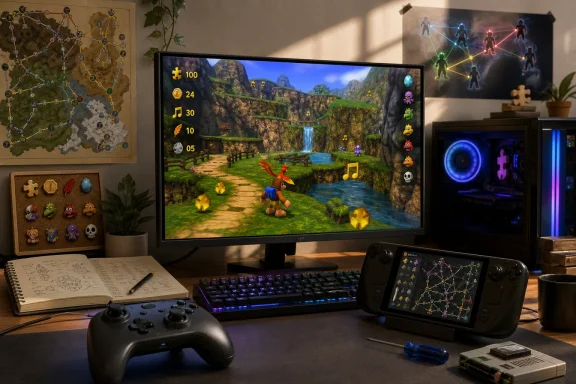
That release cadence changes the practical advice for anyone downloading it today: Lighthouse has launched, and its feature set is unusually ambitious, but early adopters should grab version 1.0.2 rather than treating the July 31 build as a finished, archival-quality port. Harbour Masters’ own release notes acknowledge issues serious enough to affect core progression, including crashes in Clanker’s Cavern, Witch Switch cutscenes, and Furnace Fun, alongside an audio whine or crackle that the latest update says should be fixed.
Lighthouse is available for Windows, Linux, and macOS. It does not include Rare’s game data; users must provide a compatible dump of an original Banjo-Kazooie Nintendo 64 ROM. The project supports the U.S. 1.0 and 1.1 releases, the Japanese release, and the PAL version, and its documentation specifies that the ROM must be in .z64 format.
A source port with features the original release never had
Lighthouse is built from the community’s reverse-engineered Banjo-Kazooie codebase, then adapted into a desktop application using Harbour Masters’ established LibUltraShip framework. That makes it a source port: the original game’s logic has been rebuilt into code that can run on current operating systems rather than being played through a conventional Nintendo 64 emulator.
The distinction is important, though it has been muddied by the arrival of another modern Banjo project earlier this year. Mr-Wiseguy’s Banjo: Recompiled, released in January, uses N64Recomp to translate the game into a native executable. Both projects provide high-refresh-rate play, widescreen options, modern controller support, and builds for the major desktop platforms. Both also require a user-supplied game copy.
Lighthouse’s reason to exist is its different development model and its baked-in extras. Harbour Masters announced in June that it was working on a standalone randomizer that can shuffle notes, Jinjos, Mumbo Tokens, empty Honeycomb Pieces, Jiggies, and abilities, including across worlds. The initial 1.0.0 release also arrived with Anchor co-op and ROM-hack support.
The headline is therefore not that Banjo-Kazooie can finally run natively on a PC. That was already true in January. Lighthouse gives players a different route into the game: one that treats the 1998 platformer as a modifiable, replayable framework rather than a fixed campaign with resolution and frame-rate upgrades bolted on.
Anchor co-op is social play, not a shared campaign
The largest caveat is Anchor, Lighthouse’s multiplayer component. Harbour Masters describes it as co-op, but the early release history shows that it needs a more precise description.
The August 1 update fixed “packet bleed” in a global Anchor room and added token synchronization. The August 5 update then listed additional Anchor synchronization fixes, decoupled Anchor Global from sync behavior, and added custom player colors and name tags. Those are meaningful signs that the feature was actively being stabilized after release rather than simply receiving cosmetic polish.
Community testing reported that the initial implementation could show other Banjo characters in a shared space without fully synchronizing collision, enemies, or campaign progress. That report is not a substitute for Harbour Masters’ documentation, but it aligns with the rapid stream of Anchor-specific fixes in the official changelog. Players should approach it as a multiplayer layer for exploring and sharing a session, rather than assume it turns Banjo-Kazooie into a fully synchronized two-player adventure.
That limitation does not make Anchor pointless. A lightly synchronized shared world can still be useful for races, guided playthroughs, randomizer events, or simply seeing other players move through Gruntilda’s Lair. But it is a different proposition from conventional network co-op, where every enemy state, collectible, switch, and progression flag is authoritatively shared.
The current build also leaves room for improvement. Harbour Masters’ latest notes identify a known randomizer problem: if a player obtains the Jiggy associated with Bubblegloop Swamp switches or Boggy’s first race elsewhere, those checks can become unavailable. The team says the failure should rarely make a seed impossible, and affected players can mark the check collected using the randomizer tab in the save editor. That is a workaround, not a fix, and it is the kind of detail anyone starting a long randomizer run should know before committing hours to a seed.
The randomizer and ROM-hack angle is Lighthouse’s real advantage
For a standard first-time replay, either Lighthouse or Banjo: Recompiled can deliver the basic improvements most PC players expect: cleaner output at modern resolutions, uncapped or higher frame rates, flexible aspect ratios, and controller support. SteamDeckHQ reports that Lighthouse ran at 60 FPS on Steam Deck with low battery drain in its testing, though that is one outlet’s experience rather than a hardware compatibility guarantee.
Lighthouse becomes more compelling for people who have already exhausted the original game. Its randomizer is integrated into the application rather than relying on a separate patching workflow, and it offers ability shuffling alongside collectible placement. Moving Talon Trot, Shock Jump, or Beak Buster outside their usual order fundamentally changes how the game’s worlds are approached; it turns level knowledge from a rote route into a tool for improvisation.
ROM-hack compatibility could carry more long-term weight. Before launch, Harbour Masters showed projects including Jiggies of Time, Nostalgia 64, The Lair Witch Project, and Kurko’s The Bear Waker. The team said hacks made with Banjo’s Backpack should theoretically work unless they rely on MIPS code injection. That qualification matters: Lighthouse is not promising universal compatibility with every patch ever released. Hacks that alter assets, maps, and normal game data stand on firmer ground than hacks that inject original Nintendo 64 machine code into the game.
This is the advantage of a source-port-style release: compatibility and enhancements can be adjusted in the port itself instead of depending wholly on an emulator configuration or a generic translation layer. The cost is that each newly supported feature can expose fresh edge cases. Lighthouse’s two immediate post-launch patches include fixes for ROM-hack bugs, language-pack redirects, custom object rendering, and the Banjo-Dreamie hack. Its support is real, but it is still being broadened through active maintenance.
Windows and Steam Deck setup is straightforward, with one input wrinkle
On Windows, Harbour Masters’ setup is refreshingly direct. Extract the release package, launch lighthouse.exe, and select a compatible ROM when prompted. Lighthouse processes the ROM into its own asset format before play; that means the downloaded program is distributed without copyrighted game data, while the user supplies the original material.
For Windows users with standard Xbox, PlayStation, Switch Pro, or common USB controllers, Lighthouse ships with controller mappings intended to work out of the box. If a controller is not recognized correctly, the application includes a remapping tool in its Settings menu. Keyboard defaults are also documented, with WASD handling the analogue stick, arrow keys handling C-buttons, and TFGH assigned to the D-pad.
Steam Deck users should use the Linux AppImage rather than the Windows executable through Proton. SteamDeckHQ’s installation report says the AppImage can be placed beside a legally dumped ROM, launched once to generate the game data, and then added to Steam for use in Game Mode. The outlet found that the Deck’s controls were recognized, but reported one usability snag: opening Lighthouse’s configuration menu required mapping a back button to the Esc key.
That is a manageable workaround, but it underscores a broader point: Lighthouse has the sort of configurable interface PC users expect, yet handheld-friendly access to every option has not been completely frictionless out of the gate. Anyone setting it up on Steam Deck should make an Esc binding before beginning a longer session, particularly if they plan to change display, enhancement, randomizer, or controller options away from a desktop keyboard.
Install version 1.0.2, and keep the updater habit
The strongest evidence of Lighthouse’s potential is also the reason to be cautious with the first few releases. Harbour Masters has already fixed progression crashes, restored proper Furnace Fun input, corrected randomizer pool behavior, repaired rumble and screen shake, uncapped demo and cutscene rendering, and targeted the audio crackle that some early users reported. These were not obscure edge cases limited to one visual preset; several touched normal campaign play.
The positive reading is that the project is being maintained aggressively in public, with clear release notes and fast follow-up builds. The more practical reading is simpler: do not download 1.0.0 from an old mirror, and do not assume a community guide written during launch weekend reflects the present build.
For players who want a modern single-player replay, Banjo: Recompiled remains a credible alternative with a different technical foundation. For players interested in built-in randomizer runs, community ROM hacks, and Anchor’s developing shared-play features, Lighthouse now has the more distinctive feature set. As of August 5, version 1.0.2 is the baseline—and its known randomizer exception means serious seed runners should keep the save editor workaround in mind until the next patch lands.