

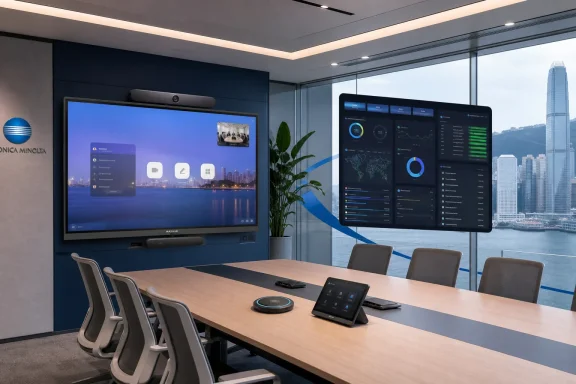
The timing discrepancy does not undermine the partnership itself. Konica Minolta Hong Kong’s event page listed a “Strategic Partnership Kick-off Ceremony with MAXHUB” in the July 24 agenda, immediately following a session by MAXHUB Vice President Eric Chen. The summit organizer’s agenda independently confirms MAXHUB as a Diamond Sponsor and lists the same ceremony. What the release represents, then, is a delayed public account of a partnership launch, rather than a same-day product debut.
For Windows and Teams administrators, the useful part is narrower than the press release’s broad “AI collaboration” framing: Konica Minolta now has a local channel relationship around MAXHUB’s Teams Rooms hardware, XBoard interactive displays, commercial displays, LED systems, and Pivot Plus management software. The announcement does not disclose which MAXHUB models Konica Minolta will stock, whether it will provide first-line support, or whether customers will be offered deployment and managed-service packages.
The partnership is a channel move, not a new AI platform
MAXHUB presented the deal as a way to combine its collaboration hardware with Konica Minolta Hong Kong’s office-technology sales and service operation. Konica Minolta has spent years expanding beyond print hardware into IT services, digital workplace products, cybersecurity, automation, and managed business services. That gives MAXHUB a more credible route into meeting-room refresh projects than a standalone display vendor selling through ad hoc AV resellers.
The immediate practical consequence is that Hong Kong organizations may be able to procure room displays, Teams Rooms equipment, installation, and ongoing service through one commercial relationship. That matters in meeting-room deployments, where a failed camera, poorly positioned microphone, unpatched Windows compute appliance, or missing room license can reduce an expensive installation to a wall-mounted screen.
But neither company has said what this partnership changes for existing MAXHUB deployments. There is no published statement on migration services, support handoff, warranty coverage, service-level agreements, pricing, or whether Konica Minolta will manage devices already bought from another reseller. Those are the details IT departments need before treating the ceremony as evidence of an operationally mature local support program.
Konica Minolta’s own summit material positions the event as a broad showcase across more than 25 AI-related solutions, with speakers and exhibitors from companies including Zoom, Lenovo, Neat, Sangfor, Huawei, and Hong Kong science-park organizations. MAXHUB’s partnership was one item in a vendor-heavy program, not an exclusive platform decision by the organizer or a sign that Hong Kong enterprises have standardized on MAXHUB.
The Microsoft Teams Rooms claims can be independently checked
The strongest part of MAXHUB’s portfolio is the portion that can be checked against Microsoft’s device records. Microsoft’s current Teams Rooms certified-hardware documentation lists MAXHUB’s XCore Kit and XCore Kit Pro, as well as the XBoard V555T, V655T, V755T, V865T, and V925T Windows touchboards. Microsoft also lists MAXHUB’s TCP33T as a certified standalone console for Windows touchboards.
Those entries establish a material point that the press release leaves implicit: MAXHUB’s XBoard line is not merely a large interactive panel with Teams installed. The listed XBoard units are Windows-based, all-in-one Teams Rooms devices with a Core i5 processor, 16GB of RAM, and 256GB of storage. The XCore products are separate Teams Rooms compute-and-console kits that can be paired with MAXHUB displays and peripherals.
That certification status helps reduce deployment risk, but it does not eliminate the ordinary Teams Rooms requirements. Organizations still need the appropriate Microsoft Teams Rooms licensing, Entra ID and Intune planning where applicable, network preparation, account provisioning, and a support plan for the Windows appliance. A certified endpoint provides Microsoft-supported hardware compatibility; it does not supply room operations by itself.
MAXHUB has also promoted newer XBar videobar products based on Microsoft Device Ecosystem Platform Android, while its XBoard and XCore approach remains relevant for customers that prefer Windows-based Teams Rooms. The distinction is important. The partnership announcement lumps “MTR Series” solutions together, but Windows and Android Teams Rooms have different servicing models, administration workflows, local troubleshooting approaches, and lifecycle considerations.
For a Windows shop, MAXHUB’s principal selling point is consolidation: display, camera, microphones, speakers, compute, touch console, and management tooling can come from a single vendor. The trade-off is concentration. A deployment built around MAXHUB makes the vendor’s firmware cadence, management service, peripheral interoperability, regional support quality, and spare-parts availability much more consequential.
“AI” remains a product capability claim, not a deployment commitment
The release says MAXHUB demonstrated multilingual transcription, real-time translation, and multimodal meeting summaries. It does not identify the specific product, software version, language coverage, hosting location, data-retention policy, licensing model, or availability date for those capabilities.
That omission is significant because the same capabilities can have sharply different implications depending on where they run. A meeting summary generated through a cloud service may require recordings or transcripts to leave the local device. Real-time translation can create additional data-processing and policy questions. For regulated organizations, the phrase “AI meeting summary” is not a feature checkbox; it prompts questions about identity, consent, retention, tenant boundaries, export controls, and auditability.
Konica Minolta Hong Kong’s pre-event material describing the MAXHUB XBoard V7 said AI Notetaker, live transcription, and AI summaries were “coming soon.” That is more cautious than the August release, which describes demonstrations of transcription, translation, and summaries without distinguishing a live product feature from an event demo or planned capability. There is no contradictory evidence that MAXHUB showed the functions at the summit, but there is also no public release schedule or regional availability statement for them.
Administrators should therefore avoid making a purchasing decision on the assumption that AI note-taking is already a generally available feature on every XBoard or Teams Rooms configuration sold through the new partnership. Before purchase, request a written product matrix identifying the exact hardware SKU, software release, supported services, tenant prerequisites, languages, data path, licensing, and whether the feature is available in Hong Kong at delivery.
Pivot Plus is the operational part IT teams should scrutinize
MAXHUB also used the summit to highlight Pivot Plus, its device-management platform. The published product documentation says Pivot Plus can pre-register serial numbers or MAC addresses for zero-touch enrollment, discover devices on a local network for batch enrollment, remotely configure MAXHUB Windows and Android devices, distribute applications, push firmware, view and control screens, centralize logs, and schedule content on displays.
Those capabilities are relevant for enterprises managing dozens or hundreds of collaboration endpoints across offices. A conventional Teams Rooms rollout can otherwise spread administration among Teams Rooms Pro Management, Intune, vendor portals, AV control systems, and digital-signage tools. Pivot Plus is MAXHUB’s attempt to put much of the hardware-specific work in one console.
The caveat is that this is a vendor management layer, not a replacement for Microsoft’s management and security controls. Teams Rooms policies, Microsoft 365 identity, device compliance, operating-system patching, conditional access, and tenant governance remain Microsoft-side responsibilities. MAXHUB’s documentation says Pivot Plus manages MAXHUB Windows and Android devices, which is useful for a homogeneous deployment but is not a universal management plane for mixed fleets from Logitech, Poly, Neat, Yealink, Surface, and others.
The platform also deserves the same due diligence as any remote-control service. Buyers should determine where telemetry and logs are stored, whether remote screen control is enabled by default, how administrator access is protected, what audit logs are available, whether the service supports regional data requirements, and how the platform behaves if a subscription expires or the device loses access to the management service. MAXHUB cites GDPR, SOC 2, and NIS2 alignment in its product materials, but the partnership announcement supplies no Hong Kong-specific data-processing commitments.
What customers should ask before treating the deal as a rollout plan
The partnership makes MAXHUB easier to evaluate locally, especially for companies already using Konica Minolta for workplace or managed IT services. It does not yet answer the procurement and support questions that determine whether a meeting-room program succeeds after the opening ceremony.
A serious evaluation should require the partners to specify the following in writing:
- The exact XBoard, XCore, XT-series, display, and LED models available in Hong Kong, with confirmed delivery dates and local pricing.
- The Microsoft Teams Rooms licensing assumptions, including whether the quote includes room licenses, Pro Management, Intune enrollment work, or only hardware.
- Which party owns installation, onsite break/fix, remote monitoring, firmware updates, Windows servicing, and escalation to Microsoft.
- Whether transcription, translation, and meeting-summary functions are generally available in Hong Kong, and how meeting content is processed and retained.
- Whether Pivot Plus is included, subscription-priced, optional, or required for remote support, and what happens to devices if the service is not renewed.
The real news is not that MAXHUB displayed large screens and AI demos at a summit on July 24. It is that a regional office-technology provider is now positioned to sell and potentially support a Windows-based Teams Rooms stack as a bundled workplace service. Until Konica Minolta and MAXHUB publish the commercial terms, supported configurations, and AI data-handling details, the partnership is a meaningful sales-channel expansion—but not yet a complete deployment blueprint.