
That is the central challenge for schools, colleges, and IT administrators. The question is no longer simply whether generative AI belongs in education. It is whether institutions can give students an AI environment that promotes understanding, source awareness, productive effort, and responsible use—rather than an unmonitored shortcut to a finished paragraph or a completed worksheet.
Study and Learn is Microsoft’s attempt to make the learning process the product. Its promise is attractive, particularly for organizations already standardized on Windows devices, Microsoft 365 Education, Teams, OneNote, and Microsoft’s broader identity and compliance stack. Yet the launch also raises important implementation questions. A learning-first agent still relies on a generative AI system that can be wrong, uneven, overly persuasive, or used in ways that undermine genuine assessment. Schools should treat it as a potentially useful instructional layer, not as a substitute for curriculum, teaching expertise, or clear AI governance.
 Overview: Microsoft’s Answer to the AI-in-Education Dilemma
Generative AI entered classrooms first through consumer tools. Students did not wait for procurement committees, district policies, or professional-development sessions. They began using chatbots to summarize readings, brainstorm essay structures, explain difficult concepts, generate practice questions, and, in less productive cases, complete assignments with minimal engagement.
Microsoft’s latest education research says 92% of students have used AI for school-related purposes, while more than half of education leaders report that their institutions are implementing or scaling AI use. The same research suggests that students often use AI for support with dense material, brainstorming, and getting unstuck, while roughly a third say they use it to study in ways that better suit their learning needs. Microsoft’s July 28 report on Study and Learn uses those findings to argue that managed educational AI is more constructive than simply trying to prohibit access.
That argument deserves attention. Blocking AI on a school network may limit casual use during class, but it does not erase AI from students’ lives. Learners can still access consumer services from personal devices, home networks, or mobile data connections. A blanket restriction can therefore create a divide between institutional policy and student reality, leaving staff with less insight into how AI is actually shaping learning.
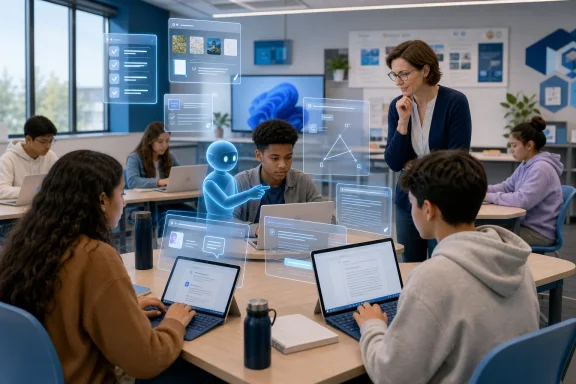
Microsoft’s response is to give institutions a familiar administrative environment for AI access while offering a study experience intended to slow students down in useful ways. The company calls this a learning-first AI experience: one that guides, questions, prompts, and tests rather than simply delivering an answer.
That distinction is meaningful. It is also difficult to execute consistently.
What Study and Learn Is Designed to Do
Study and Learn is an agent within Microsoft 365 Copilot that Microsoft describes as purpose-built for education. It works with a student’s own files, including documents, slides, and PDFs, and is designed to produce citations back to the supplied material. Microsoft’s Copilot for Education overview says the agent supports understanding concepts, solving problems, and improving writing “without doing the work” for the learner.
In practice, Microsoft describes several core scenarios:
- Creating flashcards from class materials for test preparation.
- Providing guided, step-by-step help with problems such as calculus questions.
- Helping students examine and improve an essay argument through follow-up questions.
- Generating interactive study activities such as quizzes, matching exercises, and fill-in-the-blank prompts.
- Grounding explanations in the student’s uploaded or accessible learning materials, with source citations.
The agent’s design is not centered on a single command such as “write my essay” or “solve this equation.” Instead, it is intended to keep a learner within an interactive sequence: identify the goal, attempt a response, receive hints or feedback, and then apply the idea in another context.
Microsoft’s product page makes the positioning explicit: Study and Learn is meant to help students “understand, think, practice and master” material, not merely obtain an output. Microsoft’s education product page also identifies the agent as a feature built around guided practice and interactive learning activities.
For Windows-centric institutions, the more practical appeal may be that Study and Learn does not require students to move school materials into an unrelated consumer AI service. It sits in the Microsoft 365 environment where many schools already store assignments, presentations, study guides, classroom documents, and collaboration work.
The Learning Science Behind the Pitch
Microsoft is not presenting Study and Learn as a general-purpose chatbot with a new skin. The company has published a 36-page white paper, Learning by Design, that outlines the learning-science framework informing the agent’s behavior. Microsoft’s learning-science white paper identifies four pillars: adaptive scaffolding, productive struggle, active learning, and application and transfer.
These ideas are familiar to educators. What is new is Microsoft’s effort to encode them into an AI interaction model.
Adaptive Scaffolding: Help That Should Change With the Learner
The first pillar, adaptive scaffolding, is about matching help to a learner’s current knowledge and gradually reducing support as competence increases. In a traditional instructional setting, a teacher may demonstrate a process, supply prompts, correct a misconception, and eventually step back as the student takes control.
That progression matters. A major review of scaffolding research describes three foundational elements: support should be responsive to the learner’s needs, it should fade as the learner becomes more capable, and responsibility should ultimately transfer to the learner. A scoping review in Educational Psychology Review explains how those concepts connect to working-memory limits and cognitive-load theory.
Study and Learn’s stated aim is to recreate some of that dynamic in an AI conversation. A student who needs an explanation could receive one; a student who understands the basics could instead be challenged to apply the concept.
The strength of this approach is obvious: one classroom teacher cannot hold an extended, individualized dialogue with every student at every moment. An AI agent can at least make that type of on-demand conversational support more available.
The limitation is equally obvious: an AI can infer a learner’s needs only from the evidence it sees. A short student response, an incomplete prompt, or a confident but incorrect answer can lead the system to misjudge understanding. In a human classroom, teachers can interpret hesitation, body language, prior work, peer discussion, and long-term patterns. An agent generally has a narrower signal set.
Productive Struggle: Useful Difficulty, Not Artificial Friction
The phrase productive struggle is particularly important because it addresses the most serious concern around generative AI: cognitive offloading.
A learner who asks for a complete solution and copies it may finish the task, but may not acquire the knowledge or reasoning skills the task was meant to develop. Microsoft’s white paper acknowledges this tension directly, arguing that struggle is valuable only when it produces the mental work needed for understanding—not when it overwhelms a learner with confusion or wasted time. Microsoft’s white paper describes the design problem as finding the appropriate amount, timing, and form of assistance rather than choosing between total help and no help.
That is a more sophisticated model than simply refusing to answer questions. A good learning tool should not leave a student stranded when they genuinely need a worked example, clarification, or a reminder of a prerequisite concept. But it should also resist collapsing every challenging task into a polished final response.
Microsoft says Study and Learn can lead with questions, ask students to explain their reasoning, and delay a direct solution when it would short-circuit the learning goal. The company’s July 28 announcement uses calculus, biology revision, and history writing as examples of this guided approach.
The risk is that productive struggle is context-sensitive. A student facing an upcoming exam, a language barrier, accessibility needs, anxiety, or a major knowledge gap may need more direct support than an agent initially provides. Conversely, advanced students may find excessive questioning tedious or patronizing. The quality of the experience will depend on how well the system recognizes when to prompt, when to explain, and when to get out of the way.
Active Learning: More Than Summarizing Notes
The agent’s third pillar is active learning, primarily through retrieval-based activities including flashcards, quizzes, matching tasks, and fill-in-the-blank exercises. This is one of the clearest parts of the launch because it moves the AI away from passive summarization and toward an activity that requires students to produce an answer.
The underlying evidence is credible, although it should not be overstated. A review of retrieval practice in real educational settings found results generally favorable compared with rereading or inactivity, and reported positive effects in 19 of 23 reviewed studies. The review in Frontiers in Education also warns that evidence is less conclusive when retrieval practice is compared with stronger active-learning alternatives, such as concept mapping.
That nuance is important for schools evaluating Study and Learn. Flashcards and low-stakes questions can be valuable, especially when students need to recall vocabulary, formulas, dates, definitions, processes, or foundational facts. They are not a complete pedagogy. A student can score well on fact recall while still struggling with interpretation, synthesis, creative reasoning, laboratory method, and real-world application.
The best use of AI-generated practice is therefore likely to be supplementary and iterative:
- Read or engage with source material.
- Use the agent to generate a practice set grounded in that material.
- Attempt the questions without looking at notes.
- Review explanations and identify gaps.
- Apply the knowledge to a new problem, discussion, lab, project, or written response.
That sequence retains the student’s agency. It also makes the AI’s output easier to inspect, because the student and teacher can compare generated questions with the original instructional material.
Application and Transfer: The Test Beyond Recall
The fourth pillar, application and transfer, is the most ambitious. It asks the agent to help learners take knowledge from one context and use it in another. That could mean applying a biology concept to a new scenario, explaining a historical argument through a different source, or using a mathematical method on a problem that does not resemble the original example.
This is where an AI study assistant could be genuinely valuable. Students frequently know a rule or definition but cannot recognize when it applies. A conversational tool can generate new examples, vary the framing, and ask the learner to explain why the principle applies.
However, transfer is also where generative AI’s errors can be most damaging. If an agent invents a faulty analogy, misstates a source, or supplies a plausible but incorrect application, the student may absorb the mistake with confidence. Citations to the student’s own materials are a useful safeguard, but they are not a guarantee of factual accuracy, appropriate interpretation, or sound pedagogy.
A Managed AI Environment Has Real Advantages
Microsoft’s strongest institutional argument is not that Study and Learn is the only AI capable of creating flashcards or asking a follow-up question. Plenty of public AI tools can do that. The stronger argument is that the agent sits within a managed Microsoft 365 environment.
According to Microsoft, Copilot inherits existing Microsoft 365 security, privacy, identity, and compliance policies. The company also says organizational data remains isolated within the Microsoft 365 tenant and is not used to train foundation models. Microsoft’s Copilot for Education page presents those protections as a key distinction for schools that need enterprise controls rather than consumer-account arrangements.
For IT departments, that can mean a more coherent operational model:
- School accounts rather than anonymous personal accounts.
- Existing identity, access, and lifecycle management.
- Administrative settings for who can use AI features.
- Alignment with existing Microsoft 365 data-governance practices.
- A clearer route for deploying staff training and student guidance.
- Fewer incentives for students to copy course materials into unmanaged services.
There is also a broader governance benefit. Schools can build policies around an environment they actually administer. They can explain when AI is acceptable for brainstorming, revision, practice, research support, and accessibility; when it must be disclosed; and when it is prohibited because an assessment is meant to measure independent work.
That does not remove the need for judgment. It gives institutions a better place from which to exercise it.
Availability, Licensing, and the Critical Copilot Chat Prerequisite
The rollout is not completely automatic. Study and Learn is available for eligible Microsoft 365 Education licenses, including Microsoft 365 A1, A3, and A5, but access depends on Copilot Chat being enabled. Microsoft’s July 28 announcement identifies Copilot Chat as the key prerequisite.
For primary and secondary student accounts, Copilot Chat is off by default. Microsoft says IT administrators must enable it using age-gating controls for eligible students aged 13 to 17, and that Copilot Chat is not available for students under 13. Microsoft’s Study and Learn announcement makes this an administrative decision rather than a classroom-level toggle.
Microsoft’s education product page similarly says institutions must enable Copilot for eligible students before students aged 13 and older can access the Study and Learn agent. Microsoft’s Copilot for Education overview notes that the agent follows the availability of Copilot access in the tenant.
That configuration model places responsibility in the right places:
- Academic leaders should define instructional goals, acceptable-use boundaries, assessment expectations, and staff-development priorities.
- IT administrators should configure access, identity controls, licensing, security settings, and age eligibility.
- Teachers should decide when the tool supports a learning objective and when it could compromise it.
- Students should be taught to use AI transparently, critically, and with appropriate attribution.
A deployment that stops at “turn it on” is unlikely to meet the educational opportunity of the product. Microsoft’s own research highlights a gap between leaders’ perception of clear AI guidance and the experience of students and educators. The company reports that four in five education leaders consider their guidance clear, but only around half of students and teachers say they have received it; it also reports large reported gaps in AI training. Microsoft’s education announcement Those findings should prompt institutions to treat enablement as a professional-learning project, not simply a licensing task.
The Risks That a Learning-First Agent Cannot Eliminate
A learning-oriented design is preferable to an answer generator for many educational tasks. But it does not make AI risk-free.
Hallucinations and Source Misinterpretation
Generative AI can still produce inaccurate explanations, misread source material, or present an overconfident interpretation. Citations are helpful because they let students return to the source, but students may not consistently do so—especially if the generated answer sounds fluent and authoritative.
Teachers should continue to require source checking, especially for factual claims, quotations, scientific explanations, historical interpretation, and high-stakes academic writing. Study and Learn can reinforce source literacy, but it cannot replace it.
Assessment Integrity
An AI that helps with writing, explains a problem, or creates practice activities can be an effective study partner. The same capabilities can blur the line between permitted support and inappropriate assistance in graded work.
The answer is not necessarily to exclude AI from every assignment. Instead, educators need assessment designs that distinguish between practice with AI, collaboration with AI, and independent demonstration of learning. Draft histories, oral explanations, in-class work, process journals, reflection prompts, and authentic performance tasks can all make learning more visible.
Uneven Learning Outcomes
Microsoft’s white paper lays out a design philosophy and an evaluation approach, but a learning-science-informed design is not the same as long-term, independent evidence that every student will learn more. Microsoft’s learning-science paper is valuable for explaining how the product is intended to behave; institutions should nevertheless measure their own outcomes.
That means looking beyond basic usage counts. A successful pilot should examine whether students complete more practice, improve their ability to explain concepts, develop stronger source-checking habits, and become less—not more—dependent on AI for basic reasoning.
Over-Reliance and Learned Helplessness
The most subtle risk is behavioral. Even an agent designed to ask questions can become a default crutch if students consult it before attempting to read, reason, calculate, or write on their own.
This is why the agent’s “keep the thinking with the student” principle matters. It should be tested in actual classroom use. If students simply learn to provide minimal answers until the tool reveals the solution, the interaction may preserve the appearance of productive struggle without delivering its educational value.
A Practical Deployment Model for Schools
Institutions that decide to enable Study and Learn should begin with a limited, structured rollout rather than an all-at-once release.
Start With High-Value, Low-Risk Use Cases
Early deployment should prioritize activities where AI provides clear learning support and the risk of academic misconduct is relatively manageable:
- Revision quizzes based on teacher-provided study materials.
- Flashcard generation from notes and slides.
- Guided explanations of missed practice problems.
- Vocabulary review and concept checking.
- Outline feedback before a student writes a full draft.
- Source-grounded study support for accessible learning materials.
Avoid beginning with high-stakes take-home assessments or assignments where the distinction between student work and AI output is impossible to assess.
Train Teachers Before Measuring Students
Teachers need concrete examples, not just broad statements about “responsible AI.” Training should include prompt patterns that promote student reasoning, methods for verifying responses, examples of acceptable and unacceptable use, and assignment designs that make AI use transparent.
A useful training session would have educators test the same task in several modes: asking for the final answer, asking for Socratic prompts, requesting a worked example, generating a quiz, and checking citations. The point is to help staff see how interaction design changes the educational result.
Publish Clear Student Expectations
Policies should state, in plain language:
- When AI may be used for studying.
- Whether students must disclose AI assistance.
- Whether AI-generated text may be included in submitted work.
- How to cite or acknowledge AI where appropriate.
- Why students must verify AI-generated claims against reliable sources.
- Which assessments require independent work with no AI assistance.
Ambiguity creates uneven enforcement. Clear expectations help students understand that responsible AI use is a learnable skill, not a moving target.
Evaluate Learning, Not Novelty
The strongest implementation question is not whether students enjoyed the tool or generated thousands of flashcards. It is whether the agent improved learning behavior.
Schools should examine indicators such as:
- Student confidence and demonstrated mastery.
- Quality of written explanations before and after AI-supported revision.
- Performance on AI-free formative checks.
- Student ability to identify unsupported or inaccurate AI outputs.
- Changes in teacher workload and time spent on feedback.
- Equity of access across devices, ages, language backgrounds, and support needs.
A tool designed for learning should be judged by learning.
The More Important Shift Is Cultural
Study and Learn represents a significant shift in Microsoft’s education AI strategy. Rather than asking schools to accept a generic productivity assistant and invent the pedagogy around it, Microsoft is trying to build educational behavior into the agent itself. The focus on scaffolding, retrieval practice, feedback, and learner agency is a meaningful improvement over the simplistic “ask anything” model.
The company’s own evidence also points to the urgency of the problem. Students are not waiting for a perfect institutional AI policy, and large numbers of educators and learners report that they want more AI training and guidance. Microsoft’s July 28 education report gives schools a reason to move beyond binary debates over banning or embracing AI.
For Microsoft 365 Education customers, the immediate task is practical: determine whether Copilot Chat should be enabled for eligible student accounts, configure the appropriate controls, and build a rollout plan around real learning goals. For teachers, the task is pedagogical: use AI to make student thinking more visible, not less necessary.
Study and Learn will not solve every problem surrounding AI, assessment, privacy, or student motivation. But its emphasis on guided effort rather than instant completion is the right direction. The institutions that benefit most will be those that pair the technology with strong teaching, explicit policies, careful evaluation, and the willingness to insist that AI should help students learn how to think—not learn how to avoid thinking.
