Microsoft’s decision to temporarily halt the automatic installation of the
Microsoft 365 Copilot app is a small operational pause with a much larger meaning. It signals that the company’s aggressive
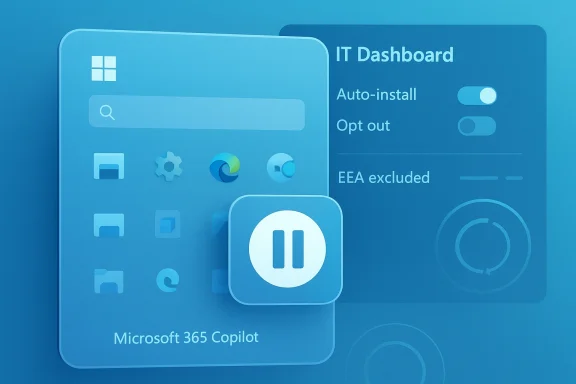
Copilot everywhere push has run into a familiar enterprise reality: IT departments will tolerate innovation, but not surprise deployments that arrive on Microsoft’s schedule rather than their own. According to Microsoft’s own deployment guidance, the app was slated to install automatically on eligible Windows devices with Microsoft 365 desktop apps, with an opt-out available to admins and an explicit exclusion for the European Economic Area. (
learn.microsoft.com)
The result is a moment of quiet recalibration. Microsoft still wants Copilot to become the front door to productivity features across Word, Excel, PowerPoint, Outlook, Teams, and the web, but it is now forced to weigh adoption against administrative friction, user resistance, and the optics of
forced AI. The Register’s report that rollout has been paused after admin backlash fits the broader pattern of Microsoft adjusting AI distribution when the enterprise response turns chilly, even if the company has not publicly framed the move that way. (
learn.microsoft.com)
 Background
Microsoft’s Copilot strategy has evolved in phases rather than in a single launch. First came the consumer-facing Windows and web experiences, then the paid Microsoft 365 Copilot layer for business customers, and later the push to embed Copilot Chat and related entry points more deeply into the Microsoft 365 ecosystem. The Microsoft 365 Copilot app now serves as a centralized access point for Copilot Chat across the web, desktop, mobile, and Outlook, which explains why Microsoft sees it as more than just another standalone app. (
learn.microsoft.com)
That ambition has a practical consequence: if Microsoft wants Copilot to feel native, it has to be present. Microsoft Learn states plainly that Windows devices with commercial Microsoft 365 desktop apps automatically install the Microsoft 365 Copilot app in the background, and that the app appears in the Start menu as a new entry point. Microsoft also says version 2511 of Microsoft 365 Apps, released in early December 2025 on the Current Channel and in January 2026 on the Monthly Enterprise Channel, is the trigger for this behavior. (
learn.microsoft.com)
But enterprise software is not consumer software, and that distinction matters here. Administrators are not just managing software distribution; they are managing support load, change control, security posture, licensing, training, and user expectations. A hidden background install may be technically quiet, yet operationally noisy if it introduces a new icon, a new branding layer, and a new AI surface to a workforce that did not ask for it. That is the tension Microsoft appears to be confronting now. (
learn.microsoft.com)
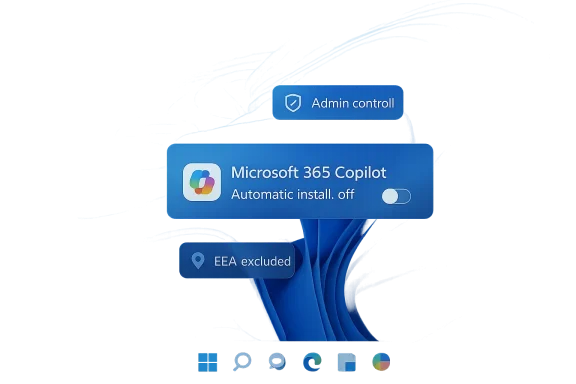
There is also a regulatory backdrop. Microsoft’s own documentation says the automatic installation does not apply to customers in the EEA, while still allowing those customers to deploy the app manually. The company’s carve-out is a reminder that distribution rules for AI-enabled productivity tools are no longer just product decisions; they are shaped by geography, compliance, and policy scrutiny as much as by user experience. (
learn.microsoft.com)
The broader storyline is simple enough: Microsoft wants Copilot to be ubiquitous because ubiquity drives usage, and usage drives subscription value. Yet ubiquity also raises the bar for trust, especially when customers feel a platform owner is changing defaults faster than they can adapt governance. That is why a paused rollout can still matter more than a shipped feature.
What Microsoft Originally Planned
Microsoft’s original plan was straightforward on paper: install the Microsoft 365 Copilot app automatically on eligible Windows devices with Microsoft 365 desktop client apps. The company described the install as background-only and non-disruptive, and advised admins to opt out if they did not want the app deployed that way. In other words, the default was adoption, and the exception was resistance. (
learn.microsoft.com)
That structure makes sense from a platform strategy standpoint. A centrally installed Copilot app creates a consistent entry point for work AI, standardizes the experience, and reduces discovery friction. Microsoft also says the app can be deployed manually through the Microsoft 365 Apps admin center, the Microsoft Store, or direct download from Microsoft’s CDN, which gives IT teams multiple paths to the same endpoint. (
learn.microsoft.com)
Why automatic install mattered
Automatic installation was not just about convenience. It was a distribution tactic designed to turn awareness into routine behavior, and routine behavior into paid reliance. For Microsoft, every extra click avoided is a conversion opportunity captured.
For admins, though, automatic install is a policy event. It can trigger update testing, app catalog changes, helpdesk scripts, and communication plans, even if the software itself is benign. The friction is not the bytes on disk; it is the governance overhead.
- It reduces user friction.
- It standardizes the first-run experience.
- It nudges users toward AI-powered workflows.
- It creates more work for IT if the default is unwanted.
The company’s own guidance underlines the default-first approach. Microsoft says the app installs system-wide in the SYSTEM context, shows up as a Start menu entry, and can update automatically through the Microsoft Store or its built-in updater. That may be convenient for Microsoft, but it also means the app becomes part of the managed desktop estate, not just an optional download. (
learn.microsoft.com)
The catch is that
optional in theory can still feel
mandatory in practice when the default path is auto-install and the opt-out sits buried in admin tooling. That is often where enterprise pushback begins, especially when the software in question is branded as AI and not merely as another productivity add-on.
Why Admins Pushed Back
The reaction from commercial customers appears to have been driven less by Copilot itself than by the pattern of control. Administrators dislike being placed in reactive mode, where they must explain and counter a vendor decision after the fact instead of choosing deployment windows on their own terms. In large organizations, that is not a philosophical complaint; it is a workflow failure. (
learn.microsoft.com)
Microsoft’s documentation gives IT teams a way out, but the opt-out still requires active policy work. Admins must sign in to the Microsoft 365 Apps admin center, navigate to Customization, then Device Configuration, then Modern App Settings, and clear the checkbox to prevent automatic installation. That is manageable in a controlled environment, but at scale it becomes one more item in an already crowded queue. (
learn.microsoft.com)
The admin burden is not trivial
The issue is not whether IT can block the app. The issue is that Microsoft set the default to
install first, ask later. That reverses the burden of proof.
For organizations with strict imaging, compliance, or change-management processes, a default Copilot install can force a review cycle. In practice, that means documentation, internal approvals, helpdesk messaging, and sometimes even legal or privacy review if AI tools require extra policy language.
- Default install increases policy overhead.
- Helpdesk teams must prepare user explanations.
- Security teams may want additional app vetting.
- Change windows become harder to align.
- Training materials must be updated.
The social reaction matters too. Microsoft’s own marketing language frames Copilot as productivity-enhancing, but many users see AI assistants as clutter, distraction, or a forced branding layer. The more visible the push, the more likely it is to be interpreted as coercive rather than helpful. That perception can linger even after the technical rollout is paused.
In that sense, Microsoft’s retreat is not really about a single app. It is about the social license to embed AI into every corner of the desktop without creating the impression that customers have lost agency.
The EEA Exception and the Compliance Question
The EEA exclusion is one of the most important details in the story because it shows Microsoft already understood this rollout could not be treated as universally identical. Microsoft’s Learn documentation says the automatic installation is not enabled for customers in the European Economic Area, and that EEA customers can still deploy the app manually if they choose. (
learn.microsoft.com)
That carve-out does more than comply with regional expectations. It creates a de facto acknowledgment that software distribution rules for AI experiences are now jurisdiction-sensitive. When a vendor tailors install behavior by geography, it is implicitly admitting that legal and political context matters as much as product design.
Why this matters beyond Europe
For multinational enterprises, EEA-specific behavior can complicate global standardization. A single tenant may have users in multiple regions, and Microsoft says eligibility is determined by tenant attributes rather than the physical location of an end user’s device. That distinction can create policy headaches for companies with distributed workforces. (
learn.microsoft.com)
This is not merely a Microsoft story; it is a preview of how AI distribution may be governed across software ecosystems. If the presence of a Copilot-style assistant is treated differently in different regions, enterprises will need region-aware deployment logic rather than one uniform policy.
The business implication is subtle but important. A vendor that builds region-specific exceptions is less likely to enjoy the simplicity of universal rollout. But it also reduces regulatory risk and may preserve broader trust. In the long run, that tradeoff may be worth it.
At the same time, the EEA exception may amplify the frustration of customers elsewhere who see themselves as carrying the burden of Microsoft’s most aggressive defaults while others receive more restraint. That asymmetry can become a procurement talking point, especially in global firms that expect consistency in cloud policy.
What This Says About Microsoft’s Copilot Strategy
Microsoft has been remarkably clear that it wants
Copilot to be the entry point for work AI across its ecosystem. The Microsoft 365 Copilot app is presented as a centralized hub, and Microsoft’s guidance goes so far as to recommend remapping the Copilot key for managed commercial and educational organizations to invoke the app. That tells you everything about the company’s intent: Copilot is not an add-on, it is becoming a platform layer. (
learn.microsoft.com)
But platform layers only succeed if users accept them. Microsoft can brand the app as a productivity launcher, but if customers experience it as a mandatory wrapper around tools they already know, the strategic value diminishes. The decision to pause the rollout suggests Microsoft may be reading the room more carefully than before. (
learn.microsoft.com)
The push for adoption has limits
Microsoft’s Copilot strategy depends on a delicate balance: enough friction removal to encourage habitual use, but not so much automation that customers feel steamrolled. The auto-install plan leaned heavily toward the latter risk.
That risk is amplified by the broader AI fatigue now visible across the industry. Users are increasingly asking not whether a feature is technically impressive, but whether it improves real workflows. If an app appears because a vendor wants more adoption, the product has to justify itself very quickly.
- Copilot needs visible utility, not just branding.
- Forced entry can trigger avoidant behavior.
- IT teams prefer controlled change over surprise change.
- AI features must earn their place in the stack.
- Product enthusiasm does not equal deployment approval.
Microsoft’s recent behavior suggests it knows this. Even where it continues expanding Copilot features, it has also added more admin controls, more readiness tooling, and more deployment guidance. That is a classic sign of a company learning that AI rollout is as much an operations problem as a product problem.
In that context, a temporary pause may be less a retreat than a reset. Microsoft can preserve the goal of wider Copilot usage while reworking the mechanics that make the rollout feel presumptive.
Enterprise vs Consumer Impact
The consumer and enterprise sides of this story are not interchangeable, even if the same app name appears in both places. For consumers, a forced or semi-forced install may be annoying but often shallow in consequence. For enterprise IT, it can affect provisioning, policy enforcement, user support, and subscription governance in a single stroke. (
learn.microsoft.com)
Microsoft’s own documentation is weighted toward managed commercial environments, which makes sense because that is where auto-install has the highest operational impact. The app is described as automatically installing on commercial Microsoft 365 desktop apps, not as a universal consumer push, and admins are explicitly told how to control it. That is a strong sign that Microsoft knows where the resistance comes from. (
learn.microsoft.com)
Different stakes, different reactions
Consumers may simply ignore the app if it appears in the Start menu. Enterprises cannot ignore it because they have to decide whether to permit it, block it, document it, or support it.
The consumer impact is mostly perception: another AI badge, another icon, another reminder that Microsoft wants Copilot in the loop. The enterprise impact is much deeper: app inventories change, helpdesk tickets rise, and internal governance policies can suddenly need amendments.
- Consumers mostly face annoyance and clutter.
- Enterprises face lifecycle management and policy work.
- Paid Copilot licensing complicates access rules.
- Helpdesk teams need clearer user guidance.
- Security teams may need app review and telemetry assessment.
There is also a procurement angle. Commercial buyers increasingly evaluate not only what software does, but how gracefully it fits into existing controls. If Microsoft keeps making Copilot feel mandatory, enterprise customers may respond by demanding stronger administrative boundaries in future contracts.
That is why the pause matters beyond the immediate rollout. It is a signal to enterprise buyers that Microsoft is still calibrating the limits of its AI ambition against real-world desktop management.
Competitive Implications
Microsoft is not pushing Copilot into a vacuum. It is competing with Google Workspace, standalone AI assistants, and a widening set of AI productivity tools that aim to sit beside or inside the workbench. In that environment, default placement can be powerful, but only if it does not create backlash that hands rivals a trust advantage. (
learn.microsoft.com)
If Microsoft’s rollout is seen as overreach, competitors can position themselves as more restrained and more administrator-friendly. That does not mean their tools are inherently better; it means they can win on
governance comfort, which is often decisive in enterprise software buying.
Trust is becoming a feature
The competitive battle is no longer just about model capability or document generation quality. It is increasingly about whether the AI layer is easy to control, easy to remove, and easy to explain to users.
Microsoft’s own admin docs are part of that story, because they highlight controls and exclusion paths. But the very existence of a pause implies that Microsoft may have underestimated how sensitive customers are to being nudged into AI by default. That is a market lesson other vendors will notice.
- Governance is now a differentiator.
- Distribution strategy can damage adoption.
- AI defaults create procurement friction.
- Competitors can market restraint as a feature.
- Admin clarity matters as much as model quality.
The irony is that Microsoft still has a structural advantage: it owns the productivity suite, the desktop estate, and a massive admin ecosystem. That means it can place Copilot where competitors cannot. But with that advantage comes scrutiny. The more powerful the platform, the more any misstep looks like a policy decision rather than a product tweak.
If Microsoft wants to win the enterprise AI race, it needs to make the case that Copilot is indispensable without making customers feel trapped by it. That is a harder sell than a simple install.
The Human Factor: User Sentiment and AI Fatigue
The company’s AI push runs into another obstacle that no amount of roadmap planning can fully solve: user sentiment. Some users are genuinely enthusiastic about AI tools, but a growing share of the workforce sees them as noise, intrusion, or a distraction from getting actual work done. A forced presence in the Start menu can harden that resistance.
Microsoft’s messaging around Copilot emphasizes discovery and productivity, but many users interpret default placement as yet another example of software vendors deciding what should be useful on their behalf. The gap between vendor intention and user reception is where backlash grows. (
learn.microsoft.com)
Why perception matters
If people believe an app is being installed to inflate adoption metrics rather than solve a problem, they will be less likely to embrace it. That perception can spread quickly inside a company.
In office environments, employees often learn about software changes from each other before they hear from IT. Once a new AI icon becomes the subject of jokes or complaints, the battle for trust is already underway.
- Users may see Copilot as clutter rather than help.
- Surprise installs can create immediate skepticism.
- Local champions become harder to recruit.
- Training fatigue reduces willingness to engage.
- Negative stories travel faster than product benefits.
This is why even a temporary pause can be strategically useful. It gives Microsoft time to lower the emotional temperature, reframe the rollout, and perhaps offer clearer guidance on when and why the app appears. In product terms, that is a soft reset; in user terms, it is an opportunity to feel respected again.
The bigger lesson is that AI adoption in workplace software will not be won by features alone. It will be won by restraint, transparency, and a sense that the vendor understands the difference between
helpful default and
unwanted intrusion.
The Administrative Playbook Going Forward
Microsoft’s documentation already gives clues about what a more manageable deployment looks like. Admins can block or allow the app through the Microsoft 365 Apps admin center, deploy it manually, or manage it via integrated app settings. The company also recommends ensuring access to the Microsoft 365 CDN on the
*.office.net domain so updates can flow reliably. (
learn.microsoft.com)
That means the future is not likely to be “no Copilot,” but rather “more explicit Copilot governance.” Organizations that want the app will deploy it deliberately; those that don’t will need firmer policy controls and better internal communication.
Practical steps for IT teams
The immediate lesson for administrators is to treat Copilot like a policy-managed platform component, not just an app icon. The rollout pause buys time, but it does not remove the need for preparation.
A sensible rollout plan would include:
- Reviewing Microsoft 365 Apps channel eligibility and device rings.
- Deciding whether the app should be allowed tenant-wide or only for selected groups.
- Communicating with helpdesk and end users before any change.
- Testing search, sign-in, and update behavior in pilot rings.
- Documenting uninstall, reinstallation, and support procedures.
- Verifying regional policy differences, especially for EEA-linked tenants.
That kind of approach is standard enterprise hygiene, but Microsoft’s auto-install push made it newly relevant. The lesson is not that Copilot is unusually dangerous; it is that default AI distribution needs just as much operational discipline as patching or security controls.
The companies that do this well will likely see Copilot as another managed capability. The companies that do it poorly will see it as one more source of user complaints. That difference will shape adoption more than any marketing slogan.
Strengths and Opportunities
The upside here is still substantial. Microsoft has a huge installed base, a clear route to adoption, and a product narrative that ties Copilot into the daily workflow of office workers. If the company uses the pause to improve consent, clarity, and control, it could strengthen rather than weaken the rollout story.
- Microsoft 365 integration gives Copilot a built-in distribution channel.
- Admin controls already exist for careful tenant management.
- Background installation can reduce end-user friction when welcomed.
- Centralized entry points make training and support easier.
- Regional carve-outs show Microsoft can adapt to compliance pressure.
- Manual deployment options preserve flexibility for complex tenants.
- AI workflow consolidation could improve discoverability for licensed users.
The biggest opportunity is trust-building. If Microsoft uses the pause to make Copilot feel less like a mandate and more like a managed option, it can improve adoption quality rather than just adoption count. That would be a better long-term outcome.
Risks and Concerns
The most obvious risk is that Microsoft may have already done some damage to its credibility with IT leaders. Even if the pause is temporary, it reinforces the sense that the company is willing to shift enterprise defaults first and explain later. That perception can be harder to reverse than a deployment schedule.
- Backlash risk from admins who dislike forced defaults.
- Change-fatigue risk for users already overwhelmed by AI prompts.
- Governance complexity across mixed-device and mixed-region tenants.
- Support burden if users confuse multiple Copilot experiences.
- Compliance risk if regional rules are not mapped carefully.
- Brand dilution when too many Microsoft products wear the Copilot name.
- Adoption resistance if users view Copilot as clutter instead of help.
A second risk is fragmentation. Microsoft already has multiple Copilot surfaces, and the more entry points it adds, the easier it is for customers to lose track of which control applies where. That confusion can create support problems and weaken the very simplification Microsoft says it wants to achieve.
There is also a strategic risk in overusing the Copilot brand. If every product is Copilot, nothing feels distinctive. The company needs the brand to signal intelligence and utility, but not to the point where it becomes background noise.
What to Watch Next
The next phase will reveal whether this was a brief pause or the beginning of a wider adjustment to Microsoft’s AI distribution strategy. The most important indicator will be whether Microsoft quietly revises the default behavior, expands admin controls, or introduces a softer rollout cadence. (
learn.microsoft.com)
Watch for how Microsoft explains the pause internally and externally. If it frames the change as a routine scheduling adjustment, that suggests a minimal response. If it adds new governance guidance or changes the admin experience, that would point to a more substantial rethink.
Key signals to monitor
- Whether Microsoft publishes updated rollout dates.
- Whether the opt-out becomes easier to find or broader in scope.
- Whether the app gets more explicit user-facing consent prompts.
- Whether Microsoft changes how the Start menu entry is presented.
- Whether admin center guidance becomes more prominent.
- Whether regional restrictions expand beyond the current EEA model.
The other thing to watch is the wider Copilot cadence. Microsoft continues to add and refine Copilot features across Microsoft 365, which means this pause probably will not slow the overall AI push. Instead, it may simply change the order and tone of delivery.
If that happens, the company may emerge with a more mature rollout model: slower, clearer, and less likely to alienate the very administrators whose approval it needs. That would be a sensible outcome, even if it is not the flashiest one.
Microsoft’s pause on the automatic Microsoft 365 Copilot app rollout is best read as a sign of friction, not retreat. The company still wants Copilot embedded across the productivity stack, but it is discovering that
default AI is not the same as
welcome AI. If Redmond takes the hint, this delay could become a useful correction — one that gives administrators room to breathe while Microsoft decides how to push Copilot forward without turning enterprise customers into unwilling test subjects.
Source: theregister.com
Microsoft 365 pauses Copilot creep after admins cry foul
 Background: what Microsoft 365 Copilot actually is