
The important qualification is buried in the roadmap metadata: this is not a newly announced worldwide Planner redesign. Microsoft’s Planner team said in February that the same modernized interface, responsive layout, task chat, and Goals view were already rolling out to basic plans in Planner for Teams and the web. The September date therefore appears to be the GCC availability milestone for functionality commercial-cloud tenants began receiving months earlier.
That distinction matters for federal agencies, contractors, and IT teams operating in the Government Community Cloud. The entry gives those organizations a concrete target month for a Planner interface change that may affect user documentation, screenshots, training material, and workflows built around the older layout. It does not, however, give a rollout week, tenant-selection schedule, or a statement on whether administrators can defer the change.
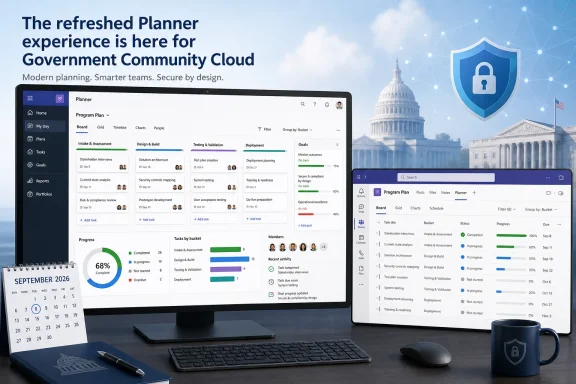 Roadmap 568791 is a GCC catch-up release
The roadmap identifies GCC as the only cloud instance for the September 2026 release. Microsoft commonly stages Microsoft 365 features across commercial, government, and sovereign environments, but the entry does not call this out in its feature description. Taken alongside Microsoft’s February Planner blog, the record indicates that the refreshed experience had already begun reaching non-GCC Planner users while GCC remained on a separate schedule.
The Planner team described the February release as a modernization of basic plans in the Teams desktop/web app and Planner for the web. It emphasized reduced visual clutter, more consistent spacing, simpler navigation, and responsive layouts intended to work better across display sizes. Those are the same broad changes listed in roadmap 568791, even though the new entry does not mention task chat, @mentions, or the earlier rollout’s other details.
For Windows administrators, this is primarily a service-side change. There is no Windows update, Teams desktop build number, Planner client installer, or Mac package attached to the roadmap item. Users will see the changed experience when Microsoft enables it for their GCC environment; keeping the Teams client current is sensible operational practice, but it is not presented as a prerequisite or a control point for the rollout.
Microsoft has also not said whether the September deployment will be simultaneous across Planner for the web, the Planner app in Teams, and every desktop form factor named in the roadmap. “General availability: September 2026” should be read as a target month, not a promise that every GCC tenant will see the new view on September 1.
Goals in a basic plan still require the right license
The most consequential capability in the roadmap description is Goals in basic plans. A basic plan is Planner’s lighter-weight task-management model: it supports Grid, Board, Schedule, and Charts views, while premium plans add project-management functions such as Gantt timelines, dependencies, milestones, custom fields, sprints, workload views, and critical-path analysis.
Microsoft’s February Planner announcement was clearer than the new roadmap entry about the licensing line: access to the Goals view in a basic plan requires either a Planner premium license or a Microsoft 365 Copilot license. In practical terms, an organization can keep a plan technically classified as basic while allowing a licensed user to define shared objectives, attach tasks to them, set completion dates, and track progress toward them.
That is a useful middle ground for teams that want more structure than buckets and labels provide but do not need a full premium project plan. It is also an easy feature to misunderstand. “Goals in basic plans” does not mean that every user with access to a basic Planner plan receives Goals at no additional licensing cost.
Microsoft’s public documentation is presently inconsistent on this point. The Planner blog says licensed users can access Goals in basic plans, but Microsoft’s current basic-versus-premium comparison page continues to list Goals as unavailable in basic plans and available in premium plans. The support article may be using an older, broader product matrix or describing the plan type rather than the entitlement of a licensed user inside it; Microsoft has not reconciled the two pages.
Until that documentation is corrected, GCC administrators should treat the February Planner blog’s explicit requirement as the safer operational guidance: test Goals with representative Planner premium and Microsoft 365 Copilot licenses before promising the capability to basic-plan users. A plan’s type and a user’s license are separate variables in the new Planner model.
The interface refresh comes with operational history
The interface change is not merely cosmetic, even though the roadmap frames it that way. Microsoft’s wider Planner update in early 2026 replaced the prior basic-plan task comments experience with task chat, adding rich text, reactions, @mentions, and notifications only for mentioned people. The company’s Message Center notice said older comments would no longer appear directly in a task in Planner for Teams desktop/web or Planner for the web; instead, users were directed to an Outlook page to view them.
Microsoft acknowledged in replies to its Planner blog that users could still access old comments through the link in the task details pane and said it was working to restore direct visibility in the task editor. Customer comments on the same Microsoft-hosted discussion describe cases in which previously stored task-comment history was difficult to find after the new interface appeared.
Roadmap 568791 does not mention task chat, comment migration, old-comment access, or mobile behavior. That omission matters because Microsoft’s earlier Message Center notice described a split experience: legacy comments remained viewable in the iOS Planner app, Android Planner app, and Planner in Teams mobile, while new task-chat messages were not visible there at the time.
There is no evidence in the new GCC roadmap entry that September’s interface rollout will reproduce every one of those comment and task-chat changes. But there is also no statement that it will not. Organizations that use Planner task comments as project records, handoff notes, or audit-adjacent evidence should test a representative set of existing plans when the GCC rollout begins, rather than assuming the visual refresh has no effect on how historical discussion is accessed.
What GCC administrators should do before September
The rollout does not call for tenant-wide configuration changes, but a short readiness exercise is warranted because Planner is often embedded in Teams channels and used by people who do not think of it as a separate application.
- Review basic plans that depend on task comments for approvals, operational handoffs, or incident history, and confirm where users can retrieve existing discussion if the task interface changes.
- Identify teams expecting to use Goals and verify whether the relevant users hold a Planner premium or Microsoft 365 Copilot license; do not base eligibility solely on the fact that the plan is labeled basic.
- Update internal help material that shows the current Planner navigation, particularly Teams tab instructions, Board and Grid view screenshots, and task-detail walkthroughs.
- Test critical browser-based and Teams-based Planner workflows with a small GCC user group once the refreshed interface appears, including task creation, assignment, filtering, exports, attachments, comment history, and mobile follow-up.
- Watch Microsoft 365 Message Center communications for a more specific GCC rollout sequence or any notice covering comment behavior, licensing changes, or service limitations.
The refreshed layout may make Planner less visually fragmented across Teams and the browser, but the September milestone is more meaningful as a government-cloud parity event than as a new Planner launch. GCC users should expect the same broad direction Microsoft announced in February; they should not assume the roadmap’s brief wording settles the licensing rules for Goals or the treatment of existing task discussions.
Update: GCC High receives the same September Planner target (August 6, 2026)
Microsoft has now added GCC High to the planned September 2026 availability window for the refreshed Planner experience. Roadmap item 568792, published August 5, lists the same interface modernization, responsive layouts, improved navigation, and Goals in basic plans that item 568791 schedules for GCC.
The new GCC High entry remains marked “in development” and provides no rollout week, tenant-selection sequence, administrative deferral option, or further clarification of Goals licensing and task-comment behavior. For high-security government tenants, however, it establishes that GCC High is on the same target-month track as GCC rather than being omitted from the announced parity plan.
