
CyberPress first reported the disruption as users began finding that they could not create or enter meetings, while some participants who did connect could not present their screens. Microsoft 365 Status subsequently attributed the degradation to maintenance-related activity and said the service had returned to standard availability after the activity was stopped.
The practical takeaway is straightforward: this was a Microsoft-side meeting-service failure, not evidence of a tenant-wide policy, licensing, or endpoint problem. Admins who responded by clearing caches, reinstalling Teams, changing firewall rules, or altering meeting policies risked creating a second problem while Microsoft was remediating the first.
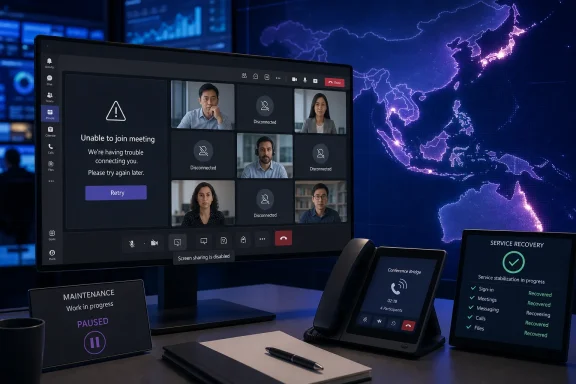 Maintenance activity disrupted Teams in Asia-Pacific
Microsoft’s public status update described degraded Teams functionality for users in Asia-Pacific and named maintenance work as the cause. The company did not publish a customer-facing incident identifier, detail the particular maintenance operation, or say which underlying Teams component was affected.
That leaves important operational questions unanswered. Microsoft has not said whether the failure was linked to meeting orchestration, media services, signaling, a regional dependency, or a deployment path shared by multiple countries. It also has not published an affected-tenant count, a list of affected Microsoft 365 regions, or a post-incident report.
ASCII.jp independently reported that the company stopped the maintenance activity and that service returned to normal at roughly 10:47 a.m. Japan Standard Time. Microsoft’s statement establishes the cause at a high level, but it does not establish that every symptom reported by users—including each screen-sharing failure—arose from one component or one identical fault path.
The timing is consistent with a relatively short but disruptive regional event. Third-party status tracker StatusGator logged a Teams incident beginning at 1:49 a.m. UTC on August 26 and lasting roughly 42 minutes. That aligns broadly with the public reporting from Japan, although organizations should treat their own Microsoft 365 Service Health history and user reports as the authoritative record for their tenants.
Meeting functions failed while some other Teams capabilities remained usable
ITmedia reported a noticeable split in the symptoms: users complained that they could not enter meetings and could not share screens, while some said one-to-one calls continued working. This is a useful diagnostic clue rather than a minor detail.
Teams is not a single monolithic connection. Meeting scheduling, meeting admission, group calling, screen-sharing media, chat, file access, presence, and direct calling can involve different services and dependencies. When chat still works but scheduled meeting joins fail, the correct early assumption is not “Teams is down everywhere.” It is that a particular workflow or service layer may be impaired.
For a help desk, this distinction should change the first response. Rather than directing every employee to sign out, reboot, reinstall, or submit an individual ticket, support staff should test a small set of representative scenarios:
- A user should attempt to join an existing meeting from the Teams desktop client, Teams on the web, and a mobile device.
- A second user should test creating a new meeting and inviting an internal participant.
- A support team should separately test a one-to-one call, group call, screen sharing, chat, and PSTN calling where those services are licensed.
- Administrators should record the approximate failure time, user country or Microsoft 365 region where known, client type, and the exact error message before changing anything locally.
Those tests can quickly establish whether the failure is broad, limited to meetings, or confined to a particular access path. They also provide better evidence for a Microsoft support case if the public service-health notice is incomplete.
A restored service does not mean every failed meeting recovers
Microsoft said the service returned to standard availability after it halted the maintenance activity. That should restore the ability to create and join new meetings, but it cannot retroactively repair the business effects of meetings that failed during the outage.
A scheduled incident bridge may have started without its organizer. A customer call may have been delayed while participants attempted multiple joins. A recorded session that never began will not appear later merely because Teams recovered. If a screen share never reached attendees, Teams recovery does not recreate the missed presentation.
For this reason, the useful post-outage task is not mass client remediation. It is to identify missed business processes. Teams owners should ask incident-response teams, service desks, executive-assistant groups, and customer-facing support units whether a meeting was abandoned, moved to another bridge, or rescheduled during the affected window.
The response is especially important for organizations that use Teams as the default channel for security operations. A failed meeting join during a phishing campaign, ransomware containment event, or production outage is a continuity issue. Chat messages and one-to-one calls may remain available, but an organization that cannot reliably assemble responders, share a dashboard, or transfer operational control needs another route immediately available.
The right workaround is an alternate communications path
During a confirmed vendor-side service incident, endpoint changes should be the last resort. Switching among the desktop, browser, and mobile clients can be a useful test because those paths may fail differently, but it is not a dependable workaround when the affected capability is in the Teams service itself.
The stronger contingency is an independent bridge and a separate notification channel. A backup conference number, pre-created external meeting room, telephone dial-in procedure, enterprise voice fallback, SMS distribution group, or emergency paging service can keep a response moving when Teams meeting creation or admission fails.
Every incident runbook that names Teams as the command channel should also identify:
- The person authorized to invoke the fallback bridge.
- The location of dial-in details that does not depend on a Teams meeting invite.
- The alternate channel used to tell responders that Teams is impaired.
- The minimum information that must be captured while the incident is active, including timestamps and a link or screenshot from the Microsoft 365 admin center’s Service Health page.
- The process for returning to Teams after the outage without losing notes, decisions, or attendee information gathered elsewhere.
This is not an argument against Teams. It is a recognition that collaboration software is part of the operational dependency chain, particularly when security teams and IT operations staff rely on screen sharing to inspect alerts, logs, network diagrams, or administrative consoles together.
The August 26 fault follows other Teams meeting disruptions
The latest incident did not occur in isolation. ITmedia noted that Teams users in Asia-Pacific also experienced difficulty joining meetings and calls on July 24. ABC News reported at the time that Microsoft said the earlier problem affected the ability to join or create Teams meetings or calls in the region.
There was also a separate, recently resolved Teams screen-sharing advisory that affected a limited share of sessions initiated through the web client and virtual desktop infrastructure. The University of Pennsylvania’s Microsoft 365 incident archive records Microsoft’s explanation that an erroneous configuration change in a video-processing pipeline caused that earlier degradation. That advisory was distinct from August 26’s maintenance-related outage and should not be conflated with it.
The comparison still matters. Meeting access, calls, and screen presentation are the highest-consequence functions for many organizations, yet they can fail independently of ordinary chat and presence. Administrators should therefore monitor these workflows explicitly rather than treating a successful Teams sign-in as proof that the collaboration platform is operational.
Microsoft has marked the August 26 incident as resolved, and no public root-cause report or incident ID had been provided at publication time. Organizations with users in Asia-Pacific should verify that new meetings can be created, joined, and presented from their normal client mix, then document any missed bridges or failed calls. The maintenance work may have stopped, but the only useful measure of recovery is whether the next critical meeting actually starts.