

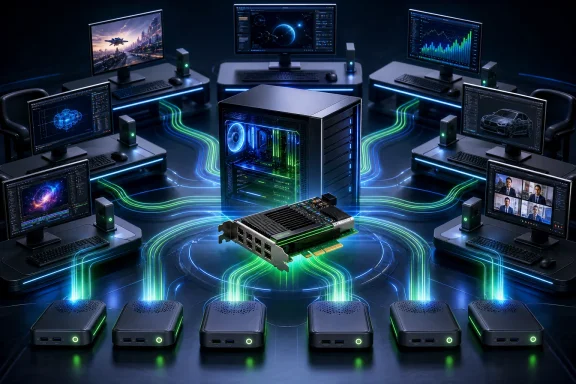
That proposition was notable in late 2008, when contemporary reporting placed the X550 kit at US$449. But it is important to understand what the product was—and what it was not. The X550 was neither a standard Ethernet thin-client deployment nor a collection of independent PCs. It was a tightly constrained, direct-attached multiuser system that concentrated computing power, software compatibility, maintenance risk, and performance limits in one host.
The architecture: one host, multiple independent workspaces
An X550 kit included a full-height PCI card, five XD2 access devices, and NComputing’s vSpace software. vSpace divided the host’s resources into independent virtual workspaces. Each person could have a separate keyboard, mouse, display, and speakers while sharing the same underlying computer.
The accounting behind NComputing’s headline user count matters. The kit did not contain six external terminals. It added five XD2 stations to the person already using the host PC locally. Therefore:
- One X550 kit meant five added users plus the host user, for six simultaneous users.
- Two X550 kits and two PCI cards meant ten added users plus the host user, for eleven total users.
This distinction is more than marketing arithmetic. A buyer planning a classroom, training room, or shared workstation area would need to budget for the central PC’s own monitor and input devices in addition to the five XD2 stations supplied with each kit.
The model also tells us where the actual computing happened. The XD2 was an access device, not a self-contained desktop replacement. Its role was to carry a user’s display, keyboard, mouse, and audio connection back to the host. The host processor, RAM, operating system, and applications were shared among all active users.
RJ-45-shaped, but explicitly not Ethernet
The X550’s most easily misunderstood physical detail was the XD2 connection. The access device linked to the PCI card using Cat 5e or shielded Cat 6 cable and an RJ-45-shaped connector. That appearance could invite an assumption that it belonged on a normal network.
It did not.
NComputing’s documentation explicitly said the signaling was not Ethernet and prohibited placing a hub, switch, or router between the XD2 and PCI card. Each access station needed a direct cable run to the card. The specified maximum was 5 meters with Cat 5e UTP and 10 meters with shielded Cat 6 STP/FTP.
That design had a practical upside: it avoided depending on a conventional LAN for the last connection to each desk. Yet it imposed a hard physical layout limit. The product was suited to stations in the same room or nearby work area, not a building-wide deployment in which endpoints could be routed through normal network infrastructure.
The PCI card also provided power over that direct cable connection, so the XD2 did not require an external power adapter. NComputing rated each XD2 at approximately 1 watt. That figure describes the access device’s own power requirement; it should not be misread as evidence that each complete user station—including the shared host and display—was a one-watt computer.
What users could plug in at the desk
Each XD2 exposed more than the stripped-down port list often associated with old thin clients. Its documented interfaces were:
- a video output;
- PS/2 keyboard and PS/2 mouse ports;
- a stereo speaker output; and
- the dedicated PCI-card connection port.
The stereo output is significant because the X550 design did account for per-user audio, not merely display and input. vSpace associated a user’s keyboard, monitor, mouse, and speakers with that user’s workspace.
There was no local USB port listed for the XD2. USB peripherals were meant to be connected to the host PC, after which vSpace could assign them to individual stations. In a period where USB storage, printers, scanners, and specialized devices were increasingly common, that centralization could be useful for control but less convenient for a person seated several meters away. It also made peripheral planning a host-side task rather than something solved by plugging a device into the nearest desk terminal.
Hardware requirements reveal the trade-off
NComputing did not present the host as an incidental detail. The host was the system’s capacity engine, and its specification increased as the number of attached users rose.
For one X550 kit, the cited guide called for a 2.4 GHz or dual-core processor, 1 GB of RAM, and one free full-height PCI slot. For two cards, it specified a 3.5 GHz or equivalent dual-core processor, 2–3 GB of RAM, and two full-height PCI slots.
Those period specifications underline the product’s basic bargain. The organization bought fewer complete PCs, but it had to choose the central machine carefully. A weak host would not become adequate merely because the XD2 devices used little power. Every person’s application activity ultimately competed for the same processor, memory, storage, graphics capability, and operating-system environment.
The deployment also created an obvious concentration of operational dependence. One host supporting several people can simplify maintenance compared with servicing several individual PCs. Conversely, a problem with the host could affect multiple workspaces at once. The retrieved materials do not establish that every shutdown or reboot invariably ended all sessions, but the shared-host design makes centralized interruption an important risk to plan around.
Windows support was version-specific, not universal
A modern retelling of the X550 can easily flatten several software eras into a misleading claim that it broadly supported “Windows.” The evidence instead shows a changing support matrix tied to particular releases of vSpace and the product’s era.
One X350/X550 guide named Windows Server 2003 R2 SP2 and Ubuntu Linux. A 2008 launch report listed Windows Server 2003 and Windows XP Professional, but included a decisive caveat: under XP Professional, thin-client mode was limited to one user. XP therefore could not deliver the six-user or eleven-user configurations that defined the X550’s appeal.
Later, vSpace Server 6.2.7.2 release notes from 2013 listed Windows Server 2008 R2 SP1, Windows MultiPoint Server 2011, and single-user instances of Windows 7 SP1. These records should be read as snapshots of different product and software generations, rather than as one interchangeable compatibility list.
For Windows administrators, the practical lesson is straightforward: the host operating system and exact vSpace version determined whether the system could provide multiuser service at all. Seeing XP Professional in an old compatibility reference would not mean an administrator could use XP to host five or ten concurrent XD2 users.
Where the multiuser concept hit its limits
The X550 made the most sense for relatively light, repeatable desktop workloads. Even at its 2008 launch, reported limitations made clear that it was not designed as a universal shared-PC replacement.
First, applications that could not be launched twice could not be used by two people simultaneously. That limitation matters for software with single-instance behavior, special activation requirements, or other restrictions that prevent multiple concurrent launches. It means a successful multiuser deployment required testing the actual application mix, not only confirming that a program ran for one person on the host.
Second, 3D applications were reported as unsupported at the Japanese launch. This was a meaningful boundary, not a minor footnote. Workloads dependent on 3D acceleration were outside the product’s advertised use case.
Video required caution as well. Later X-series vSpace 6 release notes warned that, under high host CPU utilization, prolonged looping of high-resolution HD video in Windows Media Player could fall behind the audio, slow substantially, or stop. This does not prove that all video was unusable, nor does it describe every software version or workload. It does show why a shared host should not be judged by an idle desktop demonstration. Concurrent video, background activity, and multiple active users could expose bottlenecks that a single user would not notice.
Together, those limits describe a system optimized around office-style, instructional, and basic shared-workspace tasks—not graphics-heavy creative work, demanding multimedia, or an unrestricted mixture of specialized software.
The cost and energy pitch needs careful reading
NComputing promoted the X550 as a way to lower acquisition and support costs by up to 70 percent. Its datasheet compared about 1 watt per added X550 user with 115 watts for a typical PC.
The appeal is easy to see. Fewer complete machines could mean fewer cases, power supplies, local disks, and separate operating environments to maintain. The XD2’s lack of an external power adapter and its approximately one-watt rating also supported the image of a lean desk endpoint.
But the 70 percent savings figure was a vendor claim, not an independently verified result in the materials available here. A defensible cost comparison would need to include the central host, displays, cabling, PCI expansion constraints, server operating-system requirements, application compatibility, USB peripheral arrangements, and the consequences of concentrating users on one system. Energy comparisons likewise need to account for the host PC and monitors, not only the access device.
The more durable insight is not the precise percentage. It is that endpoint power and hardware cost can be reduced when a workstation is treated as a display-and-input station attached to shared compute. The corresponding cost is less independence at each desk and a greater need for careful central capacity planning.
A historically interesting product, not a current deployment choice
The X550 received a CES Innovations 2009 Design and Engineering Award honor, reflecting how striking its compact multiuser proposition appeared at the time. It also belongs firmly to a legacy product generation.
NComputing lists the X550’s end-of-life date as June 30, 2020. The company also states that the X-series is no longer supported and is incompatible with vSpace Pro 11 or Enterprise edition. Its older classic vSpace 4 and vSpace 6 versions also ceased to be registrable after that date.
That status changes the practical conclusion for present-day Windows users. An X550 may still be of interest to collectors, historians of desktop virtualization, or owners documenting an existing legacy installation. It should not be approached as a supported route to create a new Windows multiuser environment. Compatibility, registration, software support, security maintenance, and replacement hardware are all central concerns, not afterthoughts.
The X550’s lasting significance is conceptual. Long before today’s cloud-hosted desktops became common discussion points, it demonstrated a local version of the same core proposition: put compute in one place, deliver separate user experiences elsewhere, and accept that the host becomes both the system’s strength and its single most consequential dependency.