
This is not merely another AI chat client for Windows. Perplexity’s proposition is that a natural-language instruction can initiate a multi-step workflow: inspect a local document, gather current information from the web, update a spreadsheet, revise a presentation, organize files, and save the results back to a location the user can review. Perplexity describes its broader Computer product as a “general-purpose digital worker” that can create and execute workflows in the background, rather than simply return text in a chat window. Perplexity’s product page says Computer can research, browse, build, monitor, create, edit, connect, and automate through a single task interface.
For Windows users, that distinction matters. The value of an AI system is no longer measured solely by how well it summarizes a webpage or drafts an email. The more consequential question is whether it can safely bridge the gaps between the places where work is scattered: a downloaded spreadsheet, an Outlook thread, a SharePoint or OneDrive folder, a locally installed app, a web dashboard, and a half-finished PowerPoint deck.
Perplexity is betting that this fragmented reality is exactly where an AI agent can prove more useful than a conventional chatbot.
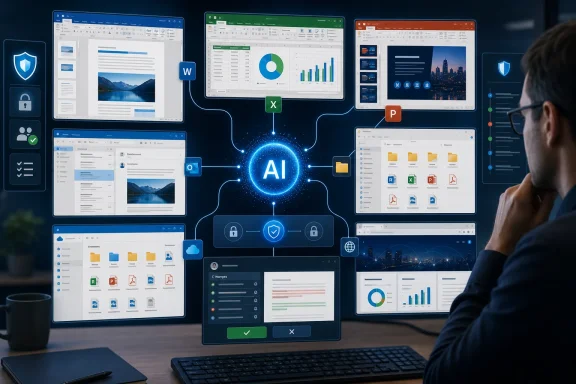 Overview: From AI Answers to AI That Operates a PC
The term AI agent has become overused, but the underlying shift is real. A chatbot answers a question; an agent is supposed to pursue an objective using tools, applications, and intermediate steps. It may search for data, choose an appropriate workflow, create output, request permission for a sensitive action, and adapt if the first attempt does not produce a satisfactory result.
Perplexity’s Computer platform is built around that more expansive model. The company says users give it a task in natural language, after which Computer deploys subagents, works in the background, and allows the user to steer or refine the job while it is underway. Perplexity’s Computer overview also says the product can connect to Gmail, Slack, Notion, calendars, and hundreds of other tools, illustrating that its strategy is far wider than desktop document editing.
Personal Computer is the local-machine expression of that strategy. On the Mac, Perplexity introduced the product as part of an upgraded desktop application with local file editing, local computer use, Comet browser control, and voice orchestration. The April 2026 launch update positioned it as a way to draft emails, complete to-do lists, add calendar events, and organize desktop files.
The Windows version applies the same core idea to the platform that dominates corporate endpoints. Perplexity’s earlier announcement said Personal Computer for Windows would bring its multi-model orchestration to local Windows files, native Microsoft applications, and the web in one environment. Perplexity’s Windows announcement specifically describes scenarios involving Word, Excel, PowerPoint, Outlook, OneDrive, and connected business systems.
That is an aggressive target. It also explains why this release deserves scrutiny beyond the usual “AI assistant arrives on Windows” framing.
Why Windows Changes the Stakes
Windows is not simply another operating system for Perplexity to support. It is the desktop environment where enterprise workflows are most likely to involve a mixture of legacy applications, Microsoft 365 data, downloaded files, mapped drives, local folders, browser portals, and bespoke line-of-business tools.
On a typical workday, an employee might:
- Receive a request in Outlook or Teams.
- Download an attachment to a local folder.
- Reconcile figures in Excel.
- Search a customer relationship management system in a browser.
- Update a Word document or PowerPoint presentation.
- Place a completed file in OneDrive, SharePoint, or a network location.
- Send a status update to colleagues.
Each transition is minor in isolation. Together, they create the repetitive copy-and-paste work that makes knowledge jobs slower, more error-prone, and less satisfying than they need to be.
Perplexity’s own examples show that it understands this reality. Its Windows materials describe an agent that can organize a messy Downloads folder, compare a local Word document with current web research, update stale information, and work through a Notepad to-do list across files, Phone Link messages, Outlook email, connected applications, and the open web. Perplexity’s Windows post also gives finance, legal, and sales examples built around synced OneDrive folders, local Excel files, Word documents, and offline-accessible work.
The company is therefore making a more ambitious claim than “use AI to write documents.” It is proposing that users can delegate the coordination layer around documents as well.
The enterprise angle is impossible to miss
Perplexity had already moved Computer into Microsoft 365, making it available in Excel, Word, PowerPoint, and Outlook, according to its June announcement. Perplexity’s Windows roadmap post described Personal Computer as the next step because it extends that service from cloud productivity apps to the Windows machine where many of the relevant files and applications reside.
That matters because Microsoft 365 is not just a collection of office apps. It is the record system for a vast amount of business communication, reporting, sales collateral, financial work, and internal collaboration. An agent that can operate across Microsoft 365 and the local Windows environment could reduce friction that app-specific assistants cannot address.
The upside is straightforward:
- Less manual file handling when information must move between folders, spreadsheets, documents, and email.
- Faster draft-to-deliverable workflows for reports, proposals, presentations, and recurring updates.
- Cross-source analysis that combines local business material with current web research.
- Continuity between devices, with Perplexity describing the ability to start tasks from a phone and continue them on a Windows PC. Perplexity’s Windows announcement
- Lower automation barriers for employees who cannot write scripts, build Power Automate flows, or maintain RPA bots.
In other words, Personal Computer could put lightweight automation within reach of workers who have historically relied on manually constructed checklists and personal workarounds.
What Personal Computer for Windows Is Designed to Do
The promised workflow is deceptively simple: tell the agent what outcome is needed instead of specifying every click required to get there.
A user could ask it to take the latest figures from a local Excel workbook, update a lender presentation, adjust the associated Word briefing notes, and save the finished versions to an appropriate folder. Perplexity cites precisely this kind of finance workflow in its Windows materials. The company’s examples also extend to legal closing lists and sales proposals that need to be refreshed while an employee is away from their primary PC.
File management is an important but underappreciated feature
Many AI demonstrations focus on glossy outputs: a slide deck, a website, a research report, or a polished email. Yet file management may be one of the more practically valuable Windows capabilities.
A desktop agent that can inspect a Downloads folder, identify documents by content, apply consistent file names, create sensible folder structures, and move duplicates or completed items out of the way could save substantial time. This is especially relevant to users who work with invoices, contracts, media assets, client reports, exports from web services, or large volumes of attachments.
However, that convenience comes with a major caveat: file organization is only useful when the agent understands context correctly. A wrongly categorized contract, an overwritten spreadsheet, or an “archived” file that was actually still active can cause more disruption than the agent saves. The promise is compelling, but it reinforces why users should begin with non-destructive, reviewable tasks rather than give an agent broad authority over critical directories.
Document and spreadsheet automation are the bigger prize
The combination of local access and Microsoft 365 integration is central to Perplexity’s pitch. Creating a first draft from a prompt is easy; making a document accurately reflect an organization’s current numbers, language, and source material is much harder.
Personal Computer could be useful when the work requires a chain such as:
- Open a local Excel model.
- Locate specified values and validate their date or source.
- Update a paragraph or table in a Word report.
- Revise a chart or slide in PowerPoint.
- Save the output to a controlled folder.
- Draft an email explaining what changed.
- Pause before sending so a human can review the material.
That is a credible use of an AI agent because the pain point is not any single action. The pain point is the repetitive coordination between actions.
Perplexity says Computer can use teams of agents across more than 20 frontier models, automatically choosing a combination of models for a given objective. Its Help Center description presents that multi-model orchestration as a feature rather than something users must configure manually. In principle, that could let the system assign planning, research, writing, coding, and browser interaction to different models or subagents.
In practice, it also makes the system harder to evaluate. A user may see one task and one result, while several models and tool calls are involved behind the scenes. For businesses, that raises questions about traceability, data handling, and which component made a consequential decision.
The “Local” Claim Needs Careful Interpretation
The strongest claim around Personal Computer for Windows is that it can work with the user’s local machine, local files, and native apps rather than confining activity to a browser tab or cloud workspace. That distinction is meaningful. A local agent can interact with the folders, documents, and applications that users already depend on.
But “local” should not automatically be interpreted as fully on-device AI inference.
Perplexity’s own documentation distinguishes between the web-based Computer feature, which runs tasks in the cloud, and Personal Computer, which adds access to the local machine, files, apps, and desktop through a native app. Perplexity’s Help Center frames Personal Computer as a superset of Computer, not as a wholly separate offline model running independently of Perplexity’s services.
That nuance is critical for IT departments. Local execution or local file access may reduce friction and keep the workflow close to the endpoint, but it does not by itself answer important questions:
- Which content leaves the device for model processing?
- Which models receive that content?
- Are prompts, file excerpts, screenshots, or metadata retained?
- Can an organization control which connectors are enabled?
- Are administrators able to audit actions and revoke access?
- Is data handling different for consumer, Pro, Max, and enterprise accounts?
The supplied reporting describes Personal Computer as operating entirely on-device, but the available first-party product descriptions emphasize a hybrid local-access and cloud-agent model rather than providing a complete technical account of inference locality. Perplexity’s Help Center says the web-based Computer feature runs tasks in the cloud, while Personal Computer adds native access to files and apps. Organizations should therefore avoid treating “local” as a substitute for a full security and privacy review.
That is not a reason to dismiss the Windows release. It is a reason to distinguish the useful idea of local computer control from the separate question of where data is processed.
Security Will Determine Whether This Becomes an Enterprise Tool
A desktop AI agent must be judged by a more demanding standard than a chat assistant. The moment it can read files, act on web content, edit documents, send messages, or access logged-in services, mistakes become operational events rather than merely bad answers.
Perplexity says its Windows agent will warn users before sensitive actions such as deleting files or sending email. The company also says files are created in a secure isolated environment, actions can be audited and reversed, and users retain the ability to monitor and intervene. Perplexity’s Windows announcement makes those safeguards a central part of its enterprise pitch.
Those are sensible design goals. They are not, by themselves, a complete security model.
Prompt injection becomes a desktop problem
AI agents that browse the web or read documents face a major risk known as prompt injection. A malicious webpage, file, email, or document could contain instructions designed to manipulate an agent into revealing data, changing a workflow, downloading a file, or taking an action the user did not intend.
Microsoft’s own Windows security guidance explicitly identifies cross-prompt injection as a risk for agentic applications, warning that hostile instructions embedded in UI elements or documents can lead to unintended actions such as data exfiltration or malware installation. Microsoft’s Windows 11 agentic-security documentation says this risk is a core reason for applying constrained permissions, separate agent accounts, containment, transparency, and user control.
This is the central tension in Personal Computer’s design. The more powerful the agent becomes, the more useful it is. But every additional file location, browser session, connector, and application expands the number of places from which hostile or misleading instructions can enter its context.
Microsoft makes the same point more broadly in its security guidance for autonomous AI systems: every added tool increases the attack surface, and ambiguous instructions can compound risks of task drift and error. Microsoft’s security analysis recommends constrained responsibilities, least-privilege access, task-limited permissions, and deliberate human review for high-stakes actions.
Permission design matters more than flashy demos
The most responsible deployment model for Personal Computer for Windows would begin with narrow access:
- Allow a specific project folder, not an entire user profile.
- Permit reading before allowing writing.
- Require explicit confirmation before an email, upload, deletion, or external form submission.
- Use test data and copies of documents during pilots.
- Keep detailed action logs.
- Restrict browser automation where sensitive credentials or payment information are involved.
- Limit third-party connectors to services that have been reviewed by IT and security teams.
Windows itself is evolving toward this philosophy. Microsoft says its agentic security model uses limited agent privileges, distinct agent accounts, trusted application signing, controlled workspaces, and user transparency. Microsoft’s Windows agentic-security guidance states that agents should begin with only the permissions users explicitly grant and should not make device changes without user intervention.
Microsoft’s support documentation further describes per-agent file permissions with options to allow always, ask every time, or never allow for common user folders in experimental agentic features. Microsoft Support’s agent workspace documentation provides a useful model for what users should expect from any desktop AI agent: granular scope, clear consent, and the ability to revoke access.
A New Rivalry With Microsoft Copilot
Personal Computer for Windows enters an environment where Microsoft is pursuing its own agentic future. Windows, Microsoft 365 Copilot, Copilot Studio, Agent 365, Intune, Entra, and Security Copilot are all moving toward AI systems that can act with scoped permissions under administrative governance.
Microsoft’s developer material describes Windows as a foundation for agents with identity, isolation, containment, policy controls, and observability. Microsoft’s Windows Agentic platform page highlights filesystem rules, local access controls, separate agent identities, and management visibility for enterprise deployments.
That makes Perplexity’s approach interesting rather than redundant.
Microsoft’s advantage is obvious: it owns the operating system, identity layer, endpoint-management stack, and the productivity ecosystem that enterprises already use. Perplexity’s advantage may be its willingness to act as a cross-model, cross-service productivity layer rather than channel every workflow through a single vendor’s stack.
Perplexity’s Computer product emphasizes multi-model orchestration and broad connectors. Perplexity’s Computer page positions it as a service that can work across web research, browser automation, custom skills, and connected tools. For organizations that do not want every AI workflow tied exclusively to one model provider or one cloud platform, that independence could be attractive.
The risk is governance fragmentation. A company using Microsoft 365 Copilot, third-party AI agents, browser agents, and local computer-use tools may gain flexibility, but it also has to manage overlapping permissions, data paths, identity models, audit records, and policy boundaries.
The winners in this market will not necessarily be the systems with the most agentic autonomy. They will be the systems that make autonomy manageable.
Availability and Rollout: Watch the Fine Print
One practical point deserves attention: Perplexity’s publicly available materials have reflected a staged Windows rollout rather than a simple, universal download-and-go release.
Perplexity’s June 3 announcement said Personal Computer for Windows would initially come to paid Max and Enterprise Max subscribers and directed users to a waitlist. The company’s announcement described the product as “coming” to Windows at that point. Meanwhile, a Help Center page updated July 16 still described Personal Computer as macOS-only. Perplexity’s Help Center may not yet reflect the reported July 28 Windows launch or its entitlement details.
That documentation mismatch does not change the significance of the Windows release. It does mean prospective users should treat availability, subscription requirements, deployment method, and enterprise controls as items to verify in their own Perplexity tenant before planning a rollout.
For individual users, this may simply determine whether the feature appears in the app. For enterprises, it affects licensing, pilot scope, supportability, data controls, and whether an endpoint tool can be introduced through established management processes.
The Bottom Line
Perplexity Personal Computer for Windows is a notable development because it brings AI automation to the place where office work is least elegant and most consequential: the messy intersection of local files, desktop apps, cloud documents, browser tabs, communications, and business systems.
Its strongest potential lies not in replacing Word, Excel, Outlook, or File Explorer. It lies in reducing the repetitive human coordination required to move information between them. If it can reliably turn “update this client package with the latest figures and save it for review” into a transparent, auditable workflow, it could become genuinely useful for Windows productivity.
The risks are equally real. A tool that can act across files, applications, browsers, and connected accounts requires narrow permissions, visible activity, high-quality logs, approval gates for consequential actions, and a clear explanation of where sensitive data travels. Perplexity’s promises of warnings, isolation, auditability, and reversibility are encouraging, but enterprise adoption will depend on how consistently those safeguards hold up in day-to-day Windows environments. Perplexity’s stated Windows safeguards will need to meet the same practical standard that Microsoft is applying to agentic Windows software: least privilege, contained execution, accountable identity, and user control. Microsoft’s agentic-security framework
For Windows users, the arrival of Personal Computer signals that the next phase of desktop AI will be defined less by what an assistant can say and more by what it can safely do.
Update: Windows rollout details clarify cloud processing and plan limits (July 28, 2026)
TechTimes reports that Personal Computer for Windows is rolling out from the waitlist only to Perplexity Max and Enterprise Max subscribers, with plans starting at $200 per month. Perplexity has not announced timing for lower-tier access.
The report also adds important detail to the product’s “local” positioning: the Windows app reportedly performs approved local file and application actions, but task planning and AI reasoning occur in Perplexity’s cloud infrastructure. In practical terms, context about local files and active applications may be sent to Perplexity before the agent acts—a point IT teams should factor into data-governance reviews.
According to TechTimes, Enterprise Max includes a default contractual exclusion from model training, while consumer Max users must manually opt out. That distinction makes subscription type consequential for organizations handling confidential material.
The report further says sensitive actions, including sending email and deleting files, require approval; sessions generate audit trails and include a stop control. These safeguards are welcome, but the cloud-processing detail reinforces the need to pilot the agent with tightly scoped folders, non-production data, and explicit review gates.
Update: Projects adds shared workspaces and persistent context to Perplexity Computer (August 2, 2026)
Perplexity has introduced Projects, replacing its earlier Spaces feature with persistent work hubs for Computer. According to The Tech Outlook, Projects combine shared files, ongoing task history, reusable skills, project-level instructions, and memory so teams can continue work without rebuilding context for each session.
For Windows users, the important distinction is how local files are handled. Desktop users can attach files from their PCs to a Project, but those locally connected files remain visible only to the uploader rather than becoming automatically shared with collaborators. That limitation should reduce accidental exposure of desktop content, although teams still need to govern what is uploaded or imported into shared Project storage.
Projects can also link to more than 400 connected tools and services, including Google Drive, Notion, Linear, Snowflake, GitHub, Slack, and Microsoft Teams. It supports scheduled tasks, which could let a Project maintain recurring status documents or workflow updates.
Perplexity says existing Spaces will migrate automatically and that Projects are available to all Computer users.
