
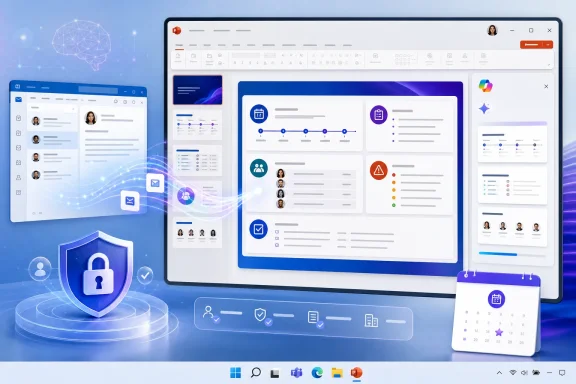
The capability is intended for a familiar workplace problem: a project owner has the material for a deck scattered across an Outlook thread, then manually copies dates, decisions, risks, and requested actions into slides. Microsoft’s short roadmap description says Edit with Copilot can now use an email as a reference when generating the presentation, letting the prompt draw on message content rather than requiring users to first convert it into a Word document or reproduce the information by hand.
For PowerPoint users, this expands the type of work context Copilot can use at the point where slides are created. For administrators, it is another reason to treat mailbox permissions and Copilot readiness as part of the presentation-generation workflow, rather than as separate Outlook and PowerPoint concerns.
 A March release surfaced again in August
Microsoft’s roadmap classifies the item for PowerPoint and Microsoft Copilot for Microsoft 365, specifies Desktop as the platform, and lists Worldwide Standard Multi-Tenant as the cloud instance. Its status is Launched, which Microsoft defines as fully released for applicable customers.
But the dated fields tell a more complicated rollout story than the August 21 update might suggest. The card was created on February 11, 2026, says general availability was in March 2026, and shows its most recent update on August 21. Microsoft does not publish a change log for individual roadmap cards, so there is no public explanation for what changed in the latest edit: it could be metadata maintenance, wording clarification, or a delayed status update. The record does not say.
That absence matters for deployment planning. An organization that does not see the option today cannot infer from the August update that it will arrive in the next few days. The public entry provides no PowerPoint build number, Current Channel or Monthly Enterprise Channel requirement, tenant configuration prerequisite, licensing SKU, or rollout percentage. It also does not document whether the function appears as a picker, a slash command, a pasted Outlook link, or another control within Edit with Copilot.
In other words, Roadmap ID 555888 confirms the product direction and Microsoft’s stated availability, but it is not sufficient as a troubleshooting guide.
Email becomes source material rather than an attachment workaround
Microsoft’s existing Copilot in PowerPoint documentation describes generating a presentation from a prompt and, in work accounts, from supported files such as Word documents and PDFs. The email-reference addition has a different practical role. A message is usually live working context: it may contain the instruction to prepare the deck, the audience, decisions from a meeting, embedded data, and links or attachments that need separate verification.
The likely payoff is lower friction for first drafts. A user preparing a sales review, incident recap, launch briefing, or executive status update can ground a prompt in the original request or discussion rather than summarize it before asking Copilot to build slides. That can preserve details that are often lost in the manual handoff from Outlook to PowerPoint, such as deadlines, named owners, and explicit asks.
It does not turn an email into a vetted presentation source. Email threads frequently contain superseded estimates, informal opinions, incomplete context, and replies that contradict the opening message. A generated deck can faithfully reflect the referenced email while still being wrong for the intended audience. Users should review every factual slide, especially dates, metrics, customer commitments, financial figures, and claims presented as decisions.
Microsoft’s PowerPoint support guidance already advises users to check facts added by Copilot. That precaution becomes more important when a single thread is the source: the tool can help translate message content into a narrative, but it cannot establish which part of a long discussion is the final record unless the user supplies that instruction and validates the output.
Work IQ does not bypass mailbox permissions
Microsoft describes Work IQ as the workplace intelligence layer behind Microsoft 365 Copilot and agents. Its developer documentation says Work IQ can query work intelligence across mail, files, meetings, and chats, while its governance model still checks the signed-in user’s Microsoft 365 permissions for the underlying resource.
The implication for this PowerPoint feature is important: referencing an email should not grant Copilot access to mail a user could not already access. If a user lacks permission to open a shared mailbox or a message, Work IQ’s normal permission checks should prevent the request from retrieving that content. The security boundary remains the user’s identity and existing Microsoft 365 authorization, not the PowerPoint document where the output appears.
That is reassuring, but it should not be mistaken for a new data-classification control. If an employee legitimately has access to a sensitive email, they may be able to ask Copilot to transform its content into slides. Organizations with strict handling rules should confirm that their Microsoft Purview sensitivity labels, sharing restrictions, retention settings, and Copilot data protections produce the behavior they expect when source material moves from Exchange Online into a PowerPoint file.
There is also a distinction administrators should avoid blurring. Microsoft Learn documents tenant policy controls for the Work IQ MCP service used by custom tools and agents. Those controls govern that developer-facing integration; Microsoft has not said in Roadmap ID 555888 that toggling Work IQ MCP controls the built-in PowerPoint email-reference feature. Treating an MCP policy switch as a guaranteed off switch for the PowerPoint experience would be an unsupported assumption.
Desktop is the published target, despite broader Copilot support
The roadmap card labels this release as Desktop. Microsoft’s broader Edit with Copilot documentation, meanwhile, says Copilot in PowerPoint is available on Windows, Mac, and the web. Those statements are not necessarily contradictory: feature cards often describe a particular rollout target, while support documentation covers the larger product family. Still, Microsoft has not publicly stated that this email-reference capability is available on macOS, PowerPoint for the web, iPad, or consumer editions.
For now, IT teams should read “Desktop” literally when testing Roadmap ID 555888. Test in the Windows PowerPoint desktop client assigned to pilot users before promising parity on other platforms. If the feature is business-critical, document the exact client build, update channel, license assignment, and tenant conditions under which it appears.
Microsoft’s PowerPoint FAQ also notes that Copilot availability depends on application version, licensing, network, and privacy settings. Those ordinary prerequisites can explain a missing Copilot button, but they do not answer the narrower question of email references. Microsoft has published no dedicated support article for that workflow, leaving support desks without the usual product-specific prerequisites or limitations.
What users and admins should do now
Users who already have Edit with Copilot in PowerPoint should treat email reference as a drafting aid, not an automatic conversion pipeline. Start with a narrow prompt that states the audience, purpose, slide count, and boundaries for what Copilot should extract. If the thread includes decisions that changed over time, identify the final decision explicitly rather than assuming the model will infer it correctly.
Administrators should validate the behavior with a small group of licensed users and a non-sensitive test message before encouraging broad adoption. The test should establish whether the experience respects expected Exchange and shared-mailbox permissions, whether sensitivity labels carry through to the resulting deck, and which PowerPoint clients expose the reference option.
Microsoft has supplied the headline but not the deployment detail. Roadmap item 555888 says the feature is generally available in the worldwide multi-tenant service and was scheduled for March 2026; it does not say how an organization can prove that its users have it. Until Microsoft publishes a dedicated support page, the concrete consequence is that PowerPoint admins will need to verify the workflow in their own tenant—and users will need to review the generated deck as carefully as they would any presentation built from an email thread.