
That shift matters more than ever because buying a gaming PC has become less predictable. Component pricing, availability, platform changes, and the rising complexity of selecting compatible parts have narrowed the practical advantage that DIY builders once enjoyed. In this environment, a well-reviewed pre-built gaming PC can be the smarter purchase—not because assembling a system has lost its appeal, but because convenience and quality are no longer mutually exclusive.
The important caveat is that the old stigma did not emerge from nowhere. For years, many OEM desktops earned their reputation with proprietary power supplies, restricted motherboards, sparse airflow, poorly chosen memory configurations, promotional software, and upgrade paths designed to end the moment the warranty expired. The category has improved, but the buyer’s job has changed from rejecting pre-builts outright to identifying which builders and individual models have actually earned trust.
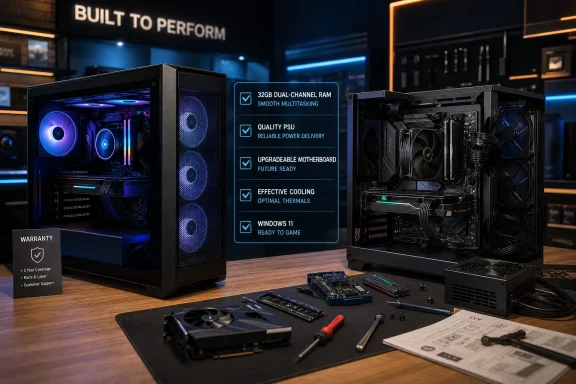 The taboo around pre-built gaming PCs was rooted in real problems
PC building has always delivered something pre-built systems struggle to replicate: control. A DIY builder chooses the exact motherboard, power supply, case, cooling strategy, storage layout, and graphics card model. They decide whether a few dollars should go toward a quieter cooler, a better-rated PSU, more SSD capacity, or a motherboard with a stronger I/O selection.
That flexibility also made the typical “build it yourself” argument compelling. A self-built PC could avoid weak links that might be hidden in a retailer’s simplified specification list. A listing might proudly advertise an RTX-class GPU and a modern processor while quietly including a single stick of RAM, a low-end motherboard, a minimally sized power supply, or a case that starves the graphics card of fresh air.
Those concerns are not historical curiosities. The ASUS TUF Gaming T500 review demonstrates why consumers should remain skeptical of blanket claims about desktop gaming PC value. ASUS paired a desktop graphics card with a laptop-class Intel processor and specialized motherboard, producing a hybrid system with limited upgradeability and thermal compromises. The review found CPU throttling during testing and highlighted a custom, difficult-to-replace cooling arrangement alongside an OEM-style power supply.
That is exactly the kind of system that would have validated the traditional enthusiast response: avoid the pre-built, buy standard parts, and build a proper desktop instead.
But it is no longer accurate to presume every pre-built follows that formula.
The real change: better systems are appearing at every price tier
The strongest evidence for the changing pre-built gaming PC market is not a marketing claim from one manufacturer. It is the growing frequency of machines that look, feel, and operate like systems an experienced builder would assemble.
A recent Acer Nitro 65 review is especially notable because it comes from a major mainstream PC brand rather than a boutique specialist. The tested configuration used a Ryzen 9 9900X processor, GeForce RTX 5070 graphics card, 32GB of memory, and a 1TB SSD. More importantly, the review praised the system’s component selection, clean internal work, conventional parts, and competitive overall value, while still flagging the non-modular power supply as a compromise.
That distinction is crucial. A non-modular PSU is not ideal for cable management or future servicing, but it is a far cry from a completely proprietary chassis and motherboard ecosystem. Buyers can live with a few trade-offs if the core platform remains accessible, cool-running, and sensibly configured.
At the boutique end, the Maingear MG-1 MK.II shows how far premium system integrators can push the concept. Maingear revised the chassis with a larger and more rigid structure, improved airflow, captive panel screws, better cooling placement, and rear-connected motherboard designs that reduce visible cabling. That is not merely cosmetic. Cleaner routing can improve serviceability and reduce obstructions inside the case, while stronger mounting and thoughtful shipping preparation address a common weakness of high-end systems sent through parcel networks.
The MG-1 MK.II’s pricing also illustrates a more nuanced truth about pre-built value. The reviewed high-end configuration was undeniably expensive, but the reviewer’s component comparison suggested that its asking price was closer to the real all-in cost of a comparable DIY build than enthusiasts might expect once Windows licensing, cooling, case hardware, RGB components, and a quality PSU are included. That does not make it a budget system. It does show why simply comparing the price of a GPU and CPU to a completed PC is no longer enough.
Pre-built quality is becoming visible, not mysterious
For years, buyers often had to trust a spec sheet and hope the unseen parts were acceptable. Better pre-built vendors are increasingly making those details inspectable.
A good product page or review should reveal:
- The exact CPU, not merely a processor family.
- The specific GPU model and video memory capacity.
- Memory capacity, speed, and whether it is installed as a proper dual-channel kit.
- Motherboard model or at least chipset and expansion capabilities.
- SSD capacity and generation.
- PSU wattage, certification, and—ideally—brand or model.
- Cooling hardware, case fan count, and radiator placement.
- Available M.2 and SATA storage expansion.
- Physical dimensions and GPU clearance.
- Warranty terms for parts, labor, shipping, and support.
The more of that information a vendor is willing to publish, the less it resembles the opaque pre-built PCs enthusiasts learned to avoid.
Why the value equation has changed
The old argument was straightforward: buy the components individually, spend an afternoon assembling them, and keep the savings. That calculation still works in some configurations, particularly when a builder already owns reusable parts or is willing to hunt aggressively for sales. It is no longer a universal rule.
Component costs are only part of the total cost
A DIY PC requires more than its headline CPU and GPU. The final build also needs a case, motherboard, memory, SSD, power supply, cooling, fans, operating system license, and often Wi-Fi hardware. Shipping costs, taxes, return policies, and the possibility of receiving a defective component affect the real total as well.
Pre-built vendors buy parts in volume and can sometimes secure components or pricing unavailable to an individual retail shopper. They also package assembly, initial validation, Windows installation, and technical support into one purchase. That is a service premium—but it is not inherently an unreasonable one.
The iBuyPower Slate 8 Mesh review makes the warranty point particularly well. iBuyPower’s direct-purchase coverage included three years of labor and two years of parts coverage at the time of review. A DIY builder may have individual component warranties, but diagnosing the fault, initiating multiple returns, reinstalling parts, and proving which component failed all fall on the owner.
This does not mean buyers should accept any markup in exchange for warranty coverage. It means that support has economic value, especially for first-time builders, families buying a shared gaming desktop, and professionals who cannot afford a lengthy troubleshooting session after work.
The Federal Trade Commission also notes that consumers should study a warranty’s actual terms, including whether labor, repair shipping, or specific parts are covered. It further explains that manufacturers generally cannot require consumers to use particular branded parts or services to maintain warranty coverage unless they provide them free or obtain an FTC waiver. The practical lesson for gaming PC buyers is simple: read the warranty before replacing hardware, but do not assume every upgrade automatically voids it. FTC warranty guidance
The “best deal” is not always the cheapest PC
A pre-built desktop that costs $100 less but uses a weak PSU, 16GB of single-channel memory, or a locked-down motherboard is rarely the better value. A slightly more expensive system with 32GB of dual-channel RAM, a recognized 80 Plus-rated PSU, a standard ATX or Micro-ATX motherboard, and room for an additional SSD may cost less over its useful life.
This is where reviews matter far more than a retailer’s star rating. The iBUYPOWER RDY Trace X R01 review found a conventional enthusiast-oriented configuration with a Ryzen 7 9800X3D, Radeon RX 9070 XT, 32GB of DDR5-6000 memory, a 2TB PCIe 4.0 SSD, an ASUS X870 motherboard, an 850W PSU, and 360mm liquid cooling. It also documented clean cable routing, an included quality-control checklist, and a shipping approach that leaves the GPU for the buyer to install—an extra step, but one that can reduce the risk of a heavy graphics card being damaged in transit.
That is a meaningful evolution of the pre-built experience. Rather than pretending buyers must choose between a sealed appliance and a fragile DIY project, it offers a middle ground: professionally assembled hardware with a small, clearly guided setup step.
Why this matters especially for Windows gamers
A gaming PC purchase is not just about FPS. It is an entry point into the broader Windows ecosystem: game launchers, drivers, game capture, cloud storage, security tools, peripherals, RGB software, display settings, and system updates. A pre-built PC that reaches a stable, usable Windows 11 desktop quickly has genuine value for buyers who want to play rather than troubleshoot.
That does not excuse unnecessary manufacturer software. Bloatware remains one of the most aggravating pre-built PC problems because it can create notifications, resource usage, duplicate security utilities, and confusing support prompts from the first boot.
Fortunately, unwanted software is solvable. Windows lets users remove apps through Settings > Apps, and Microsoft provides instructions for uninstalling programs that do not need to remain installed. Microsoft’s app removal guidance is useful for cleaning up trialware, vendor launchers, and redundant utilities after a new system is configured.
For a more dramatic reset, Microsoft’s Reset this PC option can reinstall Windows while keeping personal files or remove everything for a fresh start. Buyers should understand one important setting: enabling restoration of preinstalled apps can bring manufacturer customizations back, while choosing a full clean setup removes them. Backups and BitLocker recovery information should be secured before attempting either path. Microsoft’s reset documentation
A clean Windows install is not a substitute for good hardware
It is easy to remove software. It is not easy to replace a cramped chassis, a proprietary 500W PSU, an irreplaceable motherboard, or a poorly designed CPU cooler.
That is why buyers should prioritize hardware transparency over claims such as “gaming ready,” “AI-powered,” or “ultimate performance.” The flashy language may sell a system, but standard components determine whether it will remain useful three or four years later.
A desktop gaming PC should ideally give its owner the ability to:
- Add storage without dismantling the entire system.
- Replace the GPU when performance needs change.
- Upgrade memory using standard DIMM slots.
- Service or replace the power supply.
- Replace cooling hardware with standard mounting support.
- Access front and rear I/O without awkward limitations.
- Clean dust filters and fans without specialist tools.
- Update firmware and drivers through ordinary vendor channels.
If a system cannot meet most of those expectations, it may still be a functional gaming machine—but it should be priced accordingly.
The risks have not disappeared
The changing reputation of pre-built gaming PCs should not become an excuse for careless buying. The ceiling has risen, but the floor remains uneven.
Proprietary parts can still create an expensive dead end
The ASUS TUF Gaming T500 remains the clearest warning sign. Its mobile CPU, SODIMM memory, custom motherboard, specialized cooling hardware, and non-standard PSU configuration show how a desktop tower can look upgradeable without truly behaving like a conventional desktop. The review concluded that the GPU, SSD, memory, and Wi-Fi card were accessible, but that the processor and several critical platform elements were effectively off limits. ASUS TUF Gaming T500 review
A buyer should not assume that a large chassis equals a standard PC. Ask whether the motherboard uses standard power connectors, whether the PSU can be replaced with an ordinary ATX unit, and whether the CPU sits in a normal socket. If those answers are unclear, assume future upgrades will be restricted.
Published specifications can conceal important omissions
A gaming PC listing might name an “850W power supply” without saying who made it, what its efficiency rating is, or whether it has the appropriate connectors for a future GPU. It might list “32GB DDR5” while omitting speed, timings, and whether the memory is a two-stick kit.
Similarly, “liquid cooling” says little by itself. A 120mm all-in-one cooler, poorly positioned inside a hot chassis, is not equivalent to a well-mounted 280mm or 360mm unit paired with sensible intake and exhaust fans.
Buyers should treat vague specifications as an invitation to investigate, not as proof that a component is premium.
Reviews must match the exact configuration
The same model name can describe radically different PCs. A retailer might sell several versions of a gaming desktop under one family label, each with different CPU, GPU, storage, cooling, power supply, and memory arrangements. A favorable review of a higher-spec model does not automatically validate a discounted entry-level configuration.
Check the following against the review:
- CPU model and whether it is a desktop chip rather than a mobile processor.
- GPU model, including VRAM capacity.
- RAM amount and layout, especially whether two modules are installed.
- PSU wattage and brand, if disclosed.
- Case and cooling layout.
- Storage capacity, including whether a second M.2 slot is available.
- Exact retailer SKU and warranty conditions.
If even one of those changes, the review may still be helpful, but it should not be treated as a full verdict on the machine in the shopping cart.
A better way to shop for a pre-built gaming PC
The modern recommendation is not “buy pre-built” or “build it yourself.” It is: buy the best-supported, best-specified system for the money, and verify the parts that determine its long-term usefulness.
Start with performance targets, not RGB
Choose a resolution, refresh rate, game type, and preferred visual settings. A competitive player targeting high refresh rates at 1080p does not require the same GPU budget as someone targeting ray-traced 4K gaming on a 144Hz monitor.
Then identify the GPU tier that fits the target. Everything else should support that goal rather than distract from it. An elaborate case and synchronized lighting cannot compensate for an underpowered graphics card or insufficient VRAM.
Require 32GB of memory for a new gaming desktop
Modern games, browsers, launchers, voice chat, capture tools, and background utilities make 32GB the more comfortable starting point for a new midrange or high-end Windows gaming PC. More importantly, ensure the system uses two matched DIMMs where possible. Dual-channel operation remains a basic part of extracting the expected performance from the platform.
A lower-priced 16GB configuration is not automatically unacceptable, but it should have two 8GB modules or a clearly accessible path to a 32GB upgrade.
Consider the PSU an investment in the next GPU
The power supply is not a glamorous part, but it can decide whether a system is easy to evolve. Look for sufficient wattage headroom, familiar branding where possible, standard dimensions, and the connector support appropriate to the installed graphics card.
A manufacturer that refuses to identify the PSU should receive extra scrutiny. A non-modular PSU is tolerable in a value-oriented desktop; a non-standard or impossible-to-replace PSU is much harder to justify.
Inspect airflow before admiring the glass panel
A tempered-glass side panel, RGB fans, and a dramatic front fascia can make a system look impressive in product photos. They do not prove it can move air.
Look for:
- Mesh or generously vented front intake.
- More than one intake fan where the hardware warrants it.
- Clear exhaust paths at the rear and top.
- Dust filtration that can be removed for cleaning.
- Space around the GPU rather than a sealed compartment.
- A radiator position that makes sense for the rest of the thermal layout.
The Maingear MG-1 MK.II’s revised airflow, larger case structure, and better component arrangement are examples of the design decisions that matter beyond aesthetics. Maingear MG-1 MK.II review
Building a PC is still special—and still worth doing
None of this means DIY PC building has become obsolete. Building a gaming PC remains the best option for users who enjoy the process, want exact control over their hardware, already own reusable components, or have specialized needs such as compact form factors, unusually quiet cooling, multiple expansion cards, extensive storage, or a very particular visual design.
There is also genuine satisfaction in turning a collection of parts into a working machine. Builders gain useful knowledge about connectors, airflow, firmware, memory profiles, diagnostics, and future upgrades. That experience can make maintenance easier and reduce anxiety when something eventually needs attention.
But a hobby should not become an entry requirement for PC gaming. The market is healthier when newcomers can purchase a capable Windows gaming desktop without first becoming experts in CPU sockets, PSU pinouts, thermal paste application, and case clearance diagrams.
The best pre-built systems now acknowledge that reality. They can offer a route into PC gaming that is fast, polished, repairable, and increasingly competitive on price—while leaving enthusiasts free to build because they want to, not because every alternative is inherently inferior.
The new rule: trust the machine, not the category
Pre-built gaming PCs have earned a more serious place in the conversation because specific models are proving that convenience does not have to mean compromised hardware. The Acer Nitro 65, Maingear MG-1 MK.II, and better-configured iBuyPower systems point toward a market in which clean builds, real airflow, standard parts, and sensible configurations are no longer limited to DIY projects.
At the same time, systems like the ASUS TUF Gaming T500 prove that buyers cannot lower their guard. A familiar gaming brand, an attractive chassis, and a modern discrete GPU do not guarantee a desktop that is cool-running, upgradeable, or fairly priced.
That is the real end of the pre-built taboo. The correct advice is no longer to reject the entire category. It is to read professional reviews, inspect the configuration line by line, value warranty and support honestly, and choose the gaming PC that delivers the strongest long-term platform—not merely the most impressive specification headline.
