

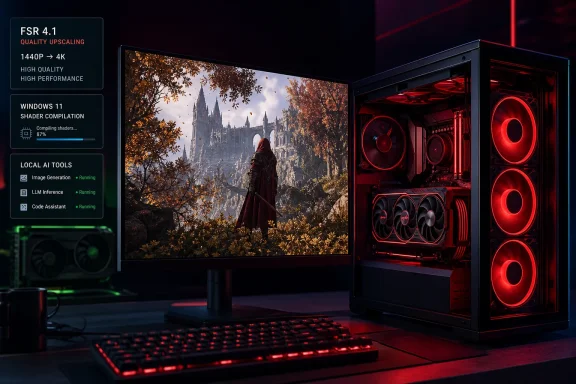
How-To Geek is right to point to the combined effect of FSR, Microsoft’s Advanced Shader Delivery, and AMD’s easier local-AI setup. But these are not all parts of a single “latest” driver breakthrough. FSR 4.1 arrived in June, AMD’s AI Bundle dates to Adrenalin 26.1.1 in January, and Microsoft began expanding Advanced Shader Delivery to AMD Windows PCs in May before widening availability in June. The buyer takeaway is still meaningful: Radeon’s software proposition has improved. The caveat is that each improvement has a different hardware, storefront, operating-system, and game-support boundary.
FSR 4.1 finally changes the RX 7000 conversation
AMD originally positioned FSR 4 as an RDNA 4 feature, tied to the Radeon RX 9000 series and its newer AI hardware. That mattered less on a spec sheet than it did in games. RX 7000 owners were left with FSR 3.1 while newer Radeon cards gained a machine-learning upscaler designed to improve fine-detail reconstruction, stability in motion, and the familiar trouble spots of foliage, transparencies, particles, and thin geometry.
The June Adrenalin 26.6.2 release changed that for discrete Radeon RX 7000 cards. AMD’s own FSR documentation now describes FSR Upscaling 4.1 as available on RX 7000 and RX 9000 hardware, while the rest of the “Redstone” feature set remains a RX 9000 privilege. In practical terms, an RX 7800 XT or RX 7900 XTX can use the newer INT8 implementation of the upscaler, but it does not gain the RX 9000-series-only ML frame generation, ray regeneration, or radiance caching capabilities.
Independent testing from TechSpot found that the RX 7000 implementation is a clear visual improvement over FSR 3.1, especially at 1440p and in lower quality modes where the older algorithm’s blur and instability were most visible. Its conclusion also matters for people considering used or discounted RDNA 3 hardware: the older cards do not appear to receive a deliberately crippled image-quality model. The tradeoff is performance. The INT8 version takes more work on RDNA 3 than the FP8 implementation does on RDNA 4, so the gain over native rendering may be smaller than it is on an RX 9000 card.
That is still a better bargain than the old choice between tolerating FSR 3.1 artifacts or avoiding upscaling altogether. In some tested games, FSR 4.1’s Performance mode on an RX 7900 XTX produced better-looking output than FSR 3.1’s Quality mode while maintaining comparable or higher frame rates. But it is a visual-quality improvement first, not a magic performance multiplier.
AMD also has not extended official support to the RX 6000 family yet. The company says RDNA 2 support is planned for 2027. Owners of RX 6800, RX 6900 XT, and RX 6950 XT cards should treat today’s FSR 4.1 news as a future roadmap item, not a feature they can enable through the current public driver.
AMD’s override reduces the developer-support problem
FSR adoption has historically been easier for developers than proprietary alternatives, but AMD’s image-quality revisions still depended on studios updating their game integrations. The new driver override is the more consequential part of the RX 7000 rollout because it changes who has to do the work.
Where a game has a qualifying native FSR 3.1 implementation, Radeon Software can substitute FSR 4.1 at the DLL level. That means the player may obtain the newer upscaler even when a developer has not issued a dedicated FSR 4.1 patch. TechSpot reports that this upgrade path is enabled by default in the driver for compatible games, while PC Gamer notes that games without native FSR 4.1 generally need the Adrenalin override and an existing FSR 3.1 integration.
There are firm limits. How-To Geek correctly notes that the override is not a universal post-processing switch. It applies to DirectX 12 games with the appropriate signed FSR 3.1 DLL integration; Vulkan games and unsupported third-party implementations are outside its reach. Players should also verify the in-game FSR setting and Radeon Software status rather than assuming every title using the letters “FSR” will qualify.
The distinction is important for a purchase decision. A Radeon RX 7000 card has gained a much better route through the existing FSR 3.1 library, but it has not suddenly inherited NVIDIA’s broader DLSS ecosystem. DLSS continues to be common in marquee PC releases, and NVIDIA’s newest features still arrive with a deeper base of game-specific support. AMD has improved the experience for its installed base; it has not erased the software advantage NVIDIA built through years of developer adoption.
Advanced Shader Delivery is a Windows feature, not an AMD driver feature
Microsoft’s Advanced Shader Delivery, or ASD, is the other major reason Radeon’s Windows story looks better than it did earlier this year. It sends precompiled shaders with a supported game download rather than forcing a PC to compile them locally at first launch or during play. The potential benefits are shorter first-run waits and fewer shader-compilation hitches, particularly on systems with older CPUs.
Microsoft’s DirectX team used Forza Horizon 6 to demonstrate the effect. On a test PC with a Radeon RX 7600 and Ryzen 7 5800 processor, Microsoft said the game loaded in four seconds with ASD rather than nearly 90 seconds without it—a claimed 95 percent reduction. Tom’s Hardware and TechSpot both reported the same Microsoft test result, but it remains a vendor benchmark in one specifically prepared game, not a promise for every Windows title.
The more useful finding is the compatibility list. AMD’s ASD support spans RDNA 1, RDNA 2, RDNA 3, RDNA 3.5, and RDNA 4 graphics architectures. Microsoft requires Windows 11 version 24H2 or later, current Xbox Gaming Services, a supported AMD driver—Adrenalin 26.6.1 or later was the stated minimum at launch—and a game that actually implements the feature. When it is active, players should see “Precompiled shaders installed” in the game’s launch window.
ASD is therefore a real advantage for an eligible Radeon system playing a supported Xbox PC app title. It is not a reason to assume every Steam, Epic Games Store, or Microsoft Store game will suddenly avoid shader compilation. The feature depends on the game publisher’s pipeline and distribution support. Microsoft has created the DirectX and Partner Center workflow, but developers still must build and ship the needed shader data.
It is also inaccurate to frame ASD as permanently unavailable to NVIDIA users. Microsoft is developing the technology across Windows with hardware partners including AMD, Intel, NVIDIA, and Qualcomm, and NVIDIA has public developer material referring to Advanced Shader Delivery. At present, AMD has the clearest broad public deployment on supported Windows 11 configurations; that is a rollout lead, not a permanent Radeon-exclusive technology.
The AI Bundle lowers setup friction, but CUDA remains the default
AMD’s other useful change is less glamorous: a supported, optional AI Bundle inside Adrenalin that installs a practical starter stack for local AI work. The bundle includes PyTorch on Windows, Python 3.12, Visual Studio Code, ComfyUI, Ollama, LM Studio, and Amuse. For a Windows user who wants to experiment with image generation, local language models, or PyTorch development, removing the manual environment setup is a meaningful improvement.
AMD’s support documentation puts boundaries around the promise. The bundle supports RX 9000 cards and RX 7000 hardware from the RX 7700 series upward, along with specified Ryzen AI processors. It requires an internet connection because some components come from third-party hosts, and a full installation needs roughly 35GB of free disk space. It is a convenience bundle, not a lightweight driver checkbox.
There are also present-day reliability considerations. AMD’s June 26.6.2 release notes identified potential issues with Blender and Maxon Cinema 4D rendering on RX 7000-and-newer hardware, advising affected users to install Adrenalin 26.3.1. AMD also published a separate Windows 10 notice after some 26.6.2 installations left Radeon Software unable to launch and showed a yellow warning mark in Device Manager; the company issued a 26.6.3 Hotfix Preview for affected systems.
That should temper the idea that AMD’s software experience is now frictionless. For local AI work that depends on the widest compatibility across commercial tools, community projects, and established documentation, NVIDIA’s CUDA platform remains the safer default. AMD has made the first mile easier; it has not made every downstream dependency disappear.
Radeon is easier to recommend, not automatically the better buy
The strongest evidence in How-To Geek’s argument is not that NVIDIA has become irrelevant. It is that Radeon RX 7000 cards have received a post-launch software upgrade that materially extends their useful life. FSR 4.1 improves the visual side of upscaling, the override reduces dependence on developer patches, ASD can make a narrow but annoying class of PC-game launch problems disappear, and the AI Bundle removes a legitimate Windows setup barrier.
For an RX 7000 owner, the action is straightforward: install a current supported Adrenalin driver, test FSR 4.1 in compatible DirectX 12 FSR 3.1 games, and check the release notes before updating a production creative or AI workstation. For a buyer, compare the actual price of the Radeon card against the competing GeForce model, then factor in the games and workloads that will run on it—not a blanket “Team Red versus Team Green” identity.
AMD has finally supplied the software support that makes an RX 7000 purchase easier to defend. The more immediate consequence is for people who already own RDNA 3: they can keep their cards longer without accepting yesterday’s upscaling quality.