
That is an important result for enterprise IT teams planning a Windows 11 refresh. The Ryzen AI PRO 400 Series is not a meaningless launch; it adds new commercial systems, updated OEM designs, and a slightly stronger NPU specification. But the evidence so far reinforces a rule that fleet buyers should already know: a CPU badge does not tell the whole story. Chassis cooling, firmware power limits, memory configuration, drivers, display choice, serviceability, security options, and vendor support terms can have a greater effect on employee experience than a 100 MHz clock-speed increase.
For organizations that already standardized on AMD’s Ryzen AI PRO 300 Series, the early data does not establish a performance case for accelerating a refresh cycle. For businesses that must buy now, the decision is more nuanced. A well-priced Ryzen AI 9 HX PRO 370 notebook may be the smarter value, while a Ryzen AI 9 HX PRO 470 system could still make sense if its specific laptop design delivers better battery life, displays, ports, manageability, repairability, or procurement availability.
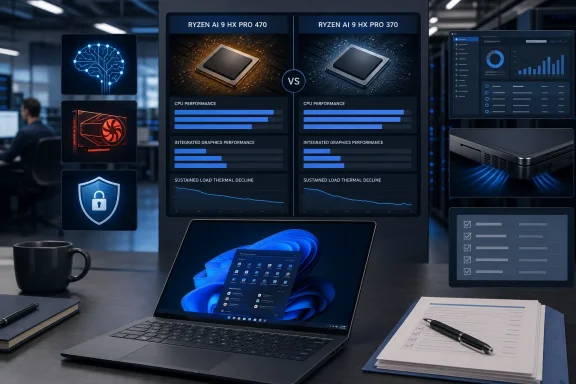 Background: What the Ryzen AI 9 HX PRO 470 Actually Changes
AMD positions the Ryzen AI 9 HX PRO 470 as a premium commercial processor for AI-capable laptops and compact desktops. The company lists a hybrid Zen 5 and Zen 5c CPU arrangement consisting of four Zen 5 cores and eight Zen 5c cores, for a total of 12 cores and 24 threads. It has a 28W default TDP, a configurable 15W–54W range, 24MB of L3 cache, and support for DDR5-5600 or LPDDR5x-8533 memory. AMD’s official product page also lists Radeon 890M integrated graphics at up to 3.1 GHz and an NPU rated for up to 55 TOPS.
Those are healthy specifications for a modern Windows business laptop. The issue is not whether the HX PRO 470 is capable. It clearly is. The issue is whether it represents a substantial enough advance over the predecessor to justify a premium, particularly for an organization that already owns Ryzen AI PRO 370 devices.
On paper, the generational distinction is narrow. AMD lists the Ryzen AI 9 HX PRO 370 with the same 12-core, 24-thread layout, the same 24MB L3 cache, the same 28W default TDP, the same 15W–54W configurable range, and the same TSMC 4nm process. Its maximum boost clock is 5.1 GHz rather than 5.2 GHz. AMD’s PRO 370 specifications also show a 50-TOPS NPU, compared with 55 TOPS for the newer processor.
The GPU changes are similarly modest. Both chips use the Radeon 890M with 16 graphics cores, but the PRO 470’s official graphics frequency rises to 3.1 GHz, while the prior PRO 370 is specified at 2.9 GHz. AMD’s product specifications for the newer chip and the older model therefore describe an incremental tuning exercise, not an architectural reset.
That context matters. Buyers should not expect a class-leading business processor to deliver dramatic year-over-year results merely because its model number is higher. AMD’s own naming confirms the continuity: the HX PRO 470 carries the former codename Gorgon Point, but its core architecture, cache configuration, and basic power targets closely resemble the prior high-end commercial mobile part.
The First Benchmarks: A Small CPU Lead, Not a New Performance Tier
Notebookcheck compared the Ryzen AI 9 HX PRO 470 in a Dell Pro 7 14 P714265 with the Ryzen AI 9 HX PRO 370 in a Lenovo ThinkPad P14s Gen 6. The publication found that raw multi-thread performance from the newer chip was only a few percentage points ahead on average, explicitly characterizing the new processor as effectively a rebrand of its predecessor with slightly higher target clocks. Notebookcheck’s comparison is a useful early snapshot precisely because it refuses to confuse tiny benchmark deltas with a new computing experience.
The headline Cinebench R23 multi-core result makes that clear:
| Configuration | Processor | Cinebench R23 multi-core |
|---|---|---|
| Dell Pro 7 14 | Ryzen AI 9 HX PRO 470 | 18,834 |
| Lenovo ThinkPad P14s Gen 6 | Ryzen AI 9 HX PRO 370 | 18,520 |
The resulting gap is approximately 1.7%. The two systems are not identical, so it is not a laboratory-grade processor-only comparison. Yet that limitation actually emphasizes the practical conclusion: even in an OEM-to-OEM comparison where platform variables can move results, the new part did not create a decisive lead. Notebookcheck’s published result table shows 18,834 points for the Dell PRO 470 configuration and 18,520 for the Lenovo PRO 370 model.
Other workloads complicate the narrative further. In the Blender BMW27 CPU render test, Notebookcheck recorded 178 seconds for the Dell with the PRO 470, compared with 169 seconds for the ThinkPad with the PRO 370. Since lower rendering time is better, the older platform completed that test about 5% faster. The same benchmark comparison does not prove that the PRO 370 processor is inherently superior; it demonstrates why an enterprise purchase cannot be based on CPU marketing alone.
A Windows endpoint is a complete system. Storage speeds, RAM capacity and timings, power profiles, BIOS maturity, thermal tuning, and even preinstalled management software may change observed results. The ThinkPad and Dell used here are different designs intended for somewhat different purchasing priorities. Treating their numbers as a verdict on silicon alone would be careless. Treating the small aggregate gap as evidence for a must-have upgrade would be equally careless.
The more useful comparison is sustained performance
Short benchmark bursts can make any modern mobile processor look exceptional. Business workloads, however, are often sustained: compiling code, exporting media, working in giant Excel models, applying device-side AI effects during long meetings, processing data, or running local virtual machines. For those tasks, a laptop’s ability to hold performance after the first few seconds matters much more than its peak score.
Notebookcheck’s Cinebench R15 loop test is therefore the most consequential early finding. The Dell Pro 7 14 initially reached 3,274 points, then fell to 2,709 points after a short period of repeated load, a decline of roughly 17%. Notebookcheck’s benchmark report says sustained performance has not improved in this implementation.
This does not make the Dell Pro 7 14 defective, nor does it invalidate the Ryzen AI 9 HX PRO 470. Thin commercial notebooks must manage heat, fan noise, skin temperatures, battery charging, and component longevity. But it does make the system a reminder that sustained performance is an OEM decision as much as a CPU decision.
Notebookcheck’s full Dell review adds useful context. During Prime95 stress testing, the system reportedly spiked to 68W before falling and stabilizing at around 48W within 15 seconds. The Dell Pro 7 14 review also lists an average of 61.1W at the wall in its external-monitor Cinebench R15 multi-core test, evidence that performance behavior depends on the notebook’s broader power-management strategy rather than AMD’s nominal 28W processor designation alone.
For an IT department, the takeaway is practical:
- Do not evaluate fleet hardware using a single short benchmark.
- Request sustained-load data for the exact SKU under consideration.
- Validate the vendor’s default thermal and battery profiles, not just maximum-performance modes.
- Test with corporate software installed, including endpoint security, VPN clients, collaboration applications, and device-management agents.
- Compare actual employee tasks, rather than relying exclusively on CPU-rendering scores.
That process matters even more in the age of AI PCs, where a video-conferencing workload can simultaneously use the CPU, GPU, NPU, camera pipeline, memory subsystem, and wireless networking hardware.
The Integrated GPU Result Is a Chassis Story, Not a Silicon Verdict
The more eye-catching result in the first data set is graphics performance. Notebookcheck says 3DMark scores from the Dell PRO 470 system were roughly 20% slower than those recorded for the ThinkPad PRO 370 configuration, despite both using Radeon 890M integrated graphics. Notebookcheck’s initial analysis describes the outcome as slower than expected.
That result should not be misread as a claim that the Radeon 890M in every Ryzen AI 9 HX PRO 470 laptop will underperform the earlier model. AMD’s own specifications say the newer chip has the same 16-core Radeon 890M, but with a higher 3.1 GHz graphics frequency. AMD’s HX PRO 470 listing makes it clear that the silicon-level GPU specification did not take a backward step.
Instead, this is an example of the complexities hidden behind integrated graphics benchmarks. The iGPU shares the notebook’s power and thermal budget with the CPU. It also relies heavily on system memory bandwidth, which can vary according to RAM capacity, channel configuration, speed, firmware settings, and the amount of memory reserved for graphics. A laptop may also employ different driver packages, display-panel power behavior, or performance profiles when plugged in versus on battery.
The ThinkPad P14s Gen 6’s sustained Cinebench R15 average was 2,736 points, compared with 2,690 points for the Dell Pro 7 14; its range also appeared more stable in the reported loop data. Notebookcheck’s ThinkPad review and Dell review should not be treated as a controlled head-to-head test, but together they illustrate a core business-PC truth: the surrounding device design can erase an apparent processor advantage.
Why GPU performance matters to Windows business users
Integrated graphics is not only about gaming. In a modern Windows 11 deployment, it can affect:
- Multi-monitor responsiveness.
- Hardware-accelerated web and Office applications.
- Video playback and conferencing effects.
- Light creative work.
- GPU-assisted analytics and visualization.
- Remote desktop and virtual desktop graphics responsiveness.
- Local AI applications that can route work across heterogeneous compute resources.
The Radeon 890M remains a powerful integrated solution by business-laptop standards. However, the early Dell result means organizations should insist on measuring the precise platform they will deploy. A higher clock specification is not a substitute for validation.
The AI Upgrade: 55 TOPS Sounds Better Than 50, but the Windows Experience Is Already There
AMD has increased the NPU rating from 50 TOPS on the Ryzen AI 9 HX PRO 370 to 55 TOPS on the Ryzen AI 9 HX PRO 470. AMD lists the 50-TOPS rating for the PRO 370 and 55 TOPS for the PRO 470. That is a real, measurable 10% increase in rated NPU throughput.
But it is not, on its own, a Windows feature unlock.
Microsoft’s Copilot+ PC category is built around devices with powerful NPUs and is associated with Windows features including Recall, Live Captions, and other AI-enhanced capabilities, subject to device, update, language, and regional availability. Microsoft’s Copilot+ PC overview specifically identifies Recall and Live Captions among the platform’s AI features. Since the outgoing PRO 370 already has a 50-TOPS NPU, it already sits above the 40-TOPS NPU threshold that Microsoft established for the original Copilot+ PC class.
This changes the enterprise calculation. A company moving from older hardware without a capable NPU may have a meaningful reason to evaluate a Ryzen AI PRO laptop: it can consolidate certain AI workloads locally and access the growing Windows AI feature set. But a company moving from PRO 370 to PRO 470 does not gain a separate tier of Copilot+ experiences merely from those additional five TOPS.
AMD’s broader AI 400 Series announcement highlights the company’s strategy of combining Zen 5 CPU cores, RDNA 3.5 graphics, and XDNA 2 NPU acceleration for local AI workloads. AMD’s launch material also promotes the commercial mobile portfolio as an extension of its AI PC offerings. That proposition is credible at the platform level. It is simply less persuasive as a generational upgrade argument for customers already using a 50-TOPS Ryzen AI PRO device.
AI PCs should be judged by workflow, governance, and manageability
TOPS has become the processor industry’s favorite AI shorthand. It is useful, but incomplete. It does not reveal which models will run efficiently, how quickly an application launches a model, whether the workload uses the NPU at all, how much memory is required, or how well a device behaves while on battery.
Enterprise buyers should ask more relevant questions:
- Which Windows features and line-of-business applications actually use the NPU?
- What local models will employees run, and which hardware backend do they target?
- How much unified memory do those workloads need?
- Can the organization govern, audit, and secure the data used with local AI features?
- Does local AI reduce cloud spending, latency, or privacy risk enough to matter?
- Will five extra NPU TOPS change the result for the organization’s real workloads?
For many firms, the answer to the final question will be no. For a small group with a tested, NPU-bound local inference workflow, the answer could be yes. That is why a pilot deployment remains more valuable than any generic AI PC specification sheet.
The PRO Advantage Still Matters, Even If the Generational Leap Does Not
It would be a mistake to conclude that the Ryzen AI 9 HX PRO 470 lacks value simply because it does not dramatically outperform the PRO 370. The PRO branding addresses commercial requirements that are separate from raw benchmark speed.
AMD’s official specification page confirms that the HX PRO 470 includes DASH support, AMD Memory Guard, AMD Secure Processor, firmware TPM capabilities, virtualization features, and Windows security support. AMD’s PRO 470 security and manageability specifications make these capabilities central to the commercial proposition.
AMD also says that Memory Guard provides full-system memory encryption on Ryzen PRO platforms, while noting that it requires OEM enablement. AMD’s PRO technologies documentation is an important reminder that a processor feature is not necessarily a shipped-device feature. Procurement teams must confirm the implementation in the actual laptop SKU.
That distinction is critical. A fleet purchase should not stop at “this system uses Ryzen PRO.” It should verify:
- Whether AMD Memory Guard is enabled and manageable in the chosen configuration.
- Whether the OEM includes the required BIOS and firmware controls.
- Whether remote-management requirements are satisfied through DASH, Microsoft Intune, OEM tooling, or another management stack.
- Whether the device supports the company’s Windows Autopilot, BitLocker, Microsoft Defender for Endpoint, VPN, and identity-management workflows.
- Whether the vendor’s driver, BIOS, and security-update lifecycle matches the organization’s endpoint policy.
- Whether the selected configuration has the appropriate warranty, accidental-damage protection, onsite support, and parts availability.
These questions apply equally to the PRO 370 and PRO 470. That is precisely why the new chip’s limited performance advantage does not invalidate either platform’s commercial value. It simply means businesses should select the best complete system, not reflexively choose the newest processor.
A Smarter Purchasing Framework for Ryzen AI PRO Laptops
The early benchmark evidence supports a more disciplined Windows laptop buying strategy.
Existing Ryzen AI 9 HX PRO 370 fleets
Organizations already deploying PRO 370 systems should not find a compelling CPU, GPU, security, or Copilot+ feature justification for an immediate switch to PRO 470. The two generations share much of the same underlying platform capability, and the first independent testing indicates that observed performance gains can be negligible. Notebookcheck’s benchmark comparison supports maintaining normal refresh schedules unless a particular laptop model offers a separate operational benefit.
That does not mean current systems should be ignored. IT teams should continue to prioritize firmware updates, Windows 11 feature readiness, driver validation, battery-health monitoring, endpoint security, and employee feedback. Those initiatives are more likely to improve the experience of an existing PRO 370 fleet than a processor-only refresh.
Organizations replacing older Windows hardware
A business replacing pre-AI PCs, older Ryzen PRO systems, or ageing Intel-based endpoints should include both PRO 370 and PRO 470 laptops in its request-for-proposal process. The right answer may be the newer processor if an OEM’s updated model offers a better screen, quieter cooling, larger battery, more useful ports, improved serviceability, or superior availability.
However, if clearance-priced PRO 370 systems have the right security configuration, sufficient RAM, adequate storage, and a proven Windows 11 image, they deserve serious consideration. Notebookcheck’s recommendation that buyers seeking value look at the older platform is grounded in its finding that the user experience should be nearly identical in many cases. The publication’s conclusion is especially relevant in budget-constrained procurement cycles.
Power users and graphics-sensitive teams
Developers, engineers, analysts, and creative professionals should be more demanding. They should not assume every Radeon 890M laptop will behave the same way, and they should measure sustained CPU and GPU behavior under the applications that matter to their teams.
A thin, elegant 14-inch business notebook may be ideal for travel-heavy executives and knowledge workers. A user who compiles large projects, renders media, manipulates complex datasets, or routinely drives several high-resolution displays may benefit more from a larger chassis, a different power profile, more memory, or discrete graphics than from the small specification increase represented by the PRO 470.
The Bottom Line
The Ryzen AI 9 HX PRO 470 is a capable commercial Windows processor with modern Zen 5-class CPU resources, Radeon 890M integrated graphics, a 55-TOPS NPU, and AMD PRO security and manageability capabilities. AMD’s official specifications establish that it is a strong foundation for premium AI-ready business systems.
Yet the first independent data provides a necessary counterweight to launch-cycle expectations. The new processor’s CPU advantage over the Ryzen AI 9 HX PRO 370 is small, its AI uplift does not create a new Copilot+ PC feature class, and the tested Dell implementation showed that sustained performance and integrated graphics behavior can be constrained by system design. Notebookcheck’s early testing does not condemn the new chip; it exposes the limits of treating annual mobile-processor refreshes as automatic upgrades.
For enterprise buyers, that is valuable clarity. Choose a Ryzen AI 9 HX PRO 470 laptop when the entire machine is the right fit. But do not retire a Ryzen AI 9 HX PRO 370 fleet early, and do not pay a substantial premium for the newer badge alone. In the Windows business laptop market, the most strategic purchase is not necessarily the newest CPU. It is the device that delivers the best verified combination of performance, sustained behavior, security, manageability, support, and cost over its full service life.
