Apple’s iOS 27 public beta is now available for compatible iPhones, but the upgrade is not yet the straightforward “install it for Siri AI” proposition some early coverage suggests. The public beta delivers the redesigned interface, system performance work, and a long list of app-level changes, while Apple says the headline
Siri AI experience will reach users later in 2026 as a separate beta rollout.
That distinction matters. An iThinkDiff comparison published July 18 presents Siri AI as the central reason to move from iOS 26 immediately, but Apple’s own June 8 announcement says the new assistant is initially in developer testing and will become available to supported users later this year. Tom’s Guide has also reported that early Siri AI access may involve a waitlist. Installing iOS 27 today does not guarantee access to the feature most likely to drive interest.
For iPhone owners who use their handset as a daily work device, the answer remains conservative: stay on iOS 26. For enthusiasts with a spare device—or IT teams validating mobile apps, SSO, certificates, and MDM policies—the public beta is now mature enough to begin controlled testing.
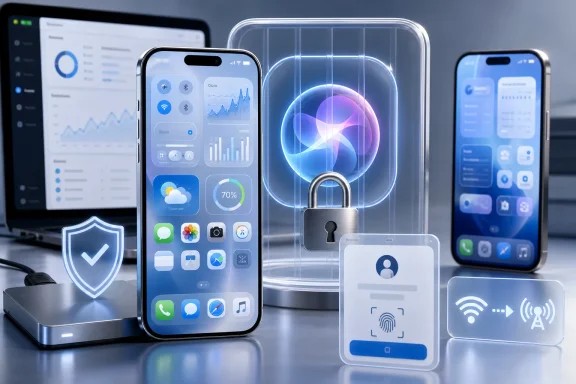 The Public Beta Is Real, but the Biggest Feature Is Still Gated
Apple released the iOS 27 public beta on July 13, following developer beta 3, build 24A5380h, released July 6. It supports the same broad hardware range described in early coverage: iPhone 11 and later, plus the second-generation iPhone SE and newer. That gives older supported devices a path to the new UI and performance improvements even without Apple Intelligence hardware.
But the feature split is sharper than an iOS 26-versus-iOS-27 table implies. Apple says Apple Intelligence and Siri AI require an iPhone 16 model or later, or an iPhone 15 Pro or iPhone 15 Pro Max. Apple also lists language and regional restrictions, including the absence of Siri AI on iPhone and iPad in the European Union at launch and no availability in China while regulatory work continues.
The assistant itself is a significant redesign. Apple describes Siri AI as conversational, able to use personal context from messages, mail, photos, and other supported sources; recognize on-screen content; take broader actions across apps; and retrieve current information from the web. A dedicated Siri app will retain conversation history and sync it privately through iCloud.
Those are ambitious claims, and precisely why a staged beta makes sense. A system agent that can interpret private content and initiate actions across apps must be tested more carefully than a visual redesign or a new widget size. For now, iOS 27 public-beta users should judge the build on what is actually enabled on their device, not on every feature Apple previewed at WWDC26.
Performance Is the More Universal Upgrade
The clearest near-term case for iOS 27 is not generative AI. It is responsiveness.
Apple’s own testing compares prerelease iOS 27 against iOS 26.4.2 and cites faster app launches on an iPhone 11 Pro Max, better Photos behavior on an iPhone 15, and quicker AirDrop transfers on an iPhone 16 Plus. Independent hands-on reporting from
MacRumors similarly points to faster animation, keyboard, camera, App Library, Home Screen, Messages sync, and Wi-Fi-to-cellular transitions.
That is potentially meaningful for owners of older compatible hardware. An iPhone 11 cannot access the new Apple Intelligence stack, but it can still benefit if Apple’s work reduces latency in the core interactions that define daily use: unlocking the phone, invoking the keyboard, taking a photo, switching apps, and sending files.
The caution is that benchmark-style comparisons and early hands-on impressions do not equal a final-release verdict. A beta can feel faster in a clean test state while introducing intermittent stalls, indexing-related battery drain, or regressions in third-party apps. Performance also varies substantially after a device restores a backup, rebuilds Photos indexes, reconnects cloud accounts, and starts downloading background content.
For Windows users who treat the iPhone as part of a mixed-device workflow, the practical test is less glamorous: confirm that Microsoft Authenticator approvals work, Outlook and Teams notifications arrive reliably, OneDrive uploads complete, VPN clients reconnect, and corporate Wi-Fi and certificate-based access behave as expected. Those are the failures that turn an otherwise smooth beta into a bad daily-driver upgrade.
The Smaller Changes Add Up, but They Are Not Risk-Free
iOS 27 expands Apple Intelligence into more places, including image editing in Photos, writing tools, Safari, Messages, Mail, and automation. Apple has also emphasized stronger parental controls and a substantially redesigned Screen Time experience, with daily category allowances, schedules, contact approvals, and a more legible family overview.
The public beta includes practical changes beyond AI. Early reports point to more reliable Messages transfers and retries, improved network handoff, AirPods equalizer controls, separate alarm-volume controls, larger widgets, saved video frames in Photos, HomeKit Secure Video improvements, and expanded Home app camera support. FaceTime dual-camera support is also part of the update on compatible hardware.
Some of these features will be more valuable than Siri AI for a typical household. Better message recovery, less friction moving between Wi-Fi and mobile data, and improved home-camera reliability address mundane failures that users notice immediately. A transparency control for the refined Liquid Glass visual treatment is also a sensible response to readability concerns from the first version of the design.
Still, a public beta is unfinished software by definition. Banking apps, identity providers, secure VPN clients, MDM agents, medical-device companion apps, car integrations, and games with anti-cheat systems all have a history of breaking or behaving unpredictably during major mobile OS testing cycles. A beta’s failure mode is not always a crash; it can be a missing notification, a failed passkey prompt, an unreliable CarPlay session, or an authentication loop after a compliance check.
That is why the correct backup strategy is not merely “make an iCloud backup.” Anyone considering iOS 27 should first confirm they have an archived, encrypted local backup that can be restored if a rollback becomes necessary. They should also verify whether a current iOS 26 backup will remain usable after the beta upgrade, because backups created on a newer OS generally cannot be restored onto an older version.
Treat It Like a Test Ring, Not a Consumer Release
Windows administrators already understand the operating model: do not deploy a feature update to the production fleet because its release notes are attractive. Start with noncritical devices, identify line-of-business dependencies, record failures, and expand only when the risk is acceptable. iOS 27 should be handled the same way.
A sensible dividing line is straightforward:
- Install iOS 27 public beta on a secondary iPhone, a lab device, or an enthusiast’s phone that is not required for work, travel, payments, or emergency access.
- Keep a primary iPhone on iOS 26 if it carries work authentication, manages smart-home access, serves as the family’s recovery device, or is needed for dependable banking and communication.
- Test the beta first if you develop iOS software, administer Apple devices through MDM, support Microsoft 365 mobile access, or need to validate app compatibility before the autumn release.
- Do not install solely for Siri AI unless access is actually available for the account, country, language, and iPhone model in use.
The final iOS 27 release is expected this fall. Between now and then, Apple has to broaden Siri AI availability, resolve region-specific limitations, and turn developer-beta behavior into something suitable for hundreds of millions of devices.
The public beta is a worthwhile preview for testers, particularly because its performance improvements reach iPhones that cannot run Apple Intelligence. But iOS 26 remains the better operating system for anyone who needs their iPhone to be boring, dependable, and ready when a password prompt, airline pass, VPN connection, or work call cannot fail.

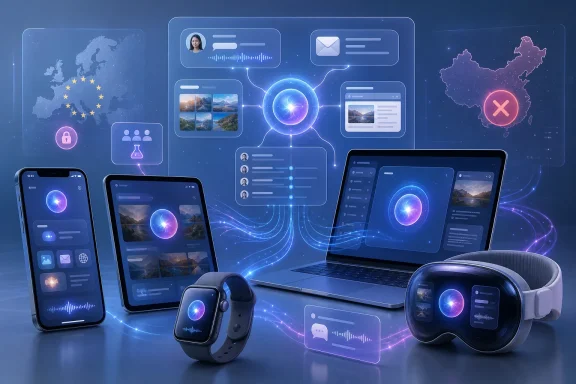 From voice commands to personal context
