
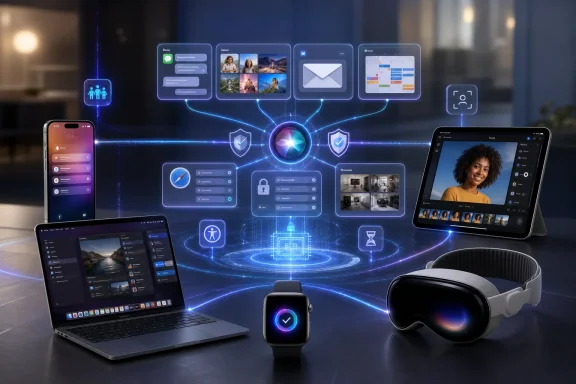
 Overview: Apple Intelligence Moves From Features to Infrastructure
The forthcoming releases of iOS 27, iPadOS 27, macOS 27, watchOS 27, visionOS 27, and tvOS 27 are not being positioned as a conventional annual polish. They represent a more fundamental redesign of how Apple software handles information, automates repetitive actions, and connects personal data across devices.
At the core is a new generation of Apple Intelligence, built around updated Apple Foundation Models that can run locally on supported hardware and, for more demanding work, use Private Cloud Compute. Apple has also confirmed collaboration with Google and its Gemini models for deeply integrated experiences, marking a notable evolution in the company’s approach to advanced generative AI.
For users, the practical promise is straightforward: less hunting through apps, fewer manual steps, and more software that recognizes context. A request no longer needs to begin and end inside a single app. It may start with an email, trigger an action in Calendar, use information from Messages, and surface the result in a phone call or notification.
That is a powerful concept. It is also a dramatic expansion of the role operating systems play in managing private information.
Siri AI Is the Most Ambitious Change
A dedicated assistant rather than an upgraded voice shortcut
The new Siri AI is presented as an entirely new version of Siri, not merely a refreshed interface or a larger list of commands. It will have a dedicated app where users can begin new conversations, revisit previous ones, and privately sync conversational history through iCloud across their Apple devices.
That shift matters. Earlier assistant designs treated voice interaction as an isolated moment: ask a question, receive an answer, move on. Siri AI is intended to operate more like a persistent personal layer across iPhone, iPad, Mac, Apple Watch, and Apple Vision Pro.
Its core capabilities include:
- Searching across messages, emails, photos, files, and other personal content
- Answering questions about what is currently visible on the screen
- Using broader web knowledge for current information
- Taking actions across apps through systemwide app actions
- Retaining conversational context in a dedicated Siri AI experience
- Supporting writing and visual-intelligence workflows across platforms
The strongest part of this strategy is that it addresses an everyday computing problem rather than simply adding a chatbot. People often know that a detail exists somewhere in their digital life but cannot remember whether it was in an email, a photograph, a chat thread, a PDF, or a calendar invitation. A capable assistant that can search across those silos could be more useful than a standalone AI text box.
The opportunity—and the difficult standard
The central challenge is accuracy. A personal assistant that helps locate a flight confirmation number, identifies the right photo, or creates a reminder can save time. An assistant that fetches the wrong confirmation code, misunderstands a message, or creates a calendar event at the wrong time risks creating more work than it removes.
This is where the difference between generative AI and agentic AI becomes important. Generative tools produce text or images. Agentic systems can initiate tasks, change settings, update passwords, create records, and act on a person’s behalf. The latter category demands much stronger safeguards, obvious review steps, and clear visibility into what the system is doing.
Apple’s approach is promising because it aims to ground actions in information already held within the user’s account and on-device environment. But a system that is deeply integrated into a person’s digital life will be judged on reliability, reversibility, and restraint—not only on whether it can produce impressive demonstrations.
Apple Intelligence Spreads Across Everyday Apps
Photos gains more aggressive AI-assisted editing
The Photos app receives some of the most visually dramatic changes. Spatial Reframing lets users adjust a photo’s perspective after it has been captured, previewing the result in real time as though the camera’s position had shifted. The feature is intended to improve composition without simply cropping away important parts of an image.
Apple is also expanding the existing editing toolkit with:
- Extend, which fills newly exposed areas when changing a photo’s framing or aspect ratio
- A more capable Clean Up tool for removing unwanted objects and distractions
- More realistic AI-generated infill in complex scenes
- Improved photo-search capabilities based on people, locations, and descriptive context
The company says that Photos adjusted with Apple Intelligence will carry a hidden SynthID watermark identifying them as AI-edited. The same approach applies to generated imagery from Image Playground.
This is a sensible attempt to preserve some traceability as image manipulation becomes commonplace. Yet invisible watermarking is not a complete answer to provenance concerns. It can help platforms and compatible tools recognize generated or altered content, but it does not make every edited image self-evidently synthetic to a human viewer. The increased realism of these tools should make users more disciplined about differentiating between personal memory, artistic enhancement, and factual documentation.
Image Playground embraces photorealism
Image Playground is moving beyond its earlier stylized output. The upgraded version can generate high-quality imagery in a broad range of styles, including photorealistic images, using a generative model that relies on Private Cloud Compute.
Users can modify an image through plain-language descriptions or direct manipulation: tapping, circling, or brushing an object to move or resize it. Generated images can also become Lock Screen wallpapers, Contact Posters, and content for Messages, with selectable aspect ratios for projects such as flyers or web graphics.
The creative upside is obvious. The new version could be useful for mockups, personalized invitations, social content, classroom materials, and lightweight design work. It also places Apple more directly into the increasingly competitive market for accessible image generation.
There is a trade-off, however. As photorealism improves, the distance between a playful generated picture and a misleading synthetic image becomes much smaller. Apple’s labeling mechanism is meaningful, but the company will need equally strong protections around identity misuse, deceptive depictions, and images involving sensitive subjects.
Safari and Passwords Introduce Agentic Behavior
Browsing becomes more organized—and more active
Safari is gaining several AI-focused features that are especially relevant for Mac users. The browser can automatically group open tabs into topics, reducing the chaos that develops when research, shopping, trip planning, work tasks, and personal browsing all pile into one window.
The more consequential addition is Notify Me. Users can ask Safari to monitor a page for a specified change, such as an item returning to stock, a price changing, or registration opening. When the relevant change occurs, Safari can send a notification.
This is a practical use of AI that does not require the user to hand over control of a sensitive task. It converts passive page monitoring into an operating-system service and could be particularly valuable for product availability, event registration, travel planning, limited-ticket sales, and policy or documentation updates.
Passwords takes a major leap
The Passwords app is also becoming more assertive. Beyond identifying weak or compromised credentials, it can now use Apple Intelligence and Safari to navigate eligible websites, sign in, and upgrade accounts to strong passwords with a single approval.
For security-conscious users, that could solve one of the most persistent password-management problems: knowing a password is weak but postponing the update because the process is tedious. Automating the site navigation and password replacement process could meaningfully raise account-security hygiene.
But this is also one of the features that warrants the most careful rollout. Password changes are high-impact actions. A robust implementation should make the destination site, changed account, recovery options, and final result unmistakable. Users should also expect that some websites, authentication flows, legacy services, and multi-factor authentication systems will not support seamless automation.
The wider lesson is clear: automation is most valuable when it remains easy to inspect and undo. Systems that act on a user’s behalf must avoid turning convenience into opacity.
Communication, Scheduling, and Home Automation Get Smarter
Messages and Mail become action surfaces
Apple is adding contextual suggestions to Messages and Mail. A conversation about an errand, for example, may surface a one-tap option to create a note or reminder. When someone asks for photos, Messages may identify relevant images using people, location, and keyword data from the user’s library.
Smart Reply is also becoming more personal, with responses that can reflect an individual’s writing style. This could make quick replies less generic, but it also raises a familiar concern: an AI-generated reply may sound like the user without necessarily reflecting what the user truly intends to say.
Mail suggestions can also take action with third-party apps, further expanding the reach of Apple Intelligence beyond Apple’s own services. The potential benefit is significant for users who spend large portions of the day moving information between messages, calendars, task lists, and business applications.
Call Context and Calendar target practical friction
Call Context is a particularly interesting feature because it prioritizes useful information at the moment it is needed. When calling an airline, hotel, restaurant, or other business, the Phone app can surface related details such as a confirmation code or reservation number drawn from Mail.
Apple describes Call Context as on-device processing that considers who the user is calling rather than recording or analyzing the content of the conversation. If the feature operates as described, it could be a strong example of context-aware computing that delivers immediate value while avoiding needless retention of sensitive call content.
Calendar receives natural-language event creation and editing. Users can describe an event, while the system identifies likely contacts and locations and generates a title. This is another area where the benefits are easy to understand, but precision will matter. Time zones, recurring events, guest lists, locations, and work calendars are all areas where a seemingly small AI mistake can have outsized consequences.
Home gets video summaries and searchable camera clips
Apple Intelligence is also reaching HomeKit Secure Video workflows. The Home app can combine multiple related accessory notifications into a single evolving activity, reducing the flood of alerts from connected cameras, locks, sensors, and other smart-home hardware.
New camera features include:
- AI-generated descriptions of video activity
- Search across recorded clips
- A “Noteworthy” section for clips that may require attention
- Grouped notifications that track related real-world events
For homeowners, this could make security-camera footage substantially more useful. A searchable archive is far more practical than scrolling through timelines manually. Still, AI descriptions of events should be treated as summaries rather than definitive records, particularly in situations involving security, disputes, insurance, or law enforcement.
Accessibility Is One of the Most Important AI Applications
Some of the most meaningful upgrades are not flashy consumer features but accessibility improvements. AI-enhanced VoiceOver, Live Recognition, Magnifier, Voice Control, and Accessibility Reader aim to make visual and onscreen information more usable for people with disabilities.
VoiceOver will provide richer image descriptions, while Live Recognition on iPhone can answer questions about nearby surroundings through the Action button. Magnifier gains similar assistive exploration in a high-contrast interface for people with low vision.
Voice Control is also becoming more flexible. Instead of requiring users to memorize precise button names or numbered labels, they can describe what they see on screen. Accessibility Reader expands support for more complex material and can offer summaries and translation.
This is a strong argument for deeply integrated AI. The best use of machine intelligence is often not novelty but reducing barriers. When an interface can interpret a scene, explain a control, summarize dense material, or translate content in the moment, it can make computing more independent and inclusive.
Performance and Design: A Broader Operating-System Overhaul
AI is not the only theme of the upcoming releases. Apple is also promising a broad stability, performance, and interface pass across its operating systems.
The company reports that iPhone and iPad apps can launch up to 30 percent faster, newly taken photos can load up to 70 percent faster, and AirDrop transfers can be up to 80 percent faster. Those figures come from Apple’s controlled testing and should be viewed as best-case measurements rather than guaranteed gains for every device, app, workflow, or network condition.
Other notable changes include:
- Faster file browsing and copying between iPad and external drives
- Rebuilt search experiences in Spotlight, Photos, and Mail
- A new Mail ranking system for more relevant Top Hits
- A Liquid Glass customization slider ranging from clearer to more tinted appearances
- Sharper app icons and interface refinements
- A more traditional Mac visual structure with uniform toolbars, edge-to-edge sidebars, and colored sidebar icons
- Full-resolution, cross-platform iCloud Shared Albums
- Enhanced Apple Maps Flyover visuals using AI
- Faster Wi-Fi connection behavior on Apple Vision Pro
- New panorama-to-spatial-scene capabilities for Vision Pro
- Custom EQ options for AirPods
- Expanded Cycle Tracking support for perimenopause and menopause
For Mac users, the revised macOS design deserves attention. The return to more consistent toolbars and stronger sidebar identity suggests Apple is responding to a legitimate usability concern: visual consistency should not come at the expense of orientation or information density. A design system can feel modern while still respecting the navigation cues that desktop users depend on.
Parental Controls Become More Granular
Apple is pairing its AI story with substantial updates to Screen Time and child safety tools. Parents setting up a child account can select which apps are initially available, approve every new contact, and use communication safeguards that can intervene when explicit or violent material is shared.
The new controls include:
- Ask to Browse, requiring parental approval before a child can access a new website in Safari
- Expanded Communication Safety protections for graphic violence and gore, not only nudity
- Daily time allowances for Entertainment, Games, and Social Media categories
- Schedules that define which app categories are accessible at particular times
- A redesigned Screen Time interface with at-a-glance usage and top-app information
The move toward category-level allowances is a welcome refinement. Parents often do not want to block every game or every entertainment app permanently; they want reasonable limits that reflect school, sleep, family routines, and age. More granular controls can be more effective than blunt restrictions.
As always, the usefulness of parental-control systems depends on clarity. Parents need to understand which protections apply, when they are triggered, how exceptions work, and what data is visible to different family members. Controls that are technically powerful but hard to configure often become either overused or ignored.
Hardware, Geography, and Availability Will Shape the Real Experience
The new AI capabilities will not reach every Apple device. Apple Intelligence and Siri AI support is tied to relatively recent hardware, including iPhone 16 models and later, iPhone 15 Pro models, select iPads, Macs with M1 or later, Apple Vision Pro, and newer Apple Watch models when paired with an eligible iPhone.
This split reflects the computational demands of on-device models and Apple’s effort to preserve responsiveness. It also means the software upgrade will be uneven across the installed base. Users may receive iOS 27 or macOS 27 while missing the AI features that dominate the release’s marketing.
Availability is further complicated by language and region. Siri AI is scheduled to arrive in beta later in the release cycle for supported devices set to English, with more languages to follow. On the Mac and Apple Vision Pro, Siri AI is expected to be available in the European Union when a supported language is used. It will not initially be available in the EU on iPhone, iPad, or Apple Watch.
Apple Intelligence and Siri AI will also remain unavailable in China while regulatory requirements are addressed. Some server-based features, including image generation, will have daily usage limits, with expanded access tied to many iCloud+ plans.
These constraints are not a minor footnote. They determine whether the headline features are actually part of a person’s day-to-day operating-system experience. The gap between a platform preview and a globally consistent release remains one of the largest risks in Apple’s AI strategy.
The Developer Story Has Major Implications
The operating-system changes are not limited to Apple’s first-party apps. Developers gain several pathways to build on the new intelligence layer, including expanded Foundation Models tools, image input, cloud-model support, App Intents integration, and a new Core AI framework for running on-device models.
Developers can also connect application content and actions to natural-language requests through Siri. The implication is significant: a user may eventually ask Siri AI to perform a task within a third-party app without needing to navigate that app’s interface manually.
Apple is also expanding its coding story. Xcode 27 adds more agentic coding capabilities, a new Device Hub that brings virtual and physical devices into one workspace, faster project handling, and integrations with leading AI model providers.
For the broader PC market, this is a reminder that AI competition is increasingly about platform integration rather than just model quality. The winning ecosystem will not necessarily be the one with the most impressive benchmark, but the one that gives developers dependable tools, gives users clear control, and makes sophisticated automation feel ordinary rather than experimental.
A More Useful Apple Ecosystem—If Trust Keeps Pace
Apple’s operating-system previews present a coherent vision: AI should be embedded in the moments where people already work, communicate, browse, manage devices, and organize their lives. Rather than forcing users into a separate assistant app, the company is trying to make intelligence available at the point of need.
The strengths are substantial. Siri AI is designed around personal context and app actions; Safari gains genuinely practical monitoring and organization tools; Passwords could improve security hygiene; accessibility features target real-world independence; and the broader performance work acknowledges that reliability remains just as important as new capabilities.
The risks are equally real. The more deeply an AI system can see across messages, email, photos, calendars, browsing, passwords, and smart-home footage, the higher the bar for privacy architecture, user consent, explanation, and error handling. Feature availability will also vary sharply depending on hardware, language, region, and subscription tier.
If Apple can deliver the promised privacy protections, preserve user control over agentic actions, and make the experience dependable outside tightly scripted demonstrations, these releases could mark a genuine shift in personal computing. The most important upgrade may not be that devices can answer more questions. It may be that they finally become better at helping users act on the information they already have.
