
The Alliance’s August 19 advisory describes the usual takeover chain—phishing, reused passwords, breached credentials and malware—and urges users to enable multifactor authentication, use unique passwords and review privacy settings. The Federal Trade Commission independently gives much the same recovery advice: change passwords, sign out of other sessions, inspect account settings and warn contacts. But the most valuable addition for people who manage their own Windows devices is to treat the email account behind a social profile as part of the incident, not as a separate service.
A social platform password reset generally lands in an inbox. If the attacker controls that inbox, changing the social-media password may be only a temporary victory.
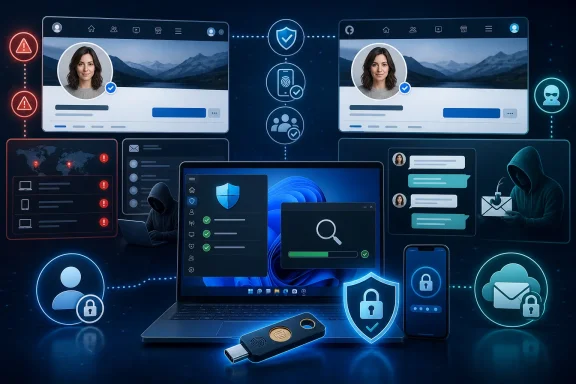 A takeover and a clone demand different responses
An account takeover means someone has authenticated to the real account. The visible signs are operational: password or profile changes the owner did not make, unfamiliar devices or locations in login history, posts and direct messages sent without permission, or an outright lockout. The attacker can see private messages and may be able to change recovery details, invite new accounts, monetize the profile, or send convincing payment requests to people who already trust the victim.
Profile cloning is different. The criminal builds a lookalike account from public material—name, headshot, workplace, bio, old photos and friends-list clues—without gaining access to the original profile. The clone cannot read the victim’s private messages or change the genuine account’s settings. It can still be effective enough to send a duplicate friend request, claim a “new account,” and pitch a fraudulent investment, fake sale, romance scam or emergency payment request.
The response should match the evidence. A cloned profile needs fast reporting, a warning to contacts, and a privacy review; changing the genuine account password does not remove a copycat. A genuine takeover needs those steps plus credential recovery, session revocation and an investigation of the device and email account used to log in.
That distinction prevents two common mistakes: assuming a fake profile proves a password breach, and assuming a password reset solves an attack that has spread to the recovery mailbox.
MFA is necessary, but code-based MFA can still be phished
The Alliance recommends an authenticator app over SMS, and that is sound advice. The Cybersecurity and Infrastructure Security Agency likewise ranks security keys highest, authenticator-app approvals with number matching next, authenticator-app one-time codes after that, and text or email codes as the weakest common option.
However, readers should not read “authenticator app” as synonymous with phishing-proof. NIST’s current digital identity guidance is explicit: methods that require a user to manually type an OTP—whether it arrives by text or comes from an authenticator app—are not phishing-resistant. A convincing fake login page can ask for the password and the fresh code, then relay both to the real service in real time.
The better hierarchy for accounts that support it is straightforward:
- Use a passkey or a FIDO2 security key for the accounts that offer one.
- Use app-based MFA with number matching or an approval prompt when a passkey is unavailable.
- Use time-based authenticator codes when that is the platform’s best available choice.
- Keep SMS as a fallback rather than the preferred method, and never disclose a code to a caller, support chat, email sender or direct-message contact.
Passkeys deserve more attention in consumer account hygiene because they solve the mechanism that makes credential phishing lucrative. A passkey is tied cryptographically to the legitimate site, so a bogus lookalike domain cannot simply collect a reusable password and code. NIST identifies WebAuthn—the technology behind modern passkeys and FIDO2 authenticators—as an example of phishing-resistant authentication.
A password manager remains valuable even when passkeys are not available. Its job is not merely to create complicated passwords; it prevents the credential reuse that lets a breach at one minor service become a key for Instagram, Facebook, LinkedIn, X, TikTok, Discord or another account where the same password was recycled. NIST advises password managers and recommends a password of at least 15 characters when a password is still required. The Alliance’s 16-character target is a sensible, easy-to-remember house rule, but uniqueness matters as much as length.
The recovery email account is the account to secure first
The FTC’s recovery guidance makes the dependency clear: attackers who can access email can request password resets for other services and intercept the reset links. This is why a social-media incident should start with the email account that receives its security alerts and recovery messages.
Before changing a social-media password, sign in to the associated email account through a known-good browser or official app—not through a link in a suspicious message. Change its password if there is any reason to suspect compromise, enable its strongest available MFA or passkey option, and inspect its recovery email addresses, phone numbers, recent sign-ins and connected applications.
Then look for persistence. The FTC specifically advises checking email forwarding rules, sent mail and deleted mail. A criminal who creates an auto-forwarding rule may continue receiving resets and alerts after the victim believes the account is fixed. The same principle applies to social platforms: remove unfamiliar sessions and devices, review connected applications, and check whether security or recovery details were changed.
Microsoft account users have comparable tools in the account security dashboard. Microsoft’s Recent activity view can show significant sign-ins and security-information changes, while its “sign out everywhere” feature begins terminating browser and app sessions across trusted devices; Microsoft says that process can take up to 24 hours. Those controls do not repair a compromised social account directly, but they are important when an Outlook.com address is the recovery route for it.
One assertion in the Alliance article needs a narrower reading. It says social-media platforms will not contact users by text, phone call or direct message. That is a useful default for handling suspicious outreach, but platforms and account providers do send legitimate security notices through more than one channel. Microsoft, for example, documents email and SMS alerts for unusual sign-in activity. The safe rule is not to assume every unexpected text or message is fake; it is to avoid using its link, phone number, QR code or reply path. Open the official app yourself, use a saved bookmark, or type the provider’s address manually and review the alert from inside the authenticated account.
A Windows PC may be the source of the compromise
If a user entered credentials into a phishing page, a password reset and MFA enrollment might be sufficient. If there are signs of malware—unrecognized browser extensions, persistent redirects, unexpected ads, unexplained CPU use, security software disabled without permission, or repeated account compromise—the Windows device needs attention before it is trusted with new credentials.
Microsoft recommends updating security intelligence and running a full scan with Microsoft Defender Antivirus through the Windows Security app. On Windows 11 or supported Windows 10 installations, open Windows Security, select Virus & threat protection, then choose Scan options for a Full scan. If the concern is a persistent infection, Microsoft Defender Offline restarts the PC and scans outside the normal Windows session, making it harder for active malware to hide.
Do not reset important passwords from a machine suspected of running credential-stealing malware until it has been scanned and remediated. Use a separate, trusted device where possible. Also check browsers for unfamiliar extensions, remove software that was installed without a clear reason, install pending Windows and browser updates, and confirm that real-time antivirus protection is active. A second antivirus product should not be piled on indiscriminately; Microsoft notes that Defender Antivirus can disable itself when another antivirus package is installed.
For managed environments, the lesson is less about telling employees to be careful and more about reducing the conditions that make account theft reusable. Require MFA for corporate social accounts, prohibit shared credentials, put recovery contacts under organizational control, maintain an access inventory, and remove former staff or agency access promptly. The person posting to a brand account should not be the only person able to recover it.
Report the impersonation—and warn people outside the platform
The Alliance advises victims of profile cloning to report the false account and ask friends and family to report it too. That is practical because platforms commonly act on impersonation reports, and several reports can establish that the profile is fraudulent. Preserve screenshots showing the account name, handle, profile URL, messages and payment requests before the profile disappears or changes.
A public warning should be brief and specific: the account is fake, it is not a replacement profile, and contacts should not send money, gift cards, codes or personal information. Tell people where the genuine account can be found, but do not amplify the cloned account by repeatedly reposting its handle or content. For organizations, publish the notice from a verified website or a second established channel so customers have an independent way to validate it.
The immediate security job is therefore not merely “change the password.” Secure the recovery email, end unauthorized sessions, use a phishing-resistant sign-in method where the service supports it, scan the Windows device if malware is plausible, and tell contacts before the attacker gets the chance to exploit their trust.