
The SparkyLinux project released version 8.4 on August 10 as the fourth stable update in its Debian 13 “Trixie”-based Seven Sisters series. As first reported by Linuxiac and later examined by The Register, the release restores i686-PAE Live/Install media in MinimalGUI and MinimalCLI forms, alongside the usual 64-bit and ARM64 builds.
For old Windows-era hardware, this is a real option rather than a nostalgic release-note entry. But it should be approached as a practical way to run a narrowly scoped machine—retro software, a local utility box, a lab VM, or a low-demand secondary device—not as a painless return to a fully supported general-purpose desktop.
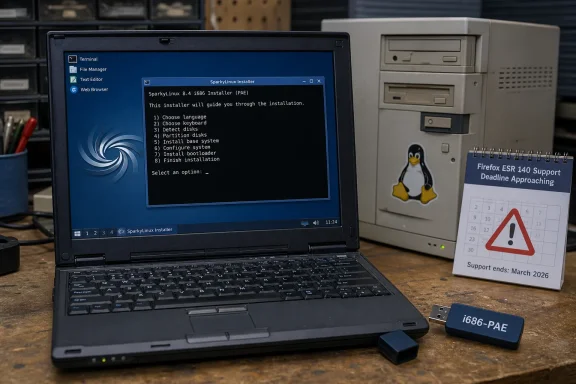 Debian’s i386 exit is why Sparky’s return matters
Sparky 8.0, released in August 2025, explicitly abandoned x86/i686 ISO images while retaining i386 packages in its own repository. That followed Debian 13’s much larger architectural change: Debian no longer treats i386 as a regular installable architecture, supplies no official i386 kernel or installer, and advises users with 32-bit installations not to upgrade to Trixie.
Sparky 8.4 therefore is not simply republishing an older Debian installer with a fresh wallpaper. The project is supplying the missing boot and installation path itself, including a 32-bit Linux 6.12.102 LTS kernel. Debian’s own guidance explains the constraint behind the move: its remaining i386 packages principally exist for running legacy 32-bit applications on 64-bit systems through multiarch or chroots, not for maintaining conventional 32-bit PC installations.
That makes Sparky’s effort unusually specific. The distribution says its renewed images target “really old” but still functional systems, and the official download page verifies that the media are present: the i686-PAE MinimalGUI ISO is listed at 1.50 GB and the MinimalCLI ISO at 998 MB.
The return should not be read as support for every PC that once ran 32-bit Windows XP or early Linux distributions. i686-PAE is a hard baseline. Sparky 8.4 will exclude older 486-, Pentium-, and some early-era hardware without PAE capability. It is better suited to later Pentium M-, Core-derived-, and Atom-era systems, assuming their firmware and drivers cooperate.
The 32-bit edition starts small—and installation is more hands-on
Sparky’s 64-bit release is familiar territory: graphical images are available for Xfce, LXQt, MATE, KDE Plasma, and Openbox, and the project advertises BIOS, UEFI, and Secure Boot support for those editions. The 32-bit line is narrower. The project lists i686-PAE MinimalGUI with Openbox and MinimalCLI, and says the images support BIOS and UEFI.
There is a critical difference for anyone expecting the standard desktop Linux installation flow: the 32-bit images do not include Calamares. Sparky instructs users to launch its text-mode installer manually with sudo sparky-installer. That means choosing locale, keyboard, storage layout, accounts, and packages in a terminal-driven interface rather than clicking through a graphical wizard.
The Register reports that the installer offers a broad desktop selection after installation begins, including the classic Common Desktop Environment and NsCDE. Sparky’s own 8.4 announcement does not enumerate those post-installer choices, only the minimal image types, so administrators should treat the ISO’s default Openbox environment as the guaranteed starting point and verify the available package selection during an actual install.
The release announcement also recommends an active internet connection when installing on UEFI systems. That is a material deployment detail for old laptops that may have awkward Wi-Fi chipsets or no functional Ethernet adapter. Downloading an ISO is not the same as having a fully offline installation workflow.
Sparky says existing version 8 users only need to update normally; they do not need to reinstall to receive the refreshed packages. That applies to existing installations on already supported architectures. The new 32-bit support is delivered through new installation media, so it does not create an in-place upgrade route from a discontinued 32-bit Sparky 7 or Debian 12 install to Sparky 8.4.
A browser support deadline limits the machine’s useful role
Sparky ships Firefox 140.13 ESR in the 8.4 images. That is a sensible choice for 32-bit Linux today, but it highlights the central limitation of reviving 32-bit hardware in 2026.
Mozilla ended mainstream Firefox support for 32-bit x86 Linux after Firefox 144 and has said Firefox ESR 140 will be the final ESR branch for 32-bit Linux. Mozilla’s published support guidance says no subsequent ESR version will support the platform; its prior announcement said ESR 140 security updates would continue until at least September 2026.
As of August 21, that leaves the platform with a short and clearly defined browser-support runway. Sparky can keep the operating system usable, but it cannot solve the upstream reality that a current, security-maintained browser is essential for a broadly connected desktop. A revived machine used for ordinary web browsing, email, financial sites, password management, or Windows-network administration should be evaluated against that deadline now, rather than after Firefox ESR 140 stops receiving fixes.
The safer use cases are correspondingly narrower:
- A 32-bit Sparky system can make sense for local tools, serial-console access, retro applications, lightweight media playback, or isolated utility duties.
- A system intended for regular internet use needs a browser-maintenance plan before deployment, not merely a successful installation.
- A small 32-bit virtual machine may benefit from the lower memory and disk demands, but a 64-bit guest is generally the better long-term choice where the host CPU permits it.
Sparky’s own repository offers Firefox 153 only for amd64 and ARM64, according to the project’s 8.4 release note. That division makes the 32-bit boundary explicit: the current ESR package is the maintained browser option supplied for the revived architecture, while the newer Firefox line is not.
Early reports point to a login issue that needs verification
There is also an unresolved installation-media warning in Sparky’s own comment section. The 8.4 announcement specifies the PC live credentials as live for both username and password. Two commenters, writing on August 13 and August 20, reported being unable to log into the 32-bit release using those credentials and several alternatives.
Those comments do not prove a universal defect. Neither report documents the exact ISO checksum, boot mode, keyboard layout, or whether the problem occurred at the live desktop, display manager, or installer stage. Sparky had not publicly replied to either report when the page was checked on August 21.
Still, the reports are specific enough that anyone preparing a deployment should validate the download before writing media, boot the Live environment on the target device, and confirm login access before repartitioning a disk. The project provides checksums and signatures alongside each ISO. That verification step is routine for administrators, but it is especially worthwhile for a small project restoring an architecture that its upstream base no longer installs itself.
A useful rescue distribution, not a reversal of 32-bit’s decline
SparkyLinux 8.4 proves that Debian 13’s removal of official i386 installation support did not make a modern 32-bit desktop technically impossible. It did, however, shift the maintenance burden to smaller downstream projects and exposed how many other components—installers, kernels, browsers, firmware, and desktop packaging—must remain viable for a revived PC to remain safe and useful.
The immediate consequence is straightforward. Owners of PAE-capable 32-bit machines now have fresh SparkyLinux media and a current 6.12 LTS kernel to test, rather than being confined to older Debian releases. But the practical decision should hinge on the device’s intended network exposure: Firefox ESR 140’s approaching endpoint means Sparky 8.4 is best deployed where keeping old hardware alive matters more than making it a primary internet computer.