
That distinction matters particularly for Windows users experimenting with Linux, dual-boot enthusiasts, developers running Ubuntu in virtual machines, and IT administrators evaluating Ubuntu Desktop alongside Windows 11. Stonking Stingray is not an LTS release, and its shorter support lifecycle makes it a poor default choice for conservative deployments. Yet it may be the most useful Ubuntu release to watch if the goal is to understand where Canonical is taking usability, enterprise identity, accessibility, local AI, and emerging hardware support.
Canonical’s schedule currently sets the final Ubuntu 26.10 release for October 15, 2026. The beta is planned for September 24, the kernel freeze for October 1, and the release candidate for October 8. As with any distribution still under development, those milestones can move if regressions appear, but the published schedule provides a clear testing runway. Ubuntu’s official release schedule lists the major freezes and testing milestones.
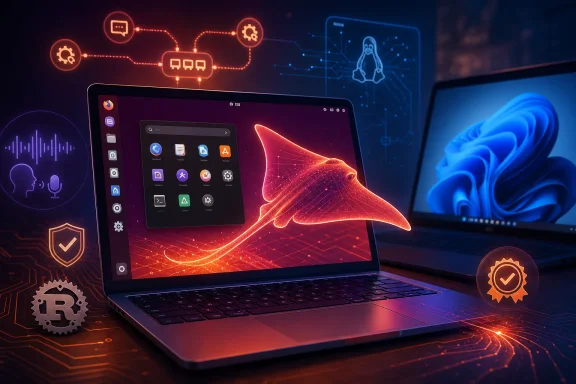 Overview: Why Ubuntu 26.10 Matters Despite Its Short Lifespan
Ubuntu’s interim releases are deliberately transitional. Canonical releases a new version every six months, while the Long Term Support editions arrive every two years and receive five years of standard security maintenance. Interim releases are supported for nine months, creating a comparatively small window for testing newer kernels, desktop components, toolchains, and architectural changes before they become candidates for the following LTS baseline. Ubuntu’s current 26.10 feature overview correctly frames that role: the non-LTS release is where Canonical can take meaningful technical risks without forcing them immediately onto every long-term deployment.
That model makes Ubuntu 26.10 “Stonking Stingray” more than a routine point on the Linux release calendar. It is the first meaningful post-26.04 LTS proving ground for Canonical’s next two-year desktop plan.
The roadmap rests on four broad ideas:
- A more robust GNOME-based desktop foundation.
- A simpler experience for first-time and everyday users without removing power-user flexibility.
- A more context-aware desktop, including on-device AI capabilities.
- A more trusted and integrated platform for enterprise identity, hardware, and managed environments.
For WindowsForum readers, the most relevant takeaway is that Ubuntu is pursuing some of the same broad usability objectives seen in modern Windows development—better onboarding, more guided configuration, driver clarity, identity integration, and AI-assisted input—but it is doing so with a more explicit emphasis on local processing, open components, and user choice.
That ambition is attractive. It is also technically demanding.
The Release Cadence and the Kernel: Linux 7.2 Is the Current Target
The earliest Ubuntu 26.10 snapshots naturally contained temporary package selections. One development snapshot used a Linux 7.0.0-14 kernel, but that should not be confused with the final shipping target. Canonical’s Kernel Team has since stated that Linux 7.2 is the selected target kernel for Ubuntu 26.10, based on the anticipated timing of the upstream Linux 7.2 release and Ubuntu’s feature and kernel-freeze milestones. Canonical’s kernel announcement explicitly identifies 7.2 as the target.
This reflects Canonical’s newer kernel policy. Rather than locking an Ubuntu version to an earlier kernel far in advance, the project has moved toward shipping the newest practical upstream kernel that aligns with the release timetable. It is a strategy that can improve support for:
- Recently released Intel, AMD, ARM, and RISC-V hardware.
- Newer graphics stacks and display controllers.
- Wi-Fi, storage, USB, and power-management devices.
- Virtualization and container capabilities.
- Laptop-specific drivers and platform improvements.
For Windows users considering Ubuntu on brand-new hardware, that can be a major advantage. A newer Linux kernel can close the support gap for machines that might otherwise need manual driver workarounds.
The trade-off: newer code creates a wider regression surface
A rapidly updated kernel is not a free upgrade. Ubuntu 26.10 is likely to incorporate newer drivers and subsystems close enough to release that edge-case regressions are inevitable. Hardware enablement is especially complicated on laptops, where GPU switching, suspend/resume behavior, touchpads, webcams, fingerprint readers, audio routing, and vendor firmware all interact.
That is the core reason an interim Ubuntu version should be treated differently from an LTS version. Stonking Stingray will be valuable for testing modern hardware, but not automatically the safest choice for a machine that must remain stable every day.
Canonical is also publishing daily development images, including desktop images for AMD64, Arm64, and RISC-V RVA23 hardware. The Ubuntu 26.10 daily-build directory indicates that RISC-V is no longer merely an abstract roadmap item; it is being represented in the development-image lineup.
GNOME 51: A Desktop Release Focused on Everyday Polish
Ubuntu 26.10 will ship with GNOME 51, which Canonical describes as the latest stable GNOME release for the cycle. The Ubuntu Desktop roadmap places GNOME at the center of its desktop strategy rather than treating it as a replaceable visual layer.
For most users, GNOME 51’s significance will not be a radical new interface paradigm. The practical changes are more incremental:
- More reliable screenshot selection behavior at display edges.
- Corrected shutdown and update-installation controls.
- Less distracting search-interface behavior in the Activities overview.
- Better session persistence for display brightness.
- More accurate microphone activity indicators.
- GNOME Software warnings for end-of-life applications.
- Calendar improvements, including Teams meeting-link handling.
- Settings cleanup that reduces redundant system information.
These may sound like small details, but desktop satisfaction is often determined by exactly this category of work. A screen-brightness setting that is remembered, an accurate microphone indicator, and an installer that does not leave the user guessing all contribute more to daily confidence than another rearranged panel or animation.
Ubuntu’s GNOME integration also continues the project’s long-running move to Wayland as the normal graphical-session path. Legacy NVIDIA driver support is becoming a sharper dividing line within upstream GNOME and Mutter development, reinforcing a broader industry shift toward current driver stacks and modern graphics APIs.
Why GNOME 51 matters to Windows switchers
A Windows user trying Ubuntu generally expects certain basics to work immediately:
- Multi-monitor behavior.
- Sensible display scaling.
- Screenshots and clipboard actions.
- Stable suspend and resume.
- Discoverable system settings.
- A clear signal when the microphone or camera is in use.
GNOME’s development direction increasingly focuses on those expectations. Ubuntu 26.10 will not suddenly make Linux desktop software identical to Windows, nor should it. But the cumulative result should be less friction for people moving between Windows and Ubuntu desktops.
The risk is that GNOME’s preference for a curated, streamlined interface can frustrate users who expect the depth of Windows Control Panel, Device Manager, or third-party customization utilities to be exposed by default. Ubuntu’s answer is increasingly to hide complexity behind progressive disclosure rather than place it front and center. That philosophy will be tested heavily in this release cycle.
The Biggest Invisible Change: D-Bus Moves to dbus-broker
Perhaps the most important Ubuntu 26.10 change is one most users will never consciously notice. Ubuntu is changing its default D-Bus implementation from dbus-daemon to dbus-broker for both the system bus and each user’s session bus. Canonical’s D-Bus transition announcement confirms that the switch affects upgrades and clean installations alike.
D-Bus is fundamental Linux desktop infrastructure. It enables applications, system services, hardware-management components, and desktop shells to exchange messages. Connecting to Wi-Fi, mounting a USB drive, changing brightness, surfacing notifications, launching services, and coordinating desktop integration can all involve D-Bus activity.
The expected user-visible result is simple: nothing should look different. Canonical describes dbus-broker as a drop-in replacement using the same protocol, configuration files, and policies. Applications, desktop environments, and Snap packages should continue to work normally. Canonical’s implementation notes say that compatibility is a core goal of the replacement.
Why Canonical is switching now
dbus-daemon is stable, mature, and deeply understood. But it belongs to an earlier era of Linux desktop architecture. dbus-broker was built with an asynchronous, event-driven approach designed to improve accounting, reliability, and scalability under a more demanding modern workload.
The migration took time for practical reasons. Ubuntu’s packaging policy meant that dependencies on the old implementation had to be eliminated before the new broker could be promoted cleanly. GNOME’s display manager, GDM, was one of the final key dependencies, while Ubuntu also needed D-Bus mediation through AppArmor to reach parity with existing confinement and security behavior. Canonical’s explanation of the migration blockers is an unusually useful example of why apparently simple Linux plumbing changes can take years.
This is a significant strength of Ubuntu 26.10. It modernizes a central desktop mechanism rather than merely updating the wallpaper.
Compatibility remains the concern
Low-level replacements demand real-world testing. Even when a component is designed as a drop-in substitute, desktop extensions, older applications, niche tools, integration tests, sandboxed software, and custom enterprise scripts can expose assumptions that normal use does not.
Canonical is encouraging testing ahead of the 26.10 launch, and dbus-broker can already be tested on Ubuntu 26.04 LTS. That is a sensible approach. It also underscores why the first months of Ubuntu 26.10 should be treated as an active validation period, particularly by organizations with bespoke desktop software.
A Simpler Installer Is Being Designed, Not Fully Delivered
One of the most promising Ubuntu 26.10 initiatives is also one users should not expect to be complete in this release. Canonical is redesigning installation and onboarding around safe defaults, guided storage workflows, and progressive disclosure of advanced settings. It is also designing a first-boot onboarding flow that moves some personalization and configuration tasks out of the installer itself. Canonical’s roadmap makes clear that these projects are aimed at Ubuntu 28.04 LTS, even though the architectural and design work is underway now.
That is a wise split.
Partitioning, encryption, boot configuration, and storage selection are among the most intimidating parts of Linux installation—especially for people dual-booting with Windows. Presenting every advanced option at once is not the same as empowering users. It can instead turn routine setup into a maze of terminology and irreversible choices.
A redesigned approach could offer:
- Safer automatic-install paths.
- Clearer dual-boot decision-making.
- Better defaults for encryption and storage.
- Advanced partitioning only when requested.
- Post-install configuration after the system is already usable.
- Automation options for organizations that need repeatability.
The challenge is preserving expert control
The phrase “simple by default” will alarm experienced Linux users if it becomes shorthand for “limited by design.” Canonical’s roadmap explicitly says the aim is to preserve flexibility while reducing unnecessary complexity. The practical test will be whether Ubuntu maintains transparent access to manual partitioning, custom storage arrangements, encryption choices, drivers, codecs, and deployment automation.
For Windows users, a safer dual-boot and onboarding flow could be one of the most important future Ubuntu improvements. For Linux veterans, the requirement is equally clear: easy paths must not become locked paths.
App Center: Toward a Packaging-Agnostic Software Experience
Ubuntu’s App Center is planned to become more package-agnostic, presenting applications consistently regardless of the underlying packaging technology through unified search, categories, ratings, and metadata. Canonical’s desktop roadmap frames the goal in user-centered terms: most people should be able to find software without first learning the ideological and technical distinctions between packages.
That is exactly the right diagnosis of a long-standing Linux desktop problem.
A new user should not need to understand the difference between a DEB, a Snap, a Flatpak, an AppImage, a PPA, or a manually downloaded archive before installing a note-taking app. Package formats matter for security, sandboxing, update policy, distribution, compatibility, and disk usage—but the experience should not begin with a packaging lecture.
What package-agnostic should—and should not—mean
The crucial unanswered detail is the scope of supported formats. Canonical’s wording promises a consistent interface, but it does not itself guarantee first-class support for every third-party repository or every format in the broader Linux ecosystem.
That matters because Ubuntu’s software-distribution strategy has long been closely tied to Snap. A unified App Center could improve discovery and reduce confusion, but it will not settle debates around startup speed, sandbox permissions, trust policy, proprietary repositories, or Flatpak integration.
The strength is obvious: a simpler software-installation workflow will make Ubuntu more approachable. The risk is equally clear: a store that looks unified while steering users toward one ecosystem could still leave advanced users managing parallel tools.
Local AI Begins With Myna Dictation
Canonical’s first visible step toward its context-aware desktop vision is likely to be Myna, a local speech-to-text feature built around push-to-talk dictation. Users hold a hotkey, speak, then release it; the recognized text is inserted at the current cursor location. Reporting on Myna’s design says the feature is intended to run locally through a sandboxed Canonical Inference Snap, with different model sizes for different hardware capabilities.
This is an important distinction from the cloud-dependent AI experiences now being introduced across many operating systems. Canonical’s stated direction is local-first, with on-device models and offline operation once an appropriate model is installed. Canonical’s Ubuntu 26.10 roadmap emphasizes privacy, openness, and user choice rather than positioning AI as a mandatory subscription service.
Why local speech-to-text is a sensible starting point
Speech recognition has tangible accessibility and productivity value. It can help users with mobility limitations, repetitive strain injuries, dyslexia, or simply a preference for dictation. It is also easier to evaluate than an all-purpose desktop assistant making opaque inferences about files, messages, and applications.
Myna’s first version is reportedly conservative by design. It is not positioned as a continuous-listening assistant, a wake-word service, an automatic translator, a password-field input system, or a replacement for conventional desktop controls. That narrowness should be considered a feature, not a shortcoming.
The practical limitations
Local AI is only as good as the hardware, model quality, language support, latency, memory footprint, and integration choices behind it. A push-to-talk tool that works smoothly on a workstation with a capable GPU or NPU may feel much less impressive on an older laptop running only on CPU resources.
There is also a strategic risk. Canonical wants to build a context-aware desktop without creating a chatbot “bolted onto the desktop,” but that vision will require exceptionally careful permission boundaries, clear controls, and strong transparency. Starting with dictation is low risk. Expanding beyond it will be much harder.
Enterprise, Drivers, Accessibility, and Hardware Certification
Ubuntu 26.10 is not solely a consumer desktop release. It carries several practical improvements for managed environments and mixed Windows/Linux fleets.
Microsoft identity support through authd
Ubuntu’s authd work is gaining Microsoft password and MFA authentication support, including approval requests through Microsoft Authenticator. Canonical’s roadmap also highlights work on deriving UID and GID values from identity-provider attributes and enforcing identity-provider authentication policies for managed accounts.
For organizations built around Microsoft Entra ID, this is a meaningful development. Linux desktop adoption in Windows-centric enterprises is often blocked less by application support than by onboarding, account management, device policy, and authentication workflows. A more integrated identity stack can remove friction where it matters.
The risk is operational complexity. Authentication changes are high stakes: fallback access, offline scenarios, account recovery, privileged administration, service accounts, and identity-provider outages all need robust policy planning. IT teams should test these features thoroughly before assuming that an MFA-enabled desktop login flow is a drop-in replacement for existing directory integrations.
Clearer driver decisions
Canonical also plans better driver-management controls, including clearer metadata, improved sorting, and maturity indicators. The Ubuntu Desktop roadmap suggests the goal is to explain the available choices more effectively rather than simply listing packages.
This could be especially useful for NVIDIA users, where the choice between proprietary, open, production, beta, and hardware-specific driver branches has historically confused newcomers. Ubuntu cannot eliminate the complexity of GPU ecosystems, but clearer presentation would be a real usability improvement.
Hardware certification in Settings
Ubuntu 26.10 is also planned to surface Ubuntu Certified hardware information directly within GNOME Settings. That should let users see whether their exact device model is certified, certified for another Ubuntu version, close to a certified configuration, not certified, or unavailable for checking. The feature overview describes the expected certification-result categories.
This is a strong addition for buyers and enterprise administrators. Linux compatibility is rarely binary; a machine can boot perfectly but still have a problematic fingerprint reader, modem, webcam, sleep state, or GPU path. Certification status does not guarantee that every individual workflow will be flawless, but making the information visible is better than making users hunt through web databases.
Accessibility and RISC-V
Canonical continues work toward WCAG 2.2 AA accessibility compliance and says it is addressing external audit findings while backporting critical improvements to Ubuntu 26.04 LTS where possible. The same roadmap confirms that Ubuntu 26.10 will deliver a complete desktop experience for RVA23-compliant RISC-V hardware. Canonical’s desktop roadmap
The RISC-V work is forward-looking rather than mainstream for typical Windows PC users today. Still, it matters because it positions Ubuntu as a desktop platform across x86, Arm, and emerging open instruction-set hardware. That breadth is one of Linux’s enduring strategic advantages.
Rustification Continues, but the Story Is Bigger Than a Language Choice
Canonical’s commitment to memory-safe rewrites continues in Ubuntu 26.10. The project has already adopted sudo-rs as the default sudo implementation in Ubuntu 25.10, and the broader effort includes work around ntpd-rs, a Rust-based implementation for network time synchronization. The Trifecta Tech Foundation’s project summary confirms Canonical’s support for sudo-rs and identifies its adoption as Ubuntu’s default in 25.10.
The immediate benefit of Rust is not that every rewrite is automatically secure or bug-free. It is that memory-safety guarantees remove an important category of vulnerabilities common in systems programming languages that permit unchecked memory manipulation.
For Ubuntu, the interesting part is the target selection. sudo, time synchronization, core utilities, compression libraries, and foundational system components are not fashionable user-interface projects. They are exactly the kinds of tools where correctness, resilience, privilege boundaries, and maintainability matter most.
Caution is still required
A rewrite can reduce one category of risk while creating compatibility or maturity risks elsewhere. Mature Unix utilities encode decades of edge cases. Replacing them responsibly requires broad testing, incremental rollout, transparent fallback mechanisms, and a willingness to delay default adoption when feature parity is incomplete.
That is why it is notable that ntpd-rs is expected to appear in testing archives for Ubuntu 26.10 while its default adoption is aimed later. The Ubuntu 26.10 feature report distinguishes between its arrival for testing and a future default switch. That gradual strategy is more credible than trying to replace every legacy component at once.
The Bottom Line: A Release for Testers, Not a Blind Leap for Everyone
Ubuntu 26.10 “Stonking Stingray” is becoming a surprisingly substantial interim release. GNOME 51, a Linux 7.2 target, dbus-broker, local-first Myna dictation, App Center modernization, driver-management improvements, Microsoft MFA support, RISC-V desktop work, hardware certification visibility, and ongoing Rust-based systems modernization are not isolated feature bullets. Together, they describe a clearer Canonical strategy.
The strongest part of that strategy is its focus on foundations. Ubuntu is addressing installer complexity, desktop messaging infrastructure, hardware clarity, managed identity, accessibility, and software discovery—areas that affect everyday trust more than splashy interface changes do.
The caution is equally important. This is a development release with a short lifecycle, a newer kernel, a major low-level D-Bus change, evolving AI architecture, and several initiatives whose final form is explicitly aimed at Ubuntu 28.04 LTS. It is an excellent candidate for a virtual machine, spare PC, lab fleet, or enthusiast workstation. It is not the release to deploy casually on a production-critical desktop simply because the feature list is compelling.
For Windows users evaluating Linux, Ubuntu 26.10 may be best understood as a technology preview with real daily-driver potential for experienced testers. For everyone else, its lasting importance may be that it makes the next Ubuntu LTS less intimidating, more modern, more private, and more coherent when it finally arrives.
