
For IT teams that have moved away from Windows Server print servers, the practical change is straightforward: investigations into a disputed print job or a suddenly exposed printer share should no longer require piecing together portal history, connector behavior, and separate monitoring data. Microsoft’s stated plan is to put those actions into the same Purview audit system already used for Microsoft 365 compliance, security, and eDiscovery work.
But the roadmap’s wording about “long-term record-keeping” needs a qualification. Universal Print’s arrival in Purview does not automatically mean every organization will receive years of searchable print history. Retention depends on the tenant’s Purview audit licensing and policies, and the default Audit (Standard) retention window is 180 days.
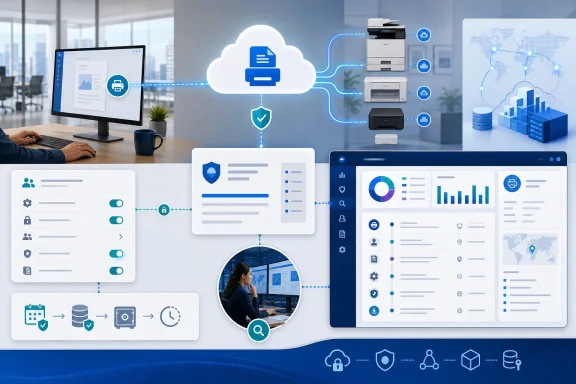 Microsoft has already documented the event vocabulary
The strongest evidence of what Universal Print auditing will capture is not the brief roadmap card. Microsoft’s Purview Audit activity catalog now lists a detailed set of Universal Print operations described as activities recorded in the Microsoft 365 audit log.
For administration, the documented operations include registering and unregistering printers and connectors; creating, modifying, and deleting printer shares; changing printer, share, pull-print, and tenant-wide settings; granting or removing user and group access; and swapping a printer. The catalog also includes pull-print events, which are especially relevant to organizations using secure-release workflows at shared devices.
For jobs, Microsoft lists a sequence of auditable operations:
- A user submitting a job is recorded as
PrintJobCreated. - The service can record document upload, printer or connector retrieval, printer acknowledgement, completion, cancellation, and an aborted job.
- A completed print job and a job merely sent to a queue are separate events, which should help distinguish a user’s submission from successful delivery to a device.
This is more useful than a generic promise of “audit logging.” A completed-job record can support an operational dispute over whether a job reached the printer, while access-control and registration records establish who changed the conditions around that job. In a regulated office, an administrator removing a group from a sensitive printer share may be as important as the subsequent print itself.
There is an important boundary, however. The activity names identify actions involving a print-job document, such as upload or fetch; neither the roadmap nor the Purview activity catalog says that Purview will retain the printed document’s contents, page images, or an independently usable copy of the file. Administrators should treat this as activity evidence unless Microsoft publishes a field-level record schema stating otherwise.
The published timing does not fully line up
Microsoft’s records point to an awkward release-state gap as of August 28. Roadmap ID 519573 is still labeled “In development,” says preview availability was June 2026, and schedules general availability for January 2027. Yet Microsoft’s What’s new in Universal Print page described “Document audit and compliance” as planned for a private preview in summer 2026, while the Purview activity catalog already enumerates the Universal Print operations.
Those documents do not necessarily conflict. Microsoft often publishes operation names and supporting documentation ahead of broad tenant availability, and a private preview can exist without being open to all customers. Still, the roadmap offers no enrollment path, no feature toggle, no tenant eligibility criteria, and no build-out schedule by cloud. It also does not say whether commercial tenants, GCC, GCC High, and DoD will receive the preview at the same time.
The safest conclusion is that the audit taxonomy is documented, but broad customer availability is not established. A tenant administrator should not assume that seeing the operation list in Microsoft Learn means the events are already flowing into that tenant’s Purview search results.
That distinction matters for compliance planning. If an organization needs auditable print controls for a review occurring before January 2027, it should test its own tenant now and retain its current evidence collection process until Universal Print records appear reliably in Purview. A roadmap estimate is not an audit trail.
Purview Audit retention is the real policy decision
Microsoft’s roadmap describes Purview as a destination for compliance and long-term record-keeping, but the service’s standard retention rules are much more specific. Microsoft’s Purview documentation says Audit (Standard) keeps audit records for 180 days. Audit (Premium) adds retention policies, with records retainable for up to one year and, for appropriately licensed users, up to 10 years with the required add-on.
That means the Universal Print feature can improve visibility without resolving archival requirements by itself. An organization that must reconstruct printer access changes two or three years after an incident will need to confirm the applicable Purview licensing and create a retention policy that actually covers the relevant records. Simply enabling audit search and assuming the data is permanent leaves a six-month gap built into the standard service.
There is another licensing and configuration trap. Microsoft says auditing is enabled by default for organizations with the appropriate subscriptions, but it is not enabled by default for Microsoft 365 Business Basic, Business Standard, or Business Premium. Unmanaged tenants using enterprise trials are another exception. Those organizations must enable unified audit ingestion before newly generated events can become searchable, and Microsoft cautions that records can take time to appear after activation.
Administrators can validate the organizational setting through Exchange Online PowerShell with Get-AdminAuditLogConfig | Format-List UnifiedAuditLogIngestionEnabled. Microsoft explicitly warns against checking that property in Security & Compliance PowerShell, where it can report False even when auditing is active. That is a small implementation detail with an outsized consequence: a mistaken validation result can lead an IT team to troubleshoot a feature that was already enabled.
This is separate from Universal Print Logs and Alerting
Universal Print already has a different preview capability called Logs and Alerting. Microsoft’s documentation says that feature streams printer health, job lifecycle telemetry, and billing summaries to customer-controlled Azure Monitor Log Analytics workspaces. It can record printer health changes, detailed lifecycle timing, job configuration details, printer identifiers, location information, and consumption data.
That is operational telemetry, not a replacement for Purview audit. Azure Monitor data is useful for detecting a printer outage, a queue backlog, error spikes, and job delays; Purview is where security, compliance, legal, and administrative investigators expect to search activity across the Microsoft 365 estate.
The storage and cost models differ as well. Universal Print Logs and Alerting places data in the organization’s Azure workspace, where Azure Monitor ingestion and retention charges apply. Microsoft says there is no historical backfill: telemetry begins only after the feature is enabled. Purview Audit retention, by contrast, is governed by the organization’s audit capabilities, licenses, and retention policies.
Teams should decide which question they are trying to answer before configuring either service. “Why are jobs failing at this floor printer?” is a monitoring question. “Which administrator removed the finance group’s access, and which jobs were subsequently submitted?” is an audit and investigation question. A mature deployment may need both.
What Universal Print administrators should do before January
The roadmap provides a useful planning signal, but not a finished implementation guide. Administrators can still reduce risk now by checking whether unified auditing is enabled, reviewing who holds Purview Audit Logs or View-Only Audit Logs permissions, and documenting the current procedure for investigating printer-share changes and print disputes.
They should also establish the retention requirement before the records begin arriving. If a compliance team needs more than 180 days, that decision belongs in Purview licensing and retention-policy planning rather than in the Universal Print portal. Microsoft’s Purview documentation also supports search through the portal, the Search-UnifiedAuditLog cmdlet, Microsoft Graph’s Audit Search API, and the Office 365 Management Activity API, giving security teams several routes to export or feed records into longer-lived systems.
When the feature reaches a tenant, the first validation should be deliberately mundane: register or modify a test printer, alter a test share’s access, submit a test job, then search Purview for the documented Universal Print operations. Record the event delay, fields returned, and whether actions performed through a connector and through native Universal Print-ready hardware are represented consistently.
Microsoft has published the names of the evidence organizations will be able to search for. What it has not yet published is the field schema, preview enrollment process, or any promise that January 2027 will be the same day for every cloud. Until those details appear, Universal Print audit logging is a credible compliance improvement on the roadmap—not a control administrators can mark as deployed.