
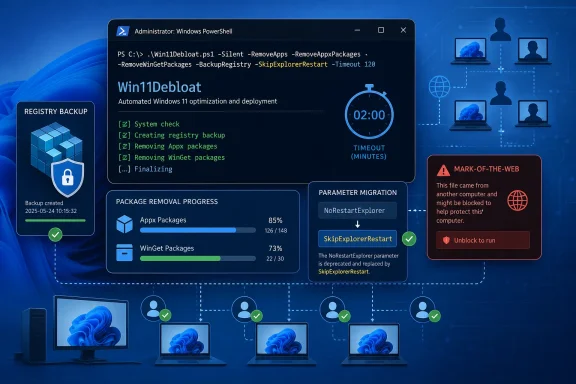
Neowin’s release notice lists the changes, but the project’s GitHub release notes add the part that matters most for automation: NoRestartExplorer is now deprecated in favor of SkipExplorerRestart. The behavior has not changed yet, but maintainer Raphire says support for the old parameter will be removed in a future release. Anyone calling Win11Debloat through unattended scripts, task sequences, audit-mode workflows, or configuration-management tooling should replace the parameter now rather than wait for a later release to turn a harmless warning into a broken deployment.
Win11Debloat is an open-source tool for Windows 10 and Windows 11 that can remove preinstalled Appx packages, alter Windows and Edge settings, disable selected telemetry and suggestion features, and apply changes to a specified user or all users. That broad reach is precisely why this release’s unglamorous fixes deserve more attention than its new option to hide the desktop Windows Spotlight icon without disabling wallpaper rotation.
 App removal now has limits and better failure reporting
The most useful operational improvement is a two-minute timeout for foreground WinGet uninstalls. A merged project change sets the default limit to 120 seconds and treats a timeout separately from other uninstall exceptions. Rather than allowing one stubborn package removal to keep the workflow running indefinitely, the script can report the problem and continue with its fallback scheduling logic.
This is tied to a real problem reported in the project’s issue tracker earlier this month. A Windows 11 25H2 user said Win11Debloat’s default mode stalled while removing the Copilot package, with the log ending at the Copilot App ID. The maintainer’s WinGet timeout change explicitly references that report.
The update does not establish that every Copilot removal hang is fixed. The original Copilot issue remains marked unconfirmed, and an uninstall that exceeds two minutes may still require follow-up after Win11Debloat finishes. But the practical change is important: a tool designed to process a long application list should no longer present an indefinitely frozen interface as success.
Version 2026.08.24 also includes a more substantial rework of application-removal verification and error handling. The project’s merged change improves Appx checks for all-user, current-user, and specified-user scopes; resolves selected accounts to security identifiers where possible; tracks both removal and verification failures; and passes failure status back through the GUI and completion flow.
That addresses another documented corner case: a domain-joined machine where Get-AppxPackage -AllUsers failed because the computer’s secure channel to the domain was broken. In that report, application removal began successfully, but a later all-user verification call produced error 0x800706FD, regardless of whether the operator selected the current user, all users, or another local account. For IT staff using Win11Debloat on domain-connected endpoints, the new scope-aware checks should make diagnosis more honest: an error caused during verification should not be mistaken for a failed uninstall, or silently hidden behind a generic completion message.
Registry rollback receives stricter guardrails
Debloating tools are only as safe as their reversal path. Win11Debloat’s release adds a visible, recommended registry-backup choice and a SkipRegistryBackup option for the GUI, exports, imports, and command line. The latter is useful for repeated, controlled automation, but it is a capability administrators should apply sparingly.
More importantly, the project reworked how backups and restores are validated. Its implementation now fails a registry snapshot when an included child key cannot be opened, validates the complete snapshot before restore begins, and changes restore behavior to respect direct parent-child relationships rather than using the earlier full-tree deletion approach. The release also corrects fallback .reg writing for QWORD, expandable-string, and multi-string registry values.
The difference is not cosmetic. A rollback process that proceeds with a partial snapshot can give an operator false confidence, while an overly broad restore can remove values outside the intended scope. The new behavior favors a failed preflight over an incomplete or overreaching restoration attempt. That is the correct trade-off for a script that changes privacy settings, shell configuration, application registrations, and other registry-backed Windows preferences.
There is still no substitute for a proper endpoint backup or virtual-machine snapshot before applying a large set of changes. A registry backup can restore the keys Win11Debloat recorded; it is not a full recovery mechanism for application state, servicing changes, driver interactions, or an organization’s wider Windows configuration.
The Mark-of-the-Web fix lowers friction — and removes provenance
One release entry deserves a closer look because it solves a real deployment nuisance by deliberately removing a Windows security signal. Win11Debloat now removes Mark-of-the-Web metadata from its script files when it starts.
Windows applies Mark-of-the-Web, technically the Zone.Identifier alternate data stream, to files downloaded from the internet. The project documented that extracting a release ZIP with File Explorer could leave every included PowerShell script tagged, which causes security prompts or blocks under RemoteSigned and stricter execution-policy configurations. It also documented that Group Policy execution settings can override the bypass flag used by the tool’s launcher.
The fix recursively runs PowerShell’s Unblock-File across the tool’s own extracted script directory before loading the rest of the scripts. For a user who has deliberately downloaded Win11Debloat from its official GitHub release and inspected or trusted it, that removes a frustrating installation barrier. For managed environments, however, it means the tool automatically discards downloaded-file provenance from every bundled script once it is launched.
That does not make version 2026.08.24 malicious or inherently unsafe; the source is public and the release commit is signed. It does mean administrators should treat the ZIP as a privileged software package, validate its origin before execution, and distribute a reviewed copy through their normal software channels. Do not use the self-unblocking behavior as a reason to run an archive obtained from a mirror, forum attachment, or repackaged “debloat” download.
What to change in managed deployments
For established Win11Debloat users, this is an update worth testing before broad rollout, particularly where Appx and WinGet removal are part of a standardized build process.
- Replace every use of
NoRestartExplorerwithSkipExplorerRestartin scripts, task sequences, and saved automation documentation before the deprecated name is removed. - Keep registry backup enabled for exploratory runs and new presets. Use
SkipRegistryBackuponly when a separate, tested recovery process exists and the deployment’s speed or repeatability justifies omitting the tool’s backup phase. - Review completion logs and exit behavior after updating, especially for user-targeted or all-user app-removal jobs. The release is designed to expose failures more accurately, so an error reported after the upgrade may reveal an old environmental problem rather than a new regression.
- Validate the release package before running it with administrator rights, because the new startup behavior clears Mark-of-the-Web tags from its included PowerShell files.
Win11Debloat 2026.08.24 does not add a sweeping new removal preset or another headline-grabbing anti-AI switch. It makes the existing tool more predictable where Windows administration is least forgiving: stalled package removals, multi-user Appx verification, registry rollback, and execution-policy friction. The immediate action is simple: update the deprecated Explorer-restart parameter now, then test the new build on representative endpoints before making it part of an unattended Windows image or domain deployment.