
That distinction matters for anyone making a migration decision. The issue is not that Windows 11 has failed to gain users; it is that Microsoft’s upgrade path has moved millions of users toward a newer operating system while leaving them to absorb trade-offs in hardware, interface design, account integration, and supportability. For Windows enthusiasts, the headline should be less “people are leaving” and more Windows 11 adoption has not erased the reasons people resent the transition.
 The hardware cutoff matters more than the 4 GB RAM minimum
BGR correctly notes that Windows 11 officially requires 4 GB of RAM, but that number is a compatibility floor, not a useful performance target. A machine with 4 GB can technically meet the memory requirement while still struggling with a modern browser, Microsoft Teams, OneDrive synchronization, a security suite, and the operating system’s own background processes. An 8 GB laptop may be acceptable for light browsing and office work, but it leaves far less headroom than many users had become used to on Windows 10.
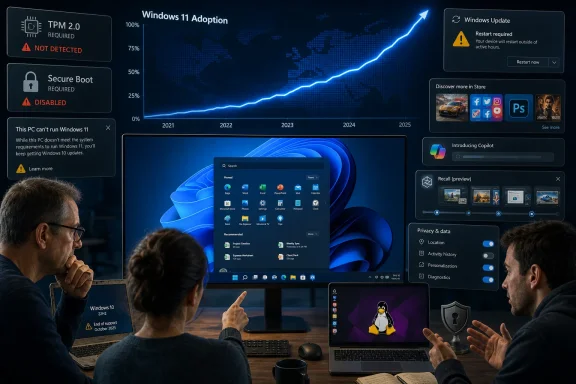
Still, treating this as proof that Windows 11 is inherently slower on “older laptops” blurs the larger problem: many older laptops were never eligible for a supported upgrade in the first place. Microsoft’s published Windows 11 requirements include a supported 64-bit processor, UEFI firmware with Secure Boot capability, TPM 2.0, 4 GB of memory, and 64 GB of storage. The processor and TPM requirements, rather than RAM alone, have been the hard stop for a great many otherwise serviceable Windows 10 systems.
That is why Linux distributions and ChromeOS Flex have become practical alternatives for some households, schools, and refurbishers. The comparison is not always Windows 11 versus Windows 10 on identical supported hardware. Often it is Windows 11 requiring a new PC versus a lighter operating system extending the useful life of a five-, seven-, or nine-year-old device.
For IT departments, this is less a question of whether a debloated Windows 11 build can run on an aging machine. It is a support decision. Installing Windows 11 on unsupported hardware may work, but it puts the organization outside Microsoft’s supported hardware baseline and complicates future servicing. The sensible choice is usually to keep qualifying systems on Windows 11, replace systems that cannot meet a defined business need, and assign non-Windows alternatives only where application compatibility permits.
Windows 10 is no longer a permanent refuge
BGR’s suggestion that users can stay on Windows 10 while they decide what to do needs a date attached to it. Windows 10 reached end of support on October 14, 2025. Microsoft’s consumer Extended Security Updates program can provide critical and important security updates for Windows 10 version 22H2 through October 13, 2026, but it does not add features, general quality fixes, or technical support.
That makes Windows 10 ESU a temporary risk-reduction measure, not a long-term operating-system strategy. A PC enrolled in ESU can remain defensible for a limited period while a user plans replacement, migration, or application testing. A PC left on Windows 10 without ESU is increasingly difficult to justify for routine internet-connected use, particularly where personal data, financial accounts, remote access, or work documents are involved.
The timing also undercuts the idea that rising Windows 11 use proves people have suddenly become enthusiastic about it. Statcounter’s numbers are based on web usage rather than a census of installed PCs, but the direction is clear: Windows 11’s growth accelerated after Windows 10’s support deadline approached and passed. Migration pressure, OEM sales, and replacement cycles explain much of that movement.
Microsoft has achieved the transition it wanted in raw adoption terms. It has not necessarily won consent for the product decisions that accompanied it.
Update failures deserve evidence, not folklore
The update complaint is the strongest part of BGR’s argument, but it needs to be tied to actual incidents rather than the broad claim that Windows 11 updates are becoming steadily more buggy. Microsoft’s Windows Release Health dashboard documents genuine faults, safeguards, mitigations, and resolutions for supported releases. That public record is useful precisely because it separates confirmed platform bugs from driver conflicts, third-party software failures, and isolated reports.
One recent example shows why this distinction is essential. Microsoft received reports in March 2026 that some Samsung Galaxy Book 4 and Samsung desktop systems lost access to the C: drive after the February security update, leaving users unable to access files or launch applications. The timing made Windows Update look like the cause. Microsoft and Samsung later concluded that the underlying fault was in the Samsung Galaxy Connect application, not the Windows monthly updates, and Samsung’s app was removed from the Microsoft Store while a stable prior version was republished.
That does not make the user impact any less severe. A user who cannot open Outlook, File Explorer, or an elevated administrative prompt does not care which vendor’s component caused the lockout. But it does change the operational response: removing every recent Windows patch is not necessarily the safe or correct remediation.
The same applies to the common advice to wait several days before installing updates. For unmanaged home PCs, delaying a non-security preview update is reasonable. Delaying monthly security patches indiscriminately is less defensible, especially when the device has no compensating controls. Microsoft’s release-health system exists so administrators can identify confirmed issues, affected builds, available workarounds, and whether a safeguard hold is blocking deployment.
A reliable patching practice remains less dramatic than a rollback-first approach:
- Home users should let regular security updates install, avoid optional previews unless they need a listed fix, and keep a current backup that can be restored independently of Windows.
- Small businesses should use staged deployment rings so a limited group receives monthly updates before the broader fleet.
- Administrators should check the relevant Windows 11 release-health page and vendor driver advisories before attributing a failure to a particular KB package.
Windows 11’s servicing record gives users reasons to demand better regression testing and clearer rollout communication. It does not support treating every post-update failure as proof that the whole update model is broken.
Microsoft created the “bloat” argument itself
The complaint about bloatware is also real, though it has two different causes that are often lumped together. OEM systems arrive with manufacturer utilities, trial antivirus packages, support assistants, and third-party promotional software. Microsoft does not control every item a PC maker loads onto a retail laptop.
Microsoft is responsible for the rest: consumer recommendations, service prompts, Store suggestions, promotional content, the Recommended section of Start, Microsoft 365 and Game Pass offers, and the growing number of places where Windows surfaces account-connected services. Microsoft’s own support documentation says that Windows 11 device-usage settings can produce tailored tips, recommendations, and personalized ads. The company says the relevant data is not shared with third parties, but that reassurance does not alter the practical complaint: users paid for a PC and still have to tune its operating system to make it feel less promotional.
Windows 11 has improved Start menu organization in recent releases, including folders, additional layout controls, and app-list options. Microsoft also provides policy controls for organizations to remove some personalized website recommendations from Start. Those are meaningful changes, but they reinforce the underlying criticism. A clean, task-focused desktop should not require a user to understand half a dozen personalization, privacy, notification, and recommendation settings.
The same is true of taskbar customization. Windows 11 has regained capabilities over time and supports multiple displays, alignment changes, item toggles, and other ordinary controls. Yet longtime Windows users remember a more flexible taskbar in Windows 10: moving it to different screen edges, more compact arrangements, and familiar drag-and-drop behaviors. Microsoft has gradually restored or replaced some lost features, but the reset of user expectations was self-inflicted.
Copilot and Recall are separate privacy questions
BGR is right to identify AI as a source of resistance, but Copilot and Recall should not be treated as the same thing. Copilot is a broad brand covering an app and AI-assisted features in Windows and Microsoft software. Recall is a specific feature for Copilot+ PCs, and it is not active by default simply because a Windows 11 PC has been updated.
Microsoft’s documentation says Recall requires users to opt in by enabling “Recall & snapshots” under Privacy & security. On compatible Copilot+ PCs, it records snapshots locally to make previous on-screen activity searchable. Microsoft also says device encryption or BitLocker is enabled by default on Windows 11 devices supporting the experience. Those protections are material, but they do not erase the reason cautious users object: a searchable record of prior screen activity is a high-value asset if a device is compromised or if its access controls are weak.
For managed fleets, the appropriate response is policy, not panic. Organizations should decide whether Recall fits their data-handling rules, disable it where it does not, and communicate that decision to users. For personal systems, the decision is simpler: users who do not want periodic snapshots should leave Recall off. The key point is that Recall is an opt-in Copilot+ PC feature, not a background recorder installed across every Windows 11 computer.
Privacy more generally remains a legitimate source of discomfort. Microsoft collects required diagnostic data for security, reliability, compatibility, and servicing, while optional diagnostic data can be managed through Windows privacy controls. Users can reduce optional collection and adjust advertising and recommendation settings, but they cannot turn a modern connected operating system into an entirely telemetry-free product through a single switch.
The Microsoft-account concern is more than symbolism. Microsoft’s Windows 11 setup documentation describes the consumer out-of-box experience as requiring an internet connection and a Microsoft account sign-in or registration flow. A local account can still exist on Windows, and managed business deployments have different provisioning options, but the consumer setup experience clearly pushes users toward Microsoft identity, OneDrive, synchronization, Store services, and account-linked recovery.
That design is convenient for users who want those services. It is unwelcome for users who want a local, self-contained PC. Microsoft has chosen the former as its default, and every additional setup barrier for local use becomes another reason technically confident users look elsewhere.
Windows 11 is now the dominant Windows release by usage share, so the evidence does not support a mass abandonment narrative. But the criticism has a durable core: Microsoft has made Windows 11 harder to treat as a quiet operating system that stays out of the way. With Windows 10 ESU ending on October 13, 2026, users of unsupported or unwanted Windows 11 hardware have a narrowing window to decide whether their next move is a new Windows PC, a carefully managed Windows 10 exit, or a different operating system altogether.
References
- Primary source: aol.com
Published: August 2, 2026 at 12:47 AM UTC
5 Reasons Why People Are Ditching Windows 11 - AOL
Microsoft's Windows operating system has long dominated the market, but its latest iteration, Windows 11, has notable issues that are pushing many people away.www.aol.com - Related coverage: support.microsoft.com
Windows 11 System Requirements | Microsoft Support
Learn about Windows 11 minimum system requirements and how to assess your upgrade eligibility.support.microsoft.com - Related coverage: support.microsoft.com
Diagnostic data for Microsoft 365 | Microsoft Support
This article explains the diagnostic data collected by Microsoft 365 applications, what that data contains, and why it is collected.support.microsoft.com - Related coverage: learn.microsoft.com
Manage Recall for Windows clients | Microsoft Learn
Learn how to manage Recall for commercial environments and about Recall features.learn.microsoft.com - Related coverage: learn.microsoft.com
Recall overview - Windows apps | Microsoft Learn
Learn how to use the AI-assisted Recall feature with the User Activity API in Windows.learn.microsoft.com - Related coverage: pcworld.com
Windows 11 has finally taken over | PCWorld
Data from Statcounter shows that Windows 10 use is dying off in a big way, and leaving Windows 11 as the dominant version of Windows for the first time in history.www.pcworld.com
- Related coverage: pcworld.com
Windows 11 has nearly caught up to Windows 10 with market share spike | PCWorld
After a big jump in June 2025, the number of Windows 11 and Windows 10 users are almost equal. - Related coverage: windowscentral.com
Windows 11's market share is now up to 73% in February 2026 | Windows Central
It seems that Windows 11's growth has finally hit a tipping point.www.windowscentral.com - Related coverage: tomshardware.com
Windows 11 continues gaining traction, nears 75% market share — Windows 10 finally on the way out, some five months after Microsoft axes support | Tom's Hardware
More people are getting into Windows 11, but is this by choice?www.tomshardware.com - Related coverage: techradar.com
Has the death of Windows 10 finally begun? Windows 11's popularity is suddenly skyrocketing | TechRadar
Windows 11 has captured 72% of market share, leaping 22% since the start of the yearwww.techradar.com - Related coverage: tomsguide.com
Windows 10 End of Life: Microsoft releases final update — everything you need to know | Tom's Guide
So long, Windows 10www.tomsguide.com - Related coverage: windowscentral.com
Microsoft's "End of Windows 10" sparks digital divide concerns | Windows Central
The end of Windows 10 support raises fears of forced obsolescence, security risks, and a widening digital divide for millions of PCs.www.windowscentral.com - Related coverage: microsoft.com
Windows 10 Extended Security Updates | Microsoft Windows
Use Windows 10 securely with the Extended Security Updates program. See how it helps protect your PC and find out how to get it.www.microsoft.com - Related coverage: microsoft.com
- Related coverage: download.microsoft.com
Windows 10 Upgrade Benefits for Customers with CSP Subscriptions
PDF documentdownload.microsoft.com
- Related coverage: blogs.windows.com
Releasing Windows 11, version 25H2 to the Release Preview Channel
Hello Windows Insiders! Today, we are making this year’s annual feature update Windows 11, version 25H2 (Build 26200.5074) available in the Release Preview Channel for customers to preview ahead of general availability later thblogs.windows.com - Related coverage: gs.statcounter.com
Desktop Windows Version Market Share Worldwide | Statcounter Global Stats
This graph shows the market share of desktop windows versions worldwide based on over 3 billion monthly page views.gs.statcounter.com - Related coverage: techcommunity.microsoft.com