
TechRepublic’s new ESU cheat sheet correctly identifies the new deadline, the three consumer enrollment choices, and the separate commercial program. Microsoft’s own consumer ESU page confirms each of those core points, and reporting from Tom’s Hardware and Windows Central independently documented that Microsoft added the second consumer year quietly through an update to its support material rather than through a conventional launch announcement.
For a home user still on Windows 10 22H2, the immediate action is simple: open Settings > Update & Security > Windows Update and look for the ESU enrollment link. But the distinction between consumer enrollment and commercial licensing is where this gets more complicated — and where small businesses can most easily make an expensive planning mistake.
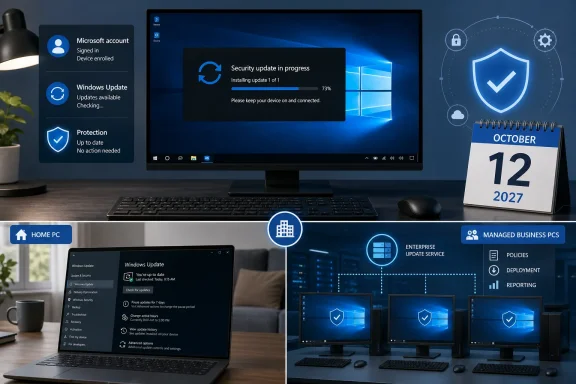 Consumer ESU is a Windows Update enrollment, not ordinary support
Microsoft’s consumer program applies to Windows 10 version 22H2 Home, Professional, Pro Education, and Workstations editions. The PC must have current Windows updates installed, and the Microsoft account used for enrollment must be an administrator account rather than a child account.
The three U.S. enrollment paths are unchanged:
- Sync PC settings through Windows Backup at no additional ESU charge.
- Redeem 1,000 Microsoft Rewards points.
- Pay a one-time $30 fee, plus any applicable tax.
One enrolled Microsoft account can apply its ESU entitlement to as many as 10 eligible Windows 10 devices. That does not mean every device in a household is automatically covered: each machine still has to be added through its own Windows Update enrollment flow, using the same account.
The word free needs some care here. The Windows Backup route does not charge separately for ESU, but it requires linking the device to a Microsoft account and syncing settings. A local-account user who pays the $30 is still prompted to sign in with a Microsoft account because Microsoft associates the ESU license with that account. The program is therefore not a way to retain a completely offline, Microsoft-account-free Windows 10 setup while continuing to receive Microsoft-delivered security patches.
Microsoft also says that users can enroll late and receive applicable critical and important updates released after Windows 10’s October 2025 end of support. Waiting remains a bad security decision, however: the gap before enrollment is a period in which the PC remains unpatched against vulnerabilities fixed in those monthly updates.
Managed PCs are excluded from the consumer offer
The biggest eligibility trap is organizational management. Microsoft explicitly excludes devices joined to an Active Directory domain, joined to Microsoft Entra, or enrolled in a mobile device management platform. Kiosk-mode systems are excluded too.
That makes the consumer ESU program unsuitable for a business simply because its PCs run Windows 10 Pro and employees happen to use Microsoft accounts. A domain-joined office desktop, an Intune-enrolled laptop, or a Microsoft Entra-joined endpoint belongs in the commercial ESU process even if it is physically sitting in a home office.
There is one important exception: a personally owned device that is merely Microsoft Entra registered can qualify. Registration commonly occurs when someone adds a work account to their personal computer; it is not the same administrative state as joining the PC to an organization’s Entra tenant. TechRepublic noted this distinction, and Microsoft’s eligibility documentation confirms it.
For IT administrators, this means inventory data matters more than the Windows edition label. Before promising a consumer workaround to users, check whether the device is domain joined, Entra joined, or MDM-enrolled. A consumer ESU enrollment that later becomes a commercial device is suspended until the machine no longer meets the commercial-use criteria.
Commercial ESU is three years, cumulative, and expensive
Microsoft offers commercial Windows 10 ESU for Enterprise, Education, and Pro in commercial use for up to three years after end of support. The dates are fixed by ESU year rather than by an organization’s purchase date:
| Commercial ESU period | Coverage ends | U.S. list price per device |
|---|---|---|
| Year 1 | October 13, 2026 | $61 |
| Year 2 | October 12, 2027 | $122 |
| Year 3 | October 10, 2028 | $244 |
The total list-price commitment for a device kept under commercial ESU through all three years is $427. That is not a hypothetical maximum that can be avoided by skipping ahead. Microsoft’s licensing rules say ESU is cumulative: an organization buying in Year 2 must also buy Year 1, and a Year 3 purchase requires the earlier years as well. Partial-year purchases are not available.
This gives commercial ESU a very different role from the consumer extension. For a business with 500 Windows 10 endpoints, reaching Year 3 at the published list pricing represents $213,500 in ESU license costs before deployment effort, support contracts, hardware replacement, or the cost of maintaining applications that still cannot move to Windows 11.
The pricing is designed to make a deferred migration progressively harder to justify. Year 1 can be sensible for devices attached to a line-of-business application, medical equipment, manufacturing system, or other upgrade blocker. Treating all three years as a default desktop strategy, though, is an increasingly expensive way to postpone asset and application decisions.
Microsoft does provide ESU at no additional charge for certain Windows 10 virtual-machine scenarios running in Azure, including Azure Virtual Desktop, Windows 365, Azure VMs, Azure Local, and Azure VMware Solution. That is useful for workloads that genuinely fit those platforms. It is not a free conversion kit for every on-premises Windows 10 PC: compute, storage, network, licensing, and application-compatibility costs still apply.
ESU patches Windows 10; it does not revive Windows 10
Microsoft describes ESU coverage as critical and important security updates. The company expressly excludes new features, design changes, and customer-requested nonsecurity updates, while ordinary technical support does not return. Microsoft offers limited assistance for ESU activation, installation, and ESU-specific regressions, but that is not the same thing as restoring full product support for Windows 10.
The July 14 cumulative update, KB5099539, demonstrates what the program delivers in practice. The patch applied to Windows 10 ESU systems, Windows 10 Enterprise LTSC 2021, and Windows 10 IoT Enterprise LTSC 2021. It carried security fixes, resolved an OLE Automation compatibility problem introduced by the June update, fixed a OneDrive shortcut failure when File Explorer ran elevated, and corrected a Recycle Bin dialog issue.
That update also included a security-hardening change with a real compatibility consequence: applications using sockets over unregistered third-party TDI transports can stop working after the July update. Microsoft says registered transports are unaffected. This is the operational point that gets lost when ESU is reduced to a calendar extension: security maintenance can still alter old application behavior, and organizations need a patch-validation process even for a frozen operating system.
KB5099539 also continued Microsoft’s work on replacing Secure Boot certificates that began expiring in June 2026. Devices that have not yet received updated certificates will still boot and take standard Windows updates, according to Microsoft, but administrators should not confuse that with a reason to ignore the certificate transition. The update itself warns that Secure Boot problems can affect secure booting if certificate work is not completed in time.
For commercial activation, the administrative prerequisite is more specific than “be on 22H2.” Microsoft requires Windows 10 22H2 with KB5066791 or a later update, followed by the ESU Licensing Preparation Package, KB5072653. Purchased licenses are activated with a Multiple Activation Key, and Microsoft documents separate activation IDs for ESU Years 1, 2, and 3. Any organization that has blocked Microsoft activation services at the network edge should test this process before patch Tuesday, rather than discover the limitation after a security update is withheld.
The deadline changed, but the migration obligation did not
Microsoft’s extension changes the consumer decision from “replace or secure the PC by October 2026” to “secure it now and decide by October 2027.” That is meaningful breathing room for a functional Windows 10 computer that cannot meet Windows 11’s supported hardware requirements, or for a household that needs time to budget a replacement.
It does not change Windows 10’s support status. Microsoft ended normal support on October 14, 2025, and an ESU-enrolled PC remains on an operating system that receives security maintenance without new platform work, feature development, or general support. The PC will still function after ESU ends, but it will again fall outside Microsoft’s security-update coverage.
For consumers, the date to put on the calendar is October 12, 2027. For businesses, October 10, 2028 is the final commercial cutoff — and every endpoint still present then will have cost far more to preserve than it did in the first ESU year.
