
Microsoft has not announced Windows 11 Insider Build 26340 or KB5122776, despite package references reportedly found in the current Experimental Channel build. The stronger, documented story is that Microsoft is already servicing the 26300 branch as Windows 11 version 26H2 through an enablement package, while its July 31, 2026 flight carries a renewed Insider certificate that affected testers need before August 11.
TheWinCentral reports that Windows 11 Insider Experimental Build 26300.9032 contains
Microsoft’s own Windows Insider documentation for Build 26300.9032, released July 31, identifies the build as Windows 11 version 26H2 delivered through an enablement package. It does not mention Build 26340,
That gap matters. A component package can signal that an internal branch transition is being prepared, but it is not an announcement and it is not proof that a particular KB number will be offered to Insiders. For administrators and enthusiasts watching version strings closely, 26340 is a credible lead, not yet a deployment plan.
The Experimental Channel’s current public flight is Build 26300.9032, released on July 31. Microsoft’s release notes explicitly describe it as a Windows 11 version 26H2 build enabled through an eKB, or enablement package.
That designation changes how a prospective move to Build 26340 should be read. Microsoft announced on June 19 that version 26H2 shares its servicing branch with Windows 11 version 25H2, allowing it to activate the version change through a small enablement package rather than a conventional feature-update replacement of the operating system. Devices on the 26300 train began reporting version 26H2 in
In other words, the major version transition being discussed has already occurred on the 26300 branch. A shift from 26300.xxxx to 26340.xxxx would be a build-train change inside the existing Experimental/26H2 line unless Microsoft says otherwise. It should not be treated as evidence of a new annual Windows release, a new Windows core, or a broad retail feature update.
Microsoft has used separate Experimental tracks this year for materially different code bases. The regular Experimental channel has used the 26300 series, Experimental (26H1) has used 28120-series builds, and Experimental (Future Platforms) has occupied the 29600 series. Microsoft has said 26H1 uses a different Windows core from 24H2, 25H2, and 26H2, and cannot simply move to 26H2 via the same route. That is the kind of architectural boundary that normally warrants a larger upgrade discussion. Nothing public currently ties 26340 to such a boundary.
What the
TheWinCentral’s reporting centers on package names beginning with
It is not, however, equivalent to finding an update offer in Windows Update, a published Microsoft Update Catalog entry, or an Insider release-note page.
Microsoft has not explained the
That last point is especially important in the reworked Insider Program. Microsoft now uses Controlled Feature Rollout in Experimental, meaning that even a feature listed for a build can appear first only for a subset of testers. The company also gives Experimental users a Feature flags page under Settings > Windows Update > Windows Insider Program. Seeing a newer servicing package on disk would not guarantee that the corresponding feature flags, user-facing changes, or build watermark are active on that PC.
The claim that the files are “structural scaffolding” is a fair description of how enablement-based servicing can work, but it remains an interpretation. Microsoft’s documented model is that a shared servicing branch receives feature code through normal quality updates while the enablement package activates code already present and changes the version state after a restart. The vendor has not said whether the reported
As of August 4, Microsoft has not published a Support article for KB5122776, and its Build 26300.9032 release notes do not assign that KB number to 26H2 or to a future build transition. The current release notes link generically to Microsoft’s explanation of enablement packages rather than naming a specific 26H2 package.
That does not prove KB5122776 will never exist. Microsoft commonly stages update content and internally assigns identifiers before public documentation appears. But it does mean the KB number should not yet be used in deployment documentation, change-control tickets, imaging plans, or scripts as though it were an available update.
There is a second practical issue: an enablement package is deliberately small because it relies on a compatible underlying servicing baseline. It does not make an arbitrary Windows image eligible for a later version. Microsoft’s public 25H2 enablement-package documentation, for example, requires the preceding Windows version and a named cumulative-update baseline. Any future package for a 26340 build would likely have comparable prerequisites, but Microsoft has published none.
IT teams should therefore resist the tempting conclusion that a few-megabyte package automatically means a risk-free upgrade. The download may be small and the reboot brief, yet the prerequisites, policies, drivers, feature flags, and rollback behavior remain governed by the underlying cumulative update and the specific Insider branch. The small installer is not a substitute for test rings.
That deadline applies to the current public build, not a speculative 26340 package. Insiders who defer the July 31 update while waiting for the next build number risk creating the very update problem they are trying to avoid.
The update also includes several ordinary but relevant fixes and changes: Windows Search can expand indexing scope using recent activity and frequently accessed locations; File Explorer now retains Home-section expansion state; and Microsoft fixed a File History problem that produced false invalid-credential errors when backing up to SMB network shares. Enterprises with DFS-mapped drives should note another fix: files could be incorrectly treated as internet-originated after a disconnected startup followed by a reconnection, leading Preview Pane warnings or unexpected Mark of the Web tagging.
Those changes underline the normal reality of the 26300 branch. It is an active servicing channel with user-visible features and bug fixes, not a frozen staging platform waiting solely for a 26340 switch.
Ge-26340 versioning packages in C:\Windows\servicing\Packages, suggesting Microsoft has begun laying down metadata for a future 26340-series build. That observation may be genuine, but it does not establish a release date, a final build number, a feature set, or the claimed KB5122776 delivery vehicle.Microsoft’s own Windows Insider documentation for Build 26300.9032, released July 31, identifies the build as Windows 11 version 26H2 delivered through an enablement package. It does not mention Build 26340,
Ge-26340, or KB5122776. A search of Microsoft’s public Support records likewise does not currently return a published KB5122776 article.That gap matters. A component package can signal that an internal branch transition is being prepared, but it is not an announcement and it is not proof that a particular KB number will be offered to Insiders. For administrators and enthusiasts watching version strings closely, 26340 is a credible lead, not yet a deployment plan.
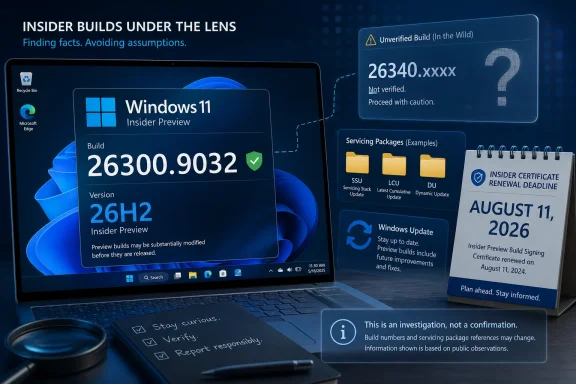 Build 26300.9032 is already a 26H2 build
The Experimental Channel’s current public flight is Build 26300.9032, released on July 31. Microsoft’s release notes explicitly describe it as a Windows 11 version 26H2 build enabled through an eKB, or enablement package.That designation changes how a prospective move to Build 26340 should be read. Microsoft announced on June 19 that version 26H2 shares its servicing branch with Windows 11 version 25H2, allowing it to activate the version change through a small enablement package rather than a conventional feature-update replacement of the operating system. Devices on the 26300 train began reporting version 26H2 in
winver and Settings at that point.In other words, the major version transition being discussed has already occurred on the 26300 branch. A shift from 26300.xxxx to 26340.xxxx would be a build-train change inside the existing Experimental/26H2 line unless Microsoft says otherwise. It should not be treated as evidence of a new annual Windows release, a new Windows core, or a broad retail feature update.
Microsoft has used separate Experimental tracks this year for materially different code bases. The regular Experimental channel has used the 26300 series, Experimental (26H1) has used 28120-series builds, and Experimental (Future Platforms) has occupied the 29600 series. Microsoft has said 26H1 uses a different Windows core from 24H2, 25H2, and 26H2, and cannot simply move to 26H2 via the same route. That is the kind of architectural boundary that normally warrants a larger upgrade discussion. Nothing public currently ties 26340 to such a boundary.
What the Ge-26340 package names can—and cannot—show
TheWinCentral’s reporting centers on package names beginning with Ge-26340 within the servicing store. Windows’ servicing stack routinely keeps component and package metadata for updates, optional capabilities, language resources, and staged feature/version transitions. The presence of a name pointing at a future build family is useful evidence that Microsoft’s internal servicing work has moved beyond the current public build number.It is not, however, equivalent to finding an update offer in Windows Update, a published Microsoft Update Catalog entry, or an Insider release-note page.
Microsoft has not explained the
Ge-26340 naming in public documentation. No public release notes identify which components, features, or fixes might be associated with that build family. There is also no published rollout scope: Microsoft has not said whether a 26340-series test would go to all regular Experimental Channel participants, a controlled subset, or only devices with particular hardware and flighting settings.That last point is especially important in the reworked Insider Program. Microsoft now uses Controlled Feature Rollout in Experimental, meaning that even a feature listed for a build can appear first only for a subset of testers. The company also gives Experimental users a Feature flags page under Settings > Windows Update > Windows Insider Program. Seeing a newer servicing package on disk would not guarantee that the corresponding feature flags, user-facing changes, or build watermark are active on that PC.
The claim that the files are “structural scaffolding” is a fair description of how enablement-based servicing can work, but it remains an interpretation. Microsoft’s documented model is that a shared servicing branch receives feature code through normal quality updates while the enablement package activates code already present and changes the version state after a restart. The vendor has not said whether the reported
Ge-26340 packages are part of a future eKB, are simply prerequisite versioning metadata, or serve another servicing purpose.KB5122776 is the unverified part of the report
The most specific assertion in the submitted report is also the least corroborated: that an upcoming enablement package will be designated KB5122776.As of August 4, Microsoft has not published a Support article for KB5122776, and its Build 26300.9032 release notes do not assign that KB number to 26H2 or to a future build transition. The current release notes link generically to Microsoft’s explanation of enablement packages rather than naming a specific 26H2 package.
That does not prove KB5122776 will never exist. Microsoft commonly stages update content and internally assigns identifiers before public documentation appears. But it does mean the KB number should not yet be used in deployment documentation, change-control tickets, imaging plans, or scripts as though it were an available update.
There is a second practical issue: an enablement package is deliberately small because it relies on a compatible underlying servicing baseline. It does not make an arbitrary Windows image eligible for a later version. Microsoft’s public 25H2 enablement-package documentation, for example, requires the preceding Windows version and a named cumulative-update baseline. Any future package for a 26340 build would likely have comparable prerequisites, but Microsoft has published none.
IT teams should therefore resist the tempting conclusion that a few-megabyte package automatically means a risk-free upgrade. The download may be small and the reboot brief, yet the prerequisites, policies, drivers, feature flags, and rollback behavior remain governed by the underlying cumulative update and the specific Insider branch. The small installer is not a substitute for test rings.
The immediate deadline is the Insider flight certificate
Build 26300.9032 contains a more immediate operational change than the possible 26340 transition: a renewed Windows Insider flight certificate. Microsoft says the prior certificate expires on August 11, 2026, and devices must install Build 26300.9032 or a later Insider build containing the renewal to remain on supported preview builds and keep receiving future Insider flights.That deadline applies to the current public build, not a speculative 26340 package. Insiders who defer the July 31 update while waiting for the next build number risk creating the very update problem they are trying to avoid.
The update also includes several ordinary but relevant fixes and changes: Windows Search can expand indexing scope using recent activity and frequently accessed locations; File Explorer now retains Home-section expansion state; and Microsoft fixed a File History problem that produced false invalid-credential errors when backing up to SMB network shares. Enterprises with DFS-mapped drives should note another fix: files could be incorrectly treated as internet-originated after a disconnected startup followed by a reconnection, leading Preview Pane warnings or unexpected Mark of the Web tagging.
Those changes underline the normal reality of the 26300 branch. It is an active servicing channel with user-visible features and bug fixes, not a frozen staging platform waiting solely for a 26340 switch.
What Experimental Channel users should do now
For people already on the regular Experimental Channel, the appropriate action is straightforward:- Install Build 26300.9032 or a later offered build before August 11, 2026, to receive the renewed Insider flight certificate.
- Do not attempt to install servicing packages manually from
C:\Windows\servicing\Packages, alter package manifests, or hunt for an unpublished KB5122776 payload. - Treat the 26340 references as an early indicator to watch Windows Update, Microsoft Learn release notes, and the Windows Insider Blog—not as a reason to change channels or rebuild test machines.
- Record the current device build,
winverversion, feature-flag configuration, and Windows Update history before the next flight if the device is part of a test ring.
References
- Primary source: thewincentral.com
Published: 2026-08-04T08:39:54+00:00
Loading…
thewincentral.com - Related coverage: blogs.windows.com
Announcing new builds for 19 June 2026, version 26H2 for Experimental
Hello Windows Insiders, We have new releases today with builds across Beta and Experimental, including Windows 11, version 26H2 for Experimental. Windows 11, version 26H2 Windows 11, version 26H2 represents our yearly second halfblogs.windows.com - Related coverage: blogs.windows.com
Announcing new builds for 8 May 2026
Hello Windows Insiders, We continue to expand the rollout of the new WIP changes to those channels already announced. We have not yet begun moving Insiders in Canary 29500 Series Channel orblogs.windows.com - Related coverage: learn.microsoft.com
Windows 11 Insider Experimental Preview Build 26300.8687 - Windows Insider Program | Microsoft Learn
Release notes for Windows 11 Insider Experimental Preview Build 26300.8687learn.microsoft.com - Related coverage: learn.microsoft.com
Loading…
learn.microsoft.com - Related coverage: techspot.com
Microsoft is making Windows 11 updates require just one reboot instead of several | TechSpot
As part of the new update policy, Microsoft will bundle all available updates – including security patches, driver releases, bug fixes, firmware revisions, and .NET packages –...www.techspot.com - Related coverage: windowscentral.com
We’ve tested the April 2026 Windows 11 update, and its 11 improvements genuinely make the OS feel better | Windows Central
Microsoft rolls out major Windows 11 Insider changes in April 2026, focusing on updates, recovery, gaming, and AI improvements.www.windowscentral.com - Related coverage: windowscentral.com
I dug through the Windows 11 Insider builds for June 2026 and found 7 features worth paying attention to | Windows Central
Microsoft's June Insider preview builds show a growing focus on polishing the OS experience across accessibility, updates, and performance.www.windowscentral.com