
Windows Latest reported fresh cases after the August 11 Patch Tuesday release, including PCs that appeared to hang at a black screen before eventually reaching the lock screen. The outlet ties the behavior to Microsoft’s continuing rollout of replacement Secure Boot certificates, a broad effort that began before the old 2011 certificates started expiring in late June. That explanation is plausible for an extra reboot, and Microsoft’s own documentation confirms the certificate work reaches below Windows into UEFI firmware. But it leaves an important boundary: multiple restarts can be part of a healthy update path; a machine that does not return to the sign-in screen needs diagnosis, not reassurance.
 Microsoft’s warning is narrower than the reports
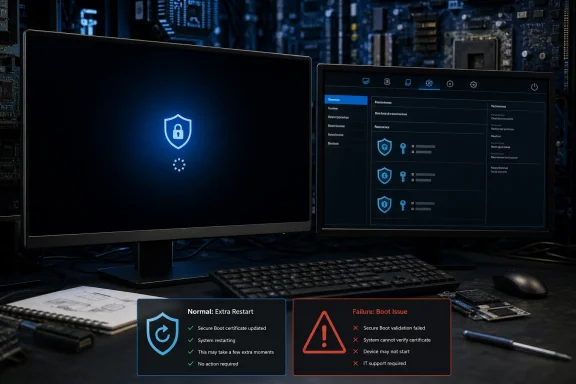
Microsoft’s Windows message center says recent and upcoming Windows updates can cause a limited number of consumer and business devices to experience one additional restart during installation. The company describes that restart as a one-time effect after a Secure Boot certificate update is applied.
That wording matters. It does not promise that every repeated restart seen over several months is caused by the same certificate operation, nor does it characterize three or more restarts as routine. Windows Latest’s account of devices rebooting repeatedly across monthly updates may reflect several things happening in the same servicing window: the cumulative update itself, a vendor firmware package, a driver update, or a Secure Boot task retrying work that did not complete.
Microsoft’s technical documentation explains why the distinction is hard to see from the Windows Update screen. The Secure-Boot-Update scheduled task runs at startup and every 12 hours, checks for outstanding certificate actions, and processes them in order. A failed action is logged and retried later. From an administrator’s perspective, that means a device can appear to be “doing the Secure Boot update again” even when it is stuck at one particular firmware-stage operation rather than starting the entire process over.
The August update’s expanded high-confidence device targeting is also not the same as immediate certificate installation for every PC that receives the cumulative update. Microsoft says that targeting data widens the pool of devices eligible for automatic delivery only after they show sufficient successful update signals. The rollout remains phased, which explains why one machine may begin the transition months after another identical-looking Windows 11 system.
Why the update touches firmware at all
The project exists because several Microsoft Secure Boot certificates created in 2011 are aging out. Microsoft Corporation KEK CA 2011 and Microsoft UEFI CA 2011 expired in June 2026; the Microsoft Windows Production PCA 2011 certificate is scheduled to expire on October 19, 2026. Windows can continue booting and receiving ordinary updates in many cases after an old certificate expires, but future boot-chain components cannot retain the same protection if the device never gains the corresponding 2023 trust anchors.
Secure Boot checks signatures on software that runs before Windows itself: UEFI components, boot loaders, and certain pre-OS applications. Its certificate databases live in firmware, not merely in Windows’ normal certificate store. That makes this work fundamentally different from a browser or code-signing certificate refresh.
Microsoft’s published troubleshooting guide shows the process in concrete stages. Windows can add the Windows UEFI CA 2023 certificate to the Secure Boot database, add Microsoft’s new UEFI and Option ROM certificates where applicable, update the Key Exchange Key through an OEM-authorized payload, and then install a Windows boot manager signed by the new 2023 certificate. Those are discrete operations. They are also dependent on the PC manufacturer’s firmware correctly preserving, appending, and validating the Secure Boot databases.
That firmware dependency is why the update cannot be judged purely by its percentage counter. A normal Windows cumulative update can finish while the follow-on Secure Boot task is waiting for a startup, retrying an operation, or encountering a firmware limitation. On devices with compatible firmware, the process should become invisible again once the necessary certificate actions have completed.
The black screen is where “wait” stops being useful advice
A black screen during an update is ambiguous. It can be a temporary phase while display drivers, firmware, or the boot environment reset; Windows Latest’s reported device recovered after the spinning indicator returned at 93 percent. But Microsoft’s support material separately lists startup hangs, BitLocker recovery loops, Secure Boot validation errors, and devices that fail to boot as possible outcomes when firmware is outdated or certificate updates do not apply properly.
The practical rule is simple: an extra reboot is expected on some eligible PCs; an unattended black screen that persists well beyond a reasonable update window is an incident until the PC proves otherwise.
For a home PC that is still showing signs of storage activity, periodic screen changes, or a progress indicator, allowing additional time is sensible. Interrupting firmware-related work by holding the power button can turn a recoverable delay into a failed boot. The calculation changes if the system remains entirely unresponsive for an extended period, repeatedly returns to the same black display after forced restarts, presents a Secure Boot violation, or asks for a BitLocker recovery key every boot.
Administrators should avoid describing all of those conditions as a harmless Microsoft update quirk. Microsoft specifically says some UEFI implementations may overwrite the Secure Boot allowed-signature database instead of appending to it. If that happens while Windows is still using a boot manager trusted by the older certificate, the firmware can reject the boot manager. The remedy is usually OEM-specific firmware servicing or recovery, not repeatedly rerunning Windows Update.
What to check after a suspicious update
For managed Windows 11 fleets, the first response should be inventory and evidence collection rather than a blanket redeployment. Microsoft identifies the \Microsoft\Windows\PI\Secure-Boot-Update task as the component responsible for the certificate servicing process. It should be enabled and run as Local System.
The System event log is more useful than the Windows Update history page for this issue. Microsoft calls out Secure Boot events including 1036, 1043, 1044, 1045, 1795, 1796, 1801, 1802, and 1803. Successful events indicate individual stages have completed; the higher-numbered error events can point toward firmware trouble or a missing OEM-signed Key Exchange Key payload.
A few checks deserve priority:
- Confirm the device is on a supported Windows release, has current security updates, and has Secure Boot enabled in UEFI firmware.
- Install the latest BIOS or UEFI update from the PC maker before forcing Secure Boot remediation on older hardware.
- Verify that BitLocker recovery keys are escrowed and retrievable before making firmware or Secure Boot configuration changes.
- Check the Secure Boot servicing status and event log on a representative hardware sample before broad deployment.
- Do not reset Secure Boot to factory defaults merely to clear an update symptom; Microsoft warns that doing so can remove the updated certificates required to trust the newer Windows boot manager.
Organizations with PXE boot configured ahead of the local drive should be especially cautious. Microsoft documents a scenario in which the network-boot path and the installed Windows boot manager use different signing chains, causing BitLocker recovery on every restart. Setting Windows Boot Manager first in firmware order, or ensuring PXE uses a 2023-signed boot loader, is the durable fix.
Repeated monthly reboots are a signal to investigate
Windows Latest is right on the central point that a restart during Secure Boot servicing does not automatically mean a PC is broken. The certificate update needs firmware involvement, and Microsoft’s staged rollout means the experience will reach different devices at different times. The company has also said its certificate deployment through Windows Update will continue across supported PCs and unmanaged business devices in the coming months.
But the record does not support a broader conclusion that every series of reboots or every black screen after a cumulative update is benign. Microsoft’s official notice anticipates one extra restart for a limited number of devices. Its troubleshooting guide acknowledges the harder cases: retries, firmware defects, BitLocker recovery, startup hangs, and boot failures.
For Windows enthusiasts, the immediate takeaway is to let a visibly active update finish and keep firmware current. For IT administrators, August is another reason to identify systems still using the 2011 Secure Boot certificates, verify OEM firmware coverage, and watch the Secure-Boot-Update events. The certificate replacement is a necessary maintenance operation; the machines that keep repeating it are the ones that should move from observation to a support queue.
