 Overview
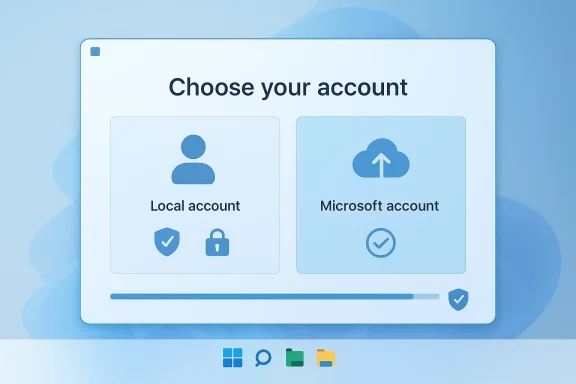
The Microsoft account requirement in Windows 11 has become one of those small setup friction points that turns into a much larger symbolic issue. For many consumers, it is not just about whether an account is “free” or “convenient”; it is about control, privacy, and the expectation that a new PC should be usable without first entering a cloud identity or connecting to the internet. Microsoft has long defended account sign-in as a way to unlock sync, recovery, Store access, and cross-device services, but that rationale does not eliminate the fact that a sizeable portion of Windows users still prefer a local account-first workflow.
The tension intensified in 2025 and 2026 because Microsoft has been simultaneously pushing more Windows experiences into cloud-linked services while also promising a more refined operating system. On one hand, Windows Insider builds have made it harder to use some familiar setup shortcuts that once allowed local-only onboarding. On the other, Microsoft’s own blog posts have emphasized a Windows 11 that is more responsive, more efficient, and more carefully tuned for 2026-era hardware and AI features. Those two directions do not necessarily conflict, but they do reveal a company still deciding where Windows should sit on the spectrum between platform flexibility and ecosystem lock-in.
Scott Hanselman’s comment matters because it comes from inside Microsoft rather than from a frustrated user or a third-party commentator. That does not guarantee a policy change, but it does suggest that the internal conversation is real and that the issue has enough visibility to reach engineers leading parts of the Windows effort. If Microsoft is serious about making setup smoother, removing mandatory sign-ins would be among the most visible wins it could deliver to everyday users.
The broader backdrop is that Microsoft has a history of gradually tightening account linkage while still leaving room for local accounts in some scenarios. Windows 11 Home has been especially associated with Microsoft account sign-in during initial setup, while some workarounds and alternative flows have persisted in practice for enthusiasts and IT pros. Microsoft’s latest Insider changes indicate that those workarounds are being actively reduced, which makes Hanselman’s remarks even more notable: they suggest a possible change in philosophy at the very moment the product was becoming less forgiving.
Why the Sign-In Requirement Became a Flashpoint
The issue feels minor until you are standing in front of a fresh Windows 11 machine and cannot finish setup without credentials you may not want to use. At that moment, the problem stops being theoretical and becomes a practical barrier. For consumers, the friction is especially obvious on family PCs, secondary devices, kiosks, shared machines, or systems that may not always have reliable internet during setup.
The setup experience matters more than Microsoft sometimes admits
A setup flow is not a side detail; it is the first impression of the operating system. If the first few minutes feel coercive, the user remembers that feeling for years, even if the rest of the system improves. Microsoft has invested heavily in making Windows 11 look cleaner and feel more modern, but setup friction undermines that polish in a way that consumers immediately notice.
There is also a psychological component. Users tend to accept cloud features when they are offered as enhancements, but resist them when they are framed as prerequisites. That is why optional convenience usually performs better than mandatory dependency.
- New PC buyers often want to complete setup quickly.
- Technicians and families frequently need local-first administration.
- Offline or low-connectivity environments make account gates feel punitive.
- Privacy-conscious users view forced sign-in as an unnecessary tradeoff.
- Enthusiasts see the requirement as a loss of Windows’ historical flexibility.
Microsoft has not ignored these arguments; it has simply been leaning in the other direction. The challenge is that every step toward tighter account coupling increases the odds that users will see Windows as a service platform rather than as a general-purpose operating system.
Consumer expectations are changing, but not uniformly
Some users want exactly what Microsoft is pushing: cloud sync, restore flows, OneDrive integration, Microsoft Store access, and seamless device continuity. For them, a Microsoft account is not a burden but a feature unlock. The problem is that Windows serves both camps, and forcing the same onboarding model on all of them creates avoidable resentment.
Enterprise and consumer expectations are also different enough that one-size-fits-all design becomes risky. Organizations have their own identity systems, compliance requirements, and deployment workflows, while home users mostly want the device to work. A good Windows setup experience should recognize that difference rather than assume cloud sign-in is always the best default.
- Consumers want fast, simple setup.
- Enterprises want policy control and identity integration.
- Enthusiasts want local administration and customization.
- Families want shared-device practicality.
- IT professionals want repeatable deployment paths.
This is why the issue remains controversial even outside Microsoft. A setup requirement that seems harmless to a product team can feel like an unnecessary barrier to the person actually unboxing the PC.
What Microsoft Has Been Doing Behind the Scenes
The most interesting part of this story is not that Microsoft has account-linked services. It is that recent Insider changes show the company actively removing methods that users relied on to avoid mandatory sign-in during setup. In October 2025, Microsoft said it was removing known mechanisms for creating a local account in Windows Setup because those methods could skip critical screens and leave a device less fully configured.
Microsoft’s own rationale is about completeness, not just control
That explanation is important because it shows Microsoft’s framing. The company is not merely saying “we prefer accounts”; it is arguing that bypass methods are imperfect and can result in incomplete onboarding. In other words, Microsoft is treating local-account bypasses as a quality-of-setup issue, not just an ideological preference.
There is some logic to that argument. If a workaround skips essential privacy, security, or device configuration prompts, then Microsoft can legitimately worry about supportability and first-run quality. But users are also right to notice the asymmetry: the company is closing escape hatches while still not offering a clearly optional, friction-free local setup path in all cases. That is why the controversy persists.
- Microsoft says it wants a better, more complete setup flow.
- Users say they want a legitimate choice, not a workaround.
- Support teams want fewer broken or incomplete installs.
- Power users want fewer hidden obstacles.
- OEMs want the shortest possible time to a usable device.
The result is a policy collision. Each side can claim it is acting in the name of user experience, but the definition of “good experience” is different.
The 2026 Windows message is more user-experience focused
Microsoft has been signaling that Windows 11 will get a broad polish pass in 2026. The company’s recent messaging has emphasized improvements such as lower memory usage, better responsiveness, and fewer unnecessary Copilot entry points. Those are exactly the sorts of promises that suggest Microsoft knows Windows needs less clutter and less friction.
That broader initiative gives Hanselman’s comment added weight. If Microsoft is genuinely trying to simplify the OS, then mandatory sign-ins are an obvious place to start because they affect every new install. It is one thing to trim visual noise; it is another to remove a hurdle users feel immediately.
- Lower memory use improves perceived speed.
- Better responsiveness affects daily satisfaction.
- Fewer Copilot prompts reduce UI fatigue.
- Easier setup reduces early abandonment.
- Optional sign-in would align with a “user-first” redesign.
In short, the setup screen is not isolated from the rest of Windows strategy. It is part of the same trust equation.
Why Scott Hanselman’s Comment Resonated
Hanselman is not just another voice on social media; he is one of the Microsoft engineers associated with the Windows improvement push. When someone in that position says he “hates” mandatory sign-ins and is “working on it,” the comment lands differently from a generic complaint. It suggests internal awareness, not merely public-relations listening.
Internal dissent often precedes product change
Large product organizations rarely change direction because of one tweet, but they often change because a pattern of feedback becomes impossible to ignore. The fact that a Microsoft engineer publicly acknowledged the issue means there is at least a conversation underway about whether Windows setup has become too restrictive. That alone does not mean the policy will be reversed, but it does mean the complaint has moved from the user forum to the engineering conversation.
That matters because the most durable changes tend to happen when internal advocates can connect user pain to platform strategy. A Windows setup flow that is easier to complete could reduce support friction, cut abandonment, and improve satisfaction scores without necessarily undermining Microsoft’s cloud business. That is the kind of argument product teams can act on.
- The comment validates long-standing user frustration.
- It creates public evidence of internal awareness.
- It may reflect pressure to improve onboarding.
- It gives Microsoft a chance to reposition choice as quality.
- It frames the issue as fixable rather than permanent.
The biggest takeaway is that the comment made a user gripe feel like a roadmap possibility. That is why it spread so quickly.
Why the remark matters even if nothing changes immediately
Even if Microsoft does not ship a full reversal, public acknowledgment can shift expectations. Users are more likely to keep pressing the issue if they believe the company is already discussing it. Conversely, if Microsoft later introduces a softer sign-in model, the Hanselman comment will be remembered as the early signal.
This is also why the timing matters. The company is already making visible platform changes through Insider channels, and 2026 is being positioned as a year of refinement. In that context, setup friction is an easy candidate for a “quality of life” fix.
- Public acknowledgement keeps pressure alive.
- It lowers the perceived distance between user and engineer.
- It increases scrutiny of future Insider builds.
- It suggests policy review rather than public dismissal.
- It turns a complaint into a roadmap discussion.
The story is not that a policy has changed. The story is that Microsoft’s internal tone appears to be shifting.
The Consumer Impact
For home users, the practical benefit of dropping a mandatory sign-in would be immediate and easy to understand. A fresh PC could be set up faster, with fewer prompts, fewer surprises, and fewer moments where the user has to decide whether to create an account just to proceed. That reduction in friction is especially valuable for non-technical buyers who may not distinguish between a Microsoft account, a device account, and a local login.
A simpler first-run flow would reduce setup anxiety
The first boot of a new computer is often an anxious experience, especially for less technical users. They worry about losing access to their old files, making the wrong choice, or getting trapped in an account screen they do not understand. A local-first option would remove one layer of pressure and let the user reach the desktop faster.
This is not just about convenience; it is about confidence. When setup is smooth, users feel in control. When it is forced, they feel managed. That emotional difference is one reason the issue keeps resurfacing in Windows communities.
- Faster setup on new PCs.
- Less dependence on internet access.
- More straightforward family device setup.
- Better fit for offline or travel use.
- Lower barrier for first-time Windows users.
A small design choice can shape the entire relationship a user has with the OS. That is why this issue is more significant than it first appears.
Privacy-conscious users would see the biggest symbolic win
For privacy-minded consumers, local account support is not merely about avoiding cloud sync. It is a signal that the operating system respects a user’s right to keep some data and identity boundaries separate. Microsoft accounts can offer convenience, but they also create a stronger linkage between the PC and the company’s ecosystem. That linkage is acceptable to many users only when it is optional.
If Microsoft eases the sign-in requirement, it would send a strong message that Windows is still a general-purpose PC platform rather than a gateway to Microsoft services. That could earn goodwill from enthusiasts, educators, small-office users, and people who simply do not want every device tied to the same identity.
- Better privacy optics.
- More trust during setup.
- Cleaner positioning for shared devices.
- Less pressure to adopt cloud services immediately.
- Stronger appeal among power users.
Of course, Microsoft would likely still reserve some features for account-linked users. But optionality alone would be a meaningful improvement.
The Enterprise Impact
Enterprises rarely care about the same things consumers do at setup, but they do care deeply about predictable onboarding, identity integration, and policy control. For them, the real question is not whether Microsoft accounts are mandatory for everyone; it is whether the platform keeps business deployment flows clean and manageable. Windows 11 already supports a wide range of business sign-in scenarios, so a consumer-facing local-account option would not automatically disrupt enterprise identity models.
Corporate IT values choice, but also consistency
IT teams generally prefer systems that can be provisioned reliably across many devices. Mandatory Microsoft personal-account sign-in is not usually a business requirement, and many enterprise environments rely on domain, Entra, or other managed identity layers instead. That means a consumer local-account option would mostly help personal and small-business deployments without damaging corporate manageability.
The only caution is that Microsoft must avoid creating too many onboarding paths that confuse OEMs and support teams. If the company offers optional local setup, it will need to make sure the enterprise path remains distinct and well-documented. A messy choice model is almost as bad as no choice at all.
- Consumer devices need a simple path.
- Business devices need a controlled path.
- Managed devices need reproducibility.
- Support teams need clear documentation.
- OEMs need predictable behavior during imaging.
If Microsoft handles the distinction well, enterprises may barely notice the consumer change. If it handles it poorly, onboarding complexity could increase.
Small businesses could benefit disproportionately
Small-business users often live in the middle ground between consumer convenience and enterprise control. They may not have a dedicated IT department, but they still need more than a casual home setup. For them, a local-first option reduces the chance of being forced into an account model that does not fit their workflow.
This matters because many small businesses buy the same hardware as consumers but use it in a much more operationally sensitive way. A forced account prompt can feel arbitrary when the device is intended for a shared office or a single-purpose work station.
- Easier device provisioning.
- Less confusion for non-IT staff.
- Better fit for temporary or shared workstations.
- Lower risk of account entanglement.
- More flexibility for local administration.
A more flexible setup experience would probably be welcomed here, not resisted. That is an important clue about where Microsoft’s user pain points actually sit.
The Competitive Angle
Microsoft is not the only company trying to build a tightly integrated account ecosystem, but Windows occupies a unique position because it is still the default PC operating system for a huge range of use cases. That makes every friction point more visible than it would be on a more closed platform. The company can afford some ecosystem push, but only if it avoids alienating the broad base that made Windows dominant in the first place.
Choice remains a Windows differentiator
One of Windows’ historic strengths has been that it can be both managed and hacked, corporate and personal, simple and deep. Removing choice at the setup layer risks blurring that identity. If Microsoft wants Windows to stand out against more controlled ecosystems, it should be careful about making basic onboarding feel mandatory and cloud-bound.
That does not mean Microsoft should abandon its services strategy. It means the company has to balance service adoption with platform goodwill. When users feel coerced, they often resist the very services the company is trying to promote. Voluntary adoption is usually stickier than forced adoption.
- Windows has always sold flexibility.
- Mandatory sign-in weakens that image.
- Optional sign-in preserves trust.
- Ecosystem services still have upsell value.
- User choice can improve long-term retention.
This is the classic platform dilemma: push too hard, and you create backlash; push too softly, and you miss the services opportunity.
The real battle is over trust, not just login screens
The login prompt is a proxy for a larger debate about what Windows is supposed to be. Is it a neutral computing platform with optional services layered on top, or is it a service gateway where identity is central from the first screen? Microsoft’s recent Windows and Copilot messaging leans heavily toward the latter, but many users still expect the former.
That tension helps explain why this particular rumor gained traction so quickly. Users are not just reacting to a line of code; they are reacting to a sense that Windows is changing character. If Microsoft does reverse course on sign-ins, it would be a signal that the company understands that character change cannot be too abrupt.
- Users want Windows to remain broad and flexible.
- Microsoft wants deeper service integration.
- The login prompt sits at the center of that conflict.
- Platform trust is harder to rebuild than to preserve.
- Small UX decisions carry strategic weight.
In other words, the login screen is really a product philosophy screen.
How Microsoft Could Implement a Better Model
If Microsoft does move away from mandatory sign-ins, the best outcome would be a deliberate, polished choice rather than a hidden bypass. The company would be wise to present local account creation as a legitimate, supported path with clear tradeoffs, instead of leaving users to discover workarounds. That would preserve user autonomy while reducing the support headaches associated with undocumented setup tricks.
A practical approach would be to separate feature choice from identity choice
The ideal model is not “no Microsoft account ever.” The ideal model is “Microsoft account when you want it.” That means Microsoft could still explain the benefits of cloud sign-in while making clear that local-first setup remains supported. If users later want sync, backup, Store access, or cross-device continuity, they could connect an account after setup.
That sequencing matters. When the OS gets out of the way first, users are more likely to engage with services on their own terms. When the services come first, the OS feels like a gatekeeper.
- Let the user finish setup without forcing a Microsoft account.
- Explain the benefits of signing in later.
- Keep recovery and sync features available as opt-ins.
- Preserve enterprise and managed-device pathways.
- Avoid hidden or brittle setup workarounds.
This kind of design would feel more respectful and would probably reduce the public resentment the current model generates.
Microsoft could still promote cloud features without coercion
A local-account option does not prevent Microsoft from advertising OneDrive, Copilot, backup, or synced settings later in the experience. In fact, the company may find those features easier to sell if the user has already experienced a clean setup and a well-behaved desktop. Goodwill is a powerful upsell tool.
The broader Windows 11 2026 message already suggests Microsoft understands the value of reducing clutter. Fewer unnecessary Copilot entry points, better responsiveness, and lower memory use all point toward a less intrusive platform. Removing mandatory sign-in would fit that same direction neatly.
- Optional cloud features can still be promoted.
- Cleaner setup can improve service acceptance.
- Better UX can create better conversion.
- Trust can outperform coercion.
- Simplicity can be a brand advantage.
If Microsoft gets this right, it could transform a recurring complaint into an example of user-centered design.
Strengths and Opportunities
Microsoft has a real chance here to turn a widely criticized setup step into a positive story about choice, simplicity, and respect for users. The opportunity is not merely to satisfy enthusiasts; it is to improve the first-time experience for everyone who buys or configures a Windows PC. If handled well, the change could strengthen Windows 11’s reputation at a time when Microsoft is already trying to show that the platform is being actively refined.
- Immediate goodwill from consumers frustrated by forced sign-in.
- Better first-run usability for non-technical users.
- Reduced setup friction on new devices and shared PCs.
- Stronger privacy optics for a platform often criticized for ecosystem push.
- Cleaner alignment with Microsoft’s 2026 usability messaging.
- Potential support savings if setup becomes more straightforward.
- Improved trust that can help Microsoft sell optional cloud services later.
Risks and Concerns
The biggest risk for Microsoft is that a poorly designed reversal could create more confusion than relief. If the company introduces too many setup paths, hides them badly, or makes local accounts seem unsupported, it could undermine supportability and lead to inconsistent device onboarding. There is also a strategic risk: Microsoft may worry that making sign-in optional weakens the adoption funnel for services it sees as central to Windows’ future.
- Support complexity if the setup flow becomes fragmented.
- Inconsistent onboarding across editions, regions, and device types.
- Reduced service adoption if cloud identity is no longer the default.
- Potential confusion for less technical users if the choices are poorly explained.
- Enterprise documentation overhead if policies differ too widely.
- OEM implementation issues if device makers follow different paths.
- Brand tension if Microsoft appears to backtrack without a clear rationale.
The key concern is not that Microsoft cannot support local accounts. The concern is whether it can do so cleanly enough that the experience feels intentional rather than grudging.
Looking Ahead
The most important thing to watch is whether Microsoft turns Hanselman’s comment into an actual policy shift or whether the remark simply reflects internal frustration with no product consequence. The company’s recent Insider changes suggest it is willing to tighten account enforcement, which makes any reversal harder and more meaningful if it happens. At the same time, Microsoft’s 2026 Windows messaging leaves room for a broader user-experience refresh that could include account flexibility.
Microsoft will also have to decide how to present choice. A genuine improvement would not be a buried loophole or a fragile workaround, but a visible, supported, and well-explained option. If the company wants Windows 11 to feel less intrusive, this is one of the clearest places to prove it.
- Whether future Insider builds reintroduce a supported local-account path.
- Whether Microsoft clarifies the policy for Home versus Pro editions.
- Whether setup screens become more transparent about account tradeoffs.
- Whether Windows 11’s 2026 refinements include onboarding cleanup.
- Whether Microsoft balances service promotion with genuine user choice.
If Microsoft does drop mandatory sign-ins, the change would be about more than convenience. It would signal that the company still understands one of Windows’ oldest strengths: the best PC operating system is the one that lets people use their PC on their own terms.
Source: OC3D Microsoft could drop mandatory sign-ins for Windows 11 - OC3D