
The eight entries—Microsoft Surface Laptop, Lenovo Yoga Slim 9i, Dell XPS 13, HP OmniBook X AI PC, ASUS Zenbook A14, Acer Swift AI, Samsung Galaxy Book5 Pro, and MSI Prestige AI Evo—do reflect the broad direction of the Windows market. Every major OEM is shipping laptops with neural processing units, or NPUs, intended to run selected AI work locally. But the submitted list confuses the presence of an NPU with a demonstrated advantage in day-to-day work.
Microsoft’s definition provides the useful dividing line. A Copilot+ PC requires a Windows 11 system with an NPU capable of at least 40 TOPS, alongside at least 16GB of RAM and 256GB of storage. That specification unlocks Windows features such as Recall, Click to Do, Live Captions translations, Windows Studio Effects, Cocreator, and improved semantic search. A laptop marketed as an “AI PC” can have an NPU without necessarily meeting that Copilot+ threshold.
The practical conclusion is simple: these eight names are a reasonable shortlist of AI-capable Windows laptop families, not a defensible list of the eight PCs leading personal computing in 2026.
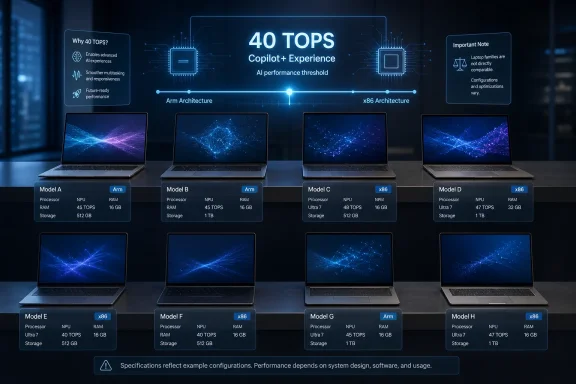 The list names brands and families, not comparable PCs
The largest flaw is the lack of a stable unit of comparison. “Surface Laptop” can mean the 13-inch Snapdragon X Plus model, the 13.8-inch and 15-inch Snapdragon X Plus or X Elite systems, or business configurations based on Intel Core Ultra processors. Those machines differ in graphics performance, ports, repairability, memory ceilings, and the consequences of choosing Arm or x86 Windows.
The same ambiguity runs through Dell’s listing. The Dell XPS 13 9345 is the Snapdragon-based Copilot+ configuration introduced in 2024, with Qualcomm Snapdragon X Elite or Snapdragon X Plus options. Dell’s own service documentation confirms those processors, while Microsoft’s Windows Experience Blog included the system in the first wave of Dell Copilot+ PCs. But “XPS 13” also refers to Intel-based generations and, by 2026, a freshly reshaped XPS product line. A reader cannot infer a processor, NPU rating, or even an application-compatibility profile from the XPS 13 name alone.
HP OmniBook X has the same issue in a more dramatic form. HP’s original OmniBook X 14-fe0000 shipped in May 2024 with Snapdragon X Elite and a 45-TOPS Qualcomm Hexagon NPU. HP now also documents newer OmniBook X 14 variants using Intel Core Ultra processors, including configurations with a 50-TOPS Intel AI Boost NPU. Calling both simply “HP OmniBook X AI PC” erases the platform choice that an IT buyer must make before approving the purchase.
Acer Swift AI and MSI Prestige AI Evo are even less precise. Acer’s current portfolio includes several Swift AI machines across processor vendors and screen sizes; Acer calls the Snapdragon-based Swift 14 AI its first Copilot+ PC and has continued expanding the family. MSI’s Prestige AI Evo label spans multiple 14- and 16-inch systems and more than one Intel generation. MSI’s older Prestige 16 AI Evo B1M uses Core Ultra 9 or Core Ultra 7 processors with Intel AI Boost, while current retailer and manufacturer listings can describe different CPUs under similar branding.
That is not a pedantic naming complaint. It is the difference between buying a laptop that supports all of Microsoft’s local Copilot+ experiences and buying one that merely includes an NPU for vendor utilities, webcam effects, or application-specific acceleration.
Six of the eight can clearly meet the Copilot+ bar
Several entries can be pinned down to configurations that satisfy Microsoft’s 40-TOPS Copilot+ standard.
Microsoft’s current consumer Surface Laptop range remains one of the clearest examples. The 13-inch model uses Snapdragon X Plus with a 45-TOPS Hexagon NPU, while 13.8-inch and 15-inch versions offer Snapdragon X Plus or Snapdragon X Elite. Microsoft lists up to 64GB of memory on the larger model, a consequential option for local development, image work, virtual machines, and large browser-heavy workloads that gets lost in generic “AI productivity” claims.
Lenovo’s Yoga Slim 9i Gen 10 is a different proposition: an Intel Core Ultra Series 2 ultraportable with up to 32GB of LPDDR5X memory, a 75Wh battery, a 14-inch 3,840-by-2,400 OLED panel, Thunderbolt 4, and a camera-under-display design. Lenovo’s Product Specifications Reference identifies the Yoga Slim 9 as a Copilot+ PC under the 40-TOPS requirement. Its appeal is primarily the premium display and compact design; it is not automatically the strongest option for local creative AI workloads merely because Lenovo labels it an AI PC.
ASUS’s Zenbook A14 is an important entry because it illustrates how quickly this category has changed. Earlier U.S. Zenbook A14 models used Qualcomm Snapdragon X processors with a 45-TOPS NPU. ASUS has also announced a newer Zenbook A14 configuration using Snapdragon X2 Elite and an 80-TOPS NPU. A list published in August 2026 that does not state which generation it means gives the reader no way to know whether it is describing last year’s 45-TOPS platform or the newer 80-TOPS hardware.
Acer’s Swift 14 AI also qualifies in its Snapdragon X versions, with Acer advertising a 45-TOPS NPU, a 14.5-inch 2.5K display, Wi-Fi 7, and up to 26 hours in its own battery test. Acer’s January 2026 announcements show the company has since broadened the Swift AI line with Intel Core Ultra Series 3 machines. Again, the family name hides whether a purchaser gets Arm Windows, Intel Windows, or a particular display and memory configuration.
Samsung’s Galaxy Book5 Pro is substantially clearer. Samsung specifies Intel Core Ultra Series 2 processors and an NPU delivering up to 47 TOPS, which clears the Copilot+ threshold. The Galaxy Book5 Pro’s stronger differentiator is not raw AI acceleration, but its combination of a 14-inch or 16-inch AMOLED-class display, very low weight, Wi-Fi 7, and Samsung device integration. Some Galaxy AI functions also require a compatible phone, Samsung account, and internet connection, so they should not be treated as wholly local PC features.
The Dell, HP, and Surface choices carry an Arm decision
The most important purchase consequence absent from Analytics Insight’s list is that some of its highlighted machines use Qualcomm’s Arm architecture. That includes the Snapdragon Surface Laptop, Dell XPS 13 9345, original HP OmniBook X 14, many Zenbook A14 configurations, and the Snapdragon Acer Swift 14 AI.
Windows on Arm has improved markedly through Microsoft’s Prism emulation layer, and Microsoft says x86 and x64 applications can run through emulation. For ordinary browsers, Microsoft 365 applications, Teams, mainstream communication software, and a growing number of native apps, these systems are far less compromised than the Arm laptops of previous Windows generations.
But Microsoft’s own Windows on Arm support guidance still carries the operational warning that should accompany every recommendation of one of these devices: software that depends on a driver requires an Arm64-compatible driver. That can affect printers, endpoint security products, older VPN clients, virtualization tools, specialty peripherals, assistive technology, legacy PDF systems, and games using unsupported anti-cheat drivers.
For a student or a mobile worker living in a browser, Microsoft 365, Slack, Zoom, and cloud applications, that trade can be attractive. For a managed enterprise estate, the correct process is an application and peripheral compatibility audit before standardizing on Arm—not an assumption that “Copilot+” makes the architecture irrelevant.
The Intel-based Lenovo Yoga Slim 9i and Samsung Galaxy Book5 Pro avoid that particular risk while still qualifying for Copilot+ features. They are better default candidates where organizations have an unknown collection of x86 utilities, drivers, or line-of-business software.
“Local AI workloads” needs a real workload behind it
The list repeatedly promises “on-device processing,” “local AI workloads,” and “AI acceleration,” but it does not name the model, application, runtime, or performance measure behind those claims. An NPU is valuable for supported workloads because it can offload efficient, sustained inferencing from the CPU and GPU. It does not turn an ultraportable into a workstation for every generative-AI job.
For Windows users, the readily visible benefits are the built-in Copilot+ functions: Live Captions translation, Studio Effects for camera and microphone processing, Cocreator, Recall if a user deliberately enables it, and Click to Do. Microsoft says Recall uses opt-in snapshots protected by Windows Hello and encryption. Administrators should still treat it as a data-governance decision, especially on systems used for sensitive work, rather than as a harmless performance feature.
Local image generation, transcription, code models, and small language models can benefit from the NPU when the application supports the hardware path. Yet discrete GPUs remain the appropriate choice for heavier creative pipelines, larger local models, 3D work, or GPU-accelerated video production. The MSI Prestige AI Evo entry particularly needs this distinction: the official Prestige 16 AI Evo B1M specification describes Intel AI Boost, but it does not make every Prestige-branded machine a GPU-equipped creative workstation.
AI PC is a hardware class, not a performance verdict. Buyers should begin with the software they actually use, then confirm whether it is native, emulated, NPU-aware, GPU-accelerated, or cloud-dependent.
What a usable 2026 shortlist would disclose
A credible comparison of these eight families would identify the exact SKU, processor, NPU TOPS rating, RAM, storage, display, weight, port selection, battery-test methodology, price, and whether the system is Arm or x86. It would also distinguish a personal recommendation from a managed-fleet recommendation.
The strongest choices split into practical roles rather than one universal leaderboard. The Surface Laptop is the cleanest expression of Microsoft’s Copilot+ vision, provided the buyer accepts Windows on Arm. The Dell XPS 13 9345 and ASUS Zenbook A14 are portability-first Arm alternatives. The HP OmniBook X and Acer Swift AI require especially careful SKU verification because both names cover an expanding mix of platforms. Lenovo’s Yoga Slim 9i and Samsung’s Galaxy Book5 Pro make more sense for premium x86 ultraportable buyers who want Copilot+ access without the driver caveat. MSI’s Prestige AI Evo should be selected only after confirming the exact screen size, CPU generation, memory, and graphics configuration.
The “future of personal computing” will not be settled by which manufacturer prints AI on the lid. For Windows buyers in 2026, the durable dividing lines are whether the machine meets the Copilot+ specification, whether its applications and peripherals fit the chosen architecture, and whether its memory and graphics configuration match the work that is supposed to run locally.
