
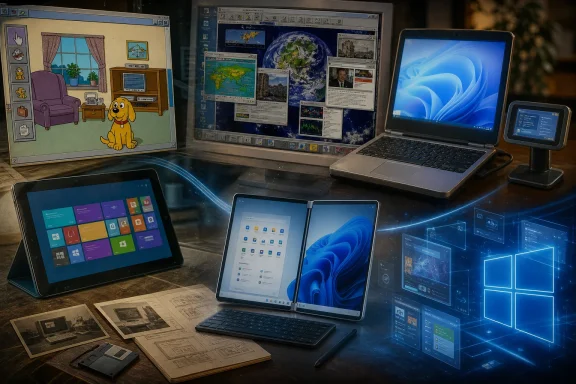
The five Windows experiments worth revisiting are Microsoft Bob, Active Desktop, Windows SideShow, Windows RT, and Windows 10X. Each was discontinued, sidelined, or transformed beyond recognition. Yet each also seeded ideas that resurfaced later in Windows, Surface, mobile devices, and the wider personal-computing market.
That is why these products matter. They are not merely relics for Windows historians. They are case studies in the tension that has defined Microsoft’s platform strategy for decades: the company must keep Windows approachable enough for newcomers while preserving the compatibility, flexibility, and familiarity that made Windows indispensable in the first place.
 Background: Windows as Microsoft’s public laboratory
Windows has always been both a product and a platform. Millions of users expect it to run decades of software, support every conceivable peripheral, and remain understandable across changing hardware generations. Those expectations make radical change unusually difficult.
At the same time, Microsoft has repeatedly tried to use Windows to steer PC computing toward a new model. Sometimes it has worked. The Start menu, taskbar, touch support, cloud syncing, built-in security, and Windows-on-ARM compatibility all emerged from a willingness to revise old assumptions.
The risk is that Windows is not a blank canvas. It is an ecosystem built on accumulated habits. A user may accept a new look, but not if it obscures basic tasks. They may welcome efficient ARM hardware, but not if their software no longer runs. They may appreciate live information, but not if it slows the machine or compromises reliability.
The following experiments demonstrate five different versions of the same strategic error: Microsoft saw a direction worth exploring, but underestimated the cost of getting there.
Microsoft Bob: the PC as a cartoon living room
Microsoft Bob is still the easiest Windows experiment to mock, partly because its visual language was so unmistakable. Released in 1995 as a consumer-oriented software layer for Windows, Bob replaced the conventional desktop metaphor with a virtual home. Programs appeared as objects in rooms, while animated assistants offered guidance to people assumed to be intimidated by traditional computing.
The concept was not entirely irrational. Personal computers in the mid-1990s were still unfamiliar to many households. The Windows interface of the era relied on menus, icons, dialog boxes, and file structures that could look impenetrable to first-time users. Microsoft Bob’s premise was that an environment modeled on a home would feel less technical and more inviting.
A friendly interface that felt patronizing
Bob gave users animated guides with different personalities, including the dog Rover and a character called Digger. Microsoft positioned those guides as adaptive helpers that could offer more assistance to inexperienced users and less to more experienced ones. Yet even before launch, analysts questioned whether many buyers would find the cheerful characters helpful rather than condescending. The Washington Post reported that observers worried intermediate users would reject unsolicited cartoon advice.
That concern proved central to Bob’s reputation. The product treated the desktop not as a workspace to be mastered, but as a place where the system should constantly soften, translate, and narrate computing. For complete beginners, that may have seemed considerate. For anyone who had learned even basic Windows conventions, it could feel like a layer of friction between the user and the machine.
The bigger problem was that Bob demanded meaningful resources for its time. Contemporary reporting listed a minimum 486 processor, 8MB of RAM, and 30MB of free disk space, while the suggested retail price was about $99. Those requirements and pricing details were reported ahead of Bob’s March 1995 retail availability. A product designed to simplify computing therefore imposed a notable cost and hardware burden on the very consumers it wanted to attract.
The legacy that escaped
Bob did not last, but parts of its cultural and technical DNA did. Rover returned in a more famous form as the Windows XP Search Assistant, becoming one of the most recognizable—and divisive—animated guides in Windows history.
The Bob era also intersected with the origin story of Comic Sans. Microsoft’s typography documentation identifies Vincent Connare as the designer and explains that he began developing the typeface in 1994 amid a wave of cartoon-style software at Microsoft. Microsoft’s own account notes that Connare wanted lettering suited to comic-style speech balloons rather than formal drafting typography.
Comic Sans did not ship with Bob itself, but it became an unexpectedly durable artifact of the same design impulse: making computer interfaces feel friendlier, less formal, and more human. It later appeared in the Windows 95 Plus! Pack, Internet Explorer, and other Microsoft products. Microsoft documents its inclusion in Windows 95-era releases and early Internet Explorer distributions.
The lesson from Bob
Microsoft Bob failed because it confused approachability with theatricality. A simple interface should reduce cognitive load. Bob often added decorative interpretation to tasks users would eventually need to understand anyway.
That lesson is still relevant to Windows 11, Copilot-era interface design, and AI assistants. Users may welcome help, automation, and natural-language controls. But assistance becomes irritating when it assumes incompetence, interrupts work, or conceals the underlying system.
Bob’s mistake was not trying to make Windows friendlier. Its mistake was treating the user as a guest in a cartoon house rather than the owner of a capable PC.
Active Desktop: when Microsoft turned wallpaper into a webpage
Before live tiles, Widgets, taskbar feeds, lock-screen cards, and dynamic weather panels, Microsoft had Active Desktop. Introduced with Internet Explorer 4 and incorporated into the Windows 98 experience, Active Desktop allowed HTML content, ActiveX controls, Java applets, and other web-based elements to appear directly on the Windows desktop. Microsoft’s archived developer documentation describes Active Desktop as an Internet Explorer 4.0 feature that could place HTML documents and other web items directly onto the desktop.
In principle, it was an early vision of the connected desktop. Instead of static wallpaper, users could display news headlines, stock information, web pages, channel content, and continually refreshed information panels.
The desktop becomes a live surface
The underlying idea was remarkably forward-looking. Modern operating systems now routinely surface small pieces of live information without forcing users to open a browser.
Windows 11’s Widgets board, for example, serves a similar role: it presents dynamic content at the operating-system level, separately from a full application window. Smartphones do the same with lock-screen widgets, notification summaries, live activities, and glanceable media controls.
Active Desktop tried to do this decades earlier, but its technical context was hostile. Late-1990s PCs had far less processing power, memory, and graphical capability than modern systems. Many households relied on dial-up Internet access, making always-refreshed web content slow, unreliable, and potentially expensive.
The result was a feature that could feel less like a living desktop and more like a fragile browser window stapled to the shell.
An Internet Explorer problem hiding in plain sight
Active Desktop also illustrates how tightly Microsoft linked Windows to Internet Explorer during that period. Internet Explorer was not merely an optional browser application in Microsoft’s framing; it was tied to system-level functionality and the desktop experience.
In a 1997 statement responding to the Justice Department, Microsoft argued that Internet Explorer 3.0 was an integrated feature of Windows 95 and said removing components would impair browser and non-browser aspects of the operating system. Microsoft’s published response captured the company’s position during the antitrust dispute.
Active Desktop did not cause Microsoft’s antitrust problems. But it made the company’s vision unusually visible: the web was not to remain a separate destination reached through a browser. It was to be woven into Windows itself.
That strategy carried obvious benefits. It made Internet functions more accessible and gave developers a way to use web technologies in desktop contexts. Yet it also multiplied complexity. A desktop component that depends on web rendering, remote content, browser settings, scripting behavior, and network availability has more ways to fail than a static wallpaper bitmap.
The idea survived; the implementation did not
The failure of Active Desktop was not evidence that live desktop information was a bad idea. It was evidence that always-on web content needs a disciplined user experience and reliable platform boundaries.
Modern Windows widgets are more sandboxed, more curated, and generally less invasive than the old HTML-on-wallpaper model. They are also running on faster hardware, broadband connections, and systems designed around continuous networking.
Still, Windows users should recognize the trade-off. The more operating-system surfaces become feeds, the more they inherit the problems of feeds:
- Content prioritization can become opaque.
- Recommendations can distract from work.
- Online services can change independently of the OS.
- A local workspace can begin to feel like a delivery channel for remote content.
Active Desktop was early not only in its ambition, but in exposing the risks that come with turning the operating system into a constantly refreshed information layer.
Windows SideShow: the right idea attached to the wrong device
Windows Vista introduced Windows SideShow, a platform for auxiliary displays on laptops, keyboards, remote controls, and other devices. The purpose was simple: allow users to see useful information—email, calendar entries, music playback controls, photos, and similar snippets—without booting the main display or opening the laptop.
It was a compelling concept because it focused on glanceability. Not every interaction requires a full desktop session. Sometimes a person only wants to check the next appointment, see a notification, skip a music track, or confirm whether a message arrived.
The Asus W5Fe showed what SideShow could do
The most memorable SideShow implementation was the Asus W5Fe, a laptop with a small external display embedded in its lid. Reviews described the system as using a full-color 2.8-inch outer display to show email, music, photos, and other content without requiring the user to open the computer. Notebookcheck’s review collection describes the W5Fe as an early Vista SideShow laptop and notes the appeal of accessing information without booting or opening the system.
It is difficult to look at that device today without seeing the outline of future technology. Smartwatches, smartphone lock screens, earbuds, always-on displays, and notification panels all serve the same fundamental purpose: provide a low-effort view of information without forcing a full application workflow.
SideShow therefore was not fundamentally misguided. It was simply attached to a product category that did not need another screen badly enough.
Hardware partners never made it normal
For SideShow to become a genuine Windows platform feature, laptop makers needed to treat auxiliary displays as a standard expectation rather than an exotic premium add-on. That meant accepting additional component costs, more engineering complexity, potential battery-life implications, software support work, and uncertain demand.
The Asus implementation also revealed the limitations of the ecosystem. Reviews praised the basic premise but cited a limited set of available gadgets and uneven usability. The same review collection preserved contemporary assessments that the concept had promise but lacked enough functionality and polish for mainstream adoption.
Microsoft eventually removed SideShow from Windows 8.1. A Microsoft support-community response acknowledged that SideShow had been removed and that associated components and drivers were no longer present. The archived Microsoft Q&A thread documents that removal.
SideShow’s real successor was the phone
The central SideShow idea migrated, but not into another generation of laptop lids. It migrated into devices people already carried and checked constantly.
A smartphone is effectively the SideShow display Microsoft wanted, except it has:
- Its own processor and network connection.
- A touch interface.
- A mature app ecosystem.
- A screen users already expect to glance at dozens of times per day.
- No need for PC manufacturers to agree on a specialized hardware standard.
Smartwatches took the concept further by moving glanceable information from the laptop bag to the wrist. SideShow was, in that sense, a prescient experiment stranded by form factor.
Its lesson is especially important for Windows hardware strategy. A feature can be useful and still fail if it requires too much coordination across OEMs, developers, component suppliers, and buyers. A good capability is not the same as a viable ecosystem.
Windows RT: Windows that looked familiar but could not run familiar Windows software
If Microsoft Bob misread how much guidance users wanted, Windows RT misread how much compatibility users were willing to sacrifice for a thinner, lighter, more efficient device.
Windows RT launched alongside the original Surface RT in 2012 as an ARM-based version of Windows 8. It carried the Windows desktop and included Microsoft Office Home and Student 2013 RT Preview. Microsoft’s Surface RT documentation listed the bundled Office package as part of the device’s software offering.
But Windows RT had one crucial limitation: it could not run ordinary desktop applications compiled for x86 processors. That made it a radically different product from what its desktop interface seemed to promise.
The compatibility trap
To an ordinary customer, the Surface RT looked like a Windows computer. It had a desktop. It had file management. It had Office. It used Windows branding at the peak of Windows 8’s consumer visibility.
But the traditional Windows value proposition was never only the shell. It was the accumulated library of software that users expected to install: utilities, business applications, peripherals, old games, creative tools, specialty programs, and niche software that might never arrive in an app store.
Windows RT largely directed customers toward Windows Store applications while reserving the traditional desktop environment for Microsoft’s own included software. This produced an awkward message: the desktop is here, but it is not really yours.
The underlying technical reason was sound. ARM and x86 processors use different instruction sets, so software compiled for one architecture does not automatically execute on the other. Yet that fact did not erase the product-design problem. If the system cannot run software that users associate with Windows, then it needs branding, messaging, and capabilities that make the distinction impossible to miss.
Microsoft’s later Windows-on-ARM work demonstrates what RT lacked: a compatibility bridge. Current Windows-on-ARM documentation says Windows can run native ARM applications as well as many unmodified x86 and x64 applications through emulation. Microsoft’s Windows-on-ARM overview explains that ARM apps run natively while x86 and x64 applications can run under emulation on ARM devices.
The $900 million consequence
The commercial damage became impossible to ignore in 2013. Microsoft recorded a charge of approximately $900 million for Surface RT inventory adjustments, a figure disclosed in its annual reporting. Microsoft’s fiscal 2013 annual report identifies the Surface RT inventory adjustment at roughly $900 million.
That charge remains one of the clearest financial symbols of the Windows RT failure. The hardware itself was not necessarily the wrong ambition. ARM processors offered an avenue toward more efficient Windows devices, better mobility, and longer battery life. Those goals were—and remain—important.
The mistake was launching a Windows-branded device without sufficiently protecting the user from a compatibility surprise.
Why modern Windows on ARM is different
Modern Windows-on-ARM systems are not a simple replay of Windows RT. Microsoft’s documentation now emphasizes support for native ARM software and for many x86 and x64 applications through emulation. Microsoft states that Windows-on-ARM can run many unmodified x86 and x64 applications, while its Surface support guidance says x64 emulation in Windows 11 broadens compatibility for ARM-based devices. Microsoft Support explains that many x64 applications can run effectively through Windows 11’s emulation support.
That does not mean compatibility is perfect. Drivers, low-level utilities, specialized peripherals, games with anti-cheat systems, and older enterprise software can still require careful validation. Microsoft itself warns that some peripherals may not install if manufacturer software lacks ARM support. Its Surface ARM guidance specifically notes potential installer and peripheral-support limitations.
But the strategic difference is immense. Windows RT asked users to move to ARM while leaving much of their existing software behind. Current Windows-on-ARM devices attempt to preserve access to the existing ecosystem while developers gradually add native ARM builds.
Windows RT failed because it treated compatibility as a secondary concern. Modern Windows on ARM exists because Microsoft eventually recognized that for Windows users, compatibility is the product.
Windows 10X: the operating system that became a design donor
Windows 10X was Microsoft’s attempt to rethink Windows for a new generation of dual-screen and foldable PCs. Announced in 2019, it was designed for devices such as the dual-screen Surface Neo, which Microsoft presented as part of a new category of mobile productivity hardware.
Microsoft described Windows 10X as an operating system for dual-screen and foldable devices, with plans to bring it to devices from Microsoft and other PC makers. The company’s 2019 Windows 10X announcement positioned it as a new expression of Windows for a category beyond conventional PCs.
A clean break from conventional Windows complexity
The appeal of Windows 10X was obvious. Conventional Windows carries enormous historical weight: old APIs, legacy applications, driver assumptions, compatibility layers, and user expectations accumulated across decades.
10X appeared to offer a way to build a cleaner, more contained system around new hardware postures. Microsoft’s Surface Neo pitch emphasized two 9-inch screens joined by a 360-degree hinge, designed to support multitasking, pen input, and a removable keyboard. Microsoft’s Surface announcement described the Neo and its Windows 10X foundation as a productivity-focused dual-screen concept.
For enthusiasts, 10X represented an intriguing possibility: Windows with less inherited clutter, a more consistent interface, and a modernized operational model. For Microsoft, it offered a chance to experiment without immediately rewriting the Windows installed base.
Then the product vanished
The dual-screen PC market did not materialize in the way Microsoft initially envisioned, and the pandemic accelerated demand for familiar, conventional laptops rather than unusual new form factors. Microsoft shifted 10X toward single-screen devices, but ultimately shelved it as a distinct product.
The key point is that Windows 10X did not simply disappear into a void. It became a donor project.
When Windows 11 arrived, its centered taskbar, redesigned Start menu, rounded visual surfaces, simplified presentation, and cleaner overall aesthetic looked closely aligned with the direction Microsoft had been pursuing through 10X. Microsoft did not market Windows 11 as Windows 10X under a new name, and that would oversimplify the relationship. But the influence was difficult to miss.
The strength of cancellation
There is a tendency to treat any canceled Microsoft product as wasted effort. That is too simplistic. Cancellation can be a rational decision when a concept is valuable but the product boundary is wrong.
Windows 10X’s most valuable contribution may have been its role as an internal prototype. It allowed Microsoft to explore what Windows could look like when designed around simpler interaction models and emerging hardware categories. Rather than force a separate operating system onto a market that might not support it, Microsoft could transfer ideas into the mainstream Windows product.
That is a far healthier outcome than shipping a compromised platform merely because it was announced.
Still, 10X also demonstrates a recurring Microsoft problem: the company often reveals a grand hardware-and-software vision before it has proved that the surrounding market can sustain it. The Surface Neo never became the retail centerpiece of a dual-screen Windows category. The form factor, operating system, and developer proposition were too interdependent.
Windows 10X showed that a simplified Windows experience could be attractive. It also showed that Windows simplification is easier to sell as an evolution of familiar Windows than as a separate Windows universe.
What these forgotten Windows experiments still teach
Taken together, these five projects reveal a coherent pattern in Microsoft’s history.
Microsoft Bob saw a need for more approachable computing, but overdesigned the friendliness. Active Desktop saw the future of live information, but deployed it before the web and PC hardware were ready. SideShow understood glanceable computing, but depended on a hardware ecosystem that never formed. Windows RT correctly anticipated the importance of ARM efficiency, but failed to preserve the compatibility Windows users expected. Windows 10X identified the need for a cleaner, more modern Windows design, but could not justify becoming a separate consumer platform.
The common thread is not incompetence. It is the difficulty of changing a mature platform.
Windows succeeds because it carries forward the past: applications, peripherals, workflows, and user knowledge. Yet Windows also risks becoming stagnant if Microsoft never experiments with new hardware, new interfaces, or new technical foundations. The company therefore has to run experiments in public, sometimes at considerable cost.
The most successful outcome is not necessarily that every experiment becomes a standalone product. Often, the real value comes from what survives:
- Bob’s desire for friendlier computing informed later assistant concepts.
- Active Desktop anticipated live information surfaces and widget-driven interfaces.
- SideShow predicted the modern expectation of glanceable, ambient notifications.
- Windows RT helped push Microsoft toward a more mature Windows-on-ARM strategy.
- Windows 10X helped shape the cleaner visual language associated with Windows 11.
Microsoft’s backyard may indeed be full of abandoned Windows ideas. But those ideas are rarely buried intact. They are dismantled, simplified, and rebuilt for a market that is finally ready—or for a version of Windows that can carry the experiment without asking users to sacrifice what made Windows valuable in the first place.
