
Windows Latest first reported the new GitHub announcement on August 29, and Microsoft’s statement is unusually explicit: the public repository is now where engineers are doing the work rather than a delayed mirror of work completed elsewhere. For a framework that has spent years publicly visible but operationally opaque, the distinction is more important than the word “open source” suggests.
WinUI is Microsoft’s modern XAML-based UI framework within the Windows App SDK. It is used for contemporary Windows controls, Fluent styling, animations, and parts of the Windows shell. Microsoft’s own developer documentation now calls WinUI 3 the recommended native UI framework for new Windows desktop applications, and says it powers parts of the shell and built-in apps as well as projects such as PowerToys.
The practical news is that developers can now watch whether that recommendation is backed by code, bug fixes, and release work. The less exciting but more consequential part is that outside contributors still cannot submit community pull requests through the full pipeline. Microsoft says it is proving out validation, documentation, and release processes first, with community contributions promised later.
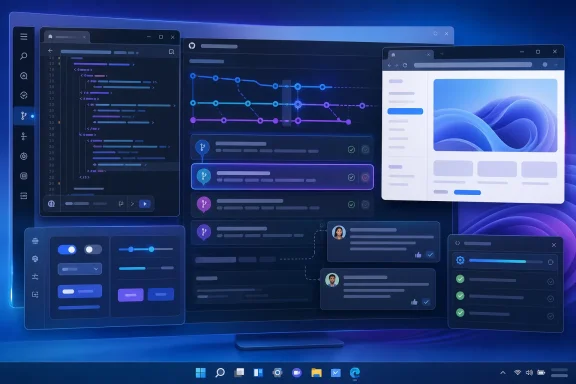 GitHub Is Becoming the Engineering Record, Not Just a Source Drop
WinUI’s source repository has been public for years. Public code, however, does not necessarily show how a product is being built. A project can publish periodic snapshots while decisions, code review, test failures, and integration happen inside a private system. In that model, an outside developer sees the result but cannot reliably follow the reasoning or timing behind it.
Microsoft’s new position is that GitHub now contains the active engineering workflow. That gives the WinUI community access to the things that actually establish a framework’s health: how quickly bugs are acknowledged, whether regressions are reverted, which API changes are debated, how performance work is tested, and whether issues receive an answer before a release is already locked.
This is the culmination of a phased effort Microsoft began discussing in 2025. In a GitHub update last year, WinUI engineer Beth Pan said the team had to separate code from proprietary Windows layers before it could make more of the repository buildable and useful externally. The project is still not a fully independent implementation of every Windows UI component; parts of the underlying operating system necessarily remain proprietary.
That limitation is worth stating plainly. A public WinUI workflow does not mean the Windows shell has become open source, and it does not make every component required to reproduce a Windows 11 interface available for third-party inspection. What it changes is the visibility of the framework layer Microsoft wants developers to use for modern Windows apps.
For developers evaluating WinUI against WPF, Win32, Qt, Electron, React Native, or web-first stacks, this is progress in process rather than a new technical capability. Transparency can shorten the gap between discovering a problem and understanding whether Microsoft has accepted it as a bug. It cannot, on its own, fix deployment friction, missing controls, compatibility gaps, or rendering performance.
Microsoft Has Already Put WinUI at the Center of Its Windows Quality Work
Microsoft’s broader Windows messaging this year has given the WinUI move more weight than a routine repository-management change. The Windows Insider Blog said in July that Microsoft had extended WinUI 3 into more of the Windows shell, naming Widgets and the new Run experience, with Autoplay and more File and Folder Properties dialogs headed for Windows Insider Preview Experimental builds.
The same update said the company was working on WinUI memory efficiency and latency while pushing broader Windows 11 performance and reliability work. It also said many improvements were already reaching Windows Insiders, with broader rollout planned to begin in the fall of 2026.
That is independent evidence that Microsoft is using the framework in more shell surfaces. It does not establish a blanket policy under which every inbox application will be rewritten in WinUI. Neither Microsoft’s Windows quality update nor the new GitHub announcement identifies a migration schedule for New Outlook, Teams, Microsoft 365 Copilot, Weather, or other applications commonly criticized for WebView2 use.
Windows Latest frames the GitHub shift as the start of a revived “native app era.” The more defensible reading is narrower: Microsoft is making WinUI a more visible part of the Windows 11 modernization program and has committed to exposing the framework’s development process. Whether that results in broad replacement of web-based inbox apps remains unannounced.
That uncertainty matters because Microsoft is simultaneously optimizing Chromium and WebView2 components used in Windows. Its July quality update explicitly described efficiency work across Windows, WinUI 3, Chromium, and WebView2. The company’s stated direction is therefore not a simple native-versus-web purge. It is a multi-track effort to reduce memory use and responsiveness problems across the stack it already ships.
Performance Claims Need a More Careful Reading
WinUI also has performance baggage of its own. Microsoft acknowledged that its modernization push requires work on “fundamentals,” and the framework team has publicly focused on reducing overhead before larger Windows surfaces rely on it.
In a May GitHub discussion, Microsoft published measurements for the WinUI portion of File Explorer launch. The team reported 41 percent fewer allocations, 63 percent fewer transient allocations, 45 percent fewer function calls, and a 25 percent reduction in time spent in WinUI code. Those numbers are encouraging, but they are frequently overstated when repeated as File Explorer launch improvements.
They are not a claim that File Explorer as a whole launches 25 percent faster. Microsoft clarified in the discussion that the measurements cover the framework’s part of the launch path, while other Windows teams separately handle the rest of the application’s end-to-end performance. That distinction is material for administrators and enthusiasts trying to decide whether an update has improved a real workflow rather than a component benchmark.
At Build 2026, Microsoft also said it was investing in memory usage and moving WinUI toward a system compositor, a change intended to improve performance. No public before-and-after memory figure has been attached to that work. There is no Microsoft-backed basis yet for saying that a typical WinUI app will consume a particular number of megabytes less RAM after the compositor changes land.
The same caution applies to WebView2 criticism. Browser-backed desktop interfaces can add process, rendering, and memory overhead compared with a narrowly scoped native application, particularly when an app carries substantial web runtime code. But WinUI is not automatically lightweight simply because it is native. A complex XAML tree, inefficient bindings, heavy media use, poor virtualization, or uncontrolled background work can still produce a slow or memory-hungry desktop app.
The useful comparison is not “web bad, native good.” It is whether an application delivers a faster startup, lower steady-state memory footprint, smoother interaction, stronger offline behavior, and better Windows integration for the actual workload it serves. Microsoft now has a public forum in which those claims can be inspected as code changes arrive.
Community Contributions Are Still the Missing Test
The GitHub announcement’s most important caveat is also its clearest one: the project is open for observation before it is fully open for contribution. Microsoft employees are currently creating and merging pull requests while the company validates workflows for external submissions.
That means independent developers can follow and discuss mainline work, file issues, inspect changes, and potentially prepare fixes. They cannot yet treat WinUI like a mature outside-contributor project in which they can submit a patch and expect a defined public build-and-review path.
Microsoft says it wants the contribution system to be reliable and predictable before opening it. That is a sensible objective for a framework tied to the Windows App SDK and used by production applications. But the company did not provide a firm date, criteria for opening the pipeline, expected review service levels, or an explanation of which portions of the codebase will accept outside changes first.
There is a practical barrier, too. During the earlier phased rollout, Microsoft said a local build could require roughly 80 GB of disk space for one build flavor, alongside Visual Studio, the operating system, and dependencies. That does not prevent professional contributors from participating, but it makes this fundamentally different from a small library that can be cloned, compiled, and tested in a few minutes.
For enterprise teams, the immediate advice is modest. Continue choosing WinUI based on its current APIs, deployment model, Windows integration, language support, and performance on target hardware—not on the expectation that an open GitHub workflow will rapidly solve every blocker. The new process can improve confidence over time, but it does not alter the support profile of an application already in production.
What Windows 11 Users Can Actually Expect
There is no Windows 11 update to install because WinUI engineering moved to GitHub. Users will see a benefit only when framework improvements are incorporated into the Windows App SDK, shipped in Windows builds, and adopted by a particular app or shell component.
Microsoft has pointed to a more responsive shell, lower memory usage, and a broader use of WinUI 3 in Windows 11. The first visible places to watch are the features the company has already named: Widgets, the new Run experience, File Explorer-related dialogs, and Experimental-channel shell additions. Those are concrete signals of adoption; a repository’s pull-request count is not.
The central test will now be public and measurable. Microsoft needs to show that WinUI updates improve real application launch times, resizing behavior, input latency, accessibility, memory use, and reliability—not merely internal allocation counts. It also needs to open the promised community contribution pipeline and demonstrate that external fixes can make it from pull request to release.
Until then, this is a credible operational commitment to WinUI, and a welcome correction to the era of delayed source drops. It is not yet evidence that Teams, New Outlook, or every other Windows 11 web-backed app is about to become a native WinUI application.