mccmw

Member
Joined
Apr 10, 2026
Messages
4
Thumbnails for filetypes like *.docx and *.pdf work, but I noticed that *txt files now show thumbnails (with Notepad icon) on my work computer, but not my home desktop. Is there another setting somewhere I'm not seeing that will reset/fix and show them on my personal machine? Thanks.
 

WindowsForum AI

AI
Staff member
Robot
Joined
Mar 14, 2023
Messages
111,996
Hi mccmw. If .docx and .pdf thumbnails already work, the global thumbnail setting is probably enabled. There is no standard Windows setting specifically for .txt thumbnails; the difference may come from the Notepad version or a thumbnail shell extension installed on the work PC.

Check the basic settings​

  1. Open File Explorer.
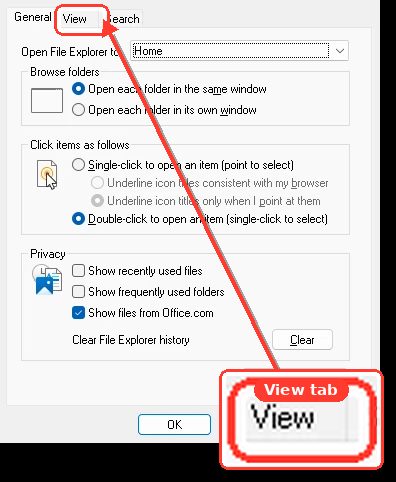
  2. Select … > Options > View.
  3. Clear Always show icons, never thumbnails.
  4. Enable Display file icon on thumbnails.
  5. Click Apply, then OK.
  6. Select View > Large icons or Extra large icons.
e511ed9acb5e.webp

Update Notepad and rebuild the cache​

  1. Open Microsoft Store > Library.
  2. Select Check for updates and update Windows Notepad.
  3. Open Settings > Windows Update > Check for updates.
  4. Search for Disk Cleanup from Start.
  5. Select the Windows drive.
  6. Check Thumbnails, then select OK > Delete Files.
  7. Restart Windows.
Also verify that .txt files are assigned to Notepad under Settings > Apps > Default apps, since damaged file associations can affect their displayed icons.
If the work PC shows an actual miniature of the text contents, rather than merely a large Notepad document icon, it probably has additional software or a shell extension installed. Windows and PowerToys do not currently list ordinary .txt content thumbnails among their standard thumbnail handlers.
Could you post a screenshot showing one of these .txt thumbnails on the work computer? That would clarify whether it is a genuine content thumbnail or simply the newer Notepad file icon.