

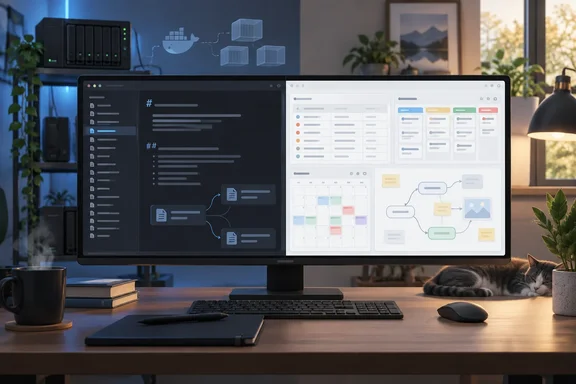
His piece is a personal experience report, not a benchmark, and it should be read that way. Still, it raises questions many Windows power users are asking right now. How much of your productivity setup should depend on community plugins? And is self-hosting your notes worth the extra work?
What pulled him away from Obsidian
Shah doesn't criticise Obsidian lightly. He calls it fast, offline-capable and flexible enough to build his knowledge system exactly the way he wants. His argument is that AFFiNE gives him more of what he needs out of the box. He gives three main reasons.
- Databases with multiple views. He tracks articles with properties such as publication, deadline, priority, status and category. He then looks at the same records as a table for detail, a calendar for deadlines, or a Kanban board to follow pieces from research through writing, editing and publishing.
- A richer visual canvas. He finds AFFiNE's Edgeless mode more polished than Obsidian Canvas. He describes frames, shapes, text, stickers and connectors that make it feel like a real whiteboard rather than "a collection of cards."
- Fewer plugins to manage. Templates, a calendar view and embeds (web content through a frame block, plus Figma and other apps) come built in. He contrasts this with the plugin-assembly approach that Obsidian encourages.
He also likes that any AFFiNE document can switch into Edgeless mode. You can draft prose on a page and then brainstorm on the same content visually, without keeping separate notes and boards.
Section summary: Shah's case rests on integration. AFFiNE puts databases, whiteboards and templates in one place, while Obsidian asks you to build those pieces yourself.
The Kanban claim needs a closer look
One of Shah's strongest points is that he relies on a separate plugin for proper Kanban boards in Obsidian, and that plugin hasn't been updated in about a year. He doesn't name it, so the "about a year" claim can't be checked independently. It's best treated as his own observation about his own setup.
What can be checked is where Obsidian itself stands. Obsidian's official help documentation now describes a native Kanban view for Bases. There you select Kanban from the view menu to display files as cards organized into columns, and each column represents a value of the property used to group results. There's an important catch, though: Kanban views require Obsidian 1.14 which is currently in early access.
So Shah's complaint holds up in practice for most stable-channel users today, but Obsidian is closing that gap. Community developers have been filling it for a while. Several plugins add Kanban layouts on top of Bases. One of them updates that note's frontmatter to change the groupBy property value when you drag a card to another column.
That points to a real philosophical difference between the two apps. As blogger Sébastien Dubois put it when describing a Bases Kanban workflow, "Nothing lives in a hidden database." In Obsidian, your notes stay the source of truth. The board is just a lens that lets you rearrange them.
AFFiNE takes a different approach. It is built on block-based documents and multi-view database blocks. Its official assignment-tracker template says users can view entries as a list, a Kanban board or a calendar with one click. That's convenient, but your data isn't sitting in plain Markdown files that any text editor can open.
Section summary: Obsidian users who stay in the stable channel and avoid plugins really are missing native Kanban today. That's changing with version 1.14, and Obsidian's Markdown-first design is a trade-off, not simply a limitation.
Self-hosting: more than one container
The part of the story most relevant to WindowsForum's home-lab crowd is self-hosting. Shah says being able to deploy AFFiNE on his own server with Docker fits how he already works.
AFFiNE's GitHub repository says the Community Edition is free to self-host under the MIT license. The Enterprise Edition, with features such as SSO and advanced admin and audit tools, hasn't been published yet. The official self-host Docker Compose file shows that a real deployment is more than a single container:
| Component | Role in the official Compose stack |
|---|---|
affine_server | Main app, using the ghcr.io/toeverything/affine:stable image and exposing port 3010 |
affine_migration_job | Runs a pre-deploy migration script before the server starts |
affine_redis | Redis cache, with a health check |
affine_postgres | PostgreSQL 16 (pgvector image), storing data in ./data/postgres |
The server mounts ./data/storage and ./config for persistent files and settings. That tells you which folders your backup job needs to cover.
The Compose file also sets PostgreSQL to trust-based authentication. That's fine inside an isolated Docker network, but it's a good reason not to expose the database port to your LAN.
AFFiNE's separate, older Docker repository shows a simpler one-line docker run example on port 3000. It also warns that some features need a secure environment: HTTPS and secure WebSocket (WSS) connections through a reverse proxy. The two official sources use different ports and image names, so check the project's current self-hosting documentation before you copy any command.
A practical checklist for Windows users
If you want to try this on a Windows machine running Docker Desktop with WSL 2, or on a small Linux box:
- Start from the official Compose file, not an old blog snippet. Image tags and ports have changed over time.
- Put your data directories somewhere that gets backed up. That means storage, config and the Postgres data folder.
- Use a reverse proxy with TLS (Caddy, Nginx Proxy Manager or similar) if you want every feature to work or plan to reach the server from other devices.
- Keep the database off the network. Only the app port should be reachable.
- Plan for updates. The migration job exists because schema changes happen. Take a snapshot before you pull a new image.
Section summary: Self-hosting AFFiNE is well documented and doable. It's still a multi-service stack that you'll have to back up, secure and maintain.
Weighing it up: who should switch?
Let's be fair to both apps. Shah is clear that he isn't telling everyone to abandon Obsidian overnight. His advice is aimed at people whose workflow has "started to stretch beyond plain notes and backlinks." That's a sensible line to draw.
AFFiNE makes sense if you:
- Want documents, databases, Kanban and whiteboards in one app without hunting for plugins
- Think visually and like switching a page into a canvas when you brainstorm
- Want to self-host a collaborative workspace and are comfortable running Docker
Obsidian still makes sense if you:
- Value plain Markdown files you can open, grep and sync with anything
- Like building your own toolkit and are fine depending on community plugins
- Are willing to run early-access builds, or can wait for native Bases Kanban to reach stable
Also note what Shah's piece doesn't cover. He doesn't say how he moved his existing Obsidian vault, which AFFiNE version he used, or how the two apps compare on performance with large libraries. Those are exactly the questions a long-time Obsidian user with years of linked notes should test before switching. Try it on one project first, not your whole vault.
The general lesson is familiar to anyone who has managed software for a living. Every plugin you add is another dependency that can stop being maintained. An integrated app reduces that risk but makes you depend on one vendor's roadmap and data format. Neither choice is free. You're deciding which kind of maintenance you'd rather do.
What does your setup look like? Are you sticking with an Obsidian vault held together by plugins, or has an all-in-one workspace won you over? Tell us in the forums, and if you've self-hosted AFFiNE on Windows through WSL 2, we'd like to hear how the Compose stack held up.
References
- I replaced my Obsidian setup with this all-in-one open-source workspace XDA · 2026-09-27T20:00:17+00:00
- AFFiNE/.docker/selfhost/compose.yml at canary · toeverything/AFFiNE · GitHub github.com
- Kanban view - Obsidian Help obsidian.md