

What a Windows PC actually needs
Pawprint’s specification graphic, last updated September 14, 2026, gives the following PC requirements. Steam lists the same storage, processor, memory and graphics tiers.
| Component | Minimum | Recommended |
|---|---|---|
| Operating system | 64-bit Windows 10 | 64-bit Windows 10 or later |
| Processor | Intel Core i7-4770 or AMD Ryzen 7 2700 | Intel Core i7-10700 or AMD Ryzen 5 5600 or better |
| Memory | 8 GB RAM | 16 GB RAM or more |
| Graphics | GeForce GTX 970 or Radeon RX 5600 | GeForce RTX 3060 or Radeon RX 6700 or better |
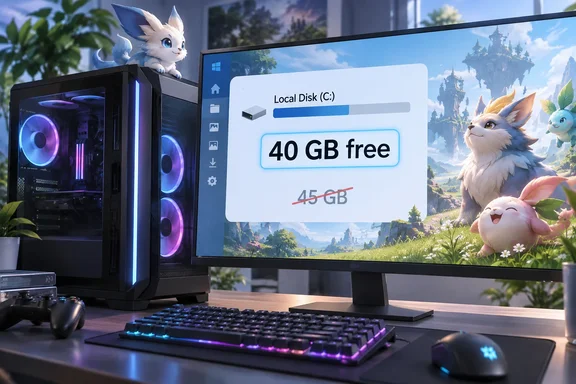
| Storage | 40 GB available | 40 GB available |
These are materially different from EXP.GG’s higher PC processor, graphics and 12 GB minimum RAM figures. They are specifications published by the developer and on Steam, not a promise that every PC meeting the minimum will deliver the same frame rate or visual quality. Steam also lists a broadband internet connection.
There is one smaller disagreement between the official listings: Pawprint’s graphic says DirectX 11/12, while Steam specifies DirectX 11. Players should not read that discrepancy as evidence that the 45 GB figure is correct; both listings agree on 40 GB of storage.
Check the drive where the game will install
Pawprint recommends an SSD and says its launcher installs the game in the launcher’s directory by default. Its guidance is to reserve 40 GB for the fully extracted game. That means the useful number to check in Windows is the free space on the intended installation drive, not the drive’s advertised total capacity or the free space on a different drive.
If installation or an update reports insufficient space, Pawprint advises freeing space on that installation drive, reopening the launcher and retrying the update. Keeping some additional space free is sensible housekeeping, but Pawprint does not specify a separate, fixed allowance for future updates in these requirements.
Mobile players need more than 18 GB free
EXP.GG’s 18 GB storage figure for both Android and iOS agrees with Pawprint’s graphic. The graphic adds compatibility details that storage alone cannot settle: iOS requires at least an iPhone 11 with an A13 chip, iOS 16 and 4 GB RAM; Pawprint recommends an iPhone 14 Pro or newer with an A16 chip and at least 6 GB RAM.
For Android, the minimum is a Snapdragon 855 or MediaTek Dimensity 1000, Android 10, 6 GB RAM and Vulkan 1.1. The recommended tier is a Snapdragon 8 Gen 2 or Dimensity 9200 or better, Android 10, at least 8 GB RAM and Vulkan 1.1 or later. A phone with 18 GB free is therefore not necessarily compatible—particularly if it misses the graphics API requirement.
Bottom line: For a Windows installation, use 40 GB free on the target drive as the published figure, preferably on an SSD, and check the rest of your hardware against the official minimums. Pawprint cautions that its specifications may change as compatibility work continues, so it is worth checking them again before a later download.
References
- Pawprint Studio Aniimo Requires 45 GB Storage - EXP.GG EXP.GG · 2026-09-28T03:05:08+00:00
- Aniimo PC & Console Pre-Download Now Available! Launching on September 16! | aniimo aniimo.com
- Aniimo on Steam store.steampowered.com