

What was announced
AVer Information Inc. USA announced that the MT300N is now Certified for Microsoft Teams. The company says it meets Microsoft's performance and compatibility requirements for qualified Teams Rooms deployments. The trade site rAVe [PUBS] ran the news on October 2, 2026. AVer's own site lists the achievement in its news feed under September 29, 2026, so the announcement predates the trade coverage by a few days.
AVer's Katie Sullivan, a senior product manager, framed it as a deployment story. She said the MT300N gives organizations flexibility through voice tracking, multi-camera switching and broad compatibility with leading audio and video technologies in a compact platform.
Microsoft also commented. Albert Kooiman, General Manager for Teams Partner Engineering and Customer Enablement, said the device supports multi-camera voice tracking and outputs over a single USB stream. He added that it works with third-party microphones that are themselves certified for Teams, which he said is especially useful in large meeting rooms. Treat both quotes as vendor and partner messaging. They describe capabilities and don't amount to independent testing.
What the MT300N actually is
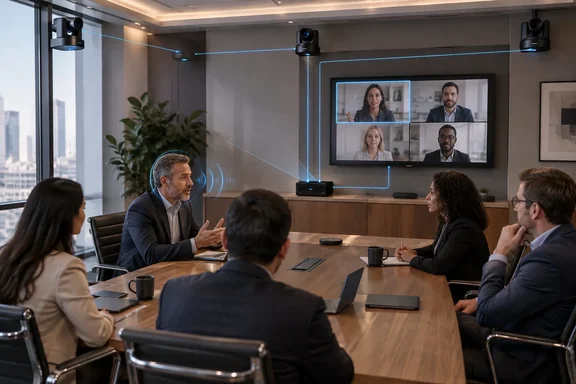
The MT300N isn't a camera, despite Microsoft's quote calling it "the AVer MT300N camera". It also isn't a Teams Rooms compute system. AVer says it enhances AVer PTZ cameras by adding voice tracking in a compact form factor. With multiple cameras connected, it switches between them by voice so the active speaker stays in view.
AVer's datasheet describes it as a small-form-factor box that removes the need for an expensive in-room PC or server running PTZ Link software, because the software comes pre-installed. That is AVer's design rationale. Nobody has independently compared cost or reliability.
Other points from AVer's materials:
- It supports third-party microphones from leading audio brands and allows customizable multi-camera switching.
- Connectivity covers USB, NDI|HX2, HDMI and H.264 input and output.
- The same camera setup can be swapped between in-room Teams, Zoom Rooms, Google Meet or BYOM. That is a platform-compatibility claim. The Teams certification doesn't extend to Zoom or Google Meet.
The fine print: what is certified
Microsoft's Learn page for Teams Rooms certified hardware lists the MT300N in its peripherals table. It appears as a bundle: the AVer MT300N Matrix Tracking Box with the AVer TR315, TR211, PTZ310UV2 and PTZ211 cameras. The listed firmware is 0.1.0000.73 for the MT300N and 0.0.0005.60 for the four cameras.
That makes the certification narrower than "works with any AVer camera and any microphone". Microsoft's page also warns that the certification program covers hardware design and performance requirements. It doesn't assess cloud functionality or environmental support.
Practical checklist for Teams Rooms admins
- Confirm that your cameras are among the four listed models. Other AVer PTZ cameras may work, but they aren't covered by this listing.
- Match the firmware. Check the listed versions against what is on your devices before you deploy or standardize.
- Pick a Teams-certified microphone. Microsoft's endorsement depends on microphones that are themselves certified. AVer's datasheet and partner material name ecosystems such as Sennheiser, but a brand name doesn't guarantee that every model is certified or supported.
- Plan for a single USB stream into the room host. Microsoft's description of the device centers on one USB output to Teams.
- Check licensing. A premium PTZ Link license unlocks more camera and microphone groups. AVer's sources disagree on the limit. AVer's product page says up to 25 groups, but another section of the same page says up to five, and B&H's listing also says five. Verify the figure for your unit and license before you design a room around it.
Analysis
Certified multi-camera tracking matters in large rooms such as boardrooms, training spaces and lecture halls. Teams Rooms deployments there often fall back on third-party tracking software or a separate PC. A certified box that merges the cameras into one USB feed reduces moving parts. That is the plausible benefit, and AVer's own materials frame it that way.
There are caveats. This is a vendor-announced certification, and AVer's press materials are the main source for the capability claims. The certified bundle is narrow, and the room's behavior still depends on your microphone, firmware and layout. Pilot it in one room before you roll it out fleet-wide.
Overall, this is a useful addition for AV teams that already use AVer PTZ cameras. Read the Microsoft listing, not the headline, to see exactly which combination is covered.
Update: Additional details (October 5, 2026)
AVNetwork reports that the MT300N can be installed beneath a table, behind a display using the included surface-mount brackets, or in a rack with an optional rack-mount accessory. Those physical-installation options were not specified in the initial announcement.
The report also reiterates that the box’s Teams Rooms voice-tracking workflow depends on integration with Microsoft Teams Certified microphones, rather than certification of arbitrary third-party microphone models.
References
- Pro AV Newsmakers: Product Enhancements and Updates from Neat, Sony, AVer, Extron, and More AVNetwork · 2026-10-05T14:06:28+00:00
- AVer Information Inc. USA MT300N Certified for Microsoft Teams - rAVe (PUBS) rAVe (PUBS) · 2026-10-02T16:04:39+00:00
- Sistemi e periferiche certificati per Teams Rooms - Microsoft Teams | Microsoft Learn learn.microsoft.com