

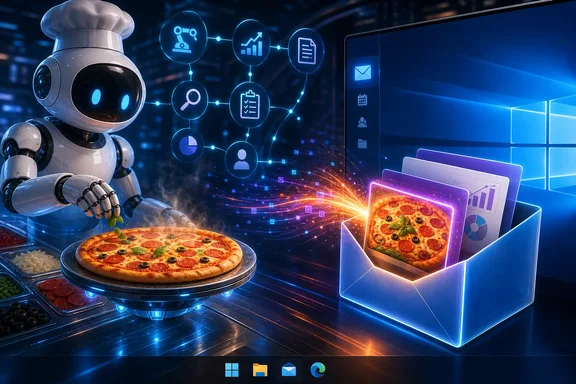
Pizza Bot was announced on September 10, 2026, after development and earlier use within Amazon. AWS says internal versions were used by more than 2,000 people for tasks including meeting preparation and follow-ups, email drafting, Slack summaries, CRM logging, daily prioritization, and web research. That is useful evidence of the kinds of workflows the software targets, but it is an AWS-reported adoption figure rather than independently audited proof of productivity gains.
The project is now available under the Apache 2.0 license as a community project. That distinction matters: it is not an AWS managed service, does not come with AWS support, and has no service-level agreement.
An inbox rather than a live agent dashboard
The product’s defining idea is an asynchronous workflow. A person can submit a task to an AI agent, leave it running, and return when there is a meaningful result or a decision that needs human input. Completed work goes to an Unread queue. Work that has paused because it needs a user decision goes to Action. An All view retains the associated thread history.
That sounds like a small interface change, but it responds to a real limitation of many agent tools. A conventional chat interface makes the user a spectator: start a complex prompt, wait, watch progress, and intervene if the process asks a question. Pizza Bot instead treats an agent run as a background job with correspondence-like outcomes.
Tasks can begin manually, on a schedule, or through a webhook. This could make the software relevant to repetitive Windows-based routines, such as asking an agent for a morning research brief, having it draft a summary after a scheduled event, or triggering work from another local or business system. The product’s model is especially suited to tasks where a result is useful later, rather than tasks needing an immediate conversational answer.
Still, an inbox does not itself prove better productivity. The supplied evidence does not independently establish that Pizza Bot reduces oversight, improves accuracy, or makes people materially more effective at running several agents. It is reasonable to see the interface as a potentially better fit for interruptible work, but prospective users should evaluate it on their own workflows rather than assume its email metaphor solves the reliability and review problems inherent in autonomous AI tasks.
Background work has a process-lifetime condition
Pizza Bot supports desktop, browser, and terminal clients, and its architecture has an important practical consequence: disconnecting a client does not stop a run, but the Pizza Bot API server must continue running.
This means a browser tab closing or a client disconnecting is not necessarily a problem. But a Windows desktop setup is not automatically an always-on agent host. If the desktop application launched the embedded server, quitting that application ends the server and stops in-flight work. Checkpoints preserve the thread state, so the work context is not simply lost, but an interrupted task is not the same as a continuously completed one.
For a Windows user, that distinction changes how Pizza Bot should be deployed:
- Occasional personal tasks: Running the desktop application may be sufficient when the PC remains awake and the app stays open.
- Regular scheduled jobs: Sleep, restart, sign-out, application closure, and laptop travel can interrupt execution. Users will need to account for those normal desktop events.
- Always-on workflows: The project can use a standalone server on an always-on host or in a container, with desktop, browser, or terminal clients connecting to it. That is the more appropriate model for tasks expected to run regardless of whether a person has a client open.
The implication is straightforward: Pizza Bot provides an asynchronous user experience, not magic persistence. Continuous operation still depends on maintaining a running server process and the underlying machine or host.
Windows availability, with a signing warning
The repository lists installers for Windows, macOS, and Linux, and identifies Pizza Bot OSS 1.0.0 as the latest release at the time of the reviewed material. That puts Windows on the intended platform list rather than leaving it as an unsupported community port.
However, the project’s release documentation makes a notable security and usability caveat explicit: Windows signing is disabled pending an Authenticode certificate. At launch, only the Mac builds were signed.
This does not establish that a Windows installer is malicious or unsafe. It does mean the normal provenance signals Windows users expect from signed desktop software are absent. Windows warnings or reputation prompts can be more likely or harder for users to interpret when a program is unsigned, though the supplied material did not test a Windows installation or document actual SmartScreen behavior.
For cautious users, that should lead to a more conservative installation decision. Verify that a download comes from the project’s official release path, avoid copies redistributed by third parties, and do not casually bypass Windows security prompts solely because the software is open source or associated with an AWS-developed project. Organizations with software allowlisting or endpoint controls should expect unsigned binaries to require review before broad deployment.
Local-first storage is not the same as offline processing
Pizza Bot’s privacy model is more nuanced than a simple claim that it “runs locally.” By default, its application state is local-first. Threads, checkpoints, memories, attachments, settings, and logs are retained under the configured local data root, mainly in SQLite databases and ordinary files. The application also has no default access to the user’s home directory.
That local default is meaningful. It can give a Windows user more direct control over where persistent agent history and work artifacts reside than a purely hosted agent product might. It also narrows the application’s file access unless the user deliberately grants folders.
But AI work usually has to reach a model, and Pizza Bot supports several provider choices: Amazon Bedrock, Anthropic, Google Gemini, OpenAI, OpenRouter, and Ollama. When a remote model provider is configured, prompts, model inputs and outputs, requested attachments, and payloads for MCP tools are sent to the configured providers and endpoints. Local-first state therefore does not make a remote-provider setup wholly offline or prevent data from leaving the PC.
The practical question is not whether Pizza Bot has a single universal privacy posture. It is which combination a user has selected: the model provider, enabled tools, attached material, locally granted folders, and server location. An Ollama-based setup may have a substantially different data flow from one using a hosted model provider, but the dossier does not provide an end-to-end audit of either arrangement. Users handling employer documents, customer records, source code, or regulated information should map the actual configured endpoints and organizational policies before using the software for sensitive work.
Folder permissions and MCP tools are the crucial boundary
By default, Pizza Bot does not receive access to the user’s home directory. Folders have to be explicitly granted, with read-only access as the default and write access selected separately. That is a better starting point than unrestricted file access, but it does not remove the need for careful permission choices.
A user who gives an agent write access to an important work folder is authorizing a capability with concrete consequences: depending on the selected permission, files could be modified or deleted. The safest initial practice is to grant only the smallest folder needed for a task, prefer read-only access where possible, and use disposable or copy-based working folders for early experiments. A weekly report generator does not need access to every document in OneDrive, Downloads, and the corporate project tree.
The more serious trust boundary is the use of MCP servers and plugins. Their commands or materialization hooks can execute using the permissions of the signed-in user account. In other words, a tool can be far more consequential than the model’s text response: it may invoke local commands or handle data on the user’s behalf.
This makes tool selection a security decision, not a convenience checkbox. Treat each MCP server or plugin like software that may run with your Windows account’s authority. Enable only tools from sources you are prepared to trust, review what they are meant to do, and avoid combining broad folder access with unvetted tools. Running Pizza Bot from a daily administrator account would amplify the potential impact; a standard, appropriately restricted account is generally a more sensible baseline for experimental automation.
Keep remote deployments private
The server binds to the loopback address by default, limiting access to the local machine. For remote or non-loopback operation, Pizza Bot requires authentication and an explicit origin allowlist. Those are necessary controls, but the project still discourages public exposure.
Its stated reasons are significant: the software lacks rate limiting, an account model, and per-user authorization. A remotely accessible deployment is therefore not designed as a public, multi-user web service. A shared bearer token is not a substitute for individual identities, permissions, and audit separation.
For most Windows users, local-only operation is the clearest choice. Users who need an always-on server should keep it within a controlled network or otherwise limit its exposure carefully. Publishing it broadly to the internet would create risks that the application itself says it is not structured to handle.
What Pizza Bot changes—and what it does not
Pizza Bot’s strongest idea is organizational rather than model-specific. It gives background AI work a place to report back, separates completed work from requests for human judgment, and offers scheduled and webhook-based starting points. That could make agents less distracting for users who want delegated work to arrive as a reviewable queue rather than demand continuous attention.
It does not turn an agent into a trustworthy employee, guarantee uninterrupted automation from a laptop desktop app, or eliminate the need to examine data flows and permissions. The quality of a result remains dependent on the chosen model and task design. Its persistence depends on the API server remaining alive. Its safety depends heavily on folder grants, model endpoints, and the MCP servers or plugins a user enables.
For technically confident Windows users, Pizza Bot is worth watching as an open-source attempt to build a practical control surface for longer-running AI tasks. The most prudent route is a narrowly scoped trial: use a low-risk folder, start with read-only permissions, avoid sensitive attachments, keep the service loopback-only, and use no unreviewed plugins. If the inbox workflow proves useful under those constraints, users can expand it deliberately rather than granting broad access at the outset.
That measured approach fits the software’s current position. Pizza Bot has Windows installers and an ambitious workflow model, but it is a community project at an early public release, not a managed AWS product. Its design offers promising control over how agent work returns to people; its deployment and security details determine whether that promise is useful or hazardous in practice.