

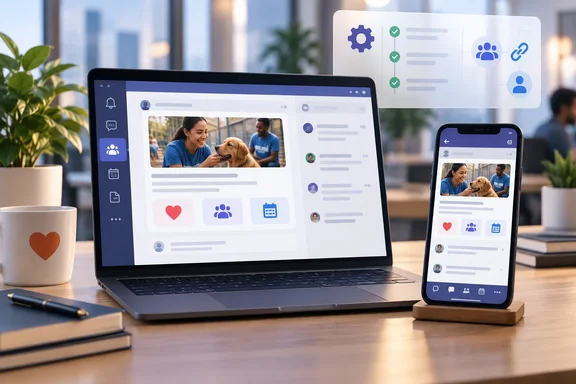
The app itself is easy to describe. The more useful material for Microsoft 365 administrators is in Benevity's own help documentation. It covers who can install the app, how it reaches users, and where the launch announcement claims more than the implementation guide does.
What Benevity Is Shipping
Benevity CEO Soraya Alexander described the problem directly: "For decades, workplace giving has lived one click removed from where employees actually work: another tab, another login, another thing to do later," She added that "Benevity for Microsoft Teams and Benevity for Slack brings purpose to the heart of work." The Slack reference matters, but the company has given no dates or implementation details for other platforms. Treat those as plans, not a release schedule.
Here is what is documented so far:
- Where it runs: Benevity's setup guide says the app works in Teams Desktop, Teams Web and Teams Mobile on iOS and Android.
- Who can use it: Microsoft's Marketplace listing says the app is only for employees at companies that already use Benevity for workplace giving and volunteering. An administrator has to enable it first.
- Cost: According to the announcement, the app is included in the subscription for Benevity clients with active Donate or Volunteer modules at no extra cost. Benevity's documentation adds that every user needs a Microsoft 365 license that includes Teams.
- What it doesn't replace: Benevity says its web platform is still where program configuration, campaign management, reporting and more complex workflows happen. The Teams app is meant for quick actions during the workday.
The Marketplace listing says employees can find opportunities shared in channels, donate to nonprofits, sign up for volunteer events and shifts (including several selections in one flow), check available funds and employer match in real time, and ask a Benevity chat assistant common program questions.
The announcement also mentions several payment options: company rewards, personal giving-account balances and payroll deductions. It says eligibility and matching rules are checked against each organization's configuration in real time, and that volunteer shifts can also sync directly to employees' calendars for a seamless user experience. The help documentation reviewed here doesn't separately confirm the payment methods or calendar sync, so those points come only from Benevity's announcement.
Section summary: This is a Teams front end for an existing Benevity subscription, not a standalone product. If your organization doesn't use Benevity, there is nothing to install.
Deployment: The Admin Checklist
Benevity's setup guide was updated September 28, 2026, just ahead of the launch. It describes a two-sided deployment: Benevity program staff and Microsoft 365 admins each have a part.
On the Microsoft 365 side:
- Sign in to the Microsoft Teams Admin Center. Depending on your organization's app policies, a Microsoft 365 admin may need to approve the app before anyone can use it.
- Search for Benevity in the app catalog.
- Select it and set it to Allowed.
- You can stop there and let users add the app from the Teams app store, or pre-install it for all users through the Admin Center.
On the Benevity side, someone with the Site settings manager role in the company's Benevity program can install and configure the app:
- Open the Benevity app in Teams and select Get started or Link your organization.
- Enter the program domain, which is the domain employees use to reach the giving portal.
- Sign in through the Benevity browser window that opens. Allow pop-ups if the browser asks.
- Review the confirmation card and select Confirm and Link Organization.
- Finish personal onboarding: accept the Terms of Use, enter contact details including a street address, choose a time zone and confirm.
Companies with more than one Microsoft 365 organization can repeat the linking process in each one. After linking, each employee still has to connect their own Microsoft 365 and Benevity accounts, but they won't need to enter the program domain.
How you know it worked: Benevity says Teams activity shows up in existing Benevity reports alongside web and mobile activity, with no separate reporting setup. The app also checks which features your program has turned on. If matching or volunteering is disabled, users won't see it.
If it doesn't work: The usual causes are a Teams app policy that still blocks Benevity, a browser blocking the sign-in pop-up during linking, or an employee who hasn't linked their own accounts yet.
Section summary: Deployment needs both your Teams administrator and your Benevity program owner. Get them working together early.
The Fine Print on Channel Sharing
This is where the launch announcement and the help documentation disagree, and IT should notice.
The announcement says employees can complete the whole transaction, from browsing to confirming a donation or reserving a shift, in a private chat with the Benevity bot. Benevity's channel-sharing guide is narrower. Clicking Donate or Sign up on a channel card sends the user to the Benevity app to finish, and the guide says transactions don't happen directly in the Teams channel. The cards are signposts. They don't process payments.
Other operational limits from that guide:
- Posting rights: You can only share to teams and channels where you are a member and are allowed to post.
- No private channels: Only standard channels are supported. An existing announcements channel works, and you don't need a dedicated Benevity channel.
- Workflow: Open an opportunity in the Benevity program, choose Share to MS Teams, pick a team and one or more channels, add an optional message of up to 1,000 characters, then post right away or send a preview to your private chat. Previews expire after one hour.
- No edits: Cards can't be edited or removed once posted. Sharing the same opportunity again creates a second post.
- Stale cards: Cards don't update in real time. If a campaign closes or a volunteer event fills up, people who click see a message and can't complete the action.
- Recipients without the app: People don't need the app installed to see a card. Clicking an action detects whether it's missing and walks them through setup.
Because cards can't be deleted, a typo or a mistaken share stays in the channel. Anyone who will post to large announcement channels should use the preview step.
Security Considerations
Microsoft's Marketplace listing says the app can send data over the internet and can access personal information in the active message, such as phone numbers, postal addresses or URLs. It says other mailbox items can't be read or modified. Benevity's setup guide tells IT teams to read the company's Teams App Security and IT Admin Guide before going ahead. That PDF wasn't reviewed for this article, so no wider security or compliance claims are made here. Your security team should read it before setting the app to Allowed. A charitable purpose doesn't exempt an app from vendor review.
Does Reducing Clicks Actually Increase Participation?
Benevity's argument rests on its own research. Its State of Corporate Volunteering 2026 report, released March 2, 2026, analyzed anonymized platform data from 2019 to 2025. It found corporate volunteers logged 23.7 million approved hours in 2025, up 175% from 2019, and unique volunteers more than tripled to 1.87 million. Average program participation went from 10.4% to 13.6% over that period. (The launch announcement gives the range as 10.8% to 13.6%.) Average hours per volunteer fell from 16.4 to 12.7 a year, and about 60% of volunteers logged fewer than five hours annually.
In other words, more people are taking part, each giving less time, and most employees still aren't taking part at all. The idea that removing steps turns intent into action is reasonable. But this is the vendor's own data, and nothing shows yet that a Teams app will move participation. Companies will need to check their own reports to see whether it does.
The QR Code Plan Isn't Shipping Yet
Benevity also outlined access for frontline staff. Benevity also plans a QR code access point for the estimated 2.7 billion deskless workers who don't sit at a company computer. The company also says about 80% of the global workforce works in frontline or deskless roles. Neither figure was independently verified, and the QR feature is described as a plan with no release date. Don't promise it to your warehouse floor yet.
Bottom Line for Windows and Microsoft 365 Shops
If your company already pays for Benevity's Donate or Volunteer modules, the Teams app costs nothing extra. Deployment takes an Admin Center approval and a linking step. Before rolling it out:
- Review Benevity's security guide.
- Decide which standard channels should carry giving content.
- Make sure whoever posts cards understands they're permanent.
Expect the Teams app to bring opportunities in front of employees, with the donation or sign-up itself finished in the Benevity app. The case for adding it is that more people will see the opportunities in a place they already check every day. Whether that raises participation will show up in your own Benevity reports.
References
- Benevity Launches Benevity for Microsoft Teams Bringing Corporate Donations and Volunteering into Daily Work Tools - The Manila Times The Manila Times · 2026-10-01T13:07:59+00:00
- Benevity | Microsoft Marketplace marketplace.microsoft.com
- Benevity Launches Benevity for Microsoft Teams Bringing Corporate Donations and Volunteering into Daily Work Tools globenewswire.com