

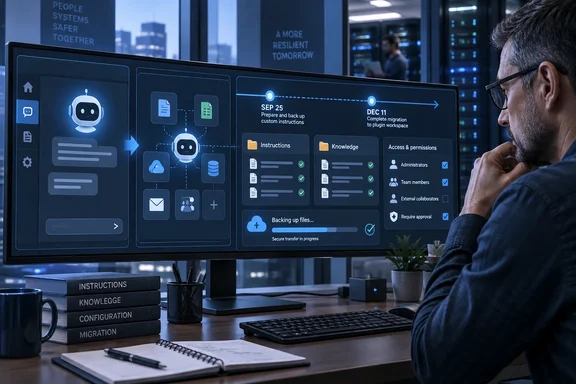
The headline is broader than the confirmed schedule. PCWorld, which first highlighted the timeline for mainstream ChatGPT users, correctly noted that OpenAI’s dated milestones currently apply to affected Enterprise workspaces. But OpenAI’s own retirement FAQ adds a consequential detail: the transition “affects all ChatGPT plans,” while the company has only published detailed dates and administration guidance for Enterprise. Personal, Plus, Business, Edu, and other users should not assume their GPTs are safe simply because they have not received a dated in-product notice.
For Windows users and IT teams that treated custom GPTs as lightweight internal tools—policy assistants, code-review helpers, document explainers, help-desk triage bots, or prompt-packaged research workflows—the immediate job is preservation. Do not wait for a promised migration button to decide what is worth keeping.
September 25 stops creation; December 11 stops execution
OpenAI’s published Enterprise schedule has three material milestones. Administrators were to receive preparation notices on September 11. The company targeted September 17 for the migration experience and user-facing banners, but explicitly calls that a target rather than a guarantee that every workspace would receive it on time.
The first hard operational change is planned for September 25: users in affected Enterprise workspaces will no longer be able to create new custom GPTs. More importantly, OpenAI says GPT drafts cannot be migrated directly. A GPT must be published before it can enter the planned migration workflow, although publishing it does not mean making it public in the GPT directory.
That is an easy deadline to misread. An organization with unfinished internal GPTs should not publish them carelessly just to satisfy a migration prerequisite. Workspace owners need to confirm the sharing state, intended audience, and any uploaded content before publishing. A private workspace publication may be necessary, but a public listing is not.
December 11 is the larger cutoff. OpenAI says custom GPTs are scheduled to stop running on that date. The retirement includes GPTs listed in the directory, and the effect can reach outside the Enterprise tenant: a public GPT created inside an affected Enterprise workspace can disappear for a personal-account user who merely accesses it. The creator’s workspace, rather than the visitor’s subscription, determines whether that Enterprise retirement applies.
OpenAI’s replacement is a plugin, not a project
OpenAI is steering builders toward plugins, which package reusable skills—instructions and workflow logic—with optional connected apps and app templates. The company says those plugins can work in both ChatGPT and Codex where available. That makes plugins a closer functional successor to a custom GPT than a simple saved prompt.
The migration path, however, carries restrictions that matter for enterprise administration. In the proposed Enterprise workflow, only the GPT’s creator or a workspace administrator can migrate it. Plugins must be enabled in the workspace, and permission to use a co-worker’s GPT does not confer permission to move it. After migration, OpenAI says the original GPT remains available until retirement but becomes read-only; future edits belong in the plugin.
The migration also does not preserve access automatically. A replacement plugin begins private, and users must be granted access and, where required, permission to install or use plugins. In Enterprise, permissions to share a plugin with users or groups and to publish one to the workspace directory are separate controls. A migrated GPT link may redirect to its replacement after retirement, but OpenAI cautions that a redirect does not grant the recipient plugin access.
For an IT department, that turns a seemingly simple feature retirement into an ownership and access-control exercise. A GPT that worked for a broad department may become a private plugin owned by its original builder unless someone deliberately configures sharing and validates it with real users. The technical migration is only half the work; the entitlement migration is where internal tools can quietly break.
Connected services introduce another gap. OpenAI says integrations built with custom GPT actions do not transfer automatically. A plugin can include connected apps, but each app still requires its own account authorization, workspace policy, approved domains, read/write controls, and action approvals. An assistant that formerly pulled data from an internal service may therefore migrate as an instruction set while losing the actual data connection or ability to act.
Personal users have a warning, not a documented deadline
This is where OpenAI’s documentation is less complete than its overall announcement. The company says all ChatGPT plans are within the transition, but it does not provide a retirement calendar for personal accounts in its public FAQ. Instead, it directs personal users to follow in-product notices.
That means the statement that custom GPTs will disappear on December 11 should be read precisely: December 11, 2026 is the scheduled retirement date for the affected Enterprise workspaces described by OpenAI. It is not yet a published universal cutoff for every personal ChatGPT account.
OpenAI also has not publicly committed to making the Enterprise migration workflow available to every personal plan on the same day. The FAQ says plan-specific availability and exceptions may vary. That uncertainty is the reason personal builders should make an independent backup now, rather than treating a potential future migration tool as their only copy.
The missing detail has real consequences for people who made public GPTs. A plugin replacement may preserve some workflow logic, but it does not automatically recreate a directory audience, turn existing users into authorized plugin users, or promise equivalent discovery. OpenAI’s retirement FAQ confirms that the old GPT directory will lose retired GPTs; it does not lay out a like-for-like replacement for the public GPT marketplace.
Save the parts that OpenAI cannot reconstruct
The most durable backup is not a screenshot of the GPT’s name or a link to it. It is a portable record of the design choices that made the GPT useful. Before editing or migrating anything, preserve the source material outside ChatGPT and record how the assistant is supposed to behave.
For each custom GPT worth retaining, save:
- The full instruction text, including tone rules, refusal behavior, output formats, and any hidden process requirements the GPT relied on.
- The original knowledge files and their source locations, rather than assuming files embedded in the GPT will remain easy to retrieve later.
- A short collection of representative prompts, expected outputs, and edge cases that reveal whether a replacement is actually working.
- A list of enabled tools, custom actions, connected services, authentication requirements, and the name of the team responsible for each integration.
- Its sharing scope, owner, frequent users, and any public link or internal documentation pointing employees to it.
This inventory has a second benefit: it exposes whether a custom GPT was really a reusable business process, an undocumented personal prompt, or a fragile shell around a connected application. Those categories should not receive the same replacement plan.
A simple writing assistant or document-analysis helper may translate cleanly into a plugin skill or a ChatGPT project. A GPT that queries internal systems, generates files in a rigid format, or performs approved actions needs a test plan, a permissions review, and a designated maintainer. If no one can explain where its data comes from and who owns the integration, retirement is a useful forcing function rather than an inconvenience.
Projects can preserve context, but they do not replace GPT distribution
PCWorld recommends ChatGPT Projects as a practical fallback for personal users with simple GPTs, and that advice is sound within limits. Projects support project-level instructions and files, and OpenAI lets users move existing chats into a project. They can also be shared, giving a small group a persistent space for a particular workflow.
For a private recipe helper, a study aide, a writing coach, or a coding context with reference documents, a project may be faster to rebuild than a plugin. Move or recreate the important conversations, add the copied instructions, upload source materials, and rerun the saved test prompts. On Windows, where the ChatGPT desktop client, browser sessions, and Codex may all be in use, keep the canonical instructions and files in a normal folder or version-controlled repository rather than treating the project as the only archive.
But projects are not an equivalent replacement for a public GPT. They do not recreate the GPT directory’s discovery model, and their collaboration is based on project membership rather than an openly shareable assistant page. They also inherit workspace-level feature restrictions: if an administrator disables a capability such as deep research, voice, or memory, it remains unavailable inside the project.
The deadline that matters today is September 25 for affected Enterprise creators with drafts still sitting unpublished. The longer deadline is December 11 for Enterprise teams that need a tested replacement in place. Everyone else should regard OpenAI’s all-plans retirement notice as sufficient reason to export the logic and source files behind any custom GPT they would be unwilling to lose.
References
- Custom GPTs in ChatGPT are going away. Here’s how to save yours PCWorld · 2026-09-18T12:00:00+00:00