

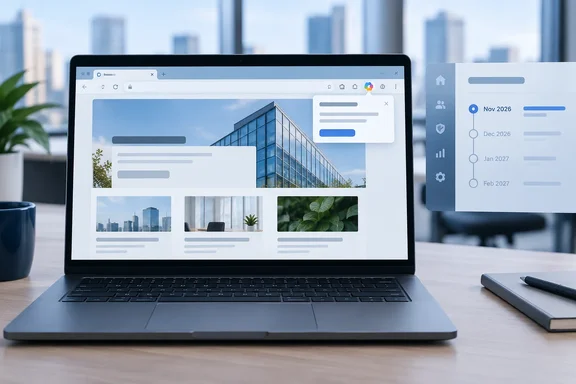
The roadmap entry is only a few lines long, so it doesn't say much. The history of this item and the controls Microsoft already offers for Copilot in Edge are more useful to IT departments.
What the roadmap item says, and what it leaves out
The entry confirms these points:
- Where it appears: On the Microsoft 365 Copilot Chat icon in the Edge for Business toolbar.
- What it does: It shows contextual prompts ("nudges") about pages the user already has open, so the user can act on that page.
- Who gets it: Edge for Business users in the worldwide multi-tenant cloud.
- When: General availability is targeted for November 2026. As of early October 2026, the feature has not shipped.
The entry does not say what a nudge looks like, which actions it suggests, whether it appears automatically, which Edge build it needs, whether a paid Microsoft 365 Copilot license is required, or whether a dedicated admin policy controls it. Anyone who claims to know those details is guessing.
One third-party roadmap tracker, CloudScout, describes the feature as allowing them to take actions like sending emails or adding notes directly from the browser without leaving the page. Microsoft's one-sentence description doesn't mention emails or notes. Treat that as the tracker's interpretation until Microsoft publishes documentation.
The target date has moved several times
This item isn't new. The M365 Admin roadmap mirror shows it was Created 2025-12-16, with an original release date of February CY2026. Another tracker later listed it with GA date: May CY2026, and CloudScout recorded an expected rollout of 2026-04-01. The roadmap now says November 2026.
So the date has moved from February to April or May and now to November. Don't schedule help-desk training around November as if it were certain. Microsoft's roadmap itself says all information is subject to change.
How this differs from the address-bar nudges in Edge 144
Edge for Business already has a similar feature, and the two are easy to confuse. In January 2026, Thurrott reported that Edge 144 adds "contextual nudges" on the address bar to help enterprise users get summaries of their open page using Microsoft 365 Copilot Chat. Windows Central listed the same change in the release notes as Contextual nudges on address bar offering help summarizing webpages.
Roadmap item 537284 is a separate change. It attaches nudges to the toolbar Copilot icon instead of the address bar, and it talks about taking "contextual action" rather than only summarizing pages. One plausible reading is that Microsoft is building on the summarize-this-page prompt with more actions anchored to the Copilot button. That is our analysis, not something Microsoft has confirmed.
This also isn't Edge's first Copilot prompt. Earlier WindowsForum coverage of a consumer "Try Copilot" indicator noted that it appeared when visiting ChatGPT, Perplexity, and DeepSeek, but not on generic pages such as Google.com. Microsoft has been testing ways to surface Copilot for some time, and this item is one more of them.
Section summary: The roadmap item adds nudges to the toolbar Copilot icon. It is separate from the address-bar summary nudges that shipped in Edge 144. Its target date has slipped repeatedly, and November 2026 is the latest target.
Controls admins can use now
There is no documented policy for these nudges yet. Admins can still review the existing controls around the Copilot icon and page-context access.
1. Microsoft365CopilotChatIconEnabled policy
According to Windows Central, admins can control whether the Copilot icon shows in the toolbar using the Microsoft365CopilotChatIconEnabled policy. Microsoft Learn documents these details:
- Scope: Users signed into an Entra ID Edge profile, licensed or unlicensed for Microsoft 365 Copilot. It applies only when Copilot is used in the side pane.
- Supported versions: Windows and macOS, Edge 139 or later. Android and iOS are not supported.
- Behavior: Enabled shows the icon. Disabled hides it. If the policy isn't configured, the icon shows and users can turn it off with the Show Copilot toggle in settings.
- Group Policy paths: Administrative Templates > Microsoft Edge (mandatory), or Administrative Templates > Microsoft Edge – Default Settings (users can override) (recommended). The setting is in MSEdge.admx.
- Registry: A REG_DWORD named
Microsoft365CopilotChatIconEnabledunderSOFTWARE\Policies\Microsoft\Edge(mandatory) orSOFTWARE\Policies\Microsoft\Edge\Recommended(recommended). - macOS: Preference key
Microsoft365CopilotChatIconEnabled. - The policy is per-profile and refreshes dynamically.
Microsoft has not said that this policy controls the new nudges. Hiding the icon may well hide anything attached to it, but that is an inference. Test it on a pilot group once the feature reaches your tenant.
2. Microsoft Edge management service
For cloud-managed browsers, Microsoft's Edge management service has a Copilot tab. There, admins can configure Access to browser context: Allows Microsoft 365 Copilot Chat to use a user's browser context, such as page content, to provide contextual responses. They can also configure the Copilot icon in the toolbar. To change a setting, select the Copilot tab, then use each dropdown to select Enabled or Disabled and assign the changes to either a new or existing configuration policy.
3. Context Clues, consent and DLP
Microsoft's support documentation describes two more controls:
- Context Clues (user setting): In Edge, go to More (…) > Settings > Copilot and AI and switch Allow Copilot to read context clues on the web on or off. When it is on, Copilot can use the page URL, title, content or screenshots, and browsing history. Microsoft says browsing context isn't saved in conversation history; only the prompt and Copilot's response are. When it is off, users get generic suggestions instead of page-aware ones.
- Consent and DLP: Users may see a consent dialog asking whether Copilot can read page content, unless an admin has already enabled or disabled that access. On pages protected by Edge for Business data loss prevention (DLP) policies, Copilot can't access or summarize the content.
Microsoft hasn't documented how the new nudges will interact with Context Clues, the consent dialog or DLP. A nudge that offers to act on a page protected by DLP policies would presumably be blocked when the user clicks it, but that hasn't been confirmed.
Section summary: The icon policy, the management-service toggles, Context Clues and DLP all exist today. None of them is documented as controlling the new nudges.
Expected impact
For users who already use Copilot to work with web pages, a prompt that appears when Copilot can help could save a few clicks.
Some users will find it intrusive. In WindowsForum's Edge 144 coverage, we noted that Copilot integration has made the assistant more discoverable but also more intrusive, depending on your point of view. Microsoft added a way to hide the Copilot icon only in Edge 144, after many requests. Adding more prompts to that same icon will annoy some of those users.
Help desks should prepare for questions too. CloudScout's impact assessment warns that the introduction of contextual nudges without proper training may lead to an increase in support tickets as users struggle to adapt to the new feature. That is a reasonable warning for any new UI element that appears unexpectedly in front of users.
Admin checklist
- Decide your Copilot icon policy now. If the icon shouldn't appear in Edge for Business, set
Microsoft365CopilotChatIconEnabledto disabled using the mandatory scope. - Review browser-context access in Group Policy or the Edge management service, so page-aware Copilot behavior matches your data governance plan.
- Confirm DLP coverage for sensitive internal sites before more page-aware Copilot features arrive.
- Watch roadmap ID 537284 and the Edge for Business release notes for a build number and any dedicated policy.
- Pilot the feature first on Edge Beta or a test group when it appears. Check whether hiding the icon or turning off Context Clues also suppresses the nudges.
- Brief the help desk with a short note: what the prompt is, that users don't have to act on it, and how to hide the Copilot icon if your policy allows that.
Bottom line
Microsoft plans to attach context-aware prompts to the Microsoft 365 Copilot Chat icon in Edge for Business, with general availability targeted for November 2026. The feature follows the address-bar summary nudges from Edge 144, and its date has already slipped from February 2026. Until Microsoft documents the details and a dedicated policy, admins should rely on the controls that already exist and test them against the nudges on a pilot group before broad rollout.
References
- Microsoft Edge: Adding contextual nudges to the Microsoft 365 Copilot Chat icon Microsoft 365 Roadmap · 2026-10-07T23:01:35.319621Z
- 537284 - Microsoft Edge: Adding contextual nudges to the Microsoft 365 Copilot Chat icon app.cloudscout.one
- Microsoft Edge Now Lets You Hide its Copilot Button thurrott.com