

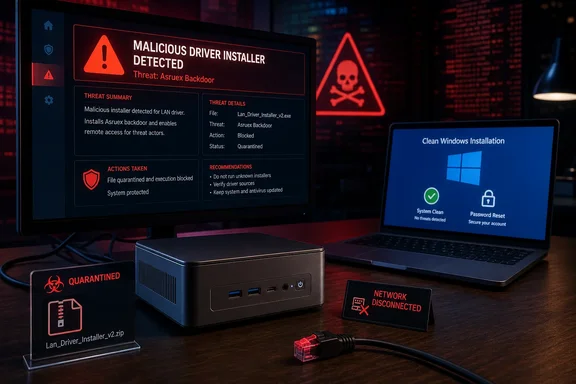
The scope is narrower than “all Geekom PCs are infected,” but more serious than an antivirus false positive. VideoCardz independently downloaded the driver archive for the Geekom A7, A8, AE7, AE8, AX7 Pro, and AX8 Pro, then found the same LAN-folder installer detected by VirusTotal, FileScan.IO, MetaDefender, and YARAify. Tom’s Hardware and ComputerBase separately reported Geekom’s acknowledgement that the malicious package had been available through an older support page that search engines still indexed.
Geekom says the current support portal and its factory Windows images were not affected. That means simply owning one of the listed mini PCs is not evidence of infection. The risk is specifically tied to people who found an old Geekom driver-download result, downloaded the archived package, and executed its network-driver installer.
The important practical distinction is whether the installer ran. A downloaded ZIP file that was never opened or executed calls for deletion and a malware scan. A LAN setup program run with administrator approval can make changes beyond installing a NIC driver; the normal trust users extend to hardware-driver installers is exactly what makes a compromised one dangerous.
The file at the center of the incident
VideoCardz identified the suspicious installer as Install_PCIE_Win11_11.10.0720.2022_11222022.exe, located inside the LAN-driver directory of the affected Geekom archives. ComputerBase reported that the same SHA-256 file hash had already been discussed in a December 2024 forum thread, where a Geekom AE8 owner said Microsoft Defender detected Trojan:Asruex.A while the package was being extracted.
That timeline is the material failure here. This was not a one-day poisoning of a current download page quickly caught by automated monitoring. The evidence reported by VideoCardz and ComputerBase indicates that the same suspicious installer was accessible for roughly 20 months after users first raised alarms, because an old page remained reachable through web search even though it was no longer linked from Geekom’s normal support navigation.
Geekom removed the legacy resource after the reporting surfaced in August. Its public notice says it is removing obsolete support pages and files and reviewing how those materials are managed. What the company has not explained is how the altered installer reached its infrastructure, when it first appeared there, how many downloads occurred, or why a report tied to the exact file from December 2024 did not result in its removal sooner.
Those omissions make it impossible to put a reliable number on affected Windows installations. They also mean enterprise buyers and managed-service providers should not regard the disappearance of the page as a complete incident report. Removing a malicious download stops additional exposure; it does not establish which machines may already have run it.
A backdoor changes the recovery calculation
Asruex is categorized as a backdoor, a family of malware intended to give an attacker a way to regain or retain access to a compromised PC and potentially fetch additional payloads. ComputerBase’s account of the earlier analysis says the altered driver installer dropped an additional file in the user’s AppData area. Tom’s Hardware reported that the installer, if approved as a driver setup program, could receive administrator-level permissions.
That is why “run a quick scan and carry on” is inadequate advice for a machine that executed the file. Microsoft recommends a full scan for suspected malware and provides Microsoft Defender Offline, which restarts into the Windows Recovery Environment so malware has less opportunity to hide while Windows is running. Those scans are useful evidence-gathering and containment steps, especially for an owner who is uncertain whether the installer launched.
They are not equivalent to proving that an attacker never used the backdoor, never added another persistence mechanism, and never copied credentials or browser sessions before the scan. In an environment with valuable personal, financial, work, remote-access, or administrator credentials, rebuilding the Windows installation is the more defensible response.
PCWorld correctly described the clean-install advice as “nuking” Windows, but users should read that as a recovery decision for executed installer exposure, not an instruction for every owner of an A7 or A8. Overreacting wastes time; underreacting preserves an untrusted operating system.
What affected owners should do now
First, disconnect a machine from Wi-Fi and Ethernet if the installer was run or if you cannot establish whether it was run. Do not use that PC to change passwords, sign in to webmail, access a password manager, or connect to a corporate VPN until it has been assessed. A network disconnect limits any continued command-and-control traffic while preserving the system for a more deliberate recovery.
Next, identify the source of the driver package. Look in Downloads, browser download history, archive folders, software-install records, Windows Security’s Protection history, and Device Manager’s network-adapter driver dates. The presence of a current Realtek driver by itself does not prove exposure—the affected item was the Geekom-hosted installer package, not every Realtek network driver installed on a Geekom system.
For systems where the file was downloaded but not run, delete the archive and extracted installer, update Microsoft Defender security intelligence, and perform a full scan followed by a Microsoft Defender Offline scan. Geekom’s own notice tells customers who downloaded the flagged file to delete it and run a full scan. Keeping a copy “just in case” on a shared NAS, USB stick, cloud-synced Downloads folder, or backup volume creates a needless chance of reintroducing the executable later.
For systems where the installer did run, back up only documents, photos, project files, and other personal data that can be inspected before restoration. Do not migrate old program folders, random AppData contents, driver archives, browser profiles, installers, scripts, or full-disk system images into the new installation. A backup that restores the malware’s persistence mechanism defeats the purpose of rebuilding Windows.
Then reinstall Windows from official Microsoft installation media, deleting the existing Windows partitions during setup rather than choosing an in-place repair. After the fresh system is online, allow Windows Update to obtain drivers first. For a missing network driver, obtain it from Realtek or the device-component manufacturer where the hardware ID confirms the match, or use Geekom’s current support portal rather than a search result leading to an archived page.
Finally, from a known-clean device, change passwords used on the affected PC and revoke active sessions where the service supports it. Prioritize Microsoft accounts, email, password managers, banking, cloud storage, developer platforms, work SSO accounts, VPN credentials, remote desktop gateways, and any administrator accounts. If browser-saved passwords or authentication cookies were available on the PC, changing a password without terminating existing sessions can leave an attacker’s already-issued session token useful.
The search-result problem is the real warning
Geekom’s explanation—that the page had been superseded but stayed indexed—does not lessen its responsibility for software still hosted on its own infrastructure. Users do not experience an “unmaintained legacy page” as a separate trust boundary when it appears in a search engine under the manufacturer’s domain and offers a driver for their exact model.
This is also a reminder that a hardware vendor’s driver bundle is not automatically safer than Windows Update or the chipmaker’s own release channel. Mini-PC vendors commonly assemble systems from AMD, Intel, Realtek, MediaTek, and other components, then redistribute a large collection of installers. Those archives are convenient after a clean install, but they multiply the files that must be inventoried, signed, scanned, and removed when obsolete.
Windows administrators can reduce the exposure by treating driver sources as an allowlisted supply chain. Use Windows Update and Windows Update for Business where they provide the required driver; obtain a specific driver directly from the silicon or component vendor when necessary; and archive approved packages internally with documented hashes. Avoid search-driven retrieval of old OEM driver ZIP files, particularly when rebuilding a system under time pressure.
Geekom has pulled the known legacy page, but the company has not published a complete technical postmortem, download count, compromise window, or a comprehensive list of file hashes beyond the package identified by reporters. Until it does, an owner who ran the named LAN installer should assume the Windows installation’s trust boundary was lost and rebuild it accordingly.