

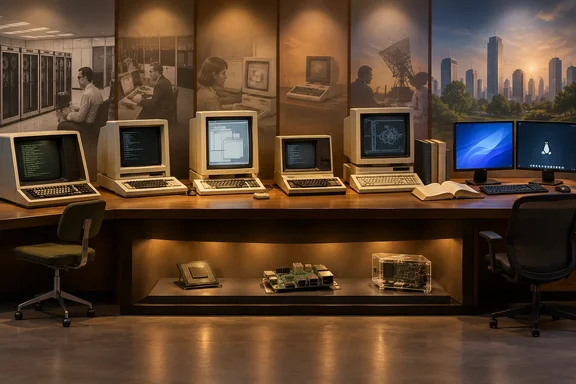
The six names are Multics, Unix, Xerox Alto, CP/M, VMS and MINIX. Together, they explain different parts of modern computing. The Computer History Museum’s historical records, Microsoft’s documentation and MINIX’s own project material support that broad picture, while also revealing where a neat family tree becomes an oversimplification.
Multics: Computing as a shared utility
Multics began in 1965 as an ambitious collaboration involving MIT, General Electric and Bell Labs. Its goal was not a personal desktop, but a shared computing service that could accommodate many people and workloads. Regular non-developer use began in 1969, and MIT opened the system to paying customers that October. That distinction explains why histories sometimes associate Multics with 1965 and sometimes with 1969.
The history maintained by Multics participants documents features including virtual memory and file-system access controls. It also records delays that frustrated Bell Labs, which withdrew in 1969. Engineers including Ken Thompson and Dennis Ritchie subsequently pursued Unix. Multics therefore influenced later computing both through its technical ideas and through lessons about complexity.
Its relevance to Windows and Linux is best understood as a historical antecedent to protected, multiuser computing—not proof that every modern permission mechanism descended directly from Multics. A resemblance between access-control systems does not, by itself, establish a specific code or design transfer.
The takeaway: Multics helped establish the ambition of computing as a secure, shared service. Its relationship to Unix is clearer than sweeping claims that particular Windows features came straight from it.
Unix: The influence Linux wears openly
Unix began at Bell Labs in 1969 with Thompson, Ritchie and other collaborators. The Open Group’s history records its evolution from the early PDP-7 system to a version rewritten in C in 1973, an important step toward portability. Unix then spread through universities and industry, creating both a software ecosystem and a durable approach to building tools that work together.
That influence is not merely a matter of abstract philosophy. The Computer History Museum preserves early Unix source listings for recognizable programs including ls, rm and the shell. The names—and the underlying idea of composing small tools—remain familiar to Linux users.
Microsoft also participated in this history. Its own timeline records the announcement of XENIX, a portable Unix-based operating system, on August 25, 1980. That is a documented Microsoft–Unix connection, without needing to claim that XENIX code subsequently became DOS.
For Windows users, the modern practical connection is Windows Subsystem for Linux. Microsoft distinguishes two architectures:
- WSL 1 uses a translation layer rather than a Linux kernel.
- WSL 2 runs an actual Linux kernel inside a managed lightweight virtual machine.
That distinction matters. Running Linux software through WSL does not make Windows itself Unix-like, and WSL 2 does not replace Windows’ own kernel. It allows the two operating-system environments to coexist.
Xerox Alto: The desktop before the desktop became ordinary
The Xerox Alto deserves a place in this story, although it was a complete computer system rather than simply an operating system. Designed at Xerox PARC in 1973, it brought together a bitmap display, keyboard, mouse, Ethernet and graphical interaction using windows and menus. The Computer History Museum describes that combination as a foundation for the modern personal computer.
Its significance was the integration. A graphical display alone was not enough; software had to make it useful for interacting with documents and applications. The Alto demonstrated a coherent alternative to treating the computer primarily as a machine that accepted precisely typed commands.
The lesson is broader than the familiar argument over whether Apple or Microsoft “stole” the desktop. Such language compresses years of experimentation and development into a courtroom-shaped anecdote. The better-supported point is that Xerox’s work helped establish an influential model of personal computing.
The takeaway: The Alto’s legacy is the graphical interaction model, not a claim that Windows or a Linux desktop contains Alto operating-system code.
CP/M: Portability—and the conventions that linger
Gary Kildall demonstrated an early CP/M system in 1974. Its importance extended beyond providing commands for a microcomputer: its hardware-dependent input/output routines could be separated into a BIOS, allowing manufacturers to adapt the system to different compatible machines. The Computer History Museum explains how this helped create a larger market for independently developed applications.
The DOS connection also needs precision. Microsoft obtained 86-DOS from Seattle Computer Products, and that system became the basis for PC DOS and MS-DOS. The museum’s account notes similarities with CP/M’s commands and programming interfaces, but also differences in implementation and file-storage formats. Compatibility-oriented design is not the same as identical software.
Microsoft’s own history supplies another concrete connection: its Z-80 SoftCard, introduced on April 2, 1980, enabled Apple II users to run CP/M applications with minor modifications. Microsoft’s early hardware business was therefore helping users bridge computing environments long before WSL existed.
A practical Windows consequence: Reserved filenames
One part of this history still produces everyday surprises. Microsoft’s Windows file-naming documentation reserves names including CON, PRN, AUX and NUL. Adding an extension does not make them ordinary filenames: Microsoft explicitly identifies NUL.txt and NUL.tar.gz as equivalent to NUL.
For developers generating filenames from user input, that means checking the base name as well as prohibited characters. A name containing no slash or colon can still fail normal Windows naming rules. Microsoft also documents long filenames separately from the older DOS 8.3 convention, so modern Windows should not be described as universally limited to three-character extensions.
The historical influence is interesting; the filename validation rule is immediately useful.
VMS: The engineering experience behind Windows NT
VMS provides a particularly strong personnel connection. The Computer History Museum records that Dave Cutler joined Digital Equipment Corporation in 1971, participated in the VAX architecture team and led VMS development and implementation. In 1988, he joined Microsoft to lead a portable operating-system project that became Windows NT.
That gives substance to the idea that Windows NT benefited from DEC engineering experience. It does not justify calling NT a renamed VMS or treating architectural similarities as proof of copied source.
The distinction also helps separate two parts of Windows history. DOS-related conventions explain some compatibility behavior; the NT project explains the architectural foundation of subsequent Windows systems. Those are different threads, even when they meet in the same user experience.
The takeaway: VMS belongs in the Windows story because experienced operating-system engineers carried their knowledge into a new project—not because “Windows is secretly VMS” is an accurate description.
MINIX: Linux’s classroom—and the chipset surprise
Andrew S. Tanenbaum created MINIX as a small Unix-like teaching system, with its source published alongside Operating Systems: Design and Implementation in 1987. In his own account, he explains that restrictions on teaching Unix internals prompted him to create a system free of AT&T code.
The MINIX project’s FAQ describes it as a platform, guide and inspiration for Linus Torvalds’ development of Linux, released in 1991. Crucially, it also rejects accusations that Torvalds stole Linux from MINIX and states that he wrote the initial Linux code himself. “Developed using MINIX” and “derived from MINIX source” are not interchangeable claims.
Then comes the unexpected hardware connection. In a 2017 open letter, Tanenbaum identified a version of MINIX 3 inside Intel’s ME-11 Management Engine. He described earlier technical discussions with Intel engineers, including requests to reduce MINIX’s memory footprint, but said he learned of its deployment through press reporting.
Intel independently confirms that its Management Engine is an embedded microcontroller on some Intel chipsets, running a lightweight microkernel operating system. It loads code from system flash during initialization and has power states independent of the host operating system. Intel’s explanation does not name MINIX.
Those sources support a carefully bounded conclusion: MINIX has been identified in a particular Intel management-engine generation, and an embedded operating system can operate alongside Windows or Linux. They do not establish that every Intel PC manufactured over the past decade runs MINIX, or identify the firmware inside an individual reader’s machine.
Six influences, not six hidden operating systems
The useful lesson is to distinguish influence, implementation and coexistence. Multics and Unix explain foundational ideas; the Alto explains graphical interaction; CP/M explains an important portability model; VMS supplies an engineering connection to NT; and MINIX connects both to Linux’s development and to a specific embedded-system deployment.
For Windows readers, that history has practical consequences: reserved device names still affect file handling, WSL’s architecture determines how Linux runs, and chipset firmware can operate separately from the desktop OS. The past is not merely sitting in a museum. Sometimes it is rejecting your filename—and sometimes it is working underneath the operating system you thought was the whole computer.
References
- These 6 operating systems inspired Windows and Linux, and one is probably running on your PC right now - How-To Geek How-To Geek · 2026-10-03T20:00:14+00:00
- What is Intel® Management Engine? intel.com
- History of UNIX unix.org