

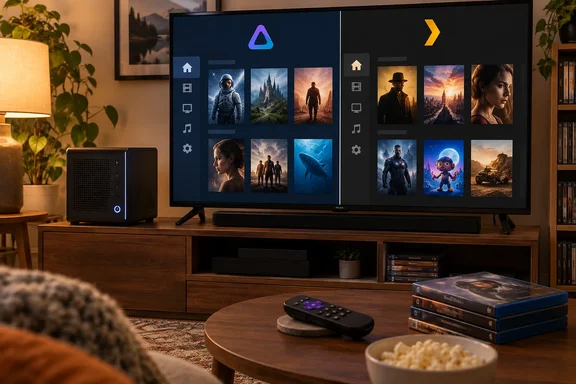
The setup behind the switch
The author had been hosting his ripped discs on Plex, and he says Plex also worked well for audiobooks. His project then shrank. He didn't want rows of hard drives, and the Plex features he liked weren't needed for a small, mostly in-home library.
This is a first-person account. It has no benchmarks, server specs, version numbers or library sizes. His description of Jellyfin as "lighter" and "cleaner" is his impression, not a measured result. Nothing in his account shows Jellyfin using less CPU, RAM or disk than Plex under the same load.
What Jellyfin is
Jellyfin is a free, open-source media server. It runs as a self-contained server, with no subscription model and no external connection or third-party authentication. The platform list includes Linux, Windows, macOS, Docker, Roku, and Xbox One and Series X/S. That list covers both the Windows PC you might host from and a console you might watch on.
The cost of that model is that you run and maintain the server yourself. Jellyfin's official line is that the project doesn't run servers for users. The practical setup advice is below.
- Add libraries by type. Jellyfin's documentation recommends dedicated types (movies, shows, music) over a "mixed" library. It says mixed libraries produce unreliable metadata results.
- Folder structure matters. The author's media was already sorted into folders, which he says made setup easy.
- Be careful with remote access. The setup wizard offers "automatic port mapping" that relies on UPnP. Jellyfin recommends disabling it unless you specifically need it. Since the author doesn't plan to use remote access, that suits him.
- Metadata: Jellyfin ships with TMDb, the OMDb API and local .nfo files. That fits the author's report of TMDb-tagged titles. Results still depend on how your files are named.
Plugins: the real draw
The author says plugins are the main reason he switched. Jellyfin's catalog covers metadata, authentication (such as LDAP), notifications, Live TV tuner integration, subtitles, playback reporting and Trakt tracking. Some of the listed extras are third-party additions, and Skin Manager is one of those. Jellyfin also warns that version numbers in the catalog may not be accurate because many plugins update frequently.
The Intro-Skipper comparison
The author contrasts Jellyfin's Intro-Skipper plugin with Plex's intro skipping, which needs a Plex Pass. Plex's support page backs this up. Detecting intros requires a Plex Pass on the server admin's account, and skipping them during playback requires one on the account used in the player app, with Plex Home as a possible exception. The Plex page lists support on Roku, PlayStation, Xbox and Windows, among others.
Two caveats apply:
- This is one feature, not Plex's whole pricing. The author says he doesn't have a Plex Pass, but Plex works without one.
- Intro-Skipper is a community plugin, not an official Jellyfin one. It isn't a seamless built-in equivalent. Expect to add a repository, install it, restart the server and run an analysis task. Match the plugin release to your Jellyfin server version.
The device trade-off
The author's one big loss is his PS5. Jellyfin has no official PlayStation client, though Plex does. He accepts that and uses Roku, which has an official Jellyfin app. That is why the switch works for him.
Check your own devices before you follow him.
- Roku: An official app exists. Because of a Roku store limitation, the app may say a cable or satellite subscription is required, but no subscription is needed for the Jellyfin server or any official client.
- Xbox: The official Jellyfin app for Xbox consoles is on the Microsoft Store. The author's console problem is specific to PlayStation.
- Windows desktop: An official desktop client uses jellyfin-web with an embedded MPV player.
- Android TV, Fire TV, browsers: These are covered by official clients and web access.
- Format support varies. Having a client doesn't guarantee identical playback on every device. Jellyfin maintains a codec-support table for this reason.
A small home library with a Roku is easy to move. A household with several consoles, smart TVs and family members using Plex apps across many platforms is a harder case.
Who should consider switching
The switch makes sense if most of these are true:
- Your library is modest and mostly watched at home.
- Your main TV devices have official Jellyfin clients.
- You want to avoid paying for Plex Pass-only features.
- You're comfortable maintaining your own server and plugins.
Stay on Plex, or run both for a while, if you need broad device coverage or polished remote streaming for non-technical family. The author says he prefers running one piece of software, but that is a preference. The two servers can coexist, though he didn't document testing both together.
Bottom line
This isn't a head-to-head test, and it doesn't show Jellyfin beating Plex. It does show that a small, home-focused library with a Roku can run on free software with no loss of function that matters to this user. For a Windows PC doing double duty as a media server, the useful step is to check your playback devices against Jellyfin's client list first. After that, set up typed libraries and decide on remote access deliberately.
References
- I used Jellyfin for a week and realized I don’t need Plex on my TV anymore MakeUseOf · 2026-10-07T13:30:15+00:00
- Server Policy | Jellyfin jellyfin.org
- Skip TV Show Intros | Plex Support support.plex.tv