

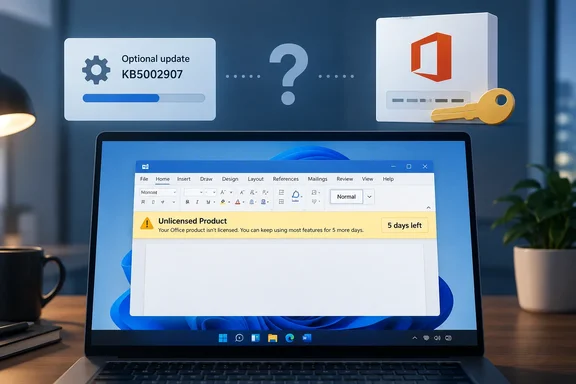
Office 2016 and 2019 users trace sudden deactivation to KB5002907
The Register reported the problem on September 25, 2026. It said the activation fault showed up this week and mainly hit Home and Business perpetual installations. Those installs lost their activated status and dropped users into a loop of product-key prompts, with deactivation or reduced-functionality mode as the threat. One reader told the publication that the issue "took out our Office 2016 installations." The first sign was an in-app message saying normal functionality had been removed, followed by yellow banners saying five days remained before the apps would stop working. That reader said it took several reactivations, restarts, and signing out of and back into their Office account before things stayed stable.
Other reports back up the pattern. A Microsoft Q&A thread titled "KB5002907 is nuking valid licenses for Office 2016 and 2019 products" opens with a user reporting that KB5002907 is removing the active valid licenses for Office 2016 and 2019 products, and that a valid Office 2016 Pro licence was removed by the Office 365 update. Another poster in the same thread says it also happened to my Office Professional Plus 2019, and one notes that the Reddit Microsoft Office thread is starting to get lots of individuals with the same issue. A separate Q&A post complains that an update wiped out my office 2019 and that the system would no longer accept a product key that had been in use for years.
The reports don't all describe the same thing. The Register's account covers lost activation. Some forum posts go further and say Office was removed. UK managed-services firm System Force IT summarised the reports this way: affected machines suddenly show "Unlicensed Product", drop into read-only mode, and in some cases Office is removed altogether. The firm also says the problem has been reported across Professional Plus, Home & Business and workplace-discount licences, on both personal and organisation-managed devices. That is wider than The Register's "mostly Home and Business" description. Neither account comes from controlled testing.
What Microsoft documents about KB5002907
Microsoft's support article describes KB5002907 as a narrow repair tool for subscription Office. The company says this optional update is available only for Windows PCs with Microsoft 365 Apps installations that are more than 90 days out of date and use Current Channel or Monthly Enterprise Channel. Installing the update can help the apps resume updating and move to a current build for the device's assigned update channel.
The article also says the update is offered through Windows Update. It is not a Windows operating system update, and it does not install automatically. You can choose whether to install it when it appears among optional updates for other Microsoft products. It lists Windows 11 versions 23H2, 24H2, 25H2 and 26H1, Windows 10 version 22H2, and Windows Server 2019, 2022 and 2025 as applicable platforms.
The article's management boundaries matter to IT departments. Microsoft says KB5002907 makes no changes on a device where Microsoft 365 Apps updates are managed through Group Policy or Cloud Update, because the organisation's existing settings still apply. It also says the update doesn't change a device's assigned update channel. Microsoft's installation steps depend on the Receive updates for other Microsoft products when you update Windows toggle under Settings > Windows Update > Advanced options. The update then appears as an optional item.
Nothing in the article mentions Office 2016, Office 2019, perpetual licences or activation. The documented update is a mechanism for getting stalled Microsoft 365 Apps installs moving again, not a licensing change. That leaves a gap between Microsoft's description and user reports that the update landed on machines running perpetual Office. System Force IT makes the same point: Microsoft's own documentation describes KB5002907 as an optional update for out-of-date Microsoft 365 Apps, not as a deliberate switch-off of Office 2016 or 2019.
Why perpetual Office could plausibly be caught in the crossfire
Microsoft hasn't explained how an update aimed at Microsoft 365 Apps could reach Office 2016 or 2019. There is one documented overlap worth knowing about, though. Microsoft's planning guidance for upgrading older Office says that Microsoft 365 Apps, Office 2019 and Office 2016 share the same Group Policy administrative templates because all three products use the same product version number, 16.0. Many retail copies of Office 2016 and 2019 also use the same Click-to-Run installation technology as Microsoft 365 Apps. Microsoft's upgrade guidance treats Office 2016 and Office 2019 as "existing Click-to-Run versions" that the Office Deployment Tool can remove.
It's our inference, and Microsoft hasn't confirmed it, that this shared plumbing could let an update targeting Click-to-Run Microsoft 365 Apps touch a perpetual Click-to-Run install in ways the KB doesn't anticipate. It would help explain why Reddit posters pointed to an entry in Windows Update history labelled "Click-to-Run Update Support." It would not explain the whole report pattern. Users say the update appeared on machines where Microsoft says it isn't automatic. Nobody has published controlled testing showing that installing KB5002907 on a clean, activated Office 2016 or 2019 machine reliably removes its licence. One Reddit user did report reinstalling Office and seeing the problem come back after running the update again. That is a single anecdote, not a reproduction under controlled conditions.
Microsoft's public silence continues. A respondent in the Microsoft Q&A thread wrote that I don't see any documented known issue yet with this particular behavior. System Force IT said that, when it published, Microsoft has not officially acknowledged the impact on 2016 and 2019 licences.
End of support leaves Office 2016 and 2019 owners with fewer escape routes
The lifecycle status explains why this hurts more than an ordinary update bug. Microsoft's lifecycle pages give October 14, 2025 as the end-of-support date for both Office 2016 and Office 2019. Microsoft says end of support means it no longer provides technical support for issues, bug fixes, or security fixes for those versions. Microsoft's activation documentation now carries the same notice: Support for Office 2016 and Office 2019 ended on October 14, 2025.
When Office 2016 and 2019 reached end of support, Microsoft said they would keep working. The Register notes that this assurance said nothing about owners suddenly needing to re-enter activation codes. The publication also points to earlier cases where Microsoft 365 updates had unintended effects, including Paste problems after an Excel patch. It recalls that Office 2019 for Mac was deliberately pushed into reduced-functionality mode when a certificate expired. In that mode, opening and printing documents still worked, but creating, editing and saving did not.
End of support doesn't make this bug more or less likely. It does mean an organisation running these versions may not get a fix, a known-issue entry or an official workaround, and may just be told to upgrade. System Force IT puts it bluntly: if you are still running them you are already on borrowed time, and KB5002907 is simply the moment that risk becomes visible.
Re-entering product keys works for some, but it doesn't scale
The workaround users mention most is re-entering the original product key. The Register notes that this is fine for someone who has their keys organised and to hand, and much less fine for anyone with dozens or hundreds of affected machines. In the Q&A thread, one user who did this reported that they did reinstall the key and for now it shows validated but there is still a significant issue with KB5002907. It should not have removed the key in the first place. The phrase "for now" fits The Register reader's account of needing several attempts before activation stuck.
Some keys may not work at all, and it depends on how the licence was bought. One Q&A respondent pointed out that Office Professional Plus is a volume-licensing edition and asked whether an affected user had bought it from a third party, stating that Pro Plus is NOT personal license or lifetime license. Anyone whose "lifetime" Pro Plus key came from a grey-market seller may find reactivation fails for reasons unrelated to KB5002907. For people who got Pro Plus through an employer's discount scheme, the same respondent suggested this: if KB5002907 actually removed Office, reinstall the exact edition that was purchased—such as Office Professional Plus 2016 or Professional Plus 2019—using the HUP/Workplace Discount Program recovery path, then activate with that original key.
Retail Office 2019 buyers have another option. In another Q&A thread, a responder explained that when you first activated Office 2019 that licence should have become associated to your Microsoft Account as a digital licence online, and that reinstalls go through that account, not through the original key. That applies to personal retail licences linked to a Microsoft account. It doesn't cover volume-licensed installs managed by an organisation.
Organisations with volume-licensed Office 2016 or 2019 already have supported activation tools that don't involve typing keys into each PC. Microsoft's MAK documentation says that after you install Office 2016, you can use the product UI, the Volume Activation Management Tool (VAMT), the ospp.vbs script, or enable a non-admin user to activate Office using MAK. For Office 2019, the MAK goes in the Office Deployment Tool's configuration.xml. These are Microsoft's standard activation methods for volume licences, not a fix Microsoft has issued for this incident. They may still be how an IT department reactivates a fleet without collecting keys one machine at a time.
What this means for you
If you run Office 2016 or 2019, the job this week is to confirm how exposed you are and make sure you can reactivate. Don't try unverified fixes. No Microsoft-published remedy exists, and nobody has shown that uninstalling KB5002907, editing licensing data or running commands posted in forum threads is safe or effective. If you run only Microsoft 365 Apps, nothing in the current reports suggests you're affected.
Start by finding out what you actually have. System Force IT's first recommendation is to check whether any machines are on Office 2016 or 2019 rather than Microsoft 365 Apps. In any Office app, File > Account shows the product name, activation status and version. On an affected machine, look at Windows Update history for KB5002907 or a Click-to-Run entry and compare it with a machine that's still working. That tells you whether the timing link holds in your own environment. It won't prove what caused the problem.
On a personal PC, if you prefer not to be offered optional updates for other Microsoft products, you can leave the "Receive updates for other Microsoft products" toggle off. Microsoft's installation steps for KB5002907 rely on it, although turning it off also blocks other Microsoft product updates delivered that way. In managed environments, Microsoft says KB5002907 makes no changes where Group Policy or Cloud Update controls Microsoft 365 Apps updates. Microsoft doesn't say whether that protection applies to perpetual Office installs.
- Find your original Office 2016 and 2019 product keys, purchase records and Microsoft account links now, before a machine shows a countdown banner.
- If you see "Unlicensed Product", re-entering the original key is the workaround users report most often, but several say it took repeated attempts and it may not hold.
- Volume-licence customers can use Microsoft's existing MAK activation tools, such as VAMT or ospp.vbs for Office 2016, to reactivate at scale without entering keys by hand on every PC.
- If a "lifetime" Office Professional Plus key came from a third-party seller, expect reactivation to fail regardless of what caused the deactivation.
- System Force IT's advice to anyone already hit is do not panic and do not rush out to buy a new key. Personal users should contact Microsoft support and managed users their IT administrator.
- Use Help > Feedback > Report a problem in Office 2016 or 2019, if your copy has it, to put your case on record with Microsoft.
For now, KB5002907 is a suspect with circumstantial evidence against it. Microsoft's description doesn't fit the complaints, and Microsoft hasn't acknowledged them. Office 2016 and 2019 owners shouldn't wait for an explanation that may never come for unsupported products. Keeping keys where you can find them and having a tested way to reactivate is what makes this a nuisance rather than an outage. Microsoft's guidance for anyone who doesn't want to face this again is still Microsoft 365 Apps or Office LTSC 2024. Organisations that choose Office LTSC 2021 should keep in mind that its support runs out on October 13, 2026, less than three weeks from now.