

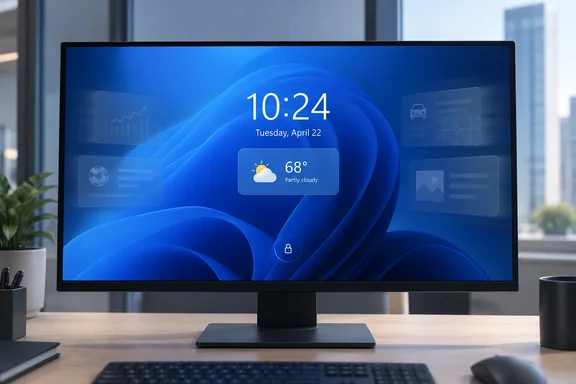
There is an important qualification, though: this is not a blanket reversal delivered by the September 8 Patch Tuesday update to every Windows 11 PC. Microsoft documented the change in the August 27 preview update, KB5120996, for Windows 11 version 26H1, build 28000.2804. The company updated that page on September 14 to add the lock-screen Widgets note. That makes the change real, but the release trail is more limited and more confusing than the initial reporting suggests.
For users who have the revised experience, the practical result is straightforward. The lock screen should show Weather unless the user deliberately adds other supported widgets. For administrators, it is a modest but welcome default-state correction: fewer consumer-oriented cards appear on a system surface that employees may see before they can even sign in.
KB5120996 is the record that matters
Microsoft’s release notes for KB5120996 say that Weather is now the only widget shown by default on the lock screen and direct users to Settings > Personalization > Lock screen to add others. The wording is unambiguous about the new default, but it is tied to Windows 11 version 26H1 rather than the broadly deployed Windows 11 24H2 and 25H2 servicing branch.
That distinction changes what readers should expect after updating. A PC on Windows 11 24H2 or 25H2 that installed the September 8 security update, KB5124008, may not receive this particular behavior simply because it is fully patched. Microsoft’s September security-update documentation for those branches discusses separate known issues involving Remote Desktop Services and certain USB Audio Class 1.0 devices; it does not list the lock-screen default change as a feature shipped in that update.
Windows Latest connected the lock-screen note to the September servicing cycle because Microsoft added the release-note entry on September 14, the same date it issued emergency out-of-band fixes for problems introduced by the September 8 updates. But the two events should not be treated as one package. KB5129195, the September 14 emergency update for Windows 11 24H2 and 25H2, repaired Remote Desktop Services failures, Hyper-V Linux virtual-machine folder-sharing problems, and multichannel USB audio faults. It was a remediation release, not Microsoft’s documented delivery vehicle for the quieter lock-screen default.
For Windows enthusiasts, the lesson is familiar: release-note edits are not necessarily feature rollouts. Microsoft often uses controlled feature rollout, servicing changes, and documentation updates on overlapping schedules. A feature can be described as available while reaching devices gradually, and a note added to an older update page can make a change appear to have arrived later—or on more Windows versions—than the actual package scope shows.
Microsoft is retreating from a default it expanded in 2024
The underlying policy shift is clear even if the servicing details are messy. In March 2024, Microsoft previewed a richer lock screen that put finance, traffic, and sports updates alongside weather. The company described the arrangement as a way to stay informed and efficient without unlocking the PC. The first rollout was gradual and regional, but the design direction was unmistakable: the Windows lock screen was becoming another endpoint for Microsoft-curated, MSN-connected information.
That model carried several costs for users. The lock screen appears at startup, wake, and manual lock—not at a moment chosen by the user. Information cards can be useful there when they are narrowly personal, such as weather, calendar status, a battery alert, or a time-sensitive reminder. Generic finance headlines, sports updates, local recommendations, and discovery content have a weaker claim on that space, particularly when the user did not add them.
Microsoft’s current support documentation still describes the Weather and more experience as providing dynamic information spanning weather, finance, sports, traffic, and other small widgets. It also says that selecting a lock-screen widget after sign-in can take the user to the provider’s landing page, including Microsoft Edge for the legacy Weather and more app. So the broader widget machinery has not been removed. Microsoft has changed the starting configuration.
That is a meaningful difference. Removing a feature would take away choice. Removing it from the default restores a more defensible choice architecture: people who want a miniature information dashboard on their lock screen can configure one, while everyone else is not enrolled by default.
The company had already moved in this direction elsewhere in Windows. Its 2026 Insider changes reduced distractions in the Widgets experience, including turning off some feed-driven behavior by default. Windows Central has also reported that Microsoft is preparing a lock-screen-capable Battery Status widget, which points to a more practical class of glanceable information than broad MSN-style content. Whether third-party developers actually deliver a useful catalog remains unresolved.
The widget controls exist, but their limits remain
Windows 11 does give users a way to control this. Open Settings > Personalization > Lock screen, then review the widgets listed under the lock-screen controls. On supported builds, users can add, remove, reorder, and sometimes customize widgets. Selecting no detailed status or disabling the available widget setting is the cleanest option for anyone who wants the lock screen to remain a clock, date, image, and sign-in boundary.
The limitation is that only widgets supporting the required small tile size can be placed on the lock screen. Microsoft has stated this constraint in its rollout notes since it began allowing widget personalization in 2025. A widget that works on the desktop Widgets board may therefore be unavailable before sign-in, even if it is exactly the kind of compact information source a user would want there.
That restriction is more consequential than it sounds. Microsoft is now asking users to build their own preferred lock-screen layout, but the design only works if the available widgets suit the place where they are displayed. Weather fits. Battery state, transit departure times, a next meeting, package delivery status, or a single upcoming task could fit. A large feed card, a recommendation module, or an app that lacks a small layout does not.
Windows 11’s own support page contains another sign of transition rather than a fully settled design. It describes modern lock-screen widget management—adding, removing, rearranging, and customizing widgets—while separately noting that the older Weather and more app’s widget list cannot be customized. Users encountering different labels or control sets are not necessarily missing a setting; they may be on a different Windows build, a different rollout state, or an older implementation still exposed by the operating system.
That variability is particularly relevant to IT support desks. “It only shows Weather” may now mean the device has received the new default. “I cannot add my preferred widget” may mean the provider does not support the required size. And “my lock screen looks different from another employee’s” can be a version-and-rollout question rather than a local configuration error.
Enterprise admins should decide whether any lock-screen data belongs there
For managed Windows fleets, the revised consumer default should not be mistaken for an enterprise policy. A weather card may look harmless, but lock-screen content is visible before authentication and can disclose contextual information to anyone near the device. Microsoft’s support material says widget content may use estimated location, drawing on Windows Location services when enabled or an IP-address-based estimate otherwise.
Organizations with strict privacy, shared-device, healthcare, financial-services, or public-facing workstation requirements should evaluate the feature as a pre-sign-in information-display setting, not merely a personalization preference. If detailed status is not appropriate, disable it through the available Windows configuration and management controls rather than relying on employees to leave default settings untouched.
Microsoft previously introduced a “Disable Widgets On Lock Screen” group policy during the European Economic Area rollout of lock-screen widget personalization, with plans to expand its availability. Administrators should confirm the policy’s applicability for the exact Windows version and region in their estate before building it into a baseline. The company’s feature rollouts have repeatedly differed by channel, geography, and servicing branch.
The immediate operational priority remains the September update’s more serious defects. Organizations running Windows 11 24H2 or 25H2 that encountered broken Remote Desktop Services sessions, inaccessible Hyper-V Linux VM folder shares, or failed multichannel USB audio should ensure they have deployed Microsoft’s September 14 out-of-band update, KB5129195, or a later cumulative update that includes its corrections. The lock-screen cleanup is welcome, but it should not distract from an update issue that can block remote sign-ins and business workloads.
A better default, delivered through an untidy process
Microsoft deserves credit for reducing the amount of unsolicited content on the Windows 11 lock screen. Keeping Weather as the default is a sensible compromise: it preserves a broadly useful feature without presuming that every PC owner wants a feed of sports, markets, traffic, and local discovery cards before reaching the desktop.
But the company has left readers to piece together the rollout from an amended preview-update page, a separate Insider-build announcement, and support documentation that still describes both newer widget controls and older Weather and more behavior. The clearest immediate advice is to check the Windows version before expecting the new default, then use the Lock screen settings page to remove or add only the information that earns its place before sign-in.
For now, Windows 11’s lock screen is becoming quieter on the builds where Microsoft has enabled the change. The remaining test is less philosophical than technical: whether Microsoft brings the same restrained default consistently to its mainstream Windows 11 releases—and gives users a widget catalog useful enough to justify turning anything else back on.