

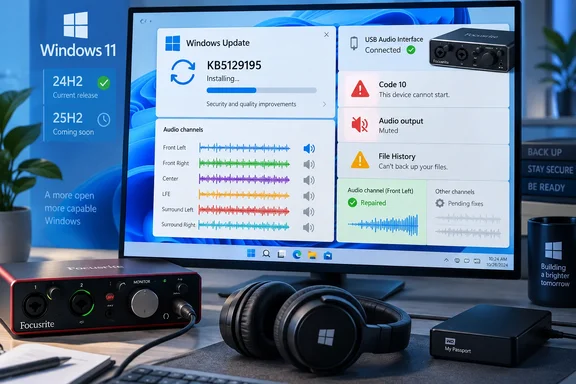
Windows 11’s KB5129195 fixes one audio failure, leaving others open
Microsoft’s September 14 out-of-band update, KB5129195, corrects a specific problem affecting some USB Audio Class 1.0 devices: they worked in standard stereo configurations but failed when using multichannel features, including 8-channel or 3D audio modes. An out-of-band update arrives outside the usual release schedule; in this case, it followed the September 8 security update by six days.
The emergency update’s release notes explicitly separate that repaired behavior from four remaining symptoms. Affected USB Audio Class 1.0 devices can still fail to start, produce no sound, leave volume controls unresponsive or stuck at zero, or make sound settings unresponsive or unavailable. Device Manager may display “This device cannot start (Code 10).”
That makes “partially fixed” the useful description. A user whose device plays stereo sound but fails in a multichannel mode has a documented correction available. A user whose device will not start at all can install the same update and still encounter an acknowledged problem.
The release headers identify the relevant Windows versions and builds as follows:
| Release | Windows 11 24H2 | Windows 11 25H2 | Relevant audio status |
|---|---|---|---|
| September 8 security update, KB5124008 | Build 26100.9445 | Build 26200.9445 | USB audio failures appear in the known-issues documentation. |
| September 14 emergency update, KB5129195 | Build 26100.9457 | Build 26200.9457 | Multichannel, 8-channel and 3D-mode failure is fixed; other listed audio symptoms remain open. |
Both packages apply to all editions of Windows 11 24H2 and 25H2. That describes the packages’ applicability, not the number of PCs experiencing the fault. Microsoft limits this particular audio issue to USB Audio Class 1.0 devices; its notice does not extend the defect to every USB headset, every sound card or every Windows 11 installation.
There is also an identifier inconsistency worth flagging. The audio section on Microsoft’s KB5124008 page refers to the triggering September update as KB5124012, although the page header identifies KB5124008. The KB5129195 known-issue entry describes the September 8 update without repeating that conflicting number. Readers should use the release headers and their installed-update records to identify their packages, rather than treating that cross-reference as a separate verified diagnosis.
October 13 is a reported expectation, not a published repair commitment
PCWorld’s September 22 report says the listed audio problems will remain unresolved until October 13, 2026. Its list includes the stereo-versus-multichannel failure that Microsoft’s September 14 release notes already mark as fixed. The distinction changes the immediate advice: waiting until October would postpone an available correction for that particular symptom.
For the remaining audio problems, Microsoft’s emergency-update documentation says it is working on a resolution and will update the documentation when more information is available. It supplies no release date. Windows Latest’s September 21 reporting likewise describes the timing as unclear, even while discussing the possibility that a fix might not arrive until October.
October 13 therefore belongs in this story as PCWorld’s reported timetable, not as a Microsoft-published guarantee. The primary record supports neither a promise that every remaining problem will be resolved that day nor a commitment to withhold further corrections until then.
Separately, October 13 is a confirmed servicing deadline for Windows 11 24H2 Home and Pro. Microsoft’s September release documentation says those editions reach the end of updates on that date; 24H2 Enterprise and Education remain supported until October 12, 2027. That lifecycle notice does not establish an audio-fix schedule, but it creates an additional planning task for Home and Pro users still running 24H2.
Moving from 24H2 to 25H2 should not be presented as an audio workaround: both versions appear in the affected update documentation. Users need to distinguish keeping Windows within support from obtaining a correction for this particular regression.
File History deserves a check before the next patch arrives
The more consequential unresolved issue may be the one users notice least readily. Microsoft added a File History failure to the KB5124008 known-issues documentation on September 19. Some customers can no longer create or update backups after installing the September security update.
File History is the Windows backup feature found at Control Panel > System and Security > File History. It stores backups on an external drive or a network location. Microsoft documents several ways this regression can appear:
- File History can display “Reconnect your drive” even when a compatible backup drive is connected and working.
- The “Last Backup” timestamp can stop advancing.
- Previously backed-up files can display “No previous version available.”
- Event Viewer can record application crashes involving
FileHistory.exeandKERNELBASE.dll.
These symptoms affect two different parts of a backup workflow: making new copies and accessing older ones. A connected destination alone is therefore an inadequate health check. A user may still have the drive attached while File History has stopped recording subsequent changes.
PCWorld describes previously made backups becoming unavailable and files becoming unrecoverable. Microsoft’s narrower wording establishes a failure to create or update backups and a failure to display previous versions; it does not establish that all existing backup data has been deleted. That boundary matters when deciding what to do with a backup drive. Preserve existing copies while investigating the failure.
Our practical recommendation is to verify both backup recency and recovery: inspect whether recent files exist at the destination and attempt a test restoration without overwriting the working originals. If File History cannot demonstrate a recent, usable backup, keep an additional copy of important current files through a separate backup method. This is a precaution against the documented backup gap, not a Microsoft-confirmed repair for File History.
Microsoft says it is working on a resolution in a future Windows update, again without a confirmed date. A successful audio repair offers no assurance about this separate problem, so File History needs its own check even on a PC that sounds normal after KB5129195.
The emergency update also separates RDS fixes from Radeon reports
The September emergency release contains more than an audio correction. Microsoft marks the Remote Desktop Services instability as resolved by updates released on and after September 14, including KB5129195. Reported symptoms included Remote Desktop Protocol connection failures, sign-in problems and systems hanging during Remote Desktop configuration.
The same known issue could also leave Microsoft Management Console, RDS Licensing Diagnoser, File Explorer and the Windows Update page unresponsive. Microsoft explicitly excludes Windows 365 and Azure Virtual Desktop from this RDS issue. That scope is important: an unresponsive Explorer window associated with this fault belongs to a documented repaired issue, while PCWorld’s broader reference to continuing File Explorer trouble does not identify a separate, equally specific diagnosis.
The RDS release-note entry contains another cross-reference discrepancy: KB5129195 names KB5122880 as the September update associated with the problem, while the KB5124008 page lists the RDS issue and the September 14 resolution. Both entries agree on the emergency correction, but the triggering KB references are inconsistent.
Microsoft also confirms a repair for host-folder sharing with Linux virtual machines managed through the Host Compute Service. The documented failure involved Plan9 folder sharing: the virtual machine started, but folders shared from the Windows host were missing or inaccessible inside it. Microsoft names Claude Cowork and Windows Subsystem for Linux among the affected applications, while excluding standard Hyper-V virtual machines that do not use the Plan9 feature. The September 14 update resolves that issue.
The Radeon problems have a different evidentiary status. PCWorld reports continuing driver timeouts, black screens, missing displays and crashes—including outside games—on PCs with Radeon RX 6600, RX 7700 XT, RX 7800 XT, RX 7900 GRE, RX 7900 XTX and RX 9070 XT graphics cards. The Microsoft release notes discussed here do not identify a Radeon-specific defect or confirm that model list as an affected-hardware matrix.
Those reports are relevant when documenting a troubled PC, but the model name alone cannot establish that the Windows update caused its instability. Neither the audio correction nor the RDS fix should be represented as a remedy for those reported Radeon symptoms. PCWorld also reports that an emergency update fixed a false Defender warning; the Microsoft release notes available for this report do not describe that correction, so it remains an attributed report rather than a separately established fix.
Check Windows Update and File History against the failure you actually have
Install the documented correction when it addresses your symptom, and verify backup health now rather than waiting for the reported October timetable. For an organization, that means evaluating KB5129195 through its normal deployment process and testing the affected workflow—not marking every September incident resolved because the emergency package installed successfully.
For an individual Windows 11 PC, the first task is to establish the installed state:
- Open Settings > Windows Update > Update history and look for KB5124008 and KB5129195.
- Run
winverto record the Windows version and OS build. The table above identifies the builds installed by these two releases. - Record whether the audio failure is a startup or no-output problem, an unresponsive-control problem, or a failure confined to multichannel or 3D mode.
- If the PC uses File History, open its Control Panel page and inspect the last successful backup time and any displayed error.
A PC with the September 8 release but without the September 14 correction lacks that package’s multichannel fix. Microsoft lists KB5129195 as available through Windows Update and Microsoft Update, with business delivery governed by configured policies. On an unmanaged PC, the supported update check is Settings > Windows Update > Check for updates. Save your work before completing any required restart, then test the audio mode that previously failed.
Success should match the symptom being repaired. For the multichannel issue, hearing stereo output is insufficient: stereo already worked in the documented failure case. Verify the previously failing multichannel or 3D configuration. Conversely, continued Code 10 errors or zero-volume behavior after installation match symptoms Microsoft still lists as unresolved.
There are also low-risk checks for ordinary audio configuration problems. Microsoft’s general Windows 11 guidance recommends opening Settings > System > Sound and selecting the intended output device, checking hardware and application volume controls, and running the audio troubleshooter through the Get Help app. These checks can distinguish a wrong output selection or muted application from an update-associated failure; they are not a documented cure for the remaining USB Audio Class 1.0 regression.
Microsoft’s September known-issue entry records customer reports that switching to two-channel mode restored sound in some multichannel cases. That is a limited fallback for a device that already works in stereo, with the obvious cost of giving up its multichannel mode. It should not be offered as a universal workaround for a device that cannot start, and the documentation supplies no single channel-switching procedure that applies to every device.
For IT administrators needing an immediate workaround for symptoms left unresolved by the emergency update, Microsoft directs them to Microsoft Support for Business. The public release notes do not provide a general repair sequence for those remaining failures. Wholesale driver removal, registry changes or Windows-update rollback should therefore not be portrayed as established fixes for this incident.
The practical takeaways are specific:
- Apply KB5129195 through the appropriate update channel when addressing the documented multichannel, 8-channel or 3D audio failure, and test that same configuration afterward.
- Treat Code 10, silence, stuck volume controls and unavailable sound settings on affected USB Audio Class 1.0 devices as separate symptoms that can persist after the emergency update.
- Verify File History’s last successful backup and the usability of existing copies; keep an additional backup if its operation is uncertain.
- Keep Radeon crash reports separate from Microsoft’s confirmed audio and RDS issues when recording symptoms and evaluating fixes.
- Plan for the October 13 end of updates if you run Windows 11 24H2 Home or Pro, without treating a version upgrade as a confirmed audio repair.
The useful next milestone is a Microsoft release note that explicitly resolves the remaining USB audio symptoms and File History failure. Until then, KB5129195 offers real but bounded progress: install it for the failures it addresses, verify the result in the affected workflow, and protect current files independently if File History has stopped doing its job.