

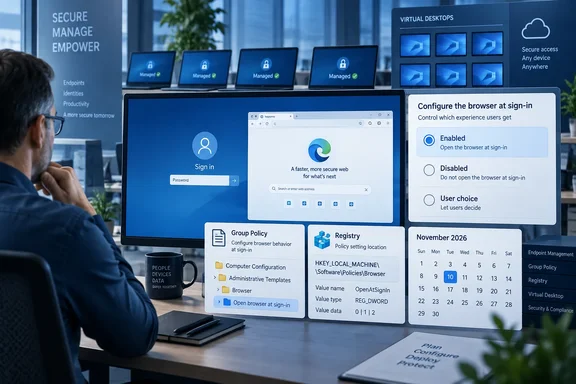
For IT departments, the important detail is that the administrative control is already documented and has appeared in Edge Beta release notes. The new LaunchEdgeOnWindowsStartupEnabled policy is supported on Windows in Microsoft Edge version 153 and later, according to Microsoft Learn. That means the policy plumbing is ahead of the roadmap’s promised end-user experience—and admins should decide now whether “user choice” is actually the intended outcome on shared, frontline, virtual, or tightly controlled PCs.
Microsoft has not identified a specific Edge Stable build for the November rollout, said whether the prompt will appear only on fresh deployments or existing devices, or explained whether the experience will be staged. Those omissions matter: a roadmap month is a delivery target, not a guarantee that every tenant or device receives the change on the first day of the month.
The new policy has three practical outcomes
Microsoft describes LaunchEdgeOnWindowsStartupEnabled as a Boolean policy governing whether Edge launches visibly when Windows starts. The word “visibly” distinguishes this behavior from Edge’s existing background preloading and startup-boost features. This is about opening a browser window for the user, not merely keeping processes ready in the background.
The policy has three useful operating modes:
- When the policy is enabled, Edge opens automatically when Windows starts.
- When the policy is disabled, Edge is prevented from visibly opening automatically at Windows startup.
- When the policy is left unconfigured, the user receives the choice described in Microsoft’s roadmap entry.
This is a more consequential setting than its short name suggests. A managed-device administrator who sets the policy to enabled is not merely exposing a preference; they are mandating that Edge open at sign-in. Conversely, a disabled policy blocks the new user-facing opt-in experience because the browser is expressly told never to launch visibly at startup.
The administrative default, therefore, is not the same as a neutral deployment decision. Leaving the policy unconfigured deliberately hands control to the logged-in user. Configuring either value takes that decision away.
Microsoft’s policy documentation also says this is a mandatory-only setting, not a recommended policy. In other words, organizations cannot use the normal Edge policy mechanism to set a suggested default that users can subsequently override. The choice is between an enforced on state, an enforced off state, and no policy at all.
Edge Beta already exposes the control
Microsoft’s Edge Beta release notes show LaunchEdgeOnWindowsStartupEnabled listed as a new policy in Edge 152 and Edge 153. Microsoft Learn’s dedicated policy page currently lists Windows version 153 or later as supported and says that a browser restart is required for a policy change to take effect.
That timing creates an important distinction between the roadmap announcement and the underlying management feature. The roadmap published on September 18 describes the managed-device opt-in experience as in development for November. But the controls necessary to govern it were already entering the Beta channel in August, and the policy documentation was updated on August 26.
For administrators, that means this is not something to wait for until a November message-center notice appears. Organizations using Edge Beta for validation can test the policy behavior now, while production teams can prepare their configuration and exception groups before the user-facing choice reaches Stable.
Microsoft’s release notes do not describe the startup prompt itself, its wording, or any eligibility checks. They only establish that the browser has gained the policy. The roadmap entry supplies the planned end-user behavior. Together, the records show the direction of travel, but they do not establish how broadly Microsoft will initially show the choice.
The policy applies at the device-management layer
Microsoft documents the Group Policy path as:
Administrative Templates/Microsoft Edge
The associated ADMX setting is named “Launch Microsoft Edge on Windows startup,” with the unique policy name LaunchEdgeOnWindowsStartupEnabled. For environments that deploy Edge policy through the registry, Microsoft identifies the mandatory policy location as:
SOFTWARE\Policies\Microsoft\Edge
The registry value is a REG_DWORD named LaunchEdgeOnWindowsStartupEnabled; Microsoft’s enabled example uses 0x00000001. A value of zero corresponds to disabled behavior, while removing or not deploying the policy preserves the user-choice state.
The documentation marks the setting as not per-profile. That is significant on multi-user systems. An administrator should treat it as a browser/device-level launch decision rather than a preference that can vary among several Edge profiles on the same Windows installation. Microsoft also says the policy applies to a profile signed in with a Microsoft account, though it does not explain whether that account condition changes how the setting behaves for local-only or work-profile scenarios.
The policy does not dynamically refresh. A browser restart is required after a change. In practice, that means help-desk staff and endpoint-management teams should not expect a user to see the result immediately after policy synchronization if Edge remains open. Validation should include fully closing and reopening Edge, followed by a Windows sign-out or reboot to confirm the actual startup behavior.
April’s opt-out test gives the change context
The planned managed-device experience follows an earlier, more controversial experiment. In April, Windows Central reported that Edge Beta showed some users a banner saying the browser would launch when they signed in to Windows unless they selected “No thanks.” The outlet said it confirmed the behavior in a then-current Beta build and characterized the test as opt-out rather than opt-in.
That reporting matters because Microsoft’s new roadmap language describes the managed-device plan differently: users will be able to choose whether Edge launches at Windows startup, and administrators can retain that choice by leaving the policy unset. The newer framing gives enterprises a cleaner way to stop a one-size-fits-all startup decision from reaching every workstation.
Microsoft has not publicly said whether the November managed-device experience replaces, modifies, or is operationally separate from the April consumer-side Beta test. It also has not said whether default-browser status, Edge profile type, Windows edition, enrollment method, or user sign-in state determine who sees the choice. Those are the details admins need before deploying a broad “not configured” posture.
The difference is more than semantic. A prompt that asks users to choose is manageable. A banner that quietly enables a startup app unless dismissed is likely to generate support requests—particularly in regulated environments, shared-workstation fleets, call centers, and systems with strict logon performance requirements.
What administrators should do before November
Organizations that want Edge open at sign-in should explicitly enable the new policy rather than rely on a forthcoming prompt. That makes the intended result durable and auditable, and it avoids user-by-user variation.
Organizations that do not want browser windows opening automatically should explicitly disable the policy. This is the safer option for kiosks, shared devices, virtual desktops, low-spec PCs, and workflows where users launch a line-of-business app rather than a browser after authentication.
For organizations that want to offer users the preference, leave the policy unconfigured—but test first. A pilot should cover fresh and long-lived Edge installations, users with multiple Edge profiles, devices with Edge set as the default browser and devices where it is not, and sign-in scenarios involving a Microsoft account, an Entra ID work account, and a local Windows account where applicable.
Administrators should also separate this setting from Windows’ own restartable-app behavior. Microsoft’s consumer support guidance for stopping Edge from opening at sign-in points users to the Windows option that automatically saves restartable apps and restarts them after sign-in. That Windows setting addresses a different mechanism: reopening applications that were previously running. LaunchEdgeOnWindowsStartupEnabled is a dedicated Edge policy for launching the browser at startup whether or not it was open in the prior session.
Microsoft’s November target gives endpoint teams a narrow window to establish policy intent. Once the user-choice experience begins rolling out, an unconfigured setting will no longer mean “nothing happens”; it will mean each user can decide whether Edge becomes part of their Windows sign-in routine.