

The roadmap record marks the item as Launched. It lists Preview in December 2025 and General Availability in January 2026 for the Worldwide (Standard Multi-Tenant) cloud, with Web as the platform. A third-party roadmap tracker, M365 Admin (handsontek), shows the entry was Created 2025-11-14, so this capability has been in the pipeline for nearly a year. It is not a surprise drop.
What's actually new, and what isn't
This update doesn't introduce RDP monitoring. It adds context to monitoring that already exists.
Microsoft's own Endpoint DLP documentation already lists "Copy or move using RDP" as an activity that detects when a user attempts to copy an item to a remote desktop session. The same documentation marks it as supported on Windows 10 (21H2, 22H2), Windows 11 (21H2, 22H2), Windows Server 2019 and later versions for Endpoints (X64). It's listed as not supported on macOS, and Microsoft classes it as Auditable and restrictable.
Enforcement isn't new either. Years ago, Microsoft's roadmap for U.S. Government clouds noted that DLP controls for RDP include support for deploying DLP policies in Audit mode, Block with Override mode, and Block mode.
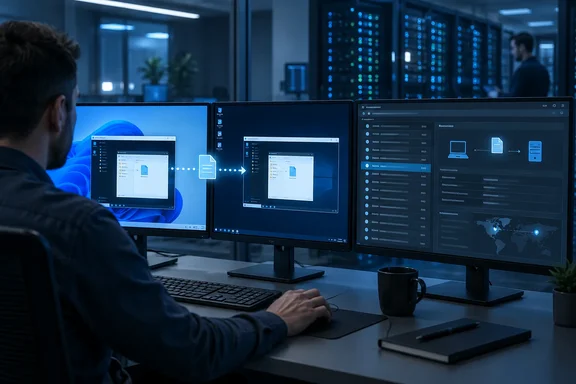
So what changes? Until now, the RDP egress event mostly told you that a sensitive file left a device over Remote Desktop. According to its roadmap description, the new capability is meant to show which machine was on the other end.
Summary:
- Existing: RDP copy detection and blocking on onboarded Windows endpoints.
- New, per the roadmap: destination-machine information is shown to admins for those copy events.
- Not claimed: any new policy setting, new blocking behavior, or new enforcement mode.
Why destination context matters
Picture a typical investigation. An alert fires because a finance analyst copied a spreadsheet full of card numbers into an RDP session. Was it a sanctioned jump box in your own data center? A colleague's workstation? A personal machine sitting under someone's desk at home? Without destination details, the analyst may have to cross-reference RDP connection logs, Defender telemetry or firewall records just to answer the first question every investigator asks.
That's the practical value here, and it's my own analysis from the feature description rather than anything Microsoft has spelled out. Knowing the destination lets an analyst quickly sort routine admin work from transfers that need escalation. It could also help security teams tune policies, for example by spotting that most RDP-copy matches go to a few approved servers.
For context, Microsoft's Endpoint DLP documentation already lists a long set of attributes recorded for endpoint events in Activity Explorer. These include client IP, target file path, happened timestamp, file name, user, plus "device name," "destination location type," and "application that performed the copy." Those fields describe the source device and the type of destination. The roadmap item covers what was missing: details about the remote machine itself.
Summary: the feature is about faster, less painful triage. Nothing suggests it makes data any harder to steal.
What the roadmap doesn't tell you
The roadmap entry is short, and admins should read it carefully. It does not say:
- Which specific fields are displayed (hostname, IP address, device ID or something else)
- Where the information appears (Activity Explorer, DLP alerts, the Defender XDR incident view, or all of them)
- Whether the remote machine has to be onboarded to Purview for its details to show up
- What licensing is required beyond what Endpoint DLP already needs
- Whether it applies in U.S. Government clouds (the listed cloud instance is Worldwide only)
Anyone who claims otherwise is guessing. Until Microsoft Learn documents the fields, check your own tenant before you write investigation runbooks around specific attributes.
One more caveat on rollout. The roadmap's "Launched" status and January 2026 GA date don't guarantee that every tenant shows the information today, or in the same way. If you don't see destination details on RDP copy events, the cause may be policy setup or device onboarding rather than a missing feature.
Prerequisites: the plumbing has to be in place
None of this works unless Endpoint DLP is already running. Microsoft's guidance makes some baseline points that apply here:
- Onboard your devices. Microsoft states that Endpoint DLP allows you to monitor onboarded Windows 10, and Windows 11 and onboarded macOS devices running any of the three latest released versions. RDP copy monitoring specifically is a Windows (and supported Windows Server) capability.
- Confirm devices are reporting. Microsoft's Endpoint DLP scenario guidance says those scenarios require onboarded devices that report to Activity Explorer. Once a device is onboarded, it should appear in the devices list and begin reporting audit activity.
- Enable server support if relevant. RDP traffic often goes to servers. Endpoint DLP for Windows Server is switched on separately. In the Microsoft Purview portal, go to Data loss prevention > Overview, choose Settings in the upper right corner, select Endpoint settings, expand Endpoint DLP support for onboarded servers, and set the toggle to On.
- Check connectivity. Windows endpoints must be able to reach the cloud DLP service, so check proxy settings.
- Scope policies carefully. Microsoft warns that if a device-scoped policy covers signed-in users who don't meet the required criteria, those users or devices should be explicitly excluded, or you risk unintended enforcement behavior.
- Include the RDP activity in your policy. In a rule that uses Audit or restrict activities on devices, make sure Copy or move using RDP is set to Audit, Block with override or Block, depending on your risk appetite.
What success looks like: when a user copies a file that matches policy into a Remote Desktop session, Activity Explorer records a DLP rule match plus an event describing the egress method. Based on the roadmap item, that event should now also carry information about the remote destination.
A virtualization wrinkle worth knowing
Shops running Azure Virtual Desktop should note a documented limitation. Microsoft says you can't monitor Copy to Clipboard and Enforcing Endpoint DLP on Azure Virtual Desktop environments via browsers. However, the same egress operation will be monitored by Endpoint DLP for actions via Remote Desktop Session (RDP).
In plain terms, RDP is the path Endpoint DLP does watch in that scenario, which makes the RDP egress record more useful there. Don't read that as a statement about where the new destination-machine display is supported. Microsoft hasn't published that scope.
The bigger picture
Microsoft has been steadily improving Purview's investigation tools: alert aggregation, evidence collection to Azure storage, Defender XDR integration and now richer egress context. The pattern makes sense. Blocking is the blunt instrument. The day-to-day work of a data security team is triage, and triage depends on context.
The counterpoint is simple: visibility isn't protection. Seeing that a confidential file went to a remote machine is useful, but only a well-tested policy actually stops it. If your RDP-copy rule sits in audit-only mode, this update gives you a better-labeled record of the leak, not a prevention.
Bottom line: if Endpoint DLP is already deployed on Windows, this is a quiet but useful improvement for RDP investigations. Check that your servers are onboarded and that your policies include the RDP activity. Then look at a test event in Activity Explorer to see what destination details your tenant actually shows.
References
- Microsoft Purview: Data Loss Prevention- Show remote machine information on File Copy to Remote Desktop Microsoft 365 Roadmap · 2026-09-30T23:31:03.389585Z
- Get started with endpoint data loss prevention learn.microsoft.com
- Data Loss Prevention policy reference | Microsoft Learn learn.microsoft.com