

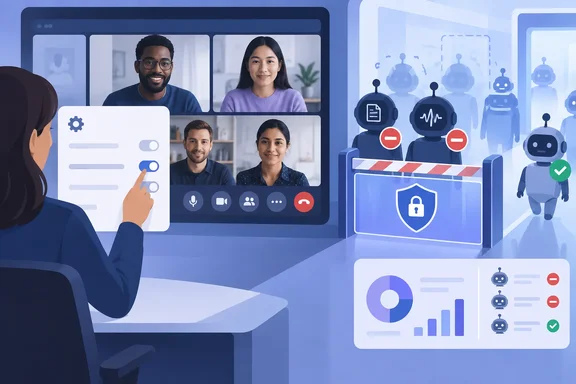
Teams' external bot policy gains a third mode: automatic block
Microsoft's own wording for the change is short. On the Microsoft 365 roadmap, item 566201 says the company is extending "the admin controls provided for managing external AI bots and regulating their access to your meetings" by adding an option to automatically block all identified bots. Neowin reported the change on September 24, 2026. BleepingComputer covered the announcement a month earlier, reporting that the new policy will automatically prevent external bots from joining Teams meetings, without requiring explicit organizer confirmation before they're admitted.
The more detailed record is Microsoft 365 Message Center post MC1459141, which was published on August 21, 2026 according to Cyber Security News. In that post, Microsoft says a new policy option will be added to the existing Manage bots meeting protection settings in the Teams admin center. Administrators will be able to configure Teams meeting policies to automatically block identified external meeting bots from joining meetings. The post is tied to roadmap item 566201: "This message is associated with Roadmap ID 566201."
Once the policy applies, identified external meeting bots will be prevented from joining meetings governed by the assigned policy. Existing bot detection and visibility experiences for organizers and administrators will continue to be available. Blocking is added on top of detection. It does not replace it.
How the existing lobby-based bot detection in Teams works
The new mode is easier to understand next to what Teams already does. Microsoft Learn documents a meeting policy called Manage external bots and their access to meetings, found in the Meeting Join and Lobby section of meeting policies in the Teams admin center. Until now it has offered two choices:
| Admin center option | PowerShell value (ExternalBotAccessMode) | Behavior |
|---|---|---|
| Do not detect bots | AllowBots | Bots aren't detected or marked. They look like any other external participant. |
| When detected, require approval before joining | RequireApprovalWhenDetected (default) | Detected bots are marked and held in the lobby until someone explicitly admits them. |
With detection on, Teams puts detected bots in the lobby even if the meeting is set to let people bypass it. The organizer, or a presenter depending on meeting settings, has to admit each bot, and Teams shows a warning about the risk before they do. Microsoft recommends letting only organizers and co-organizers admit people from the lobby, so a presenter can't wave a bot through without proper review.
According to Microsoft, detection relies on "a combination of infrastructural and behavioral signals" collected while a participant is joining. Microsoft lists two limitations. Some external bots won't be detected, and some real people will occasionally be flagged as bots. In the current approval mode, an organizer can fix a false positive by admitting the person and choosing "This is not a bot," which changes how that participant is shown for that one meeting only.
Before this change, stopping a detected bot always took a person: an organizer who noticed it in the lobby and chose not to let it in. The new policy takes that decision away from individual organizers and applies it automatically wherever the policy is assigned.
Rollout dates for roadmap 566201 and MC1459141 don't match
The dates depend on which Microsoft record you read. The roadmap entry, updated September 1, 2026 and marked "Rolling out," lists general availability as September 2026. It covers Android, desktop, iOS, Mac, and web, in the Worldwide (Standard Multi-Tenant) and GCC clouds.
MC1459141 has since been revised with a later schedule. Microsoft updated it on August 26, 2026, and it now says: Targeted Release: Beginning in mid-September 2026 (previously early August) and expected to complete by late September 2026 (previously late August) General Availability (Worldwide): Beginning in early October 2026 (previously late August) and expected to complete by late October 2026 (previously late September).
In practice, as of late September 2026, tenants on Targeted Release are the likeliest to see the new option. Most standard-release tenants should expect it during October. The Message Center schedule is the more specific and more recently revised of the two, so plan around it. If the option isn't in your admin center yet, that's consistent with a staged rollout and doesn't mean something is broken.
Updating the Teams app won't turn the block on
The consumer-style framing of this story is wrong in one practical way. Neowin says users get the blocking option by updating the Teams app to the latest version. Microsoft describes something different: a tenant-side meeting policy that an administrator controls. MC1459141 says: "Default state: Off. No changes occur unless an administrator enables the policy." Organizers and end users can't switch it on from their own clients.
Scope works through normal policy assignment. The policy can be assigned to specific users or groups through existing Teams meeting policy management. Organizations that do not enable this setting will continue to use the current bot detection experience with no change to meeting participation behavior. Because it's a meeting policy, it follows the organizer's assignment. You could block bots outright for finance or legal staff and leave the approval workflow in place everywhere else.
On the PowerShell side, AdminDroid, a Microsoft 365 reporting vendor, describes the new mode as a third ExternalBotAccessMode value called BlockDetectedBots, set through Set-CsTeamsMeetingPolicy. Microsoft Learn's page on external bots, last updated June 11, 2026, didn't yet list that value, and MC1459141 doesn't name it. Check the current cmdlet reference in your tenant before you script it. The Learn page is also inconsistent on the cmdlet: the text names Set-CsTeamsMeetingPolicy, but the sample commands use Set-CsTeamsEventsPolicy. Admins writing automation should test against the cmdlet their tenant actually accepts.
Why Microsoft is steering tenants away from third-party AI note-takers
Microsoft gives a plain reason for the feature. The Learn documentation says external meeting assistants may record or transcribe meetings without participants knowing, store meeting data in third-party systems outside the organization's compliance boundary, and create privacy, compliance, and data-leakage risks. In practice, the concern is that a bot attached to one attendee's calendar can join a meeting on behalf of someone who isn't there and send a transcript to a service the host organization has never assessed.
The approval mode already addressed that, but it depended on every organizer reading the lobby warning and making the right decision under time pressure. Automatic blocking makes the decision once, at the policy level. For regulated teams, a consistent rule is easier to defend than a collection of individual lobby decisions.
Microsoft is also building a way for legitimate bots to identify themselves. The Teams Bot Identification Program, in public preview, lets eligible bot vendors register with Microsoft and include a self-identification marker in their join requests so Teams can recognize them as registered participants. Microsoft says the preview has reached its current capacity for bot providers and that onboarding guidance will come at general availability. Whether registration will ever exempt a vendor from the new block is not documented. Microsoft hasn't said so, and admins should assume a blanket block covers any external bot Teams identifies.
The limits of detection-based blocking
The block only works as well as the detector. Microsoft says outright that some external bots may not be detected, so an undetected bot can still join like any other external participant. The feature cuts down bot attendance. It does not replace lobby discipline or attention to who is in the meeting.
False positives are the other risk, and with automatic blocking they cost more. In approval mode, a person wrongly flagged as a bot waits in the lobby until the organizer admits them and marks them "This is not a bot." Microsoft's documentation of that fix describes the approval workflow, and MC1459141 doesn't explain how a wrongly blocked human gets into a meeting once automatic blocking is on. For meetings with customers, candidates, or partners, where a turned-away attendee is a real business problem, that gap is a good reason to pilot the policy first.
The scope is also narrower than some coverage suggests. Everything Microsoft has published concerns external meeting bots identified while trying to join meetings hosted by your organization. It doesn't cover Microsoft's own meeting features, internal automation, or tools that capture audio outside the meeting itself.
What this means for you
Tenants that currently tolerate external note-takers should inventory them before changing anything. Tenants that already treat those bots as unwelcome can pilot the block as soon as it appears. Microsoft's own recommendations in MC1459141 match that order: review your organization's use of meeting bots and automated meeting applications, evaluate the feature with a pilot group before broader deployment, review existing Teams meeting policies and determine which users or groups should receive the policy, then update help desk guidance and tell affected users.
- Look under Meeting policies > Meeting Join and Lobby > Manage external bots and their access to meetings in the Teams admin center. The new option is expected there as Targeted Release finishes in late September and Worldwide general availability runs through October 2026.
- Leave
RequireApprovalWhenDetectedas the baseline for general users if the block isn't a fit yet. It's Microsoft's documented default, and turning detection off entirely removes both bot labeling and the lobby hold. - Assign the block through a targeted meeting policy for sensitive groups first rather than changing the org-wide default, and note that the policy follows the meeting organizer.
- Confirm the exact PowerShell value in your tenant before scripting.
BlockDetectedBotsis reported by a third-party vendor and wasn't yet in Microsoft Learn's published option table. - Keep lobby admission limited to organizers and co-organizers even after enabling the block, because bots that Teams doesn't detect will still arrive as ordinary external participants.
- Warn teams that depend on approved third-party transcription or note-taking services before the block reaches them, since Microsoft hasn't documented any exemption for registered bots.
For most organizations this is a small, useful change: a default-off policy that lets admins stop relying on individual organizers to turn away AI note-takers. Its value depends entirely on Teams' bot detection, which Microsoft admits is imperfect. Treat it as one layer on top of lobby controls, not a guarantee that everyone in the meeting is human. The next date to watch is Worldwide general availability, which MC1459141 puts from early to late October 2026. Microsoft Learn's option table and the PowerShell reference should gain the new mode around then, and that's the point to write the block into standard meeting-policy baselines.