

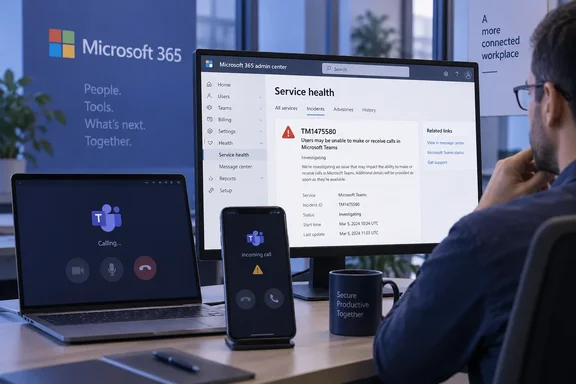
Windows Report quotes Microsoft’s notice: “We’re investigating an issue in which some users may be unable to make or receive calls within Microsoft Teams.” Its report, updated at 14:23 UTC, does not establish a cause, restoration time, affected region, client version or calling configuration. No independent corroborating report for this September incident was found in the available search results.
What the reported failure covers
The reported symptom concerns incoming and outgoing Teams calls. It does not establish that meetings, chat or channels are also unavailable—or confirm that those functions remain healthy. There is also insufficient detail to identify whether the problem concerns Teams-to-Teams calls, telephone calling or both.
Older Teams incident notices should not be used to fill those gaps. For example, IsDown’s record of a July 24 incident described problems creating or joining meetings and calls in the Asia-Pacific region, with recovery instructions for that event. Those regional limits and instructions do not establish the scope or remedy for September’s reported TM1475580 incident.
How administrators can check their organization
Microsoft’s service-health documentation recommends checking for known cloud-service problems before spending time troubleshooting or contacting support. The Microsoft 365 admin center provides the incident’s user impact, status, estimated start time and update history. Access requires an authorized administrator account; Microsoft explicitly lists Service Support Administrator and Helpdesk Administrator among roles that can view service health.
- Sign in to the Microsoft 365 admin center with an authorized admin account.
- Open Health > Service health and review the active Microsoft Teams issues.
- Look for incident TM1475580 and open its details. Compare the listed user impact with the failures your organization is experiencing, and check the last-updated time.
- If the incident is available, select Manage notifications for this issue to receive updates at up to two email addresses.
- If users are experiencing failures but no matching issue appears, select Report an issue and complete the form. Microsoft says it uses these reports alongside service data to investigate potential problems.
These are Microsoft’s documented service-health procedures, rather than a confirmed workaround for this calling incident.
For users without administrator access, the useful next step is to have their IT team compare the calling failure with that incident entry. Windows Report mentions restarting Teams, but does not report a verified fix. At the reporting cutoff, the available evidence supports an investigation into calling failures—not a universal client-side repair or a confirmed recovery.
References
- Microsoft Confirms Teams Call Isn’t Working for Some Users Right Now - windowsreport.com windowsreport.com · 2026-09-21T14:23:11+00:00
- How to check Microsoft 365 service health - Microsoft 365 Enterprise | Microsoft Learn learn.microsoft.com