

M-Trends 2026 Puts Voice Phishing Ahead of Email Phishing
The main statistic comes from Mandiant, not from a vendor survey. Released March 23, 2026, M-Trends 2026 draws on more than 500,000 hours of incident investigations Mandiant conducted in 2025. By Mandiant's count, exploits remained the most common initial infection vector for the sixth consecutive year, accounting for 32% of intrusions, while highly interactive voice phishing surged to 11%, becoming the second-most commonly observed vector.
Email phishing fell sharply over the same period. The report's executive edition says email phishing saw a steady decline from 14% in 2024 to 6% in 2025. It also explains why Mandiant tracks the two separately: interactive attacks are significantly more resilient against automated technical controls and require different detection strategies.
Keep the scope of these numbers in mind. They are shares of the incidents Mandiant investigated in which it could identify how the attacker got in. They are not an estimate that 11% of all organisations or all attacks worldwide involve vishing. Mandiant offers its own explanation for the shift, saying that as automated technical controls have improved, email phishing dropped to just 6% of intrusions in 2025. In its place, adversaries have pivoted to highly interactive, voice-based social engineering. SoSafe presents the gateway explanation more cautiously, as "one reading" of the data. That's reasonable, because the percentages record the shift but don't prove what caused it.
The report also shows where the phone channel leads. Mandiant notes that it has been tracking how groups like UNC3944 target IT help desks to bypass multifactor authentication (MFA) and gain initial access to software-as-a-service (SaaS) environments. Its recommendations for security awareness training are unusually specific: Educate employees and IT help desk staff specifically on recognizing live, voice-based social engineering, messaging app lures, and unauthorized MFA reset requests.
How a Vishing Call Becomes Account Access, Step by Step
SoSafe breaks a typical corporate vishing attack into five stages, drawing on joint US government advisories about attacks on IT help desks and outsourced service providers:
- Research. The attacker gathers names, roles, reporting lines and project details from LinkedIn and company websites. They may also place short "reconnaissance" calls just to learn what the help desk asks for before it resets a password.
- Pretext. That research becomes a believable story, such as a new phone, an account locked right before a big meeting, or a problem during MFA enrolment.
- Rapport. The caller is friendly and uses the right internal vocabulary and names.
- Pressure and the ask. The tone shifts to urgency, and the target is asked to make an exception: read out a one-time code, approve a push prompt, grant remote access or skip a security question.
- Access and persistence. In the documented cases, the attacker then signs in through the single sign-on portal like any other user and registers their own MFA method to keep access.
This model has an uncomfortable implication for defenders: no single step has to look suspicious. An employee who confirms her manager's name doesn't feel she has given anything away. A help desk agent who resets a password after hearing correct personal details is following what looks like routine. The attack succeeds in the gaps between those decisions.
Caller ID gives no protection. Voice-over-IP services let attackers place many calls quickly and change the number that appears on the recipient's screen. A spoofed call can therefore show head office's number or the internal help desk extension. The FBI's advice runs the same way. In a May 2025 public service announcement about impersonation campaigns, it told recipients to research the originating number, organization, and/or person purporting to contact you. Then independently identify a phone number for the person and call to verify their authenticity.
Where Help Desks and Outsourced Service Desks Become the Weak Point
The most damaging version of vishing never targets the employee directly. The caller rings IT support, claims to be a locked-out employee and asks for a password reset or MFA re-enrolment. SoSafe points out that support teams are usually measured on how fast they close tickets, and that willingness to help is exactly what the attacker exploits. Outsourced help desks carry extra risk because they manage accounts for several clients at once. By design, that puts them at a distance from any one client's internal structure.
SoSafe cites two well-known cases. It says callers reached Marks & Spencer's outsourced IT help desk in spring 2025, posed as employees and had passwords and MFA factors reset. It also describes Clorox's July 2025 lawsuit against Cognizant over the August 2023 breach, a claim of roughly $380 million. The complaint alleges that a caller phoned the Cognizant-run service desk, gave a Clorox employee's name and had the password, and later the MFA settings, reset without the required identity check. Cognizant disputes those allegations, and they remain claims in litigation, not findings.
Other variants SoSafe describes follow the same logic:
- In MFA fatigue attacks, the caller keeps up the pressure while the target's phone shows one push notification after another, until the target approves one to make it stop.
- In CEO fraud by phone, the finance team or an executive assistant is asked for an urgent, confidential transfer. Sometimes the fake email is sent first, and sometimes a cloned voice is used on the call.
- In callback vishing, a phishing email contains no malicious link, only a phone number. Because the victim places the call, their normal suspicion of unexpected callers never kicks in.
- In multi-channel attacks, a call is paired with a text message, an email or a Teams or Slack message, so each channel appears to confirm the other.
Microsoft Teams and Quick Assist: The Case Windows Admins Should Study
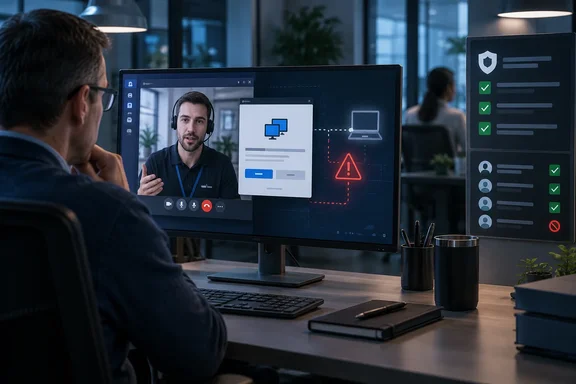
The most relevant case for WindowsForum readers comes from Microsoft itself. After a customer reached out for assistance in November 2025, Microsoft's Detection and Response Team (DART) uncovered a campaign built on persistent Microsoft Teams voice phishing, where a threat actor impersonated IT support and targeted multiple employees. Microsoft published the write-up on March 16, 2026. Following two failed attempts, the threat actor ultimately convinced a third user to grant remote access through Quick Assist, enabling the initial compromise of a corporate device.
The sequence is the lesson. Two employees refused and reported the approach, but the attacker simply kept going down the list. Once in, the social engineering became hands-on intrusion. Evidence gathered from browser history and Quick Assist artifacts showed the user was prompted to enter corporate credentials into a spoofed web form, which then initiated the download of multiple malicious payloads. One of the first payloads was a disguised Microsoft Installer (MSI) package that used trusted Windows mechanisms to sideload a malicious dynamic link library (DLL) and establish outbound command-and-control.
This incident was contained. According to Cyber Security News, investigation established that the intrusion was short-lived and limited in scope, and DART validated the absence of persistence mechanisms before declaring the incident resolved. No vulnerability in Teams or Quick Assist was involved. The attacker used a legitimate Windows remote-support tool after a user was persuaded to open it.
Microsoft's recommendations focus on two tenant-level controls. First, restrict inbound Teams communications from unmanaged or unverified external accounts, implementing an allowlist of trusted external domains. Second, review use of remote monitoring and management tools, inventory what is truly required, and remove or disable utilities—such as Quick Assist—where they are unnecessary. The playbook isn't new. Microsoft reported a financially motivated group, Storm-1811, abusing Quick Assist through support impersonation in May 2024. The chain it described could lead on to further remote-management tools and ransomware.
Voice Cloning Removes the Last Informal Check
SoSafe argues that generative AI changes one thing for the person answering the phone. A familiar voice, a habitual phrase or the right form of address was never proof of identity, but in practice it worked as a first filter. Voice cloning built from public recordings, such as podcasts, conference talks or social media clips, removes that filter.
The FBI takes the threat seriously. Its May 2025 PSA described a campaign in which attackers sent text messages and AI-generated voice messages—techniques known as smishing and vishing, respectively—that claim to come from a senior U.S. official in an effort to establish rapport before gaining access to personal accounts. The bureau warned that AI-generated content has advanced to the point that it is often difficult to identify.
Not every vishing call uses a cloned voice, and SoSafe's own example of a failed attempt shows why detection shouldn't depend on spotting one. As SoSafe tells it, citing a podcast with TDK Electronics' CISO, an employee took a call from someone claiming to be the group's president. She asked him to call back on a landline and recorded the second call. The caller was irritated and pushed harder, and she gave him nothing. His behaviour gave him away, not his voice. Even the callback wasn't real verification, since landline numbers can be spoofed too. What protected her was the time she bought and a culture where questioning someone senior was acceptable.
Mandiant keeps AI in perspective: we do not consider 2025 to be the year where breaches were the direct result of AI; the vast majority of successful intrusions still stem from fundamental human and systemic failures.
Controls That Hold When the Employee Is Fooled
The most useful idea in SoSafe's explainer is that preventing vishing is about process design, not call filtering. The goal is that a fraudulent call leads nowhere even when the person who answers believes it. Each control below blocks a specific action the caller is trying to trigger:
- Independent verification for resets means password and MFA resets require something that can't be faked in a phone call, such as line-manager approval, an automated identity-management workflow, or checks whose answers can't be found publicly.
- The callback rule means that for sensitive requests the recipient hangs up and calls back on the number held in the company directory, never a number the caller provides.
- Dual control means no single person can approve a payment above a set threshold, a change of bank details or a new MFA enrolment alone.
- Phishing-resistant MFA means moving away from SMS codes and simple push approvals. SoSafe recommends FIDO2 security keys, passkeys and certificate-based authentication, because the credential is bound to the domain and can't be read out over the phone.
- Contractual standards for outsourcers mean any provider that resets passwords for you should have its verification procedure written into the contract and audited.
- Blame-free reporting means staff can quickly report a suspicious call, including one where they have already acted. Hanging up is not the same as reporting it.
SoSafe also lists four warning signs to listen for during a call. The first is sudden urgency with a deadline too short to check with anyone. The second is any request for a password, one-time code or push approval. The third is a request to skip a normal step "just this once". The fourth is authority that can't be checked, often combined with an instruction to keep the matter confidential. None of these depends on how convincing the call sounds, which is why they stay useful against cloned voices.
On training, the explainer makes a fair point about measurement. Click rates on simulated emails say nothing about how staff handle an unexpected call. Calling employees directly for phone simulations also means building and maintaining lists of phone numbers. SoSafe markets a browser-based Interactive Vishing Lesson as its answer to that problem and claims 90% knowledge retention after 12 months. Both are vendor claims, not independent findings.
What this means for you
Start with whoever can reset a password or an MFA method, whether that's your own help desk or an outsourced one. That's where a single phone call turns into account access.
- Audit what your help desk accepts as proof of identity before resetting a password or MFA method. If the answer is personal details a caller can research, change the procedure.
- Restrict inbound Microsoft Teams communications from external accounts to an allowlist of trusted domains, as Microsoft recommends after its Quick Assist case.
- Inventory your remote-support tools and remove or disable Quick Assist and similar utilities where there's no business need.
- Require a callback to the directory number, plus second-person approval, for payment changes, bank-detail updates and new MFA enrolments.
- Put verification requirements for any outsourced service desk in the contract, and audit how that provider actually handles reset calls.
- Tell staff they should report suspicious calls even after they've complied, and make sure the reporting channel is fast and blame-free.
Mandiant's 2025 data turns what was an occasional nuisance into a leading way attackers get in. Microsoft's Teams case shows how directly it leads to a Windows endpoint through a tool Windows already includes. Organisations that tighten reset verification, external Teams access and remote-support tooling now will remove most of what a persuasive caller can accomplish. Mandiant has already told defenders what to prioritise: help desk training, awareness of unauthorised MFA resets, and continuous identity monitoring.
References
- Vishing: How Attacks Over the Phone Really Work - sosafe-awareness.com sosafe-awareness.com · 2022-12-14T10:41:41+00:00
- Help on the line: How a Microsoft Teams support call led to compromise | Microsoft Security Blog microsoft.com
- M-Trends 2026: Data, Insights, and Strategies From the Frontlines | Google Cloud Blog cloud.google.com